Zapier Integration & Outbound Webhooks — connect SKU.io to thousands of apps
Until now, getting data out of SKU.io meant polling the API, exporting spreadsheets, or asking a developer to build something custom. Want a Slack message when goods are received? A Google Sheets row for every new sales order? A customer added to your email tool the moment they first buy? Each one was a mini engineering project. SKU.io now has a native Zapier integration, powered by a new outbound webhooks platform — when something happens in SKU.io, SKU.io tells the outside world about it, in real time. Connect the official SKU.io app on Zapier — now live in the Zapier App Directory in beta — and build those automations in minutes, or point a webhook at your own endpoint and build anything you like.
✨ What this means for you:
- Automate without code — connect SKU.io to Slack, Google Sheets, email, your CRM, and thousands of other apps through Zapier.
- Instant triggers, not polling — SKU.io pushes each event the moment it happens, so Zaps run in seconds, not on a 15-minute poll.
- Ten events to build on — new, shipped, and cancelled sales orders; new, approved, submitted, and received purchase orders; inventory adjustments; new products; new customers.
- Zapier actions and searches too — create sales orders, purchase orders, products, customers, and suppliers, or adjust inventory in SKU.io from any other app's trigger.
- Webhooks for your own systems — the same platform works with any HTTPS endpoint, with signed payloads and a full delivery log for self-serve debugging.
Start Zaps from SKU.io events
The official SKU.io Zapier app includes ten instant triggers: New Sales Order, Sales Order Shipped, Sales Order Cancelled, New Purchase Order, Purchase Order Approved, Purchase Order Submitted, Goods Received, Inventory Adjusted, New Product, and New Customer. They're instant triggers — SKU.io delivers each event to Zapier the moment it happens, so a "text the warehouse manager when goods are received" Zap fires while the truck is still at the dock.
Payloads are flat and Zapier-friendly, and include fields like the warehouse and store names — so you can add a Zapier Filter step to act only on, say, orders from your Shopify store or adjustments in one warehouse.
Push data the other way, too
Triggers are half the story. The Zapier app also ships seven actions — Create Sales Order, Create Purchase Order, Create Product, Update Product, Create Customer, Create Supplier, and Adjust Inventory — plus four searches to find products by SKU, customers by email, sales orders by number, and suppliers by name. That means flows into SKU.io as well: create a sales order from a form submission, add products from a spreadsheet, or adjust inventory when another system says so.
Connecting is a standard OAuth flow — you sign in, see exactly which account and permissions you're granting, and you're done. No API keys to copy around, and you can revoke the connection any time from Settings → Developer → Connected Apps.
Webhooks for everyone — not just Zapier
The engine behind the Zapier app is a general-purpose outbound webhooks platform, and it's yours to use directly. The new Settings → Developer → Webhooks page lists every subscription on your account — whether it was created by a connected app like Zapier or by your own API call — with its event, target URL, source, status, and the result of the last delivery.
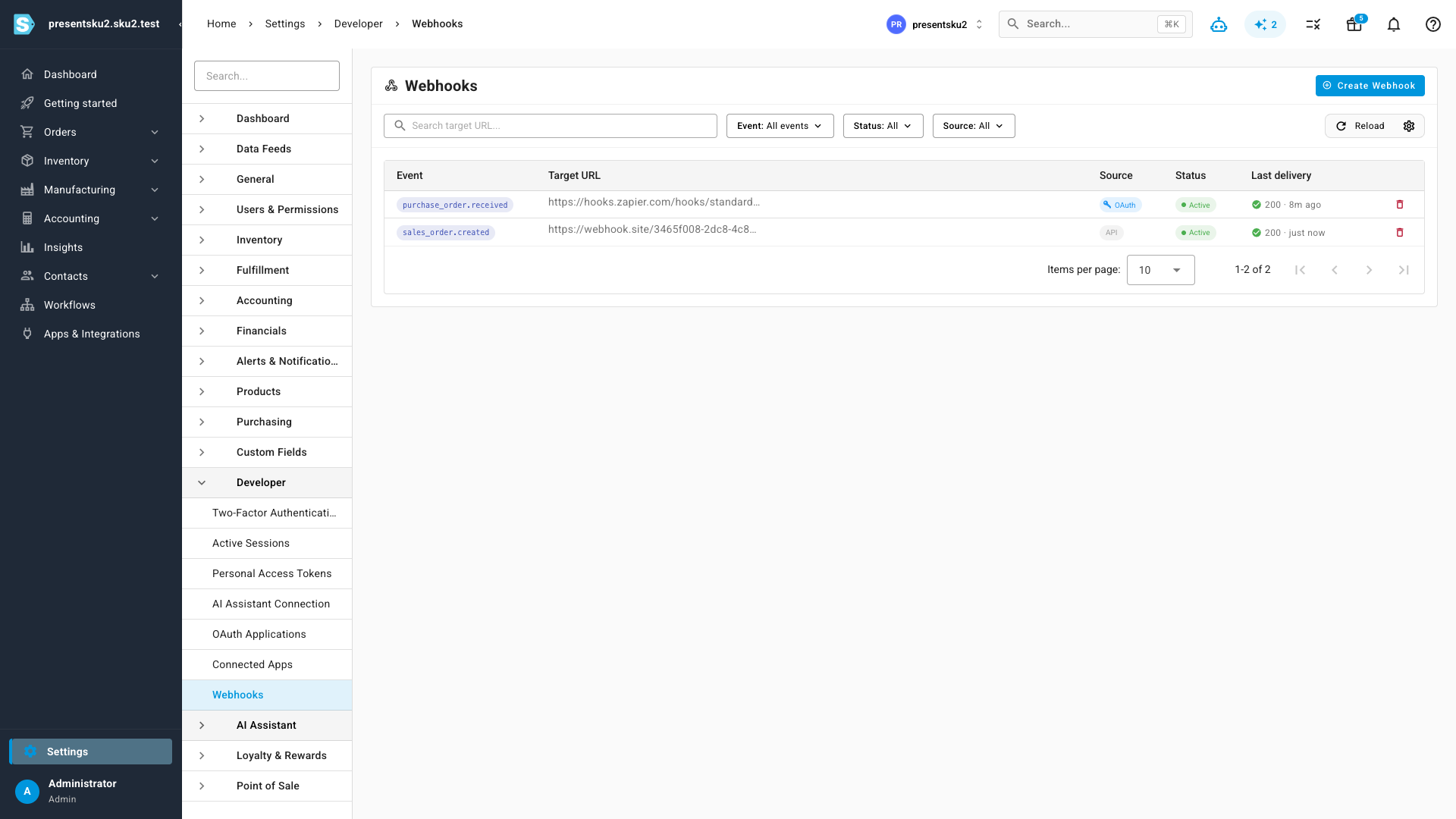
Creating a webhook takes two fields: pick an event, paste an HTTPS URL.
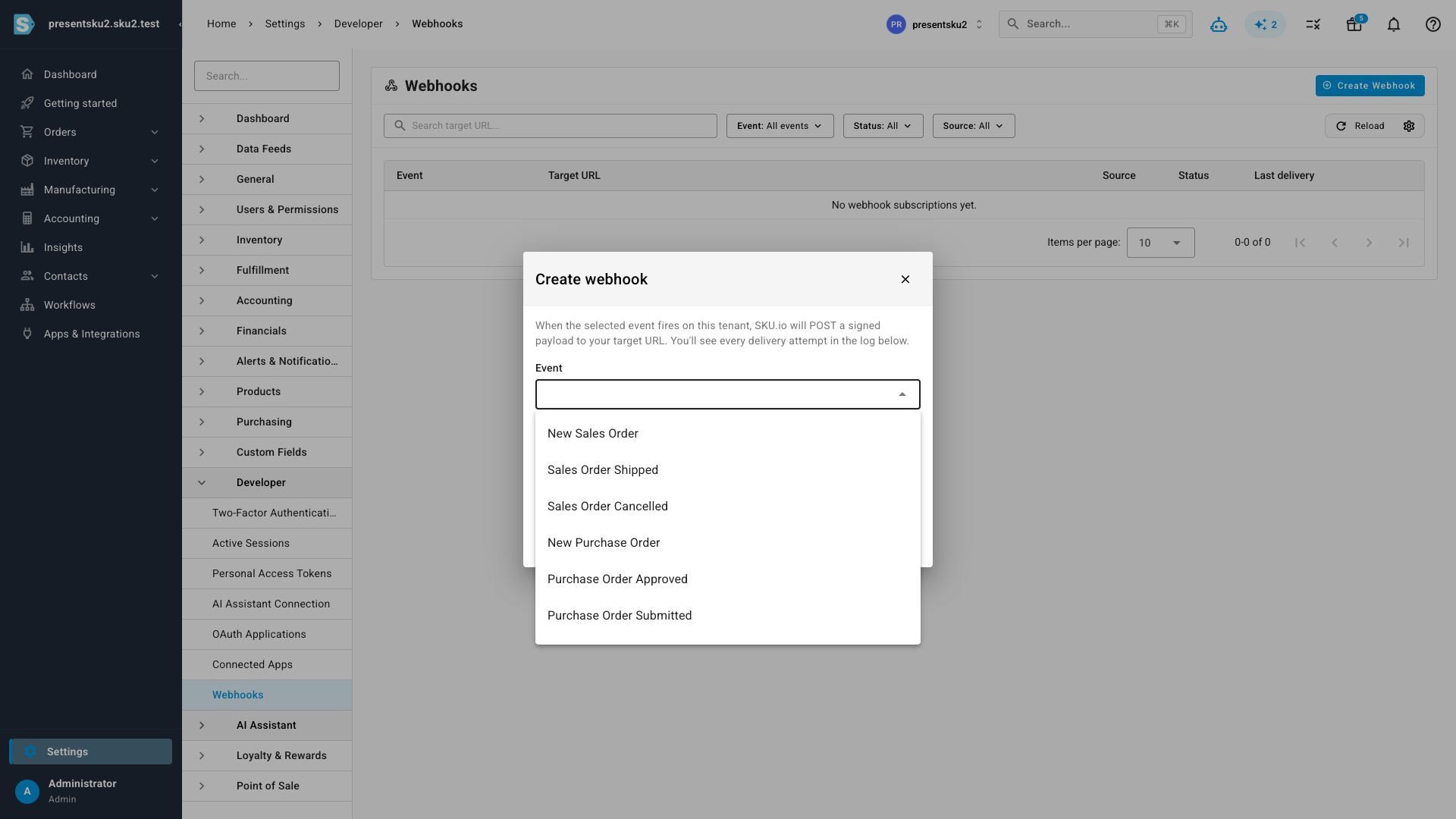
Every subscription gets a signing secret, shown once at creation. Each
delivery carries an X-SKU-Signature HMAC header computed with that
secret, so your endpoint can verify that every payload genuinely came
from SKU.io.
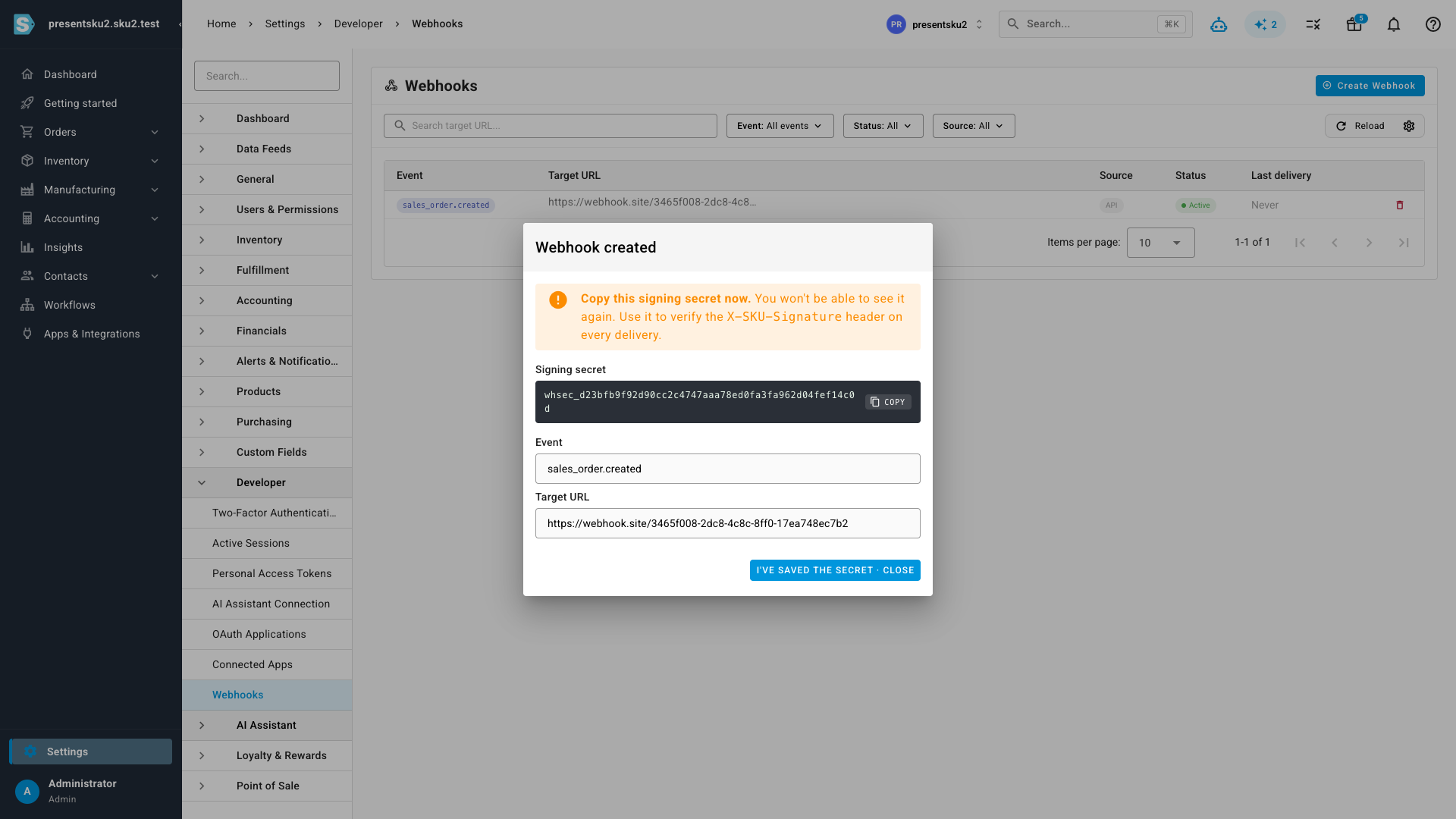
Watch every delivery
No more "did the webhook fire?" mysteries. Click any subscription to open its delivery log: every attempt with its HTTP status, response time, and attempt number, plus the exact payload that was sent. A Send test button posts a sample delivery on demand, so you can verify your endpoint before wiring it into anything real.
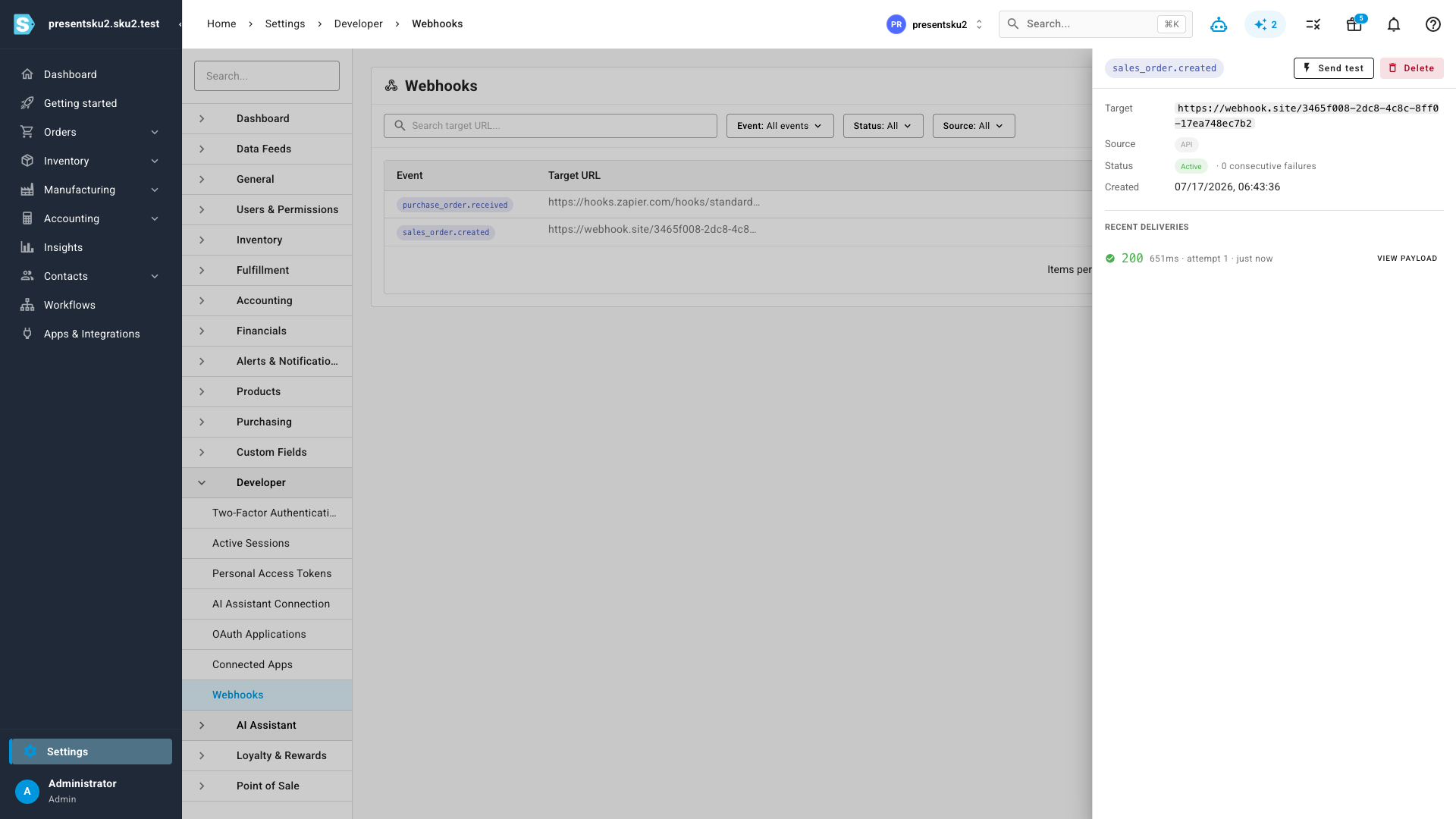
Failed deliveries are retried automatically with backoff. If an endpoint keeps failing, SKU.io disables the subscription after 25 consecutive failures and notifies you — so a dead endpoint never silently swallows weeks of events.
Where to find it
Go to Settings → Developer → Webhooks to view and manage webhook subscriptions, or click Create Webhook to point events at your own endpoint. To connect Zapier, find SKU.io in the Zapier App Directory and sign in — the connection and everything it creates shows up under Settings → Developer in Connected Apps and Webhooks.