Amazon FBA Inbound — plan, pack, and ship without leaving SKU.io
Building an FBA shipment used to mean bouncing between SKU.io, a spreadsheet, and Seller Central — figure out what to send, create a plan in SKU.io, then leave to do packing, placement, carriers, and labels by hand. The most error-prone steps happened outside your system of record, and a multi-SKU shipment could eat an afternoon.
Now you can run the entire Amazon FBA inbound workflow inside SKU.io — from "what should I send?" all the way to "tracking numbers submitted, labels printed." Smart item selection, box content, placement-fee comparison, carrier booking, label printing, and receiving reconciliation are all in one guided flow.
✨ What this means for you:
- Decide what to send with real numbers — Amazon's restock recommendation, your warehouse and supplier stock, and demand from your other channels, side by side, with a defensible suggested quantity per SKU.
- Finish the whole shipment in SKU.io — packing, placement, transportation, and labels, without a Seller Central round-trip.
- See placement fees before you commit — compare Amazon's split options and their fees so you're not surprised by inbound placement charges.
- Catch what Amazon shorts you — every shipment is reconciled shipped-vs-received, so discrepancies surface instead of going unclaimed.
- No silent failures — every Amazon operation runs through the job tray with progress, retry, and clear error messages.
One home for FBA inbound
A new FBA Inbound hub brings the whole lifecycle together: an overview of what needs attention, demand planning, your draft and submitted plans, and shipment tracking — all under one set of tabs.
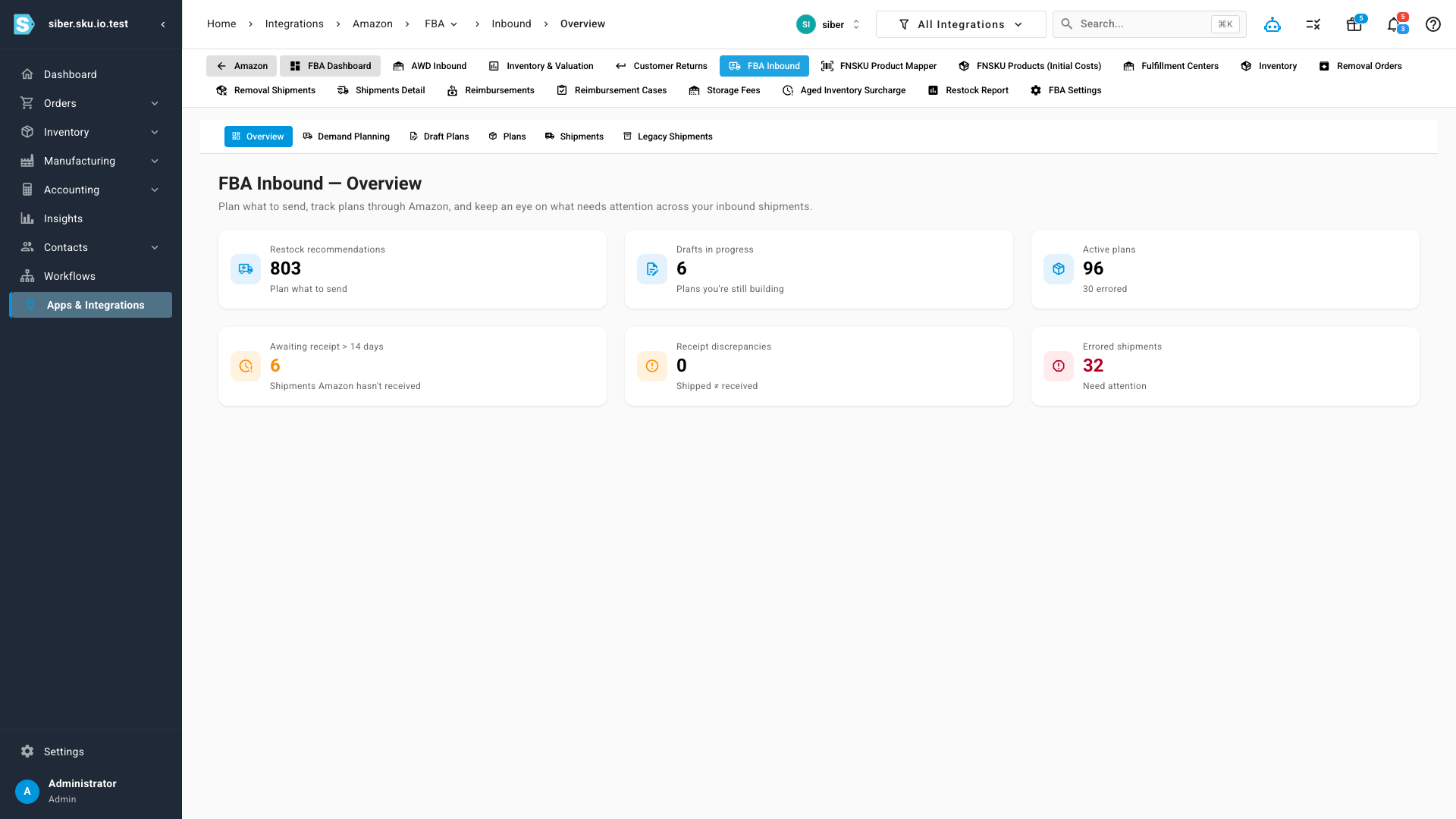
At a glance you can see how many SKUs Amazon recommends restocking, how many plans you're still building, how many are active, and which shipments need attention — each card jumps straight to the work.
Know exactly what to send
Item selection is the part that used to live in a spreadsheet. The Demand Planning grid merges Amazon's restock recommendations with your actual supply and demand: available stock at your origin warehouse, what your supplier can deliver and when, and forecasted demand from your other sales channels — so you don't starve Shopify or eBay to feed FBA.
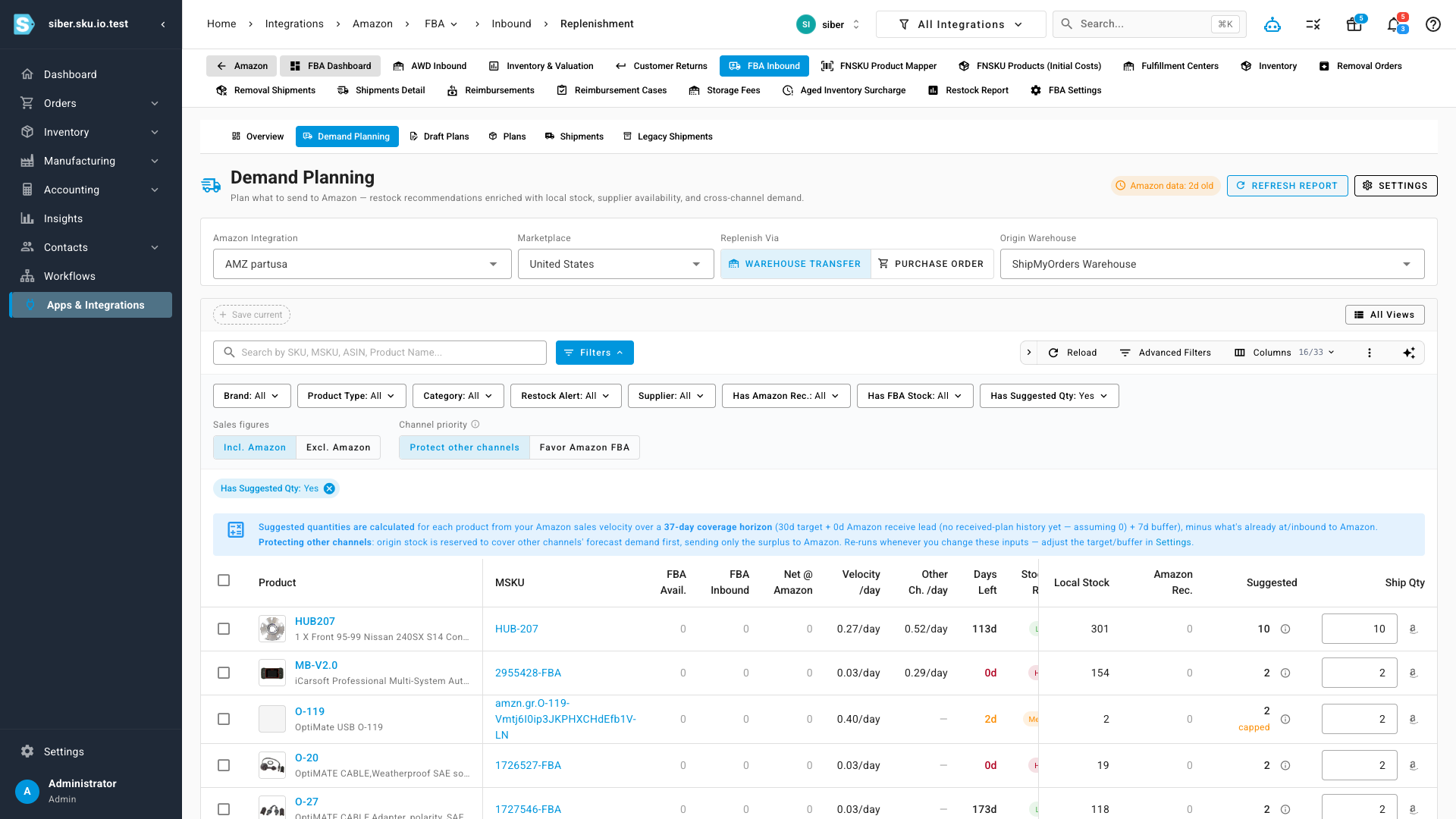
Each row shows a transparent suggested quantity that accounts for sales velocity, lead time, what's already on its way to Amazon, and how much to reserve for other channels — rounded to your case pack. Plan from a warehouse transfer or a purchase order, filter to exactly what needs restocking, then send your selection straight into a plan.
A guided workflow, end to end
From there a single guided flow walks you through every step: Replenish → Plan & Prep → Submit to Amazon → Pack Boxes → Placement → Transport → Labels & Ship → Track. Each step unlocks the next, and you always know where a shipment stands.
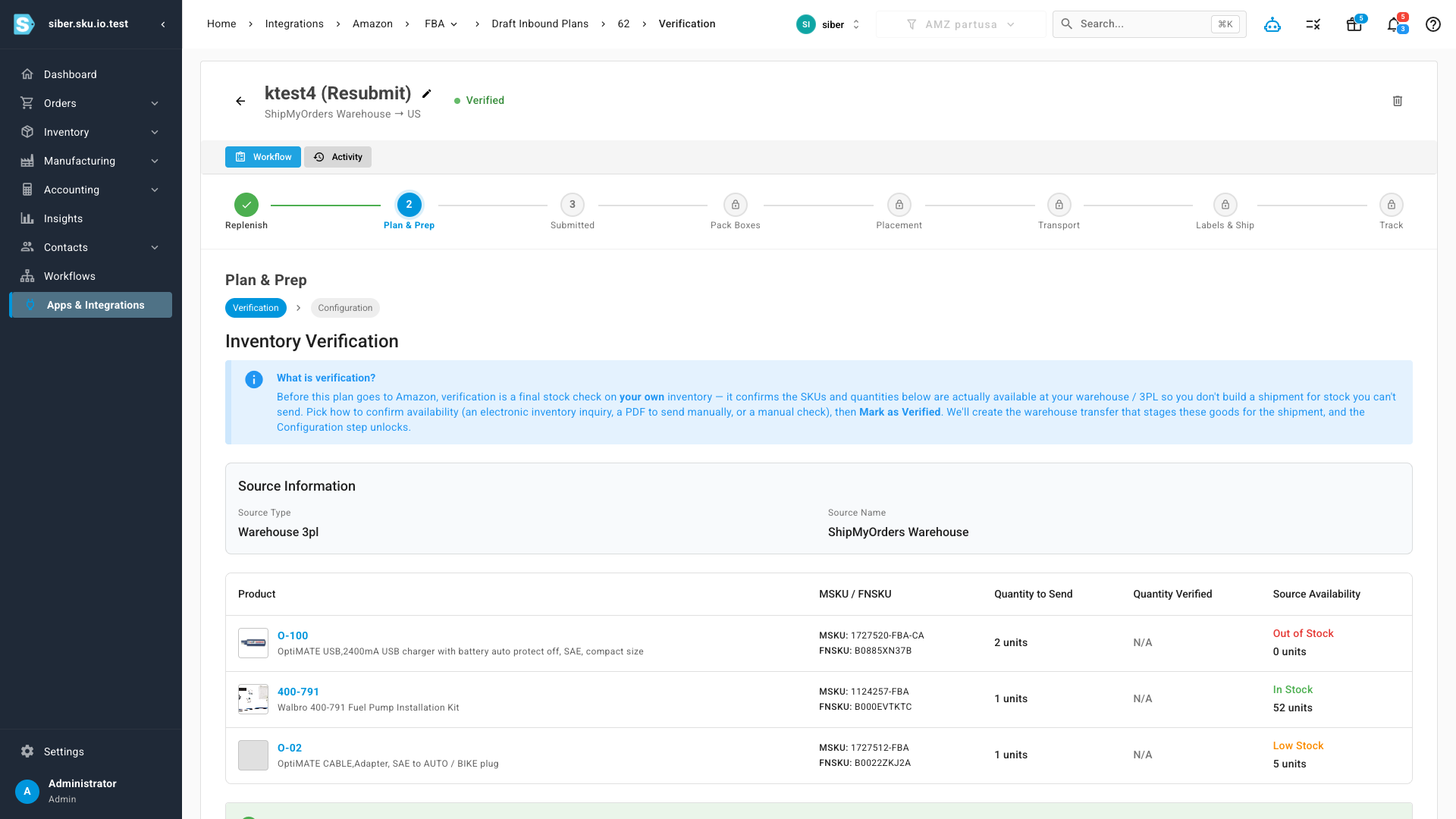
- Pack Boxes — a scan-first packing station with carton presets, box weights, and CSV import; box contents go to Amazon automatically.
- Placement — compare Amazon's shipment-split options as cards, with each option's fee (or
$0.00for an optimized split) shown before you confirm. - Transport — book Amazon-partnered carriers with live rates, or use your own carrier with the required delivery windows; a void-window countdown appears while you can still back out.
- Labels & Ship — print FNSKU item labels, box labels, pallet labels, and BOLs, thermal- or letter-friendly, with a reprint audit trail.
Track every plan and stay in sync
Submitted plans live on the Plans tab, which mirrors each plan's real Amazon status — active, shipped, voided, or errored — and surfaces plans created in Seller Central too. Sources link straight to the originating warehouse or supplier, and you can jump to any plan in Seller Central in one click.
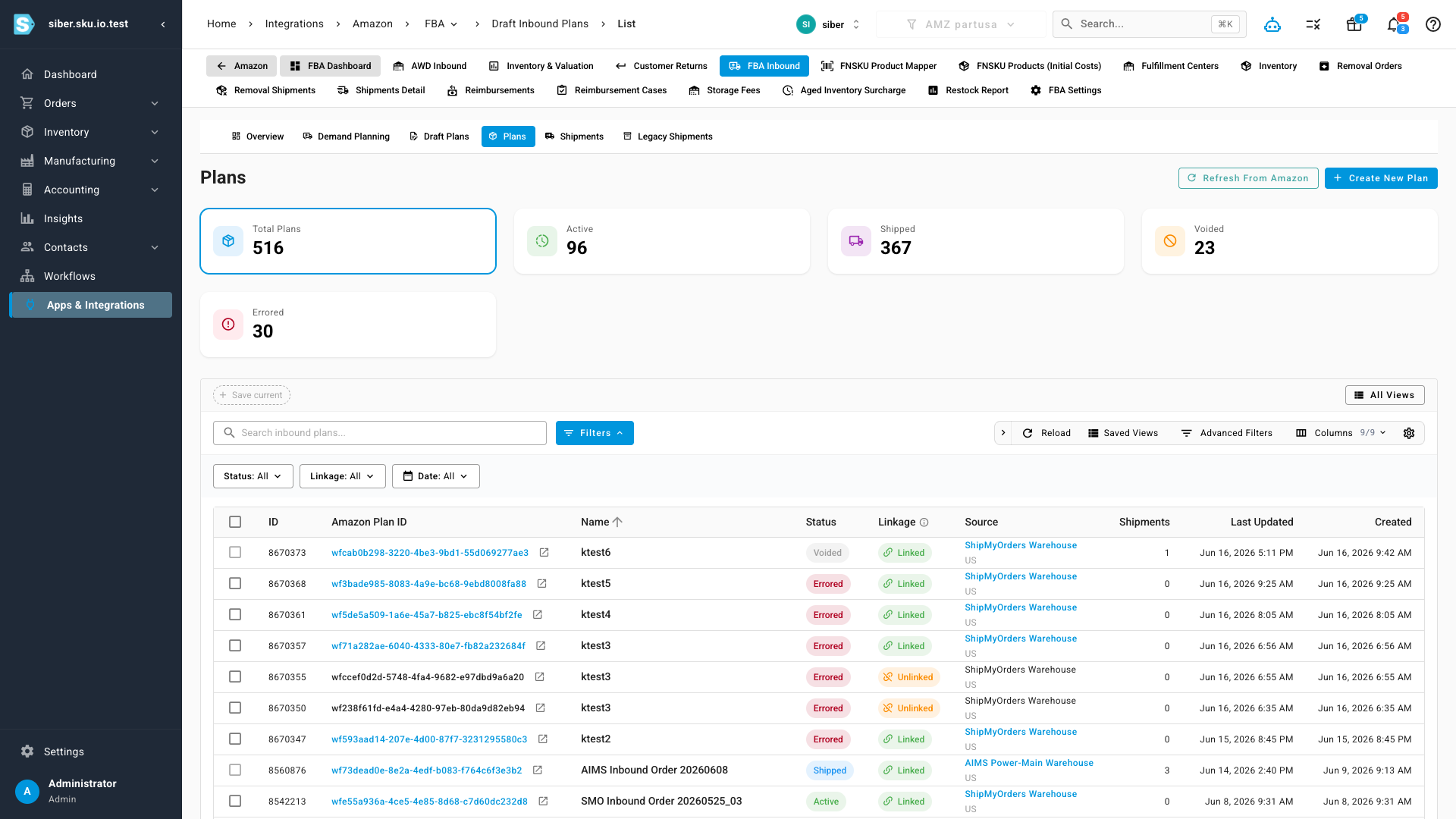
Refresh From Amazon keeps everything current the same way the rest of SKU.io syncs — pull just what changed since your last sync, everything since your inventory start date, a custom date range, or look up one specific plan by ID. And once a shipment is received, it's reconciled shipped-vs-received so any shortage is flagged for a reimbursement claim rather than quietly lost.
Where to find it
Go to Integrations → Amazon → FBA → FBA Inbound. Start on Demand Planning to decide what to send, or jump straight to Draft Plans to continue a shipment in progress. You'll need an active Amazon integration connected to SKU.io.