Quotes — a dedicated quoting workspace, from draft to sales order
Quoting a customer used to mean creating a sales order, flagging it as a quote, and then remembering to filter those quotes back out of every list, total, and report. There was no real quote lifecycle, no clean way to track what you'd sent, and "converting" a quote to an order was a flag flip that could quietly let the price drift before the order was worked. Quotes are now a first-class part of SKU.io — with their own workspace, their own status lifecycle, a branded quote document, and a one-click, price-locked conversion to a sales order.
✨ What this means for you:
- A dedicated Quotes area — quotes no longer clutter your sales orders, and your order totals and reports stop having to work around them.
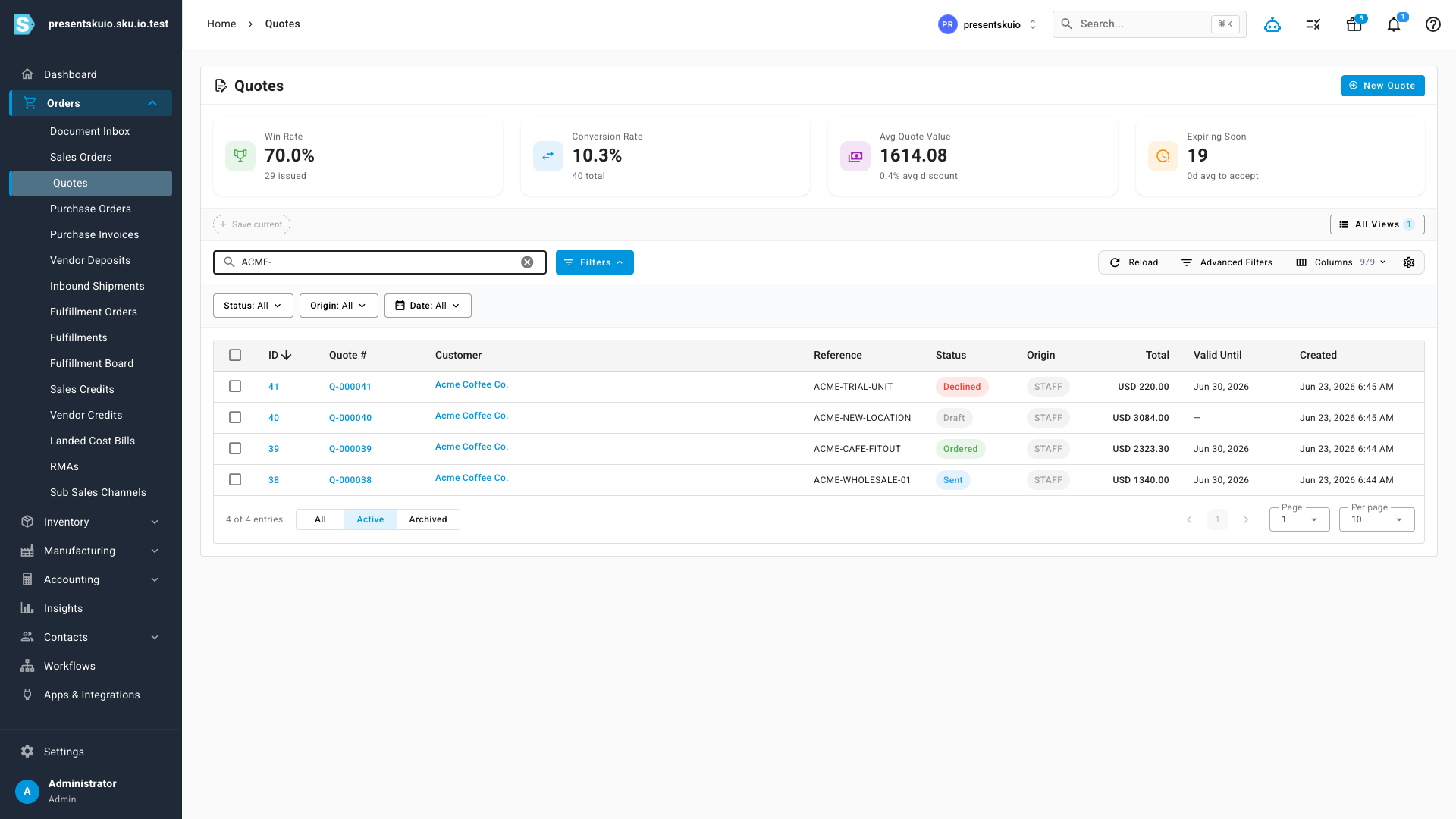
- A clear quote lifecycle — Draft → Sent → Viewed → Accepted → Ordered (plus Declined, Expired and Revised) — with win-rate, conversion and value stats at the top.
- Build a quote with the same rich line items as an order — products, per-line discounts, non-product charges (shipping, install, fees), pricing tiers, and live stock and cost figures.
- Convert to a sales order in one click with the price the customer accepted locked in — no re-keying, no drift — and the order links straight back to the quote.
- A branded quote PDF you can customize under Settings, with per-line discounts and your customer's PO number.
A home for your quotes
Quotes now live in their own workspace under Orders → Quotes. The list shows every quote with its status, reference, value and validity date, and the cards across the top give you the numbers that matter — win rate, conversion rate, average quote value, and how many are expiring soon.
Build it like an order
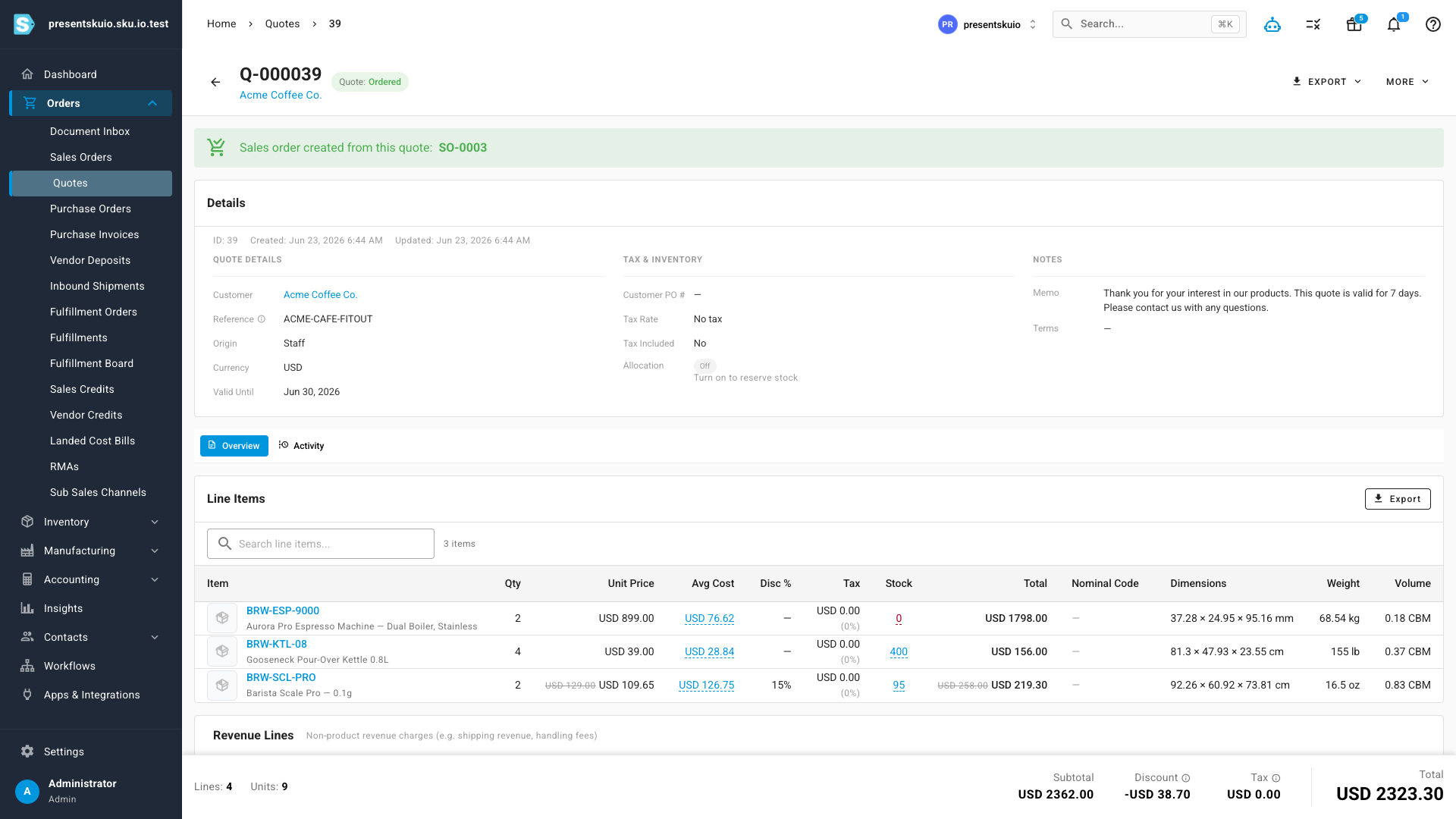
A quote is built with the same line-item experience you already know from sales orders. Add products with live unit price, average cost, stock and tax; apply a per-line discount; and add non-product revenue lines for things like shipping or white-glove install. Switch a pricing tier to reprice the whole quote, and watch the totals update as you go.
Convert without re-keying — or price drift
When a customer accepts, turn the quote into a sales order in one click. The order is created with the exact prices the customer accepted — even if your catalogue price has changed since — and it carries each line's warehouse straight through. The quote then links to the order it created, so the trail from quote to order is always clear.
A branded quote to send
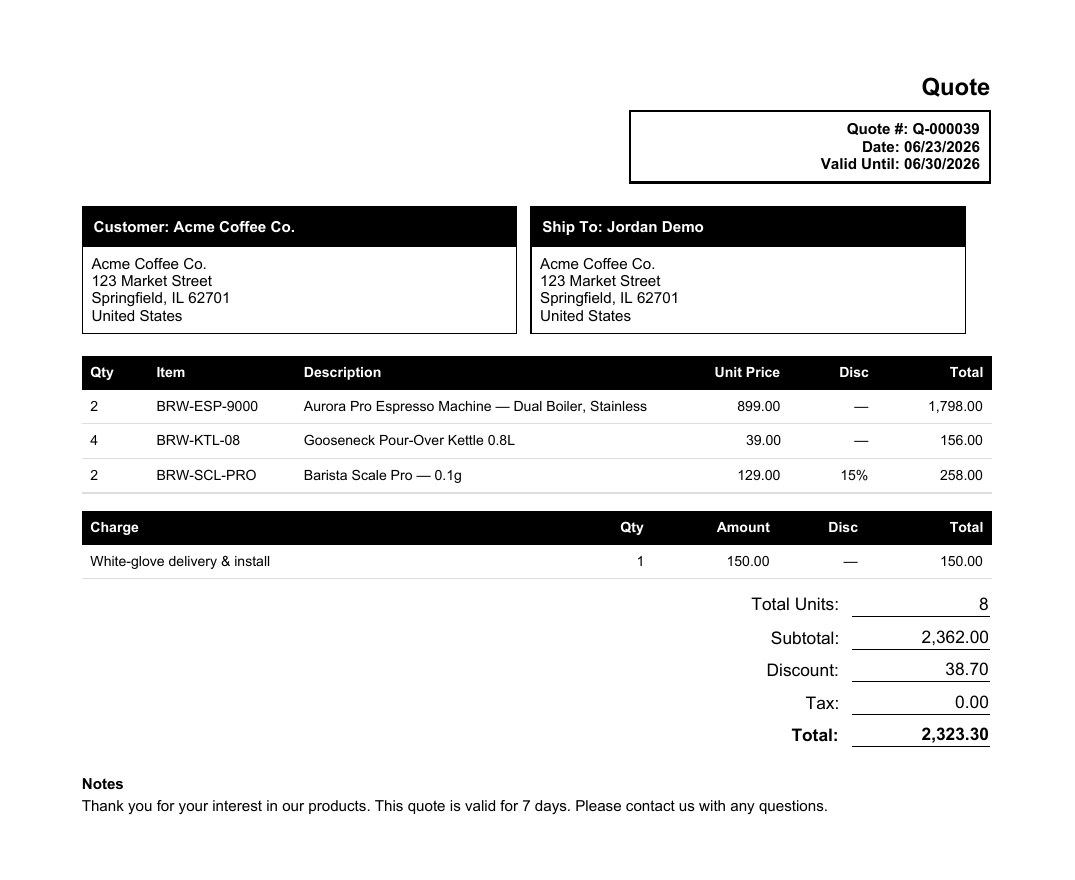
Every quote can be exported as a clean, branded PDF — header with the quote number, date and validity, your customer and ship-to details, the line items with per-line discounts, the charges, and the totals. The template is fully editable under Settings → PDF Templates → Quote, and quote settings like your default memo, validity window and expiry reminders apply automatically.
Where to find it
Open Orders → Quotes in the main menu to see your quotes workspace and start a new quote. Quote defaults (memo, validity, reminders) live under Settings → Quotes, and the quote document template is under Settings → PDF Templates → Quote.