Inventory Revaluations — dated cost changes and a valuation report you can trust
If you've ever re-run the Inventory Valuation report "as of" a closed month and gotten a different number than last time, you know how unsettling that is — especially at month-end close. It happened because cost corrections (a late freight bill, a vendor invoice true-up, a write-down) silently rewrote history: the report always valued past inventory at today's cost. With Inventory Revaluations, every cost change is now a dated, auditable event. The valuation report values each period at the cost that was in effect on that date, so the same as-of date returns the same value — no matter what corrections land later.
✨ What this means for you:
- Reproducible valuations — run the report "as of" any past date, today or six months from now, and get the same number. Closed periods stay closed.
- A complete audit trail — every cost change to every inventory layer is recorded: old cost, new cost, who recorded it, why, and when it takes effect. Nothing changes silently anymore.
- Backdate corrections properly — a freight bill that arrives in June for a May receipt can be value-dated to May, so it lands in the right period.
- Self-serve answers — when someone asks "why did this item's cost change?", the answer is one filtered search away instead of a support ticket.
A complete, dated ledger of every cost change
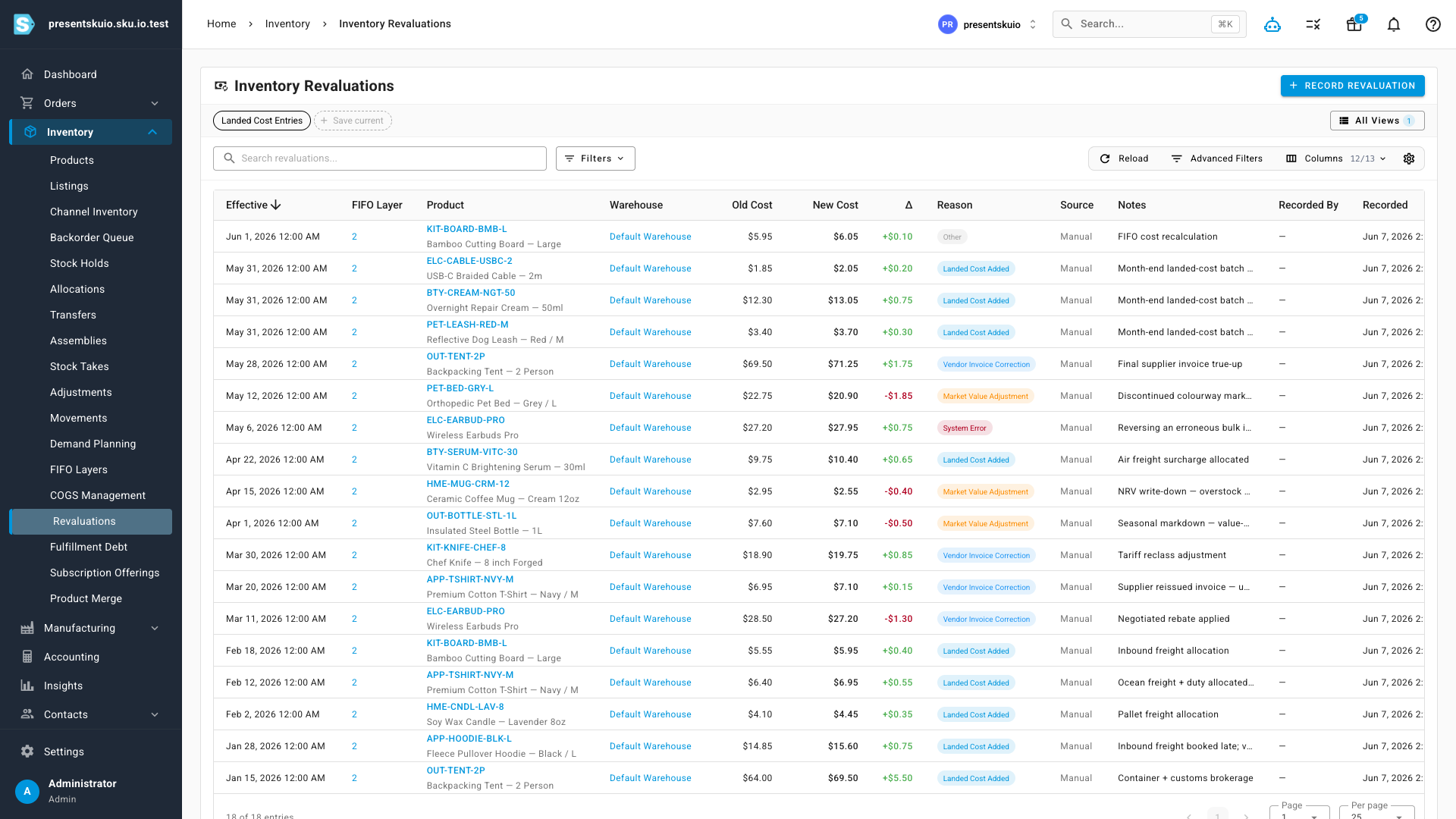
The new Revaluations page (under Inventory) lists every cost change in your account — manual corrections, landed-cost allocations, vendor invoice true-ups, market write-downs, and system recalculations. Each entry shows the old and new unit cost, the change amount, the reason, notes, and who recorded it.
Every entry carries two dates, and the distinction matters: Effective is the value date — the date the change applies to your valuation — while Recorded is when it was actually entered. A backdated correction shows both, so you can always see what was known when.
Value-date your cost changes
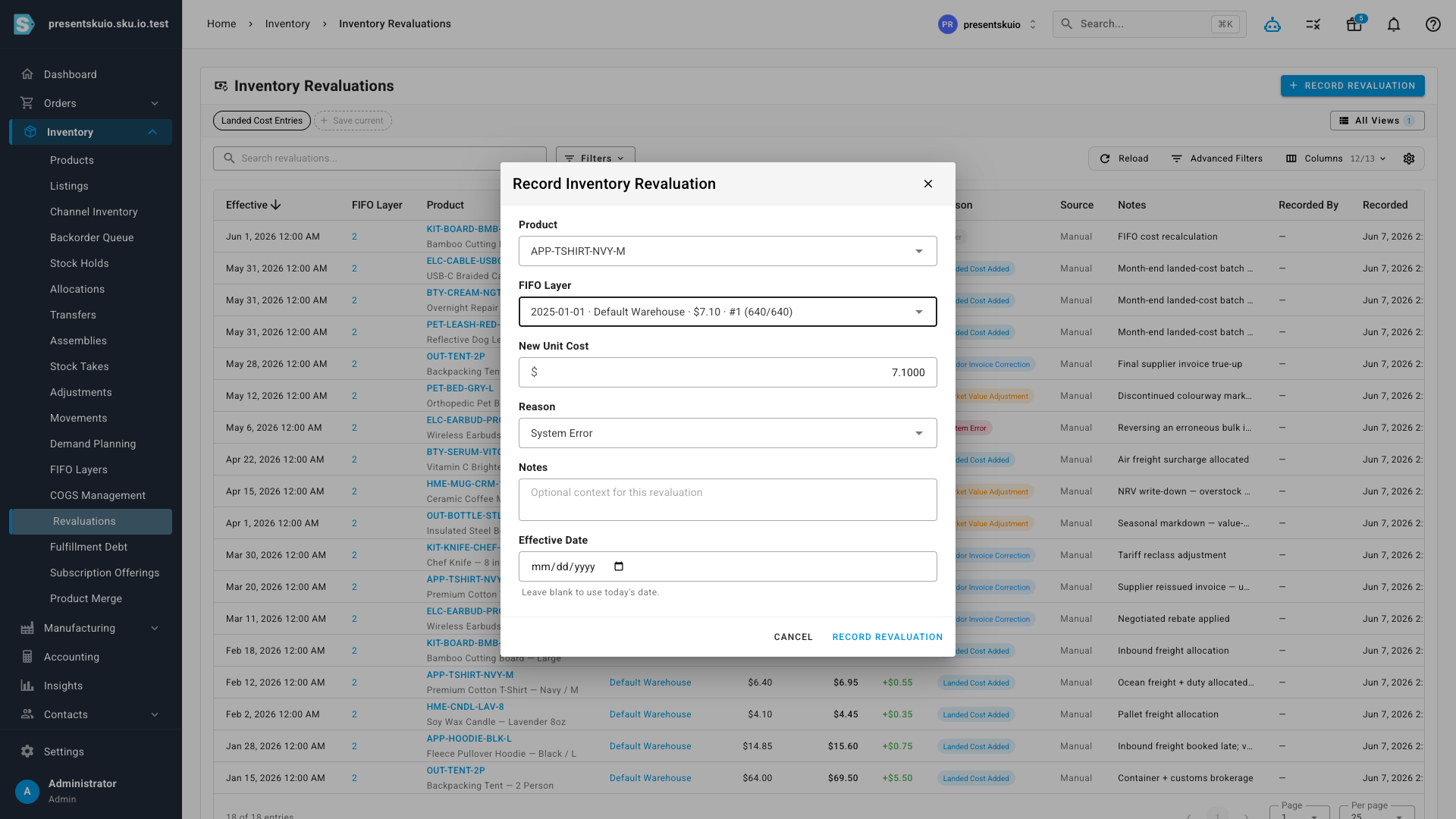
When you record a revaluation — from the Revaluations page, or from the existing revalue and bulk-revalue tools on COGS Management — you can now set an Effective Date. Leave it blank and the change applies today, exactly as before. Set it, and the change is value-dated: a month-end landed-cost batch can be dated to the last day of the month, and the valuation report picks it up in that month, not the day you happened to enter it.
For bulk revaluations, one effective date applies to the whole batch — set it once and every line in the batch is dated consistently.
Find anything fast
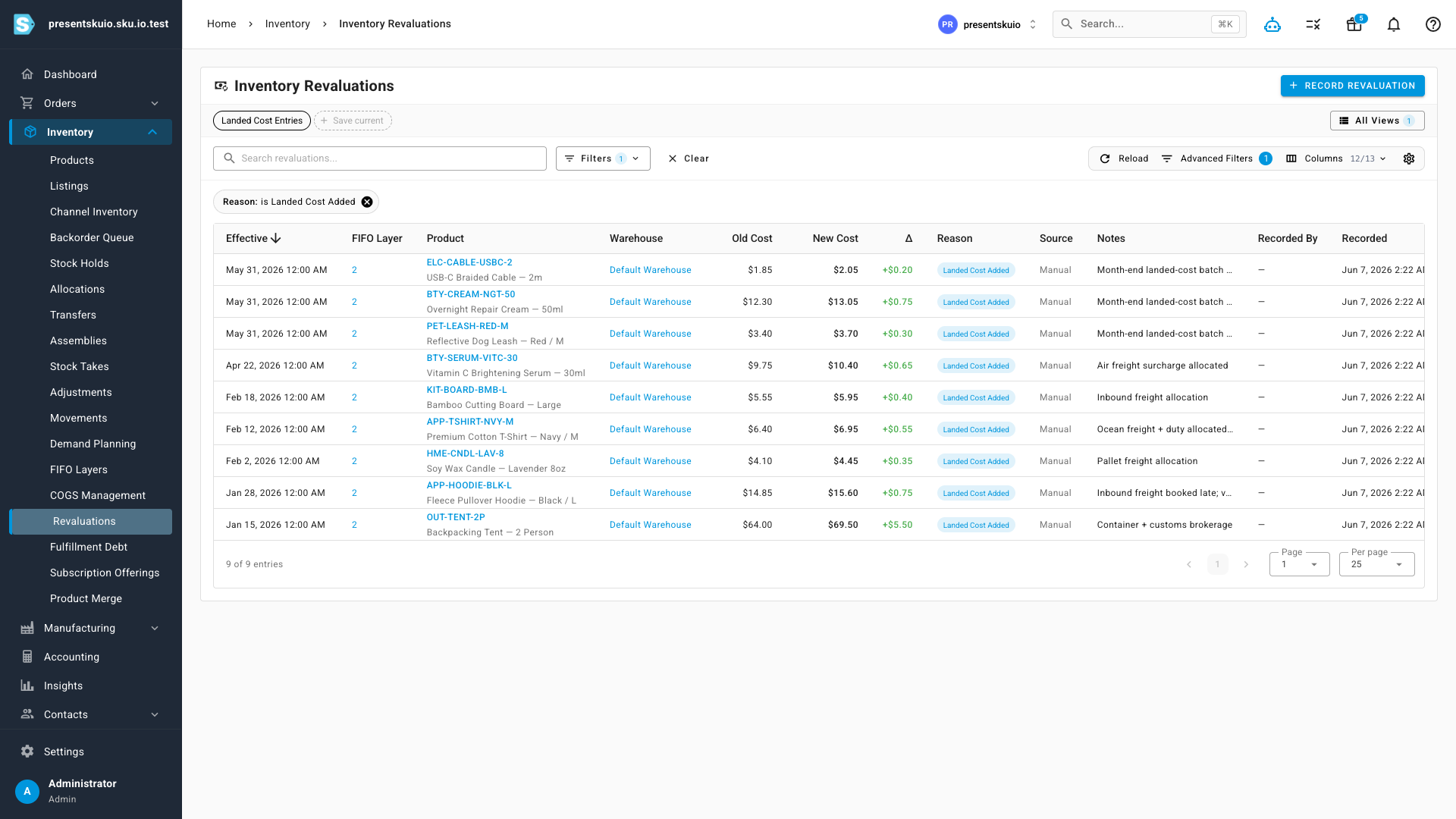
The ledger is a full data table with everything you'd expect: multi-column search (SKU, product name, warehouse, notes), quick filters for reason, source, and warehouse, advanced filters with AND/OR groups across every column, sortable columns, a column chooser, and saved views — build the view your team checks every close ("last month's landed-cost entries", say), save it, and it's one click from then on.
Every entry links straight to the inventory layer it changed, so you can jump from a cost change to the underlying receipt and its full history.
Where to find it
Head to Inventory → Revaluations in the main menu. The effective-date option also appears in the Revalue and Bulk Revalue dialogs on Inventory → COGS Management. Existing workflows are unchanged — if you never touch the effective date, everything behaves exactly as it did before, just with a complete audit trail behind it.