Granular Sync Controls — pause exactly what you mean to pause
Until now, each integration had a single "Enable Automatic Sync" switch buried in its General settings — and it did more than the label said. Turning it off to pause order imports during a cleanup also stopped tracking numbers from reaching your sales channel, which meant customers stopped getting shipping notifications and marketplace seller metrics quietly degraded. Granular Sync Controls replaces that one overloaded switch with a dedicated Sync tab on every integration, where each direction of data flow gets its own toggle: import orders, import products, submit tracking, push inventory, push prices — each one independent.
✨ What this means for you:
- Pause imports without breaking shipping notifications. Turn off order imports while you clean up, and tracking keeps flowing to your channel — no more silent damage to your seller metrics.
- One clear master switch. Every integration has an explicit Active / Paused sync schedule. Pausing suspends all automatic sync for that connection; manual "Sync Now" still works while paused.
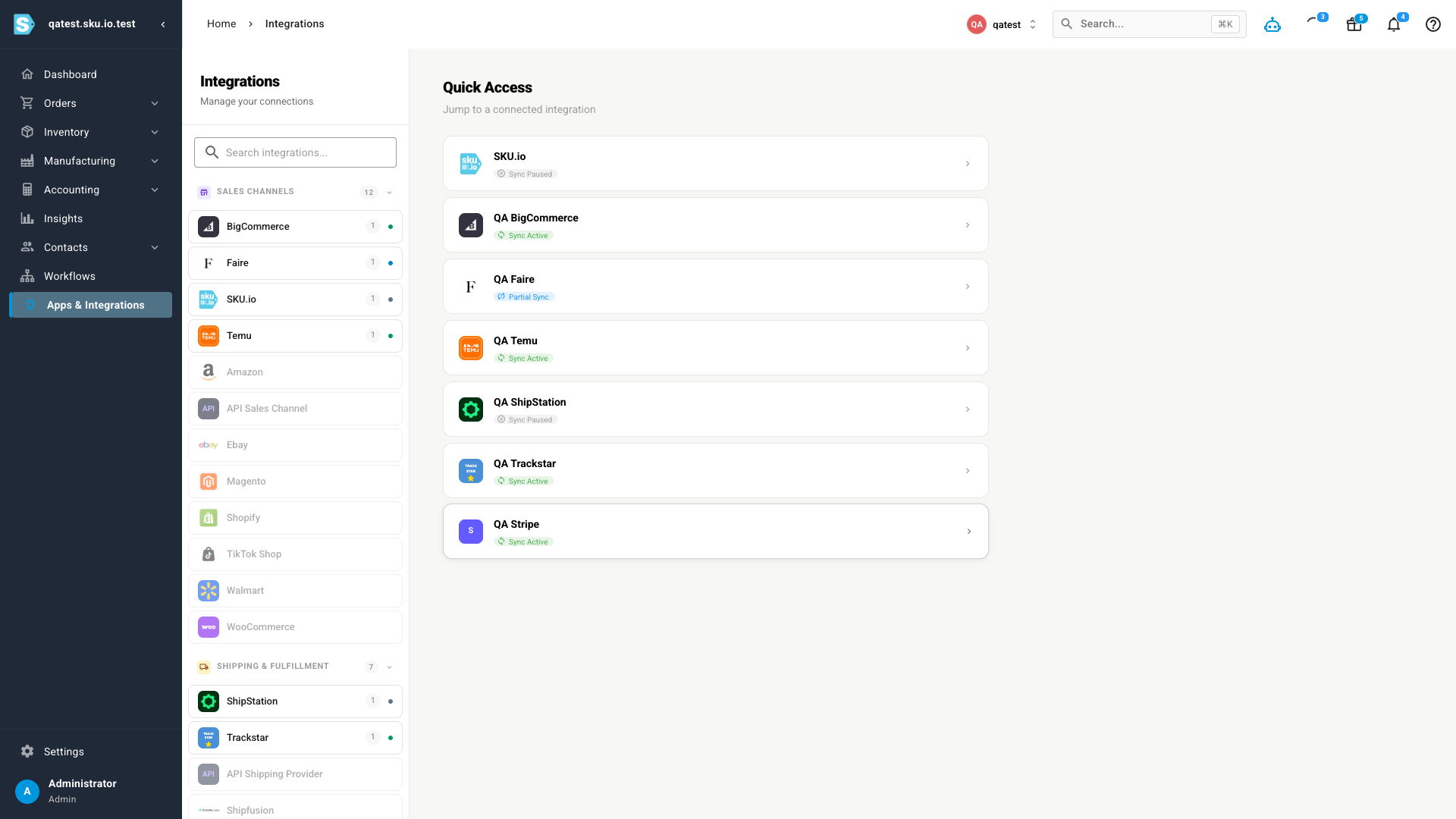
- Honest status at a glance. The integrations dashboard now distinguishes Sync Active, Partial Sync (running, but some capability is off), and Sync Paused — a deliberately paused connection no longer looks like a broken one.
- It works everywhere. Every connected platform gets the same controls — sales channels (Shopify, Amazon, eBay, Walmart, BigCommerce, WooCommerce, Temu, TikTok Shop, Faire, Magento), shipping and 3PL providers (ShipStation, Starshipit, Shipfusion, ShipHero, Veracore, Trackstar), delivery tracking (17TRACK), Amazon Ads, Stripe, and accounting (QuickBooks Online, Xero).
The Sync tab
Every integration's settings now include a Sync tab with two sections: the Sync Schedule (the master Active/Paused switch) and What syncs — a per-capability list split into what SKU imports from the platform and what SKU sends to it. Flip any toggle independently; changes apply to scheduled jobs and real-time webhooks alike.
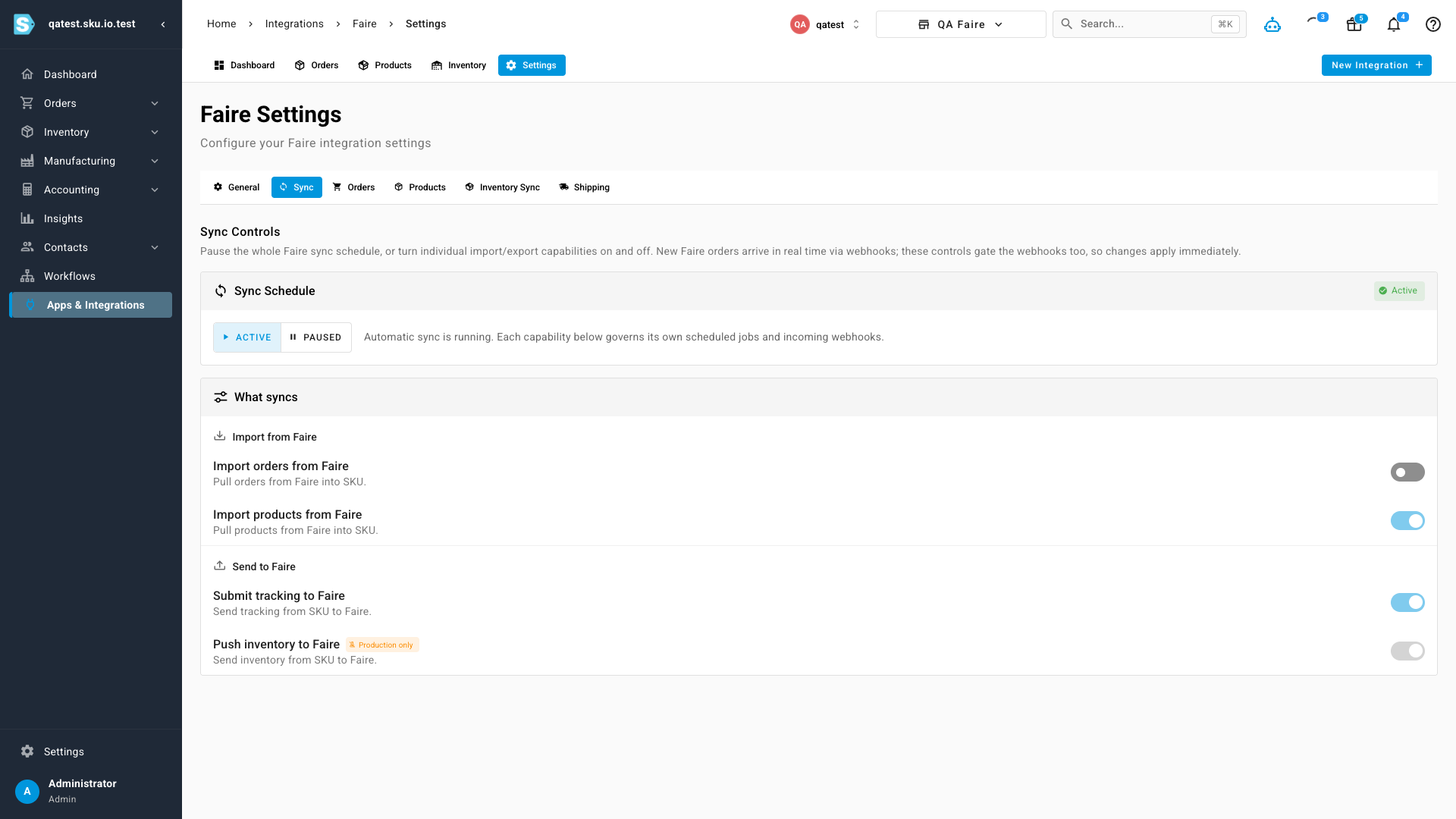
Capabilities that only operate in production — like inventory pushes on some channels — are labeled with a Production only chip in test environments instead of pretending to be available, so you always know what will actually run.
Status you can trust
The integrations dashboard reflects the new controls honestly. A connection with everything running shows Sync Active; one with a capability switched off shows Partial Sync; a paused schedule shows Sync Paused. Deliberate pauses no longer masquerade as warnings.
Reminders where you work
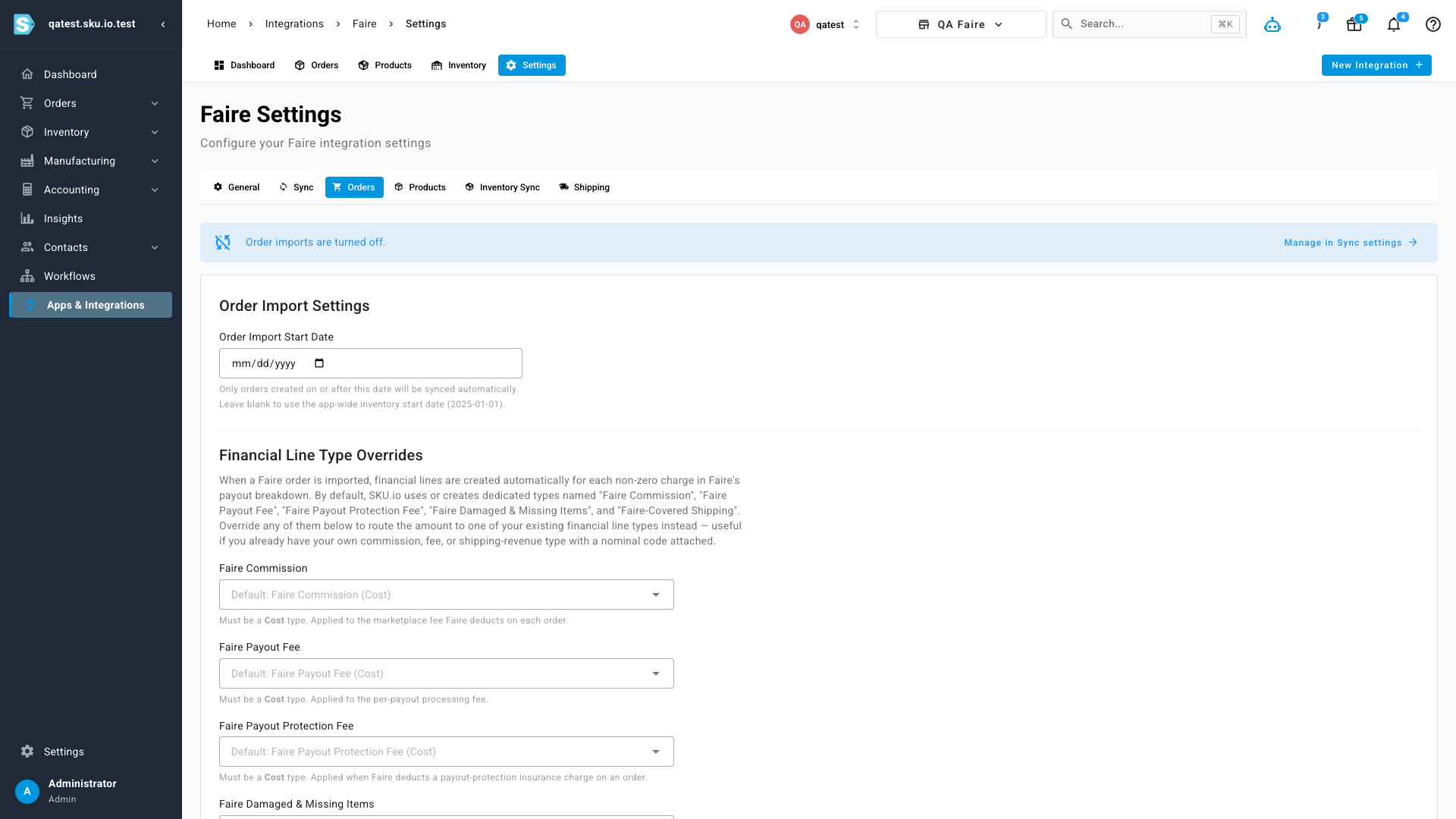
If a capability is off, the settings tab it affects tells you. Open an integration's Orders settings while order imports are disabled and a notice explains why new orders aren't arriving — with a one-click link to the Sync tab to change it.
Where to find it
Open Apps & Integrations, choose any connected integration, go to Settings, and select the new Sync tab. Your existing on/off preference carried over automatically — if automatic sync was on, everything is enabled; if it was off, the schedule starts paused. Nothing changes until you say so.