Magento 2 integration — a full sales-channel workspace for your Magento store
If you sell on Magento 2 (Adobe Commerce), keeping your store and your inventory system in agreement has meant CSV exports, copy-paste order entry, and stock levels that drift out of date the moment they're published. The new Magento 2 integration connects your store to SKU.io as a first-class sales channel: orders, products, customers, and transactions flow into a dedicated workspace, SKU.io sales orders are created from Magento orders in bulk or automatically, and on-hand quantities push back to your store's inventory sources on a schedule.
✨ What this means for you:
- Magento orders arrive in SKU.io on their own — no manual imports — and convert to SKU.io sales orders in bulk or automatically.
- Product mapping links your Magento catalog to SKU.io products, with an auto-create/link option for new items.
- Inventory pushes back to Magento's multi-source (MSI) inventory when SKU.io is your master of stock.
- A dashboard shows sync health, entity counts, and a financial summary for any period at a glance.
- Everything runs on a visible polling schedule you can monitor, configure, and trigger manually.
One workspace for the whole channel
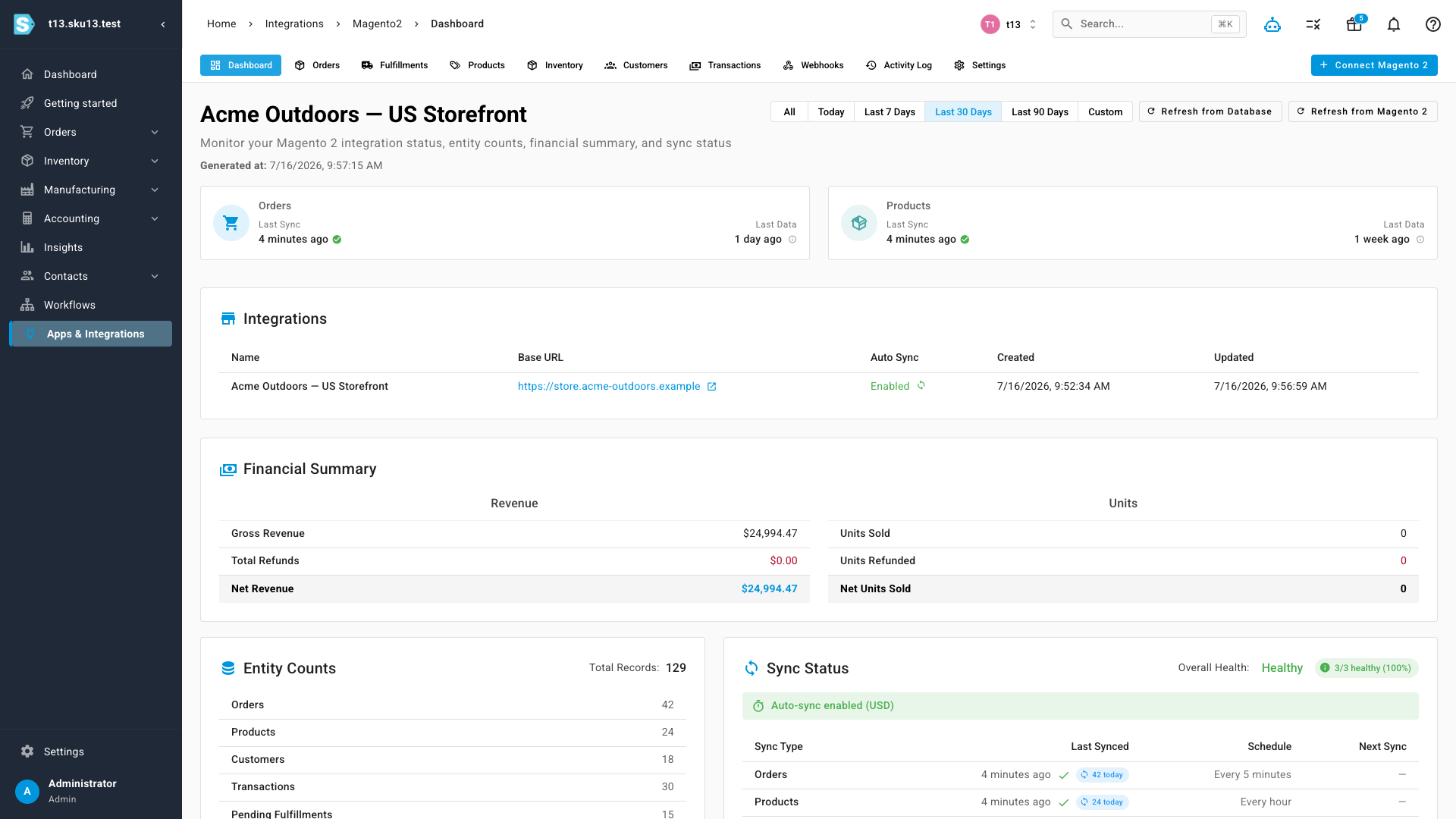
Connecting a store adds a complete Magento 2 workspace with its own navigation: Dashboard, Orders, Fulfillments, Products, Inventory, Customers, Transactions, Webhooks, Activity Log, and Settings. The dashboard fronts the whole integration — connection and auto-sync state, last-sync recency for orders and products, entity counts, and a financial summary with revenue and refunds you can scope to today, the last 7/30/90 days, or a custom range. Two refresh buttons make the data path explicit: Refresh from Database re-reads what SKU.io already has, while Refresh from Magento 2 pulls fresh data from your store.
Orders that turn into SKU.io sales orders
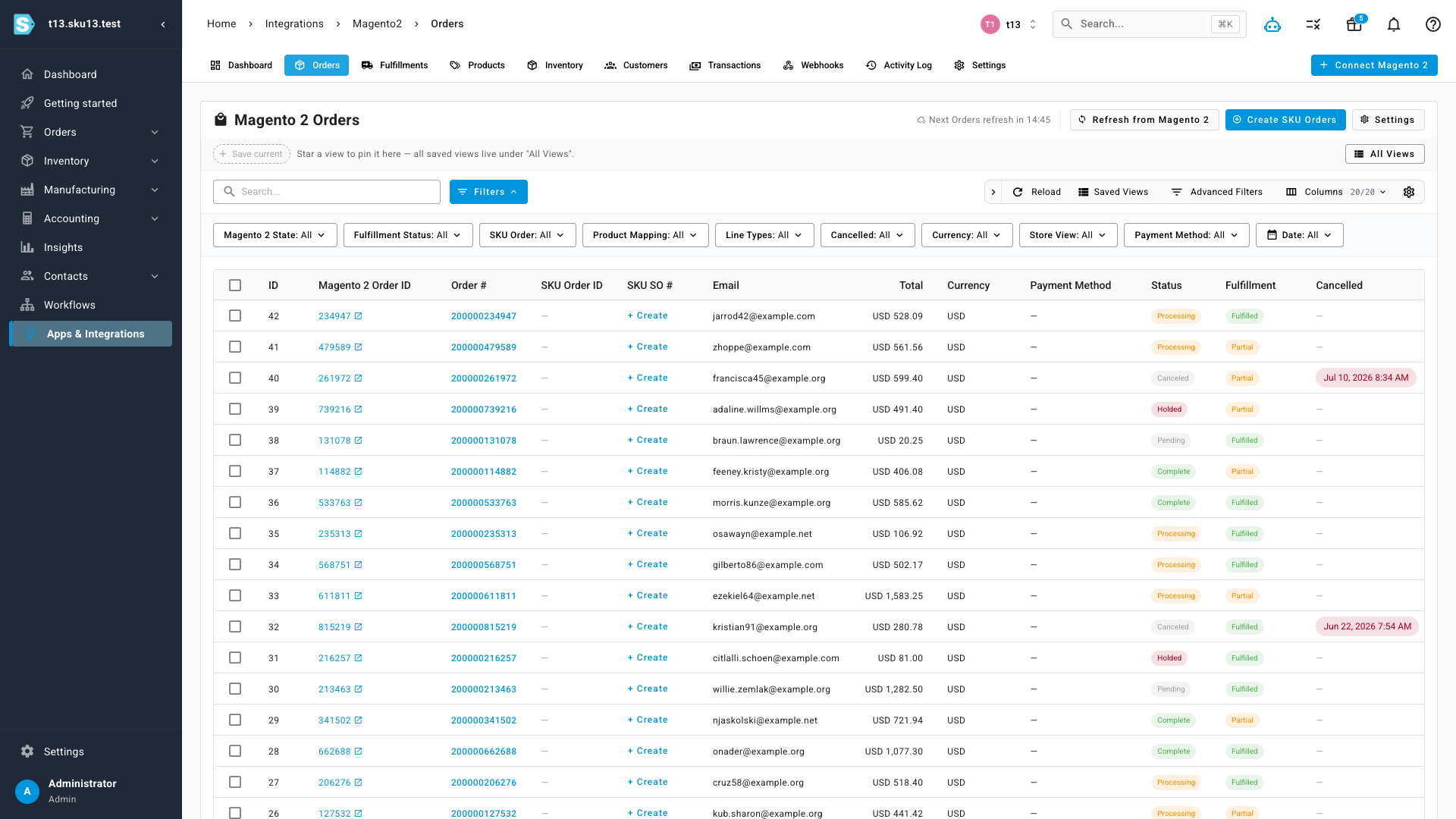
The Orders page lists every downloaded Magento order with its state, fulfillment status, payment method, currency, and totals — filterable by store view, product mapping, cancellation status, date, and more, with saved views and column control like every other SKU.io grid. From here you can create SKU.io sales orders one at a time or select a batch and use Create SKU Orders; each row keeps a live link back to the order in your Magento Admin.
Product mapping with auto-create
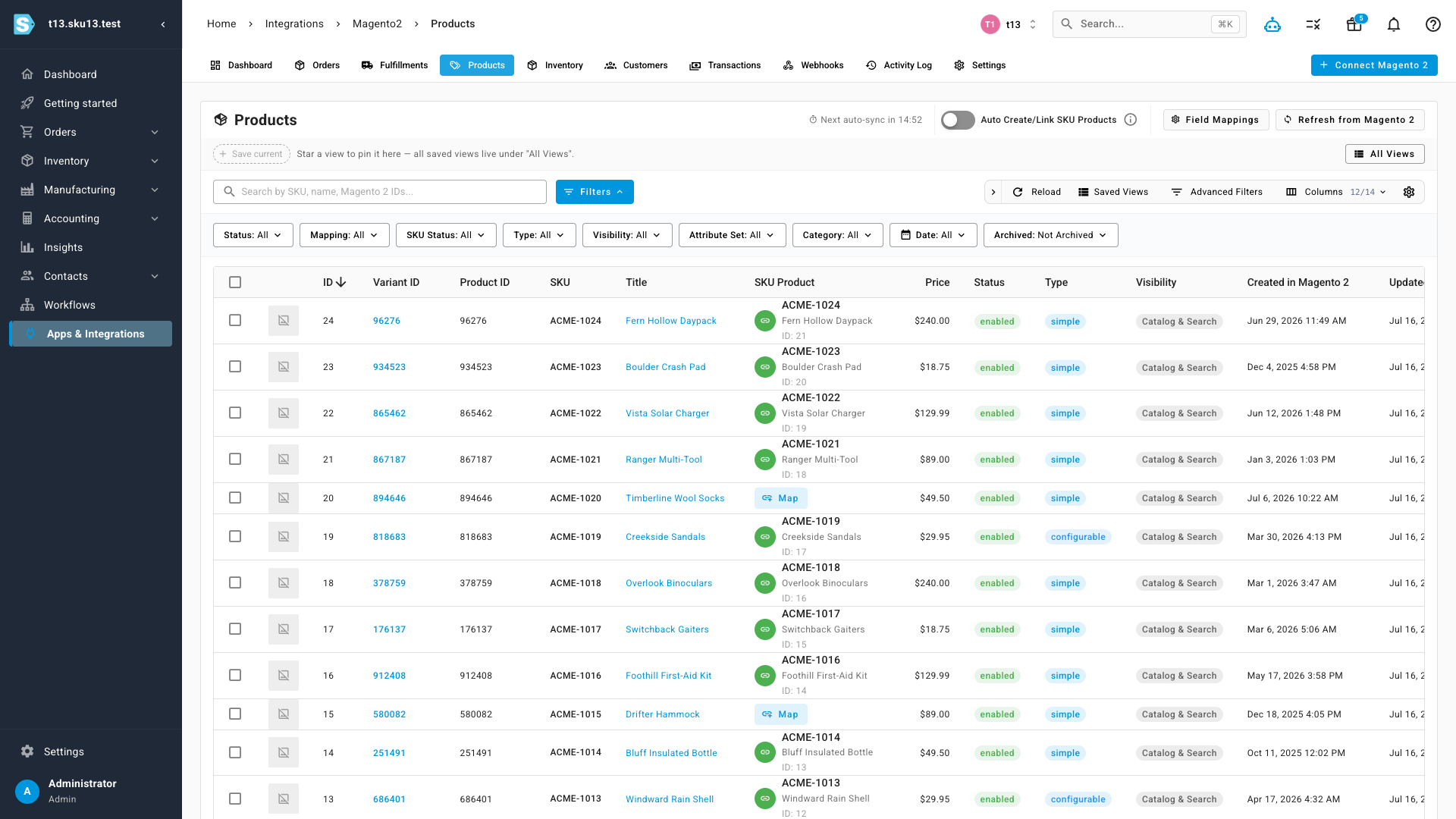
Products sync from your Magento catalog with their type, status, visibility, and pricing. Each row shows its mapped SKU.io product — mapped items link straight through, unmapped items get a one-click Map action, and an Auto Create/Link SKU Products toggle handles new arrivals for you. Field mappings control which Magento attributes flow into which SKU.io fields.
Sync you can see
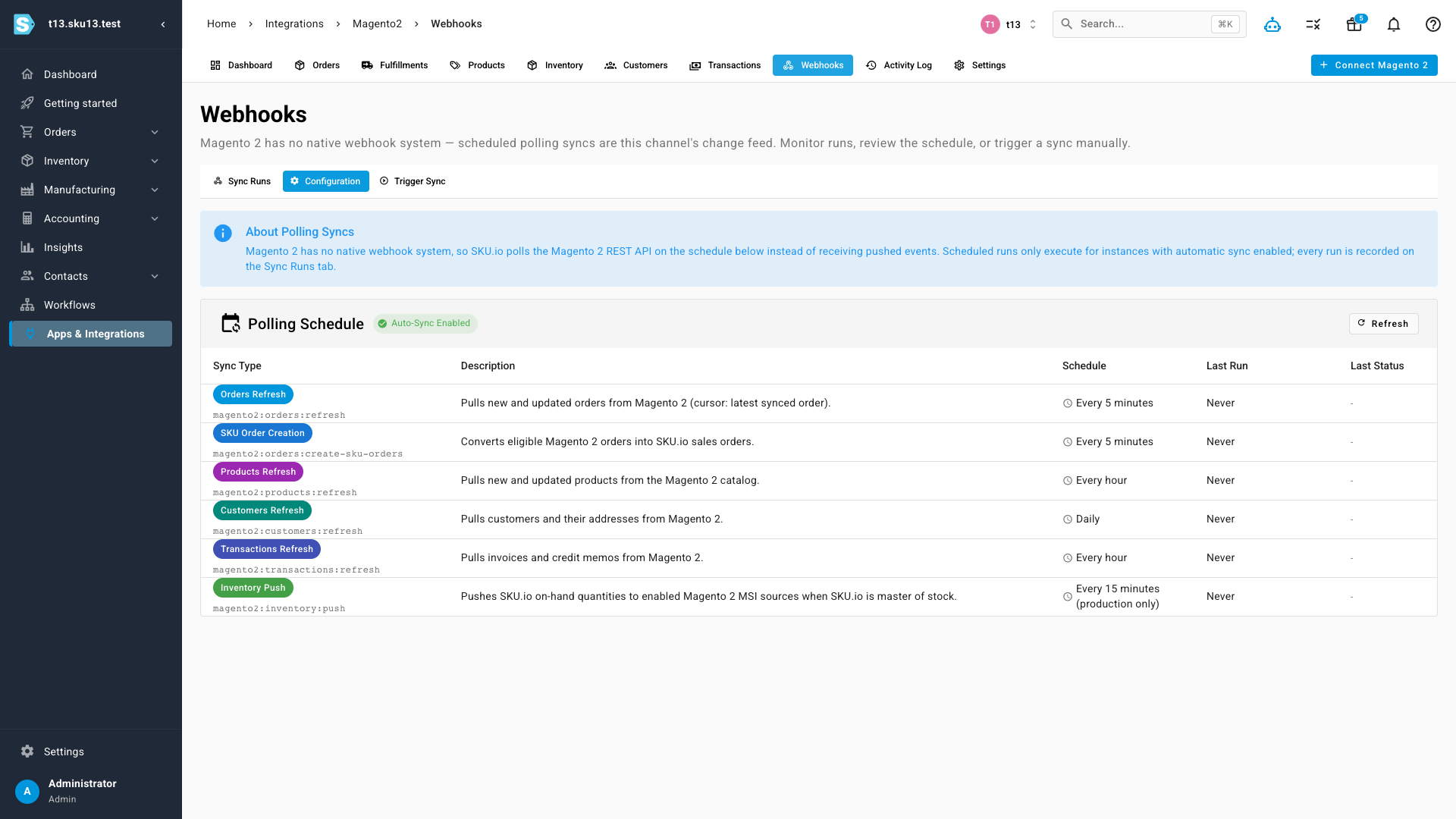
Magento 2 has no native webhook system, so this channel keeps itself current with scheduled polling — and rather than hide that, the Webhooks page puts the whole schedule in front of you. Every sync type is listed with what it does and how often it runs: order refresh and SKU order creation every 5 minutes, product and transaction refresh hourly, customer refresh daily, and inventory push every 15 minutes. A Sync Runs tab records every run with its item counts and outcome, and Trigger Sync runs any of them on demand.
Where to find it
Go to Apps & Integrations → Magento 2 and click Connect Magento 2 to link a store. Once connected, the workspace tabs — Dashboard, Orders, Products, Customers, Transactions, Webhooks, and Settings — live under the same menu.