Relative Pricing Tiers — pricing that calculates itself
Pricing tiers used to be entirely manual: every product needed a fixed price typed in for every tier. With ten tiers across thousands of products, that's tens of thousands of prices to maintain — and the moment a base price moved, you were updating Wholesale, Distributor, and Employee one product at a time. Relative Pricing Tiers let a tier calculate its own prices from a formula instead. Pick what the tier is based on, set the adjustment, and SKU keeps every product's price in that tier current for you.
✨ What this means for you:
- Stop hand-maintaining derived prices — define a formula once and every product follows it.
- When the underlying value changes — a base tier price, a supplier cost, or a product detail — dependent tier prices recalculate automatically.
- Build charm prices like $79.99 with rounding plus a small fixed adjustment, no spreadsheets required.
- Price by whatever actually drives the number: another tier, your supplier cost, or a per-unit measurement.
Choose how a tier is calculated
When you create or edit a pricing tier, switch its type from Absolute (a fixed price you set) to Relative, then choose what it's Based On. A relative tier can derive its price from one of three sources — each with its own simple formula.
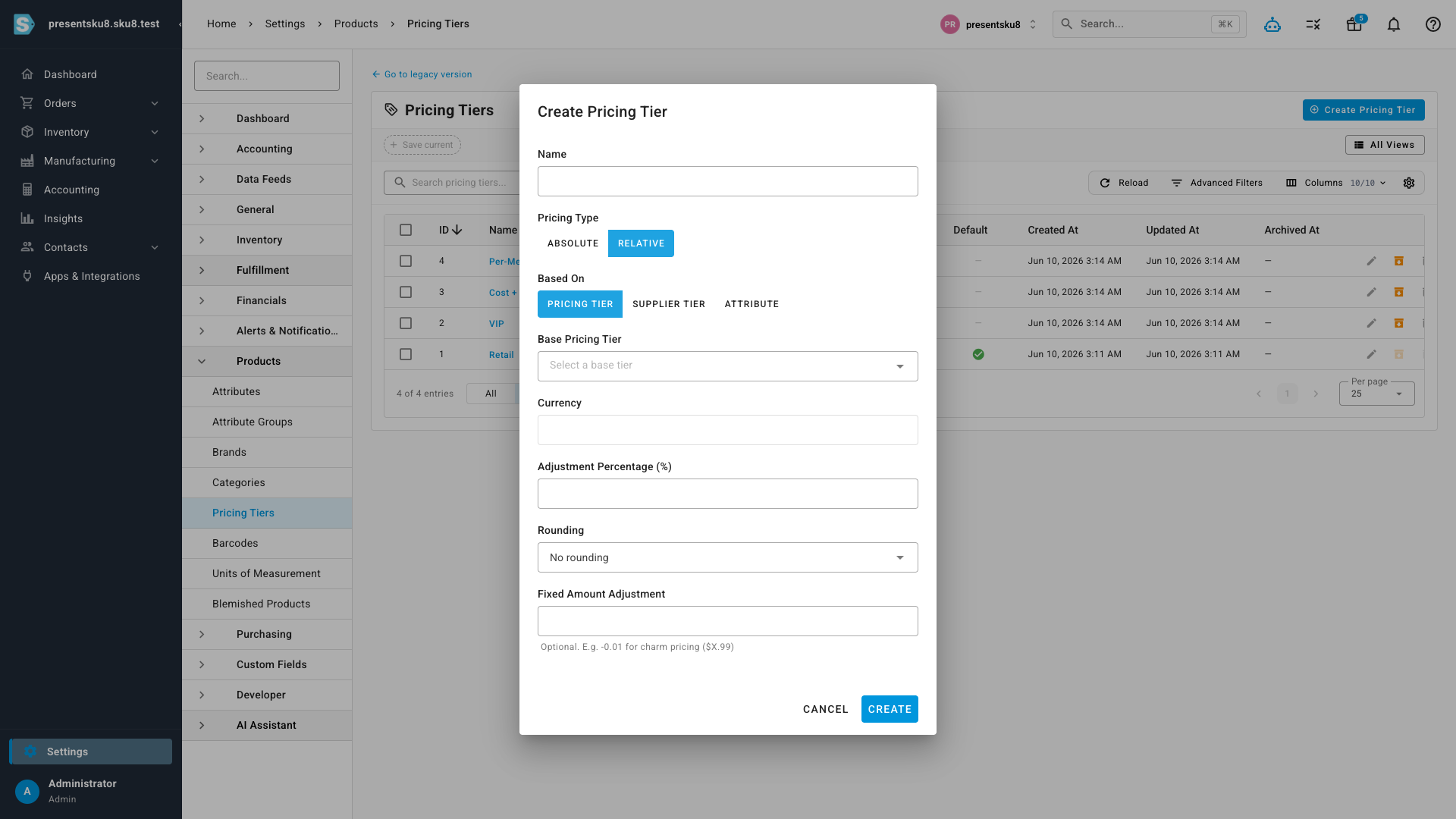
Off another pricing tier
The classic case: set a tier as a percentage off (or markup on) another tier. Add an optional rounding rule and a fixed amount, and you can land exactly on charm prices — for example, −20%, round to $1, then −$0.01 turns a $100 base into $79.99. Relative tiers can even build on other relative tiers (up to three levels deep), so a chain like Retail → Wholesale → Clearance all stays in sync from a single base.
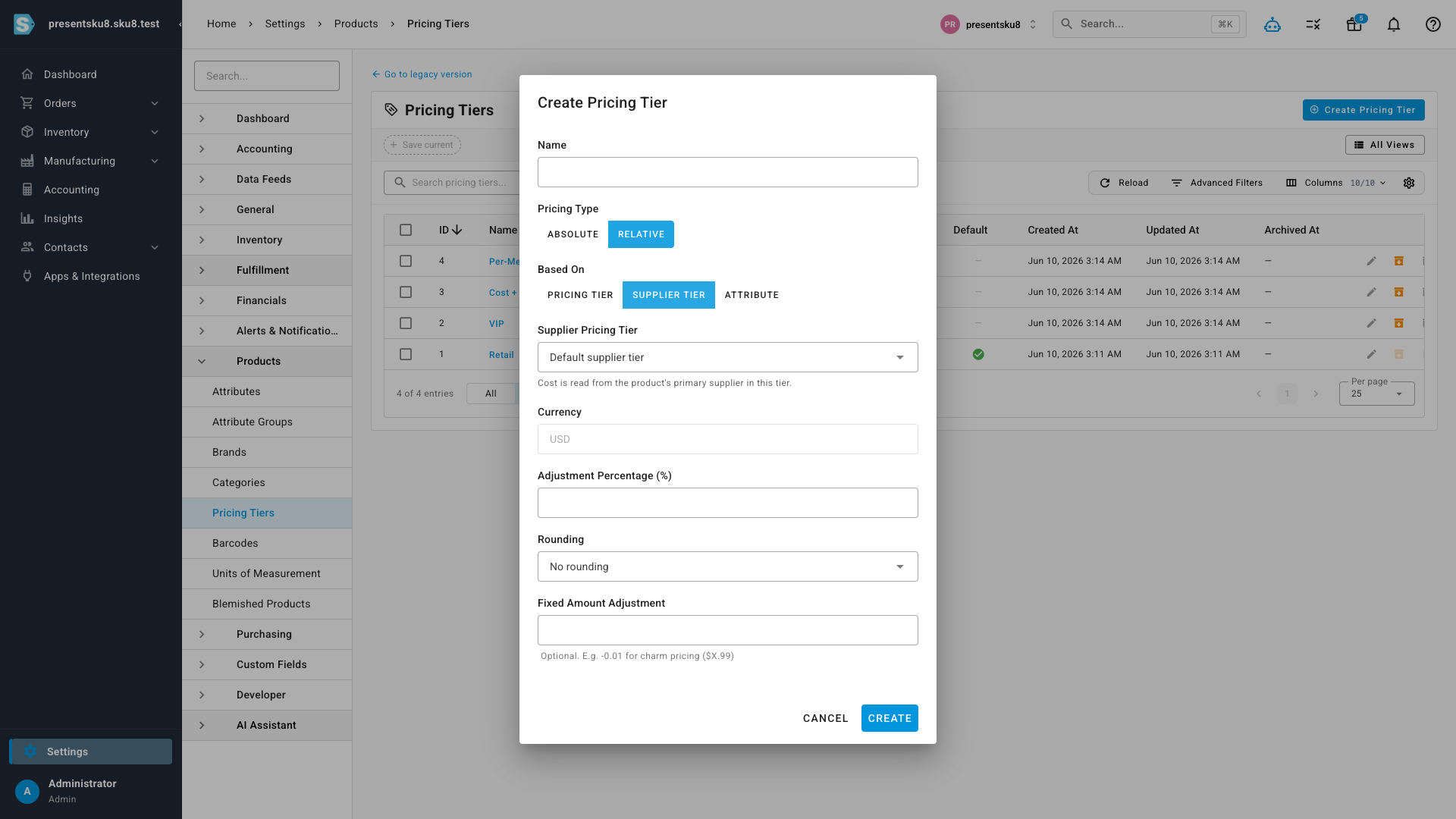
Cost-plus from your supplier price
Sell-prices that should track what you pay can now be cost-plus. Base the tier on a supplier pricing tier, add your markup, and each product's price is calculated from its primary supplier's cost. When a supplier cost changes, the dependent prices follow — no re-keying.
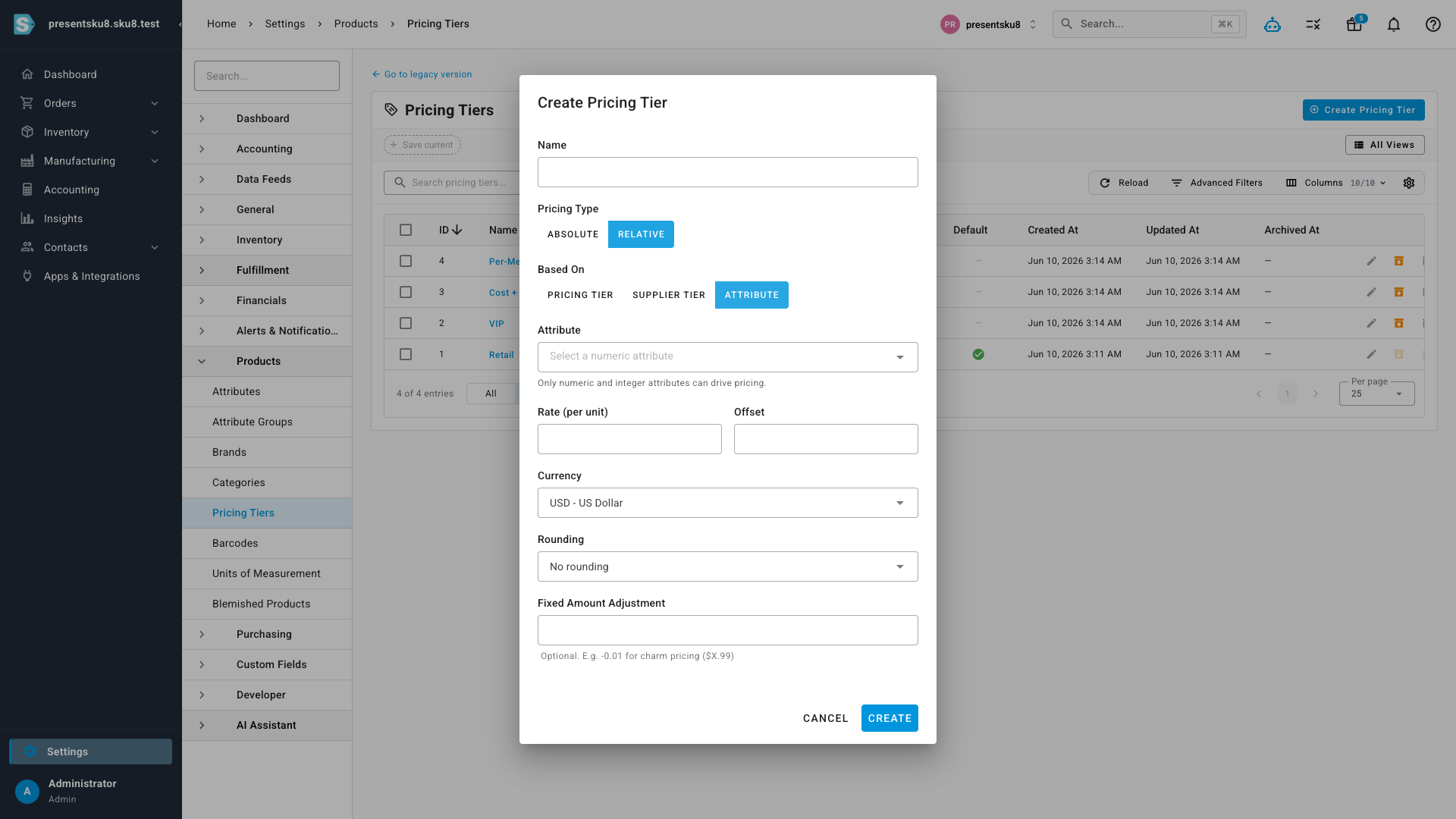
Per-unit by a product attribute
For catalogs priced by a physical measure — length, weight, area — base the tier on a numeric product attribute. Set a rate per unit and an optional offset, and the price is computed from each product's own value: a "per-metre" tier might be length × $4.00 + $1.50, so a 2 m product prices at $9.50 and a 10 m product at $41.50, automatically.
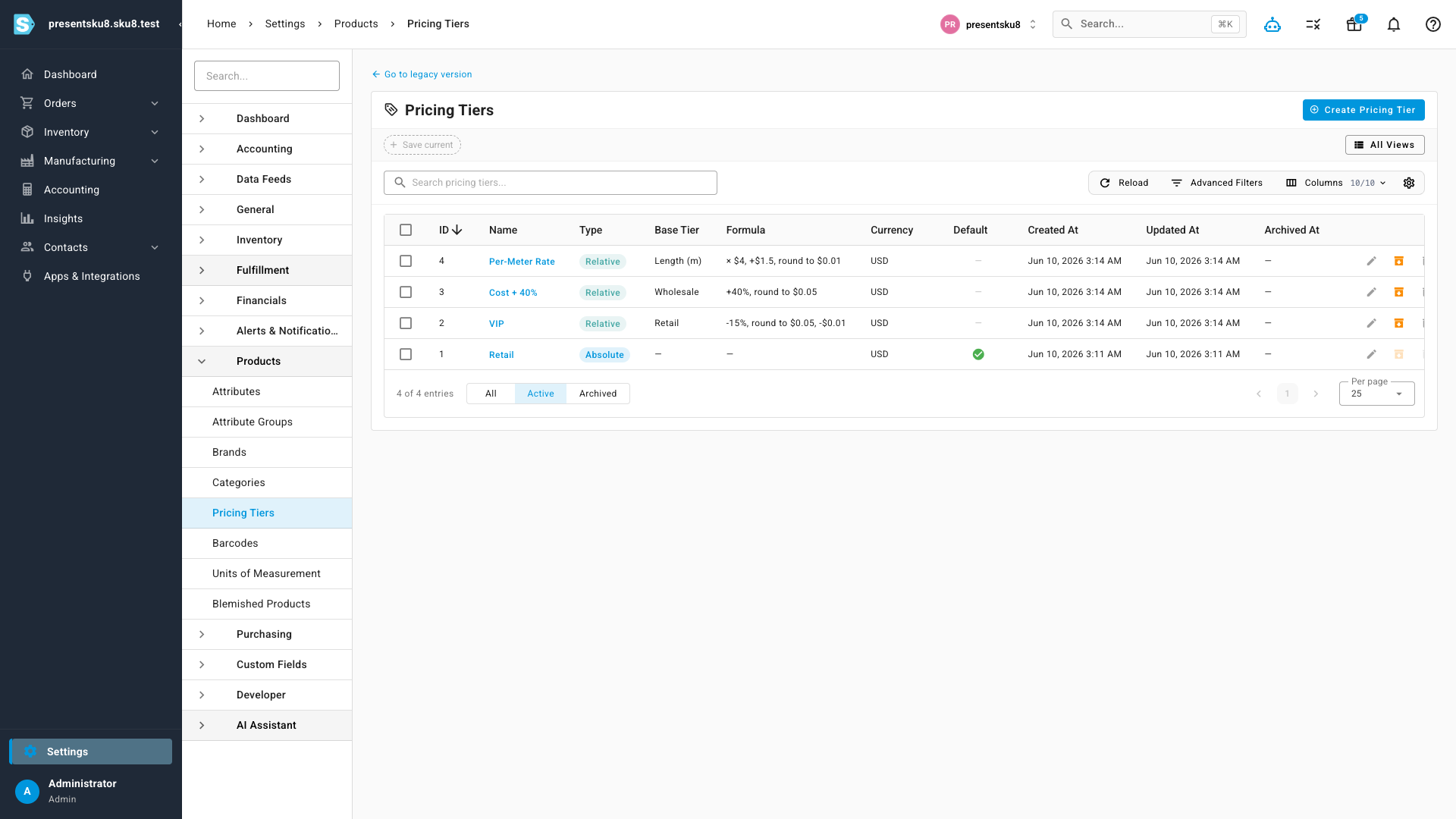
See every tier at a glance
The Pricing Tiers list shows each tier's type, what it's based on, and a plain-English summary of its formula — so it's obvious which prices are fixed and which are calculated, and how.
Where to find it
Go to Settings → Products → Pricing Tiers, then click Create Pricing Tier (or edit an existing one) and set the type to Relative to choose a base. Percentage-based relative pricing off another tier is also available for supplier pricing tiers under Settings → Purchasing.