Workflows — automate your business processes with a visual builder
Keeping your catalog, inventory, and orders in sync has always meant repetitive busywork: downloading a supplier's price file, massaging the columns, importing it, and doing it all again next week — or asking for custom development every time a partner sends data a slightly different way. Workflows changes that. It's a visual automation builder inside SKU.io where you chain a trigger to a series of actions on a drag-and-drop canvas: when a file lands on an FTP server, when a schedule fires, or when something happens in SKU itself, your workflow picks the data up, transforms it, and writes it into your account — no spreadsheets, no waiting on engineering.
✨ What this means for you:
- Automate without code — build trigger → action chains on a visual canvas, then hit Publish to turn them on.
- Start from a template — official templates cover the common cases: product imports from CSV, FTP, REST APIs, and URLs; supplier price files; inventory syncs; sales orders from Google Sheets.
- React to your business, not just files — triggers include Sales Order Created, Sales Order Fulfilled, Inventory Low Stock, and recurring Schedules, alongside file-based triggers like File Upload and FTP / SFTP File Available.
- Test before you trust — run any workflow against a sample file or test payload, execute a single step at a time, and watch the data flow through each node.
- See every run — a full execution history shows when each workflow ran, whether it succeeded, how long it took, and exactly what each step produced.
Build on a visual canvas
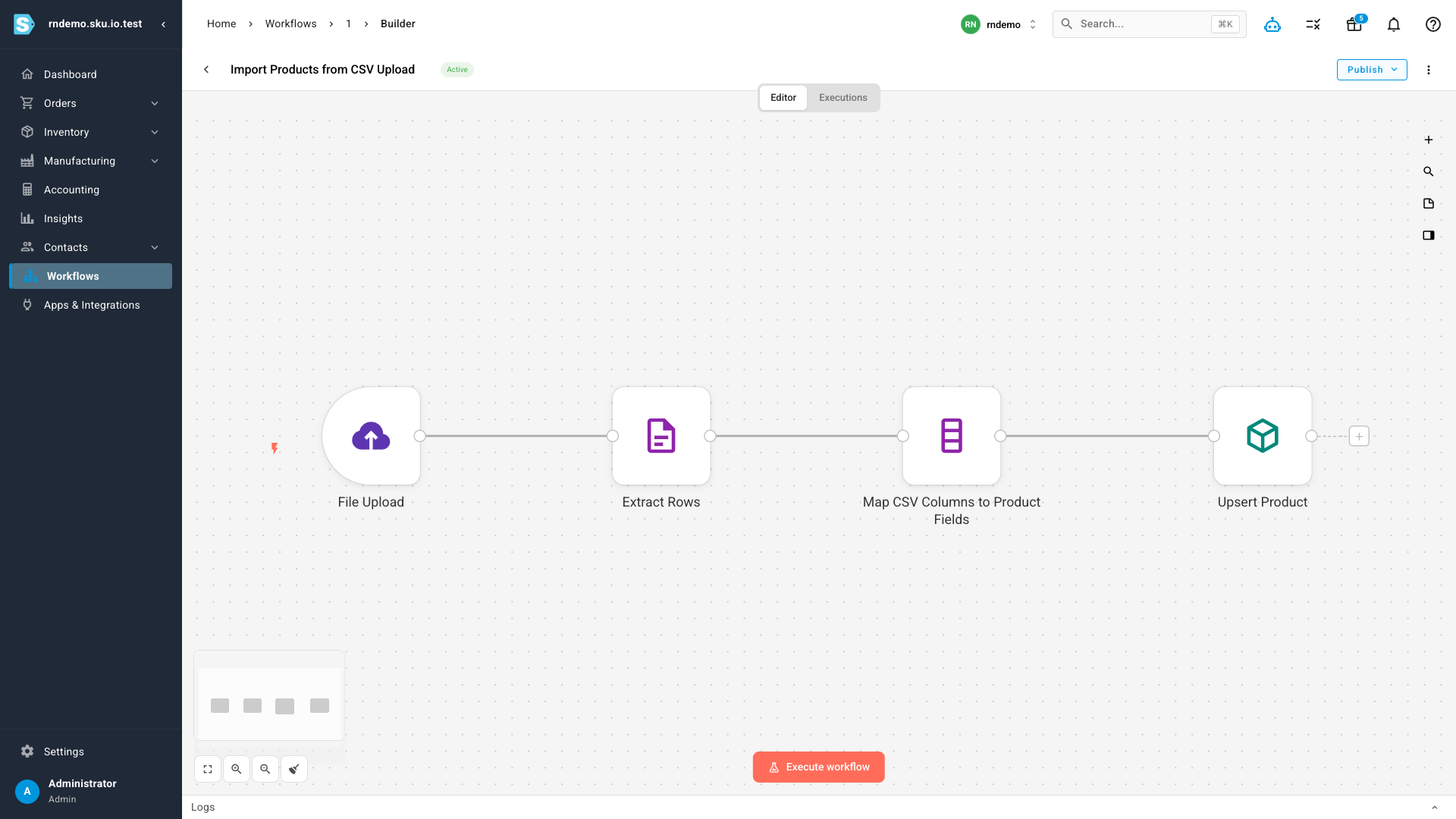
Every workflow is a graph you can read at a glance: a trigger on the left, actions flowing to the right. Click any node to configure it in a three-panel editor — input data on the left, parameters in the middle, output on the right — and changes apply automatically. While a workflow is in Draft it's safely inert; when you're happy with it, Publish activates it and the trigger goes live.
Pick from triggers and actions made for SKU.io
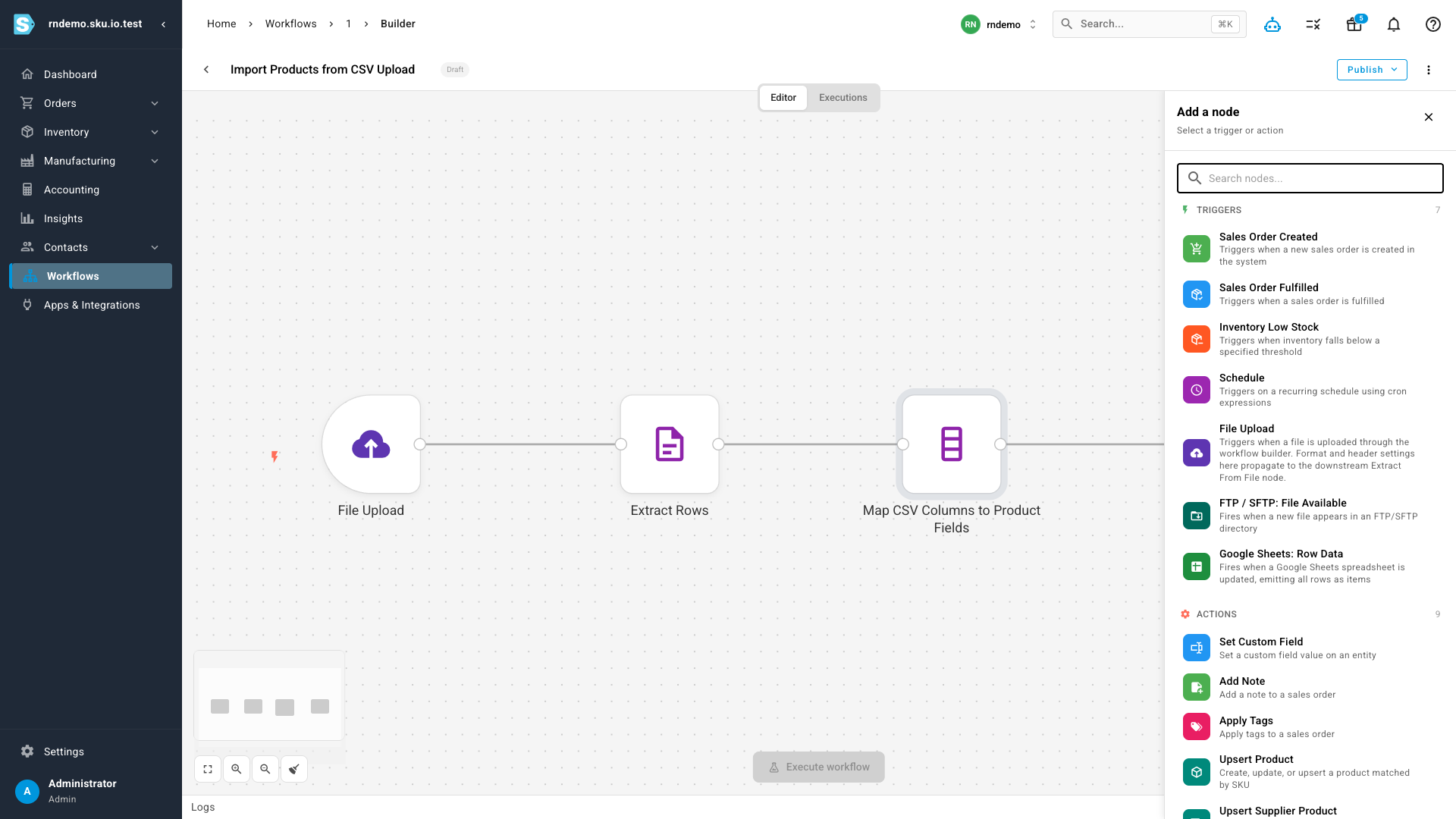
The node catalog is built around your operations. Trigger a workflow when a sales order is created or fulfilled, when inventory drops below a threshold, on a recurring schedule, or when a file arrives — uploaded by hand, dropped on an FTP/SFTP server, or added to a Google Sheet. Then act on it: upsert products and supplier products, set custom fields, add notes, or apply tags.
Start from an official template
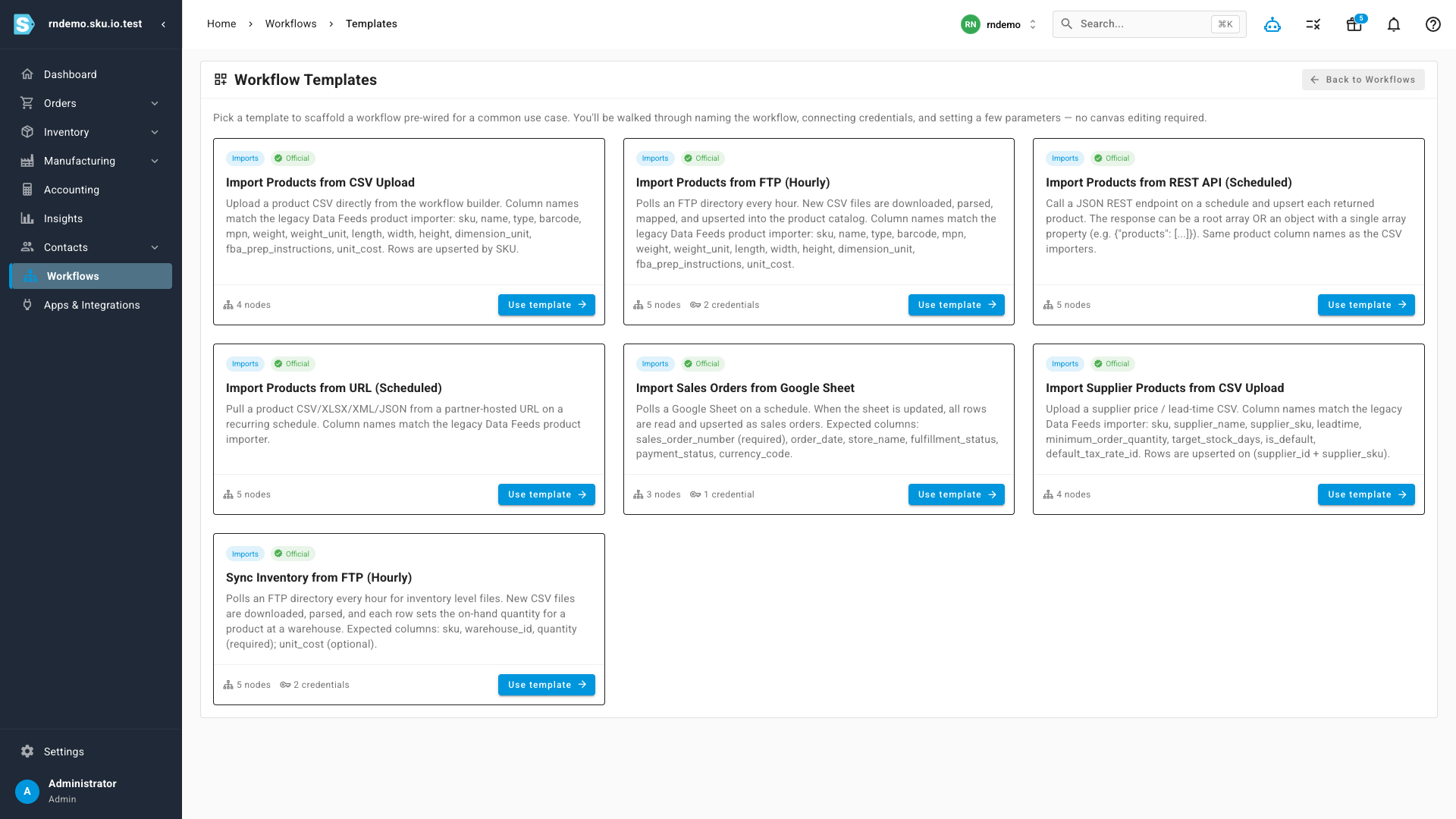
You don't have to start from a blank canvas. The Templates gallery scaffolds a complete workflow for the most common jobs — importing products from a CSV upload, an hourly FTP poll, a scheduled REST API call, or a partner-hosted URL; importing supplier price and lead-time files; syncing inventory levels from FTP; and pulling sales orders from a Google Sheet. A short setup form asks for a name and a few parameters, then drops you into the builder with the whole graph pre-wired — review and publish.
Know exactly what ran
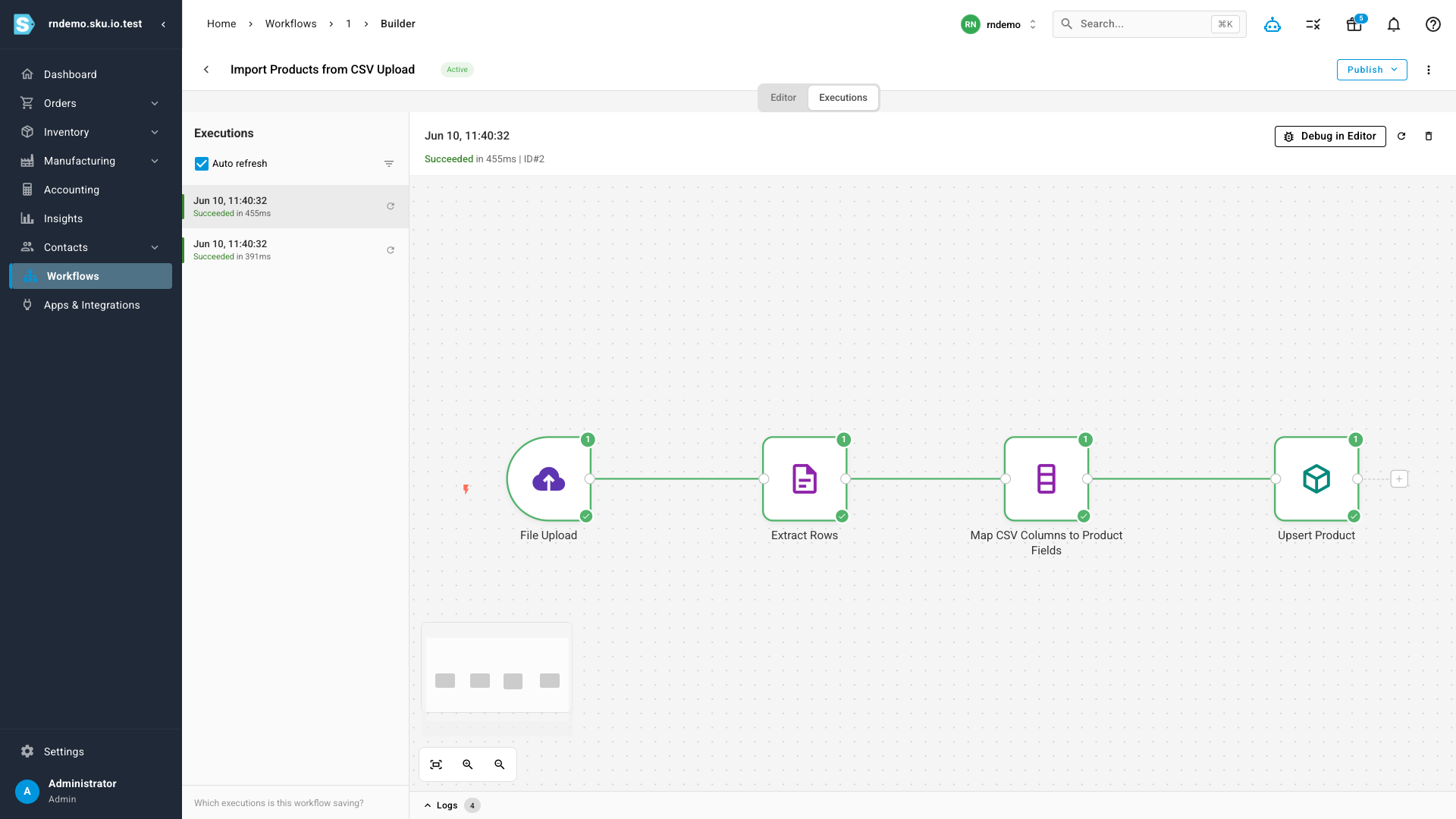
Every published workflow keeps a run history. The Executions tab lists each run with its outcome and duration, and selecting one replays it on the canvas — every node shows a green check and the number of items it processed, so you can see precisely what came in and what was written. If something needs a closer look, Debug in Editor loads that run's data straight into the builder.
Where to find it
Open Workflows from the main menu. You'll land on your workflow list, with Templates, Executions, and Credentials (for storing FTP and Google connections your workflows use) one click away, and New Workflow to start from a blank canvas.