Product Pro Forma — know your margin before you list
"If I sell this at $X on Amazon, what do I actually keep?" Until now, answering that meant a spreadsheet — one that doesn't know your real landed costs, your channel's fee schedule, or what actually happened the last hundred times you sold the item. Product Pro Forma is a live, per-channel profitability calculator built into SKU.io. Pick any product (or sketch a hypothetical one you're thinking of sourcing), and it models the full unit economics — selling price, COGS with cost-category breakdown, shipping, marketplace fees, payment fees — for each of your connected sales channels. Every input recalculates the results instantly, and for products you already sell, the estimate sits right next to your actual realized profitability so you can see exactly where your assumptions drift from reality.
✨ What this means for you:
- Price with confidence — see net profit per unit, margin %, ROI, and breakeven price update live as you type.
- Compare channels at a glance — each channel tab shows its computed margin, so "should this go FBA, FBM, or Shopify?" takes seconds.
- Trust the fee math — every fee line is labeled with where it came from: your listing, a versioned rate card, a channel setting, or your own override.
- Validate estimates against reality — actual per-channel sales history appears alongside the estimate, with one-click chips to adopt the real numbers.
- Evaluate products you don't carry yet — model a hypothetical product before you commit to sourcing it.
A live calculator for every channel
Open Product Pro Forma from Insights and pick a product. Each connected sales channel gets its own tab — Amazon (with an FBA/FBM toggle), Shopify, eBay, Walmart, WooCommerce, and a Custom tab for wholesale or channels you're evaluating. The selling price prefills from your listing, COGS prefills from your real cost layers (broken down by cost category — base product, freight, duty), and channel fees resolve automatically. Change anything and the hero metrics, breakeven price, and profit waterfall update immediately — no Calculate button.
There's also a goal seek: enter a target margin and SKU computes the selling price that gets you there, as a suggestion chip you can apply with one click.
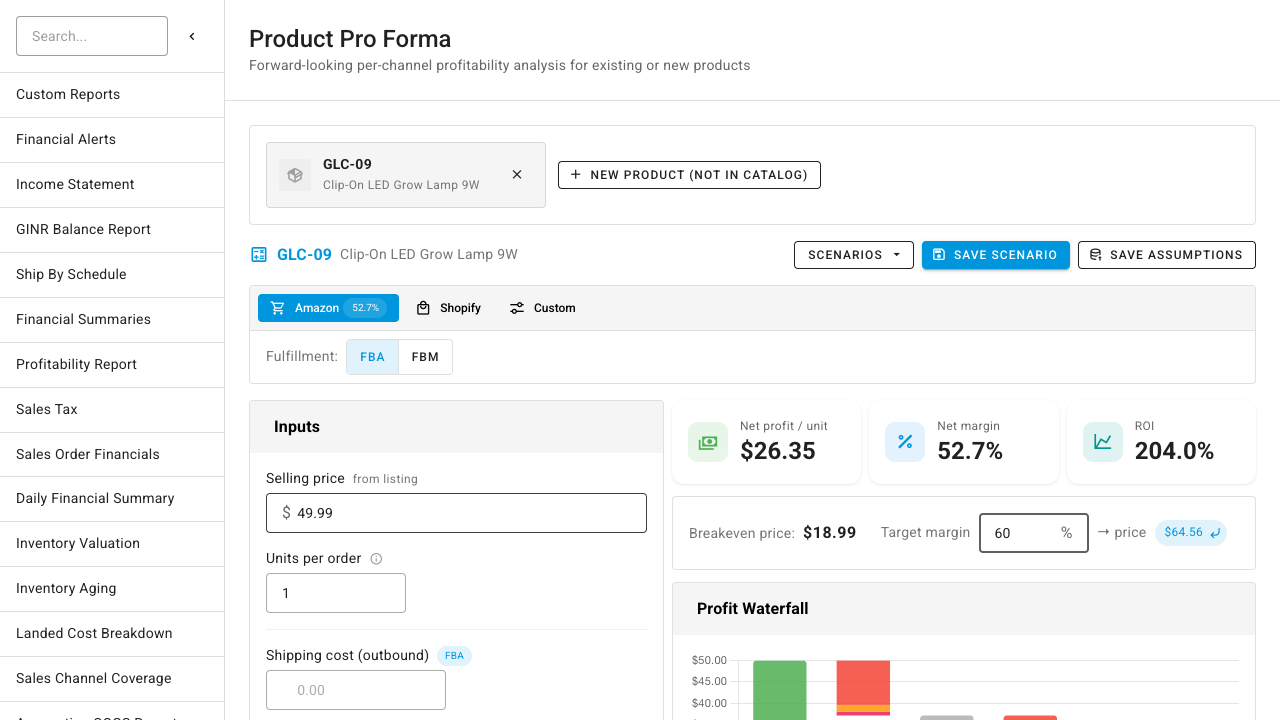
See where every dollar goes
The profit waterfall walks from price down to net profit — COGS (with its category breakdown stacked in the bar), gross margin, then each fee — so the biggest margin eaters are obvious at a glance. Below it, the fee line table shows every fee per unit, per order, and as a % of price, each with a provenance chip telling you exactly where the number came from: your listing, a versioned fee rate card, a live API estimate, or a manual override. No more wondering whether the fee data is stale.
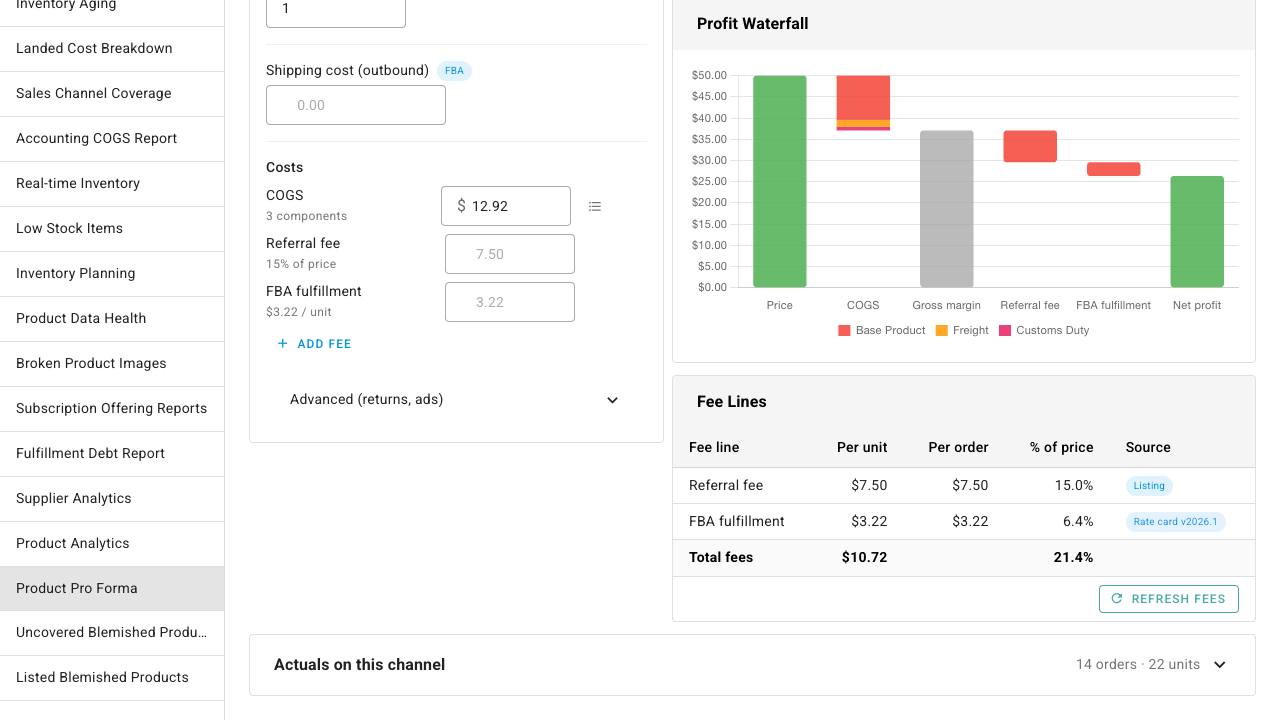
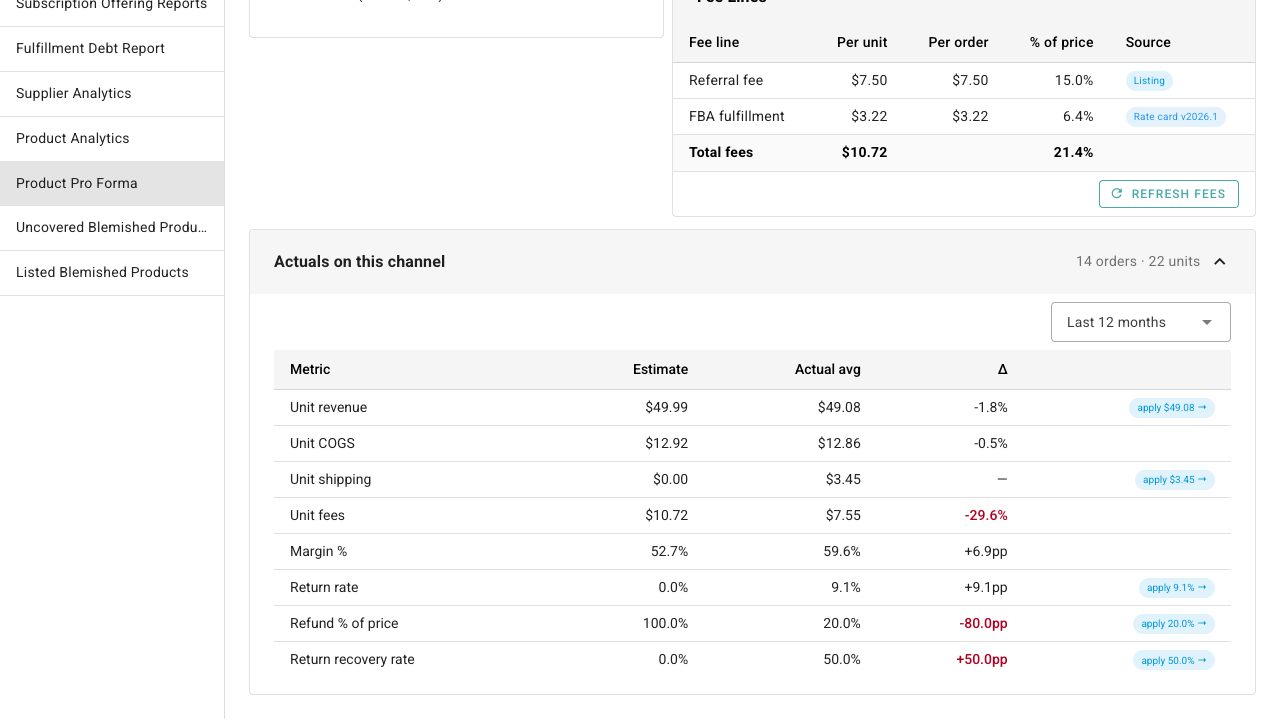
Estimate vs. actual — the loop nobody else closes
For products you already sell, expand Actuals on this channel to reconcile your estimate against real order history: unit revenue, COGS, shipping, fees, margin, and return rate — estimate and actual side by side, with the deltas highlighted when they diverge. If reality says your return rate is 9.1% and your model says 0%, one click on the apply chip adopts the actual into your estimate. You can also save tuned assumptions back to the product so SKU's ongoing estimated financials use them.
Model a product you don't carry yet
Evaluating a sourcing decision? Click New product (not in catalog) and enter just a name, estimated unit cost, and (optionally) weight and dimensions — the dimensions feed the Amazon FBA fulfillment fee estimate. You get the same per-channel analysis for a product that doesn't exist in your catalog yet, and you can save the scenario to revisit when the supplier quote comes in.
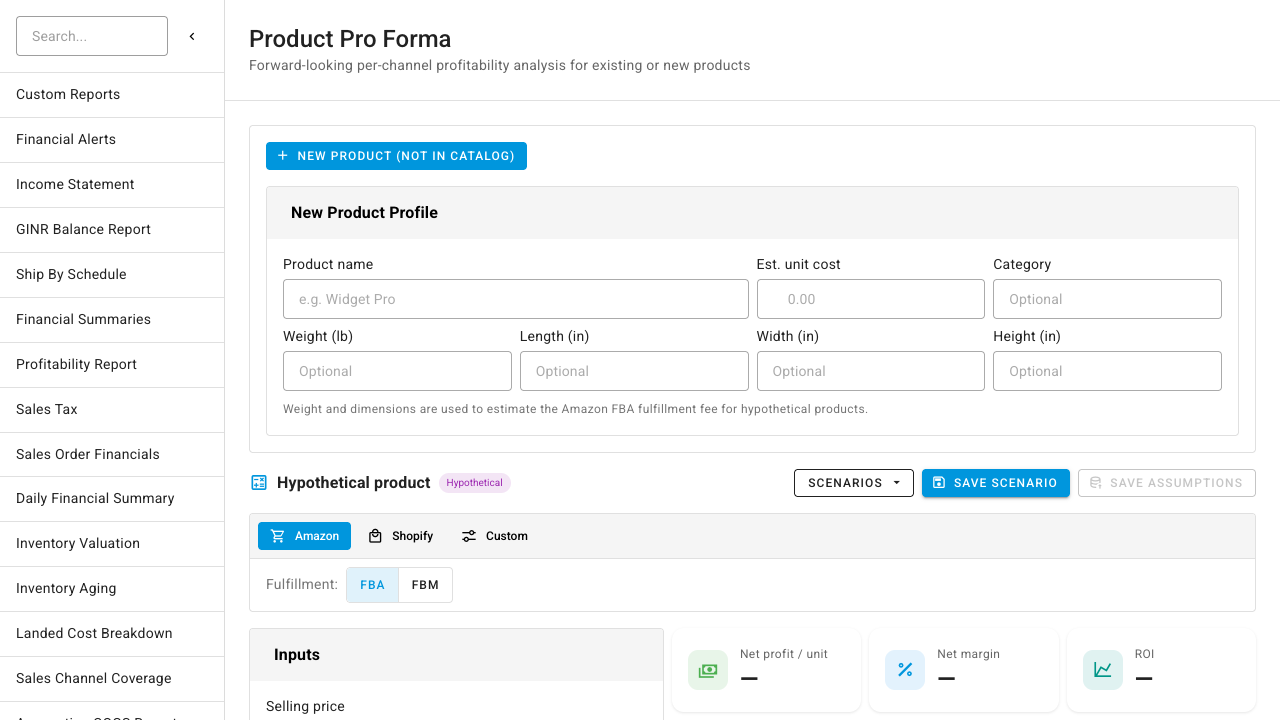
Scenarios work for real products too: Save scenario captures the full set of inputs and results under a name, so you can keep "Holiday pricing" and "Wholesale offer" side by side and reload either at any time.
Where to find it
- Insights → Product Pro Forma (
Reports → Product Pro Forma) — pick any product or model a new one. The selected product is kept in the URL, so you can bookmark and share an analysis. - Product detail → Pro Forma tab — the same analyzer, scoped to the product you're viewing.