Returns Management — handle customer returns end to end
Customer returns used to mean stitching together a refund here, an inventory adjustment there, and a fresh judgment call on every item about whether it could go back on the shelf. There was no single place to see what was coming back, decide what should happen to it, or measure how much value you were recovering. Returns Management brings the whole flow together: authorize returns as RMAs, receive them at a scan-driven station, let your own rules decide each item's fate, and track recovery in a dedicated dashboard — with marketplace returns pulled in and matched to orders automatically.
✨ What this means for you:
- One home for every return — a dedicated RMAs section with a dashboard, the RMA list, a receiving station, and a marketplace inbox, all a click apart.
- Your rules make the call, not your team — define disposition policies once and every received item is routed automatically to Restock, Discard, or a new Blemished SKU.
- Receive at the speed of a scan — scan an RMA, order, or product and the right disposition is already filled in.
- See what you're recovering — return rate, restock-recovery, discard rate, and disposition mix at a glance.
- Create RMAs fast — generate them in bulk from sales orders, or import a batch by CSV.
- Marketplace returns, handled — Shopify, Walmart, and Trackstar returns appear on their own and match to the right order.
Decide once with disposition policies
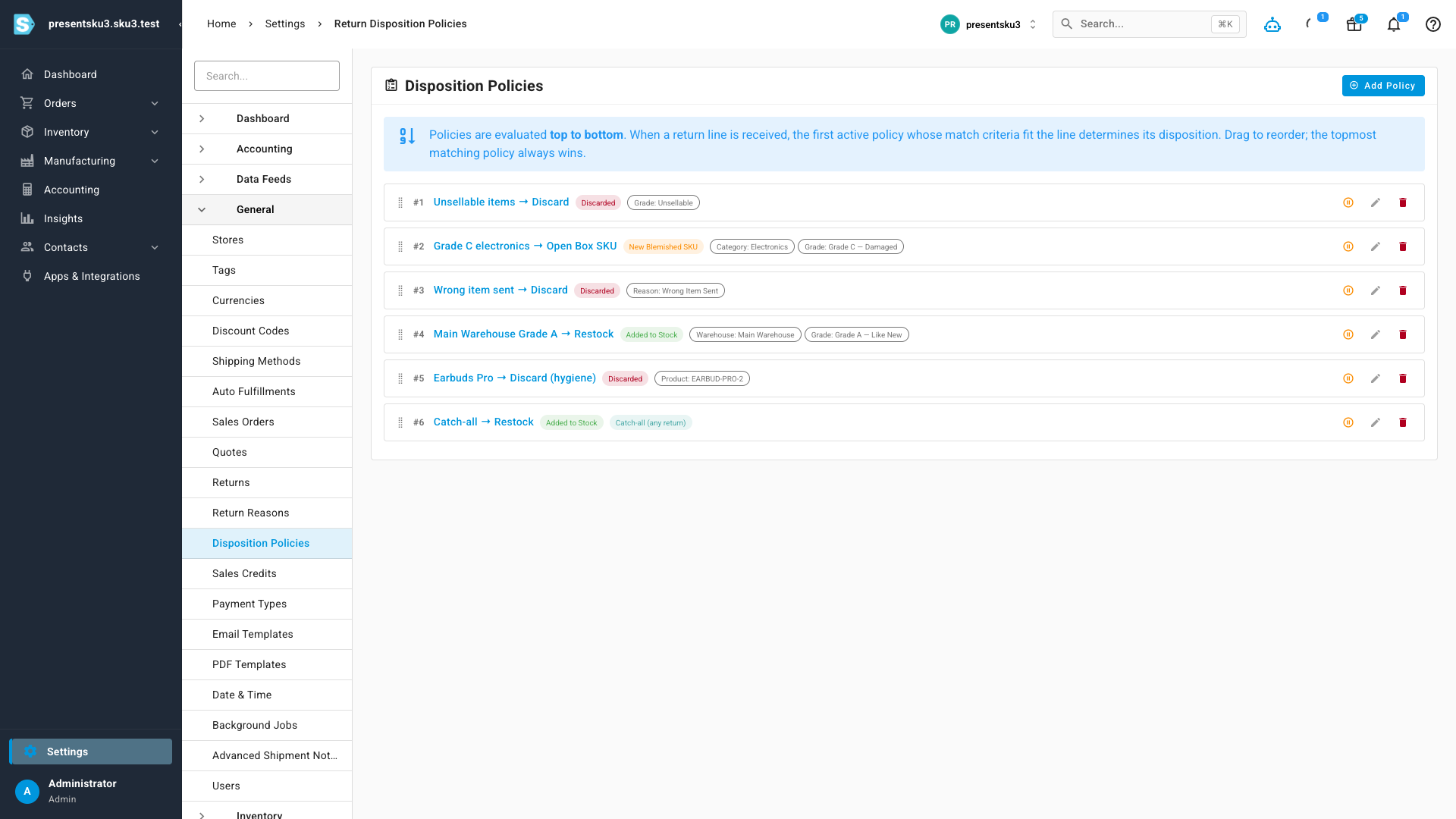
Returns shouldn't need a debate every time one lands. Set up an ordered list of disposition policies — rules that match on product, category, return reason, warehouse, or condition grade and decide what happens: add the item back to stock, discard it, or spin up a blemished / open-box SKU. The first matching rule wins, and a catch-all at the bottom covers everything else. Drag to reorder; the topmost match always takes priority.
Receive returns by scanning
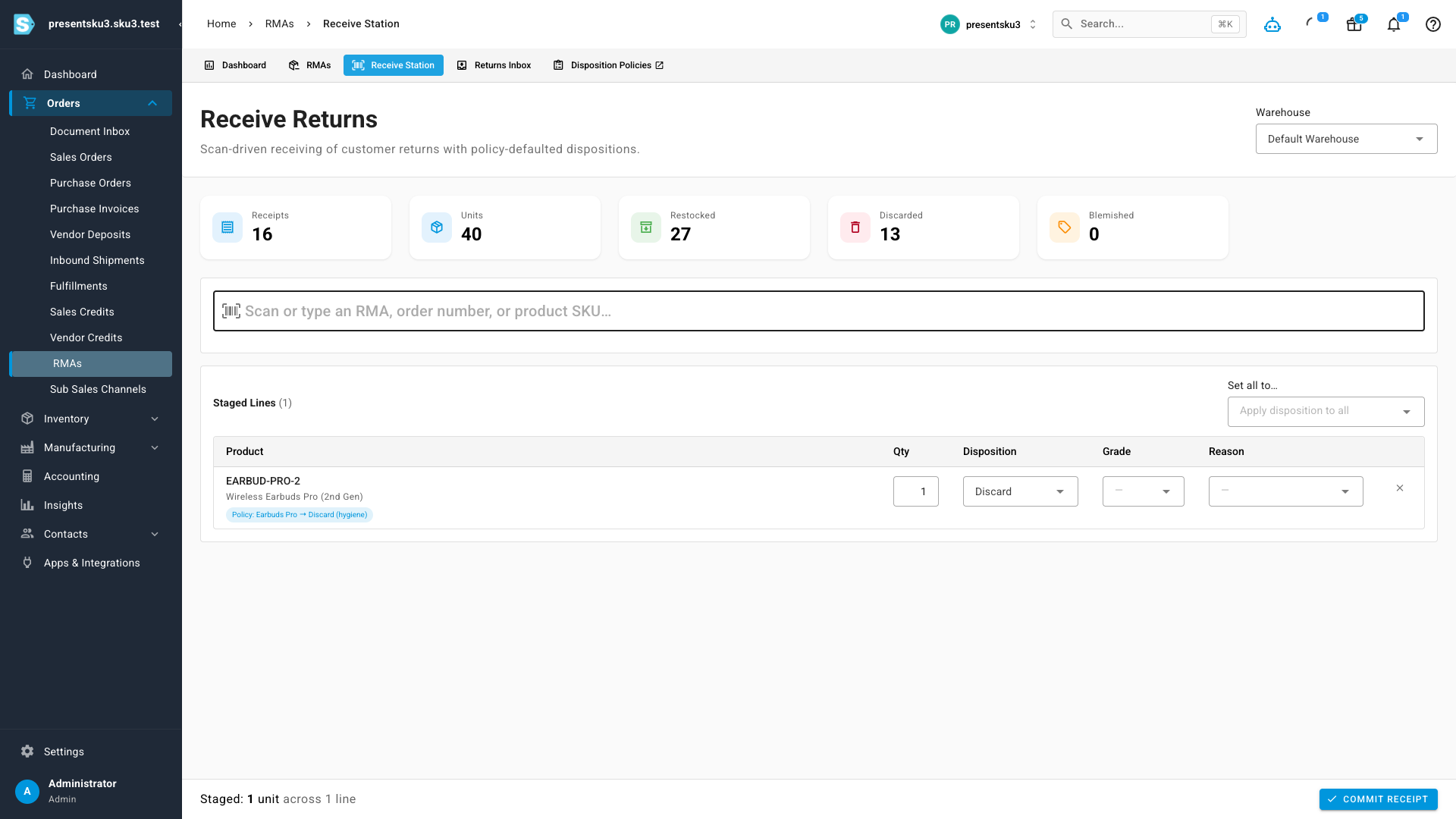
The Receive Station is built for the warehouse. Scan an RMA number, order number, or product SKU and the line is staged with its disposition already decided by your policies — shown with a "policy applied" chip. Adjust the quantity, disposition, grade, or reason if you need to; changing the condition grade re-checks your grade-specific rules. Commit the receipt and the inventory effect happens automatically.
Measure recovery at a glance
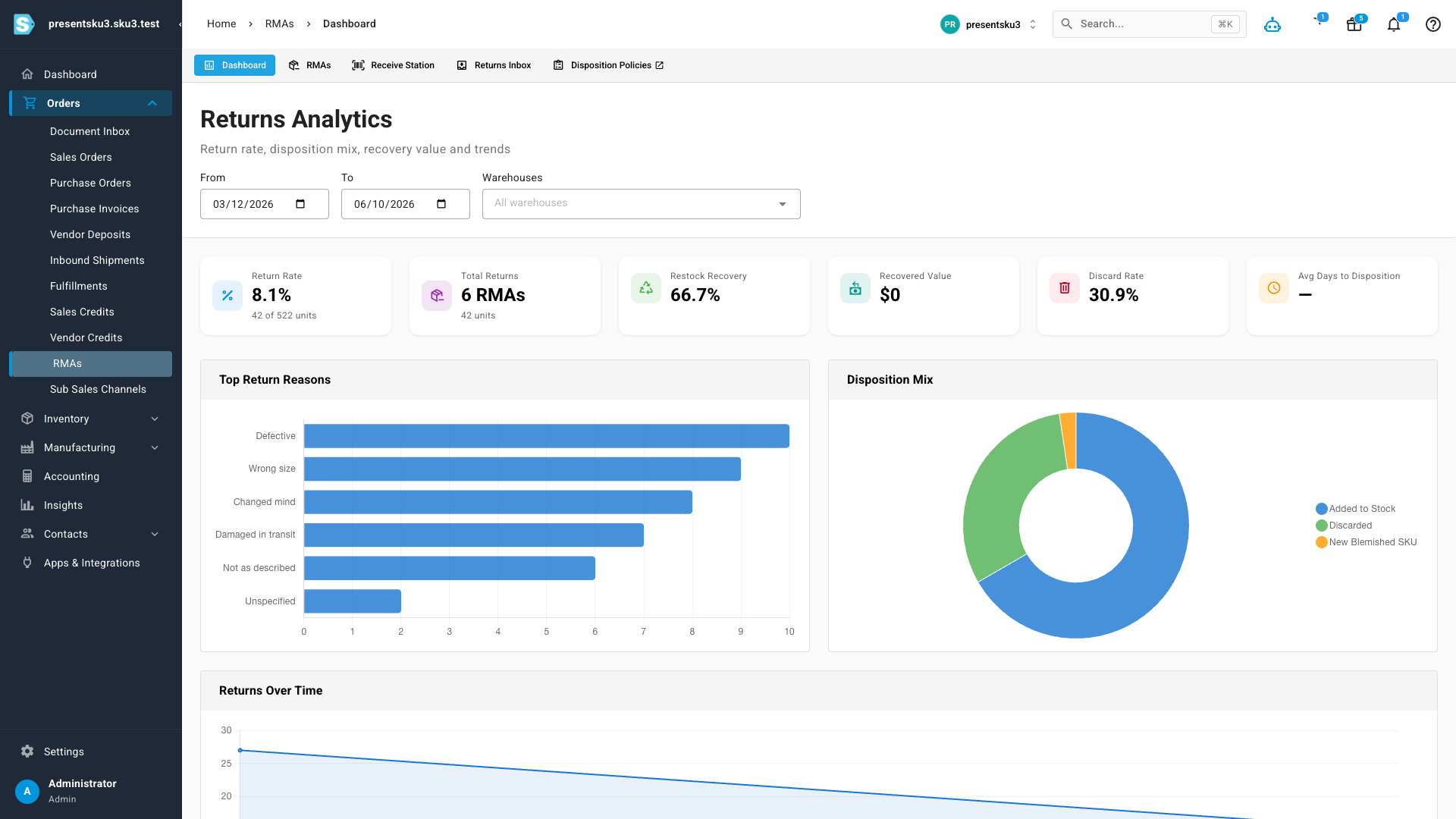
The Returns Analytics dashboard turns received returns into numbers you can act on: return rate, restock-recovery rate, recovered value, discard rate, the mix of dispositions, your top return reasons, and a returns-over-time trend — all filterable by date range and warehouse.
Catch marketplace returns automatically
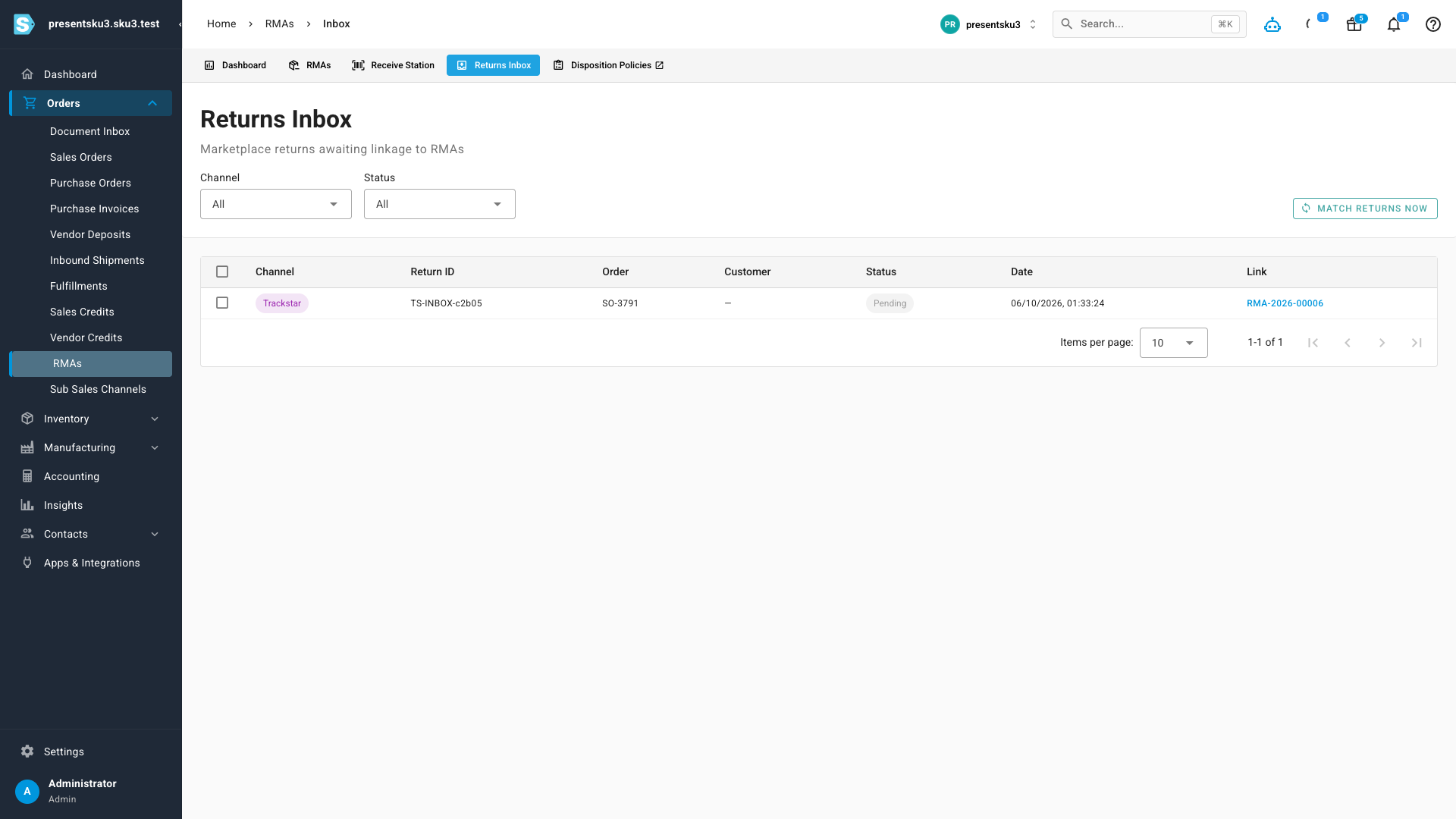
When a customer starts a return on Shopify, Walmart, or a 3PL through Trackstar, it shows up in the Returns Inbox with a suggested matching order. Link it — or let the daily auto-match do it for you — and an RMA is created automatically, so channel returns never slip through the cracks.
Where to find it
Open Orders → RMAs from the main menu. You'll land on the Dashboard tab, with RMAs, Receive Station, and Returns Inbox alongside it. Your disposition rules live under Settings → Disposition Policies (also linked from the RMAs tabs).