Cost Allocation — see what your products really earn
Your gross margin says a product is profitable. But after the ad spend, the affiliate payouts, the warehouse rent, and the software subscriptions — is it? Those indirect costs live in invoices and spreadsheets, never connected to the products that caused them. Cost Allocation closes that gap: record any indirect cost in SKU.io, spread it across the products, brands, suppliers, or sales channels it belongs to, and see true contribution margin — revenue minus COGS minus the overhead each product actually carries. It's a profitability layer, not a bookkeeping one: allocations never create accounting transactions, so there's no risk of double-counting against your real books.
✨ What this means for you:
- Know which products are actually profitable once marketing, rent, and fees are counted — not just gross margin.
- Allocate a cost in seconds with a guided wizard — equal split, exact manual amounts, or proration by revenue, cost, quantity, weight, or volume.
- Spread big costs over time — amortize an annual license or a trade-show deposit across monthly or quarterly periods, posted automatically as each period comes due.
- Slice contribution margin by product, brand, supplier, or sales channel, with a full breakdown of where allocated costs came from.
- Keep it out of your books — allocations are analytics only, with no GL impact.
One place for every indirect cost
The new Cost Entries workspace (under Accounting) is where overhead lives: ad campaigns, rent, subscriptions, legal retainers, 3PL surcharges — anything that isn't a product cost. Each entry carries an amount, date, vendor, reference, and an Indirect Cost Type (your own taxonomy — create types like "Marketing" or "Facilities" right from the form). The list shows at a glance what's allocated, what's partially allocated, and what's still pending.
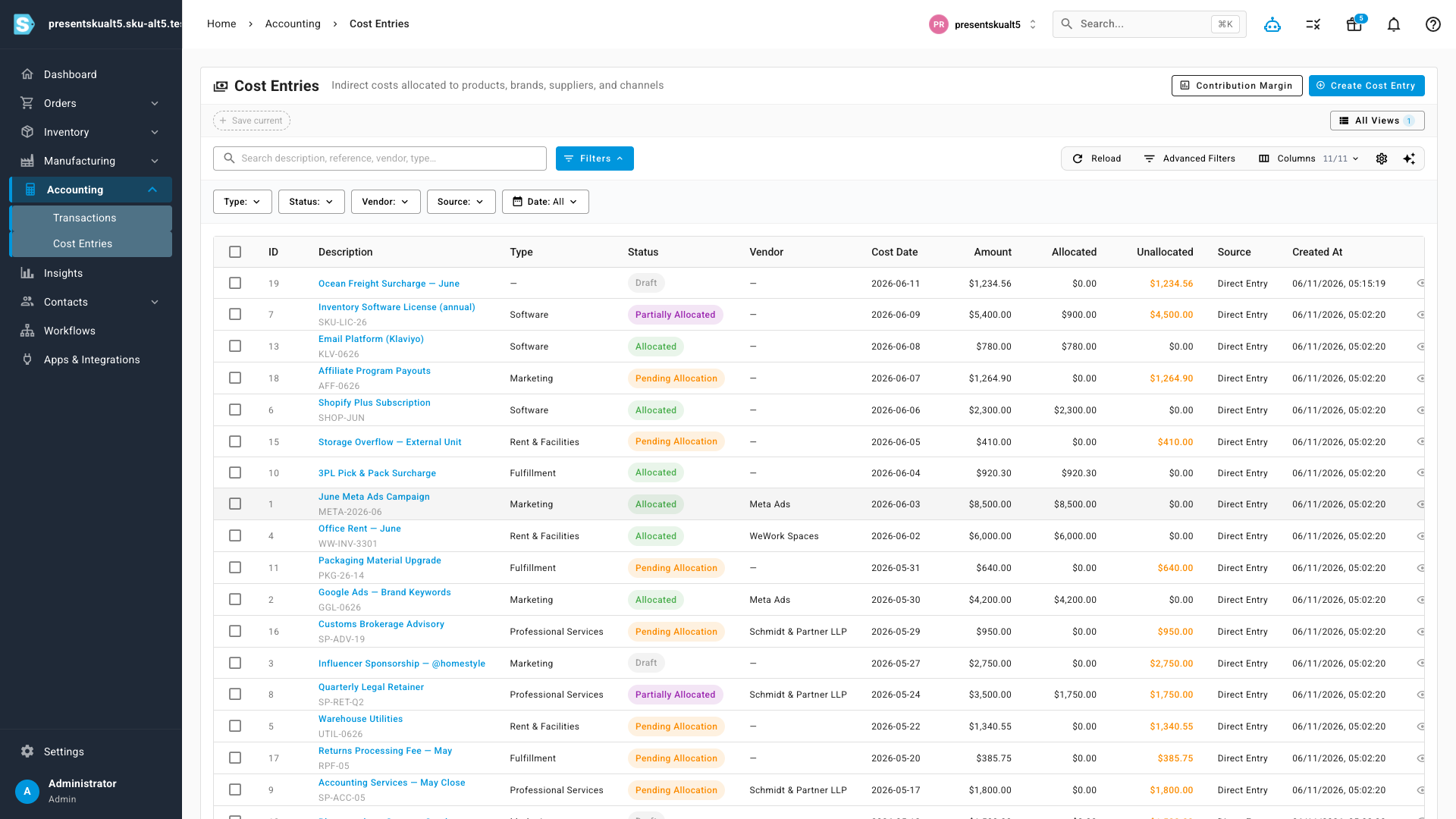
Entries can also be created straight from a Bill, so a formal vendor invoice and its profitability allocation stay linked.
Allocate in five guided steps
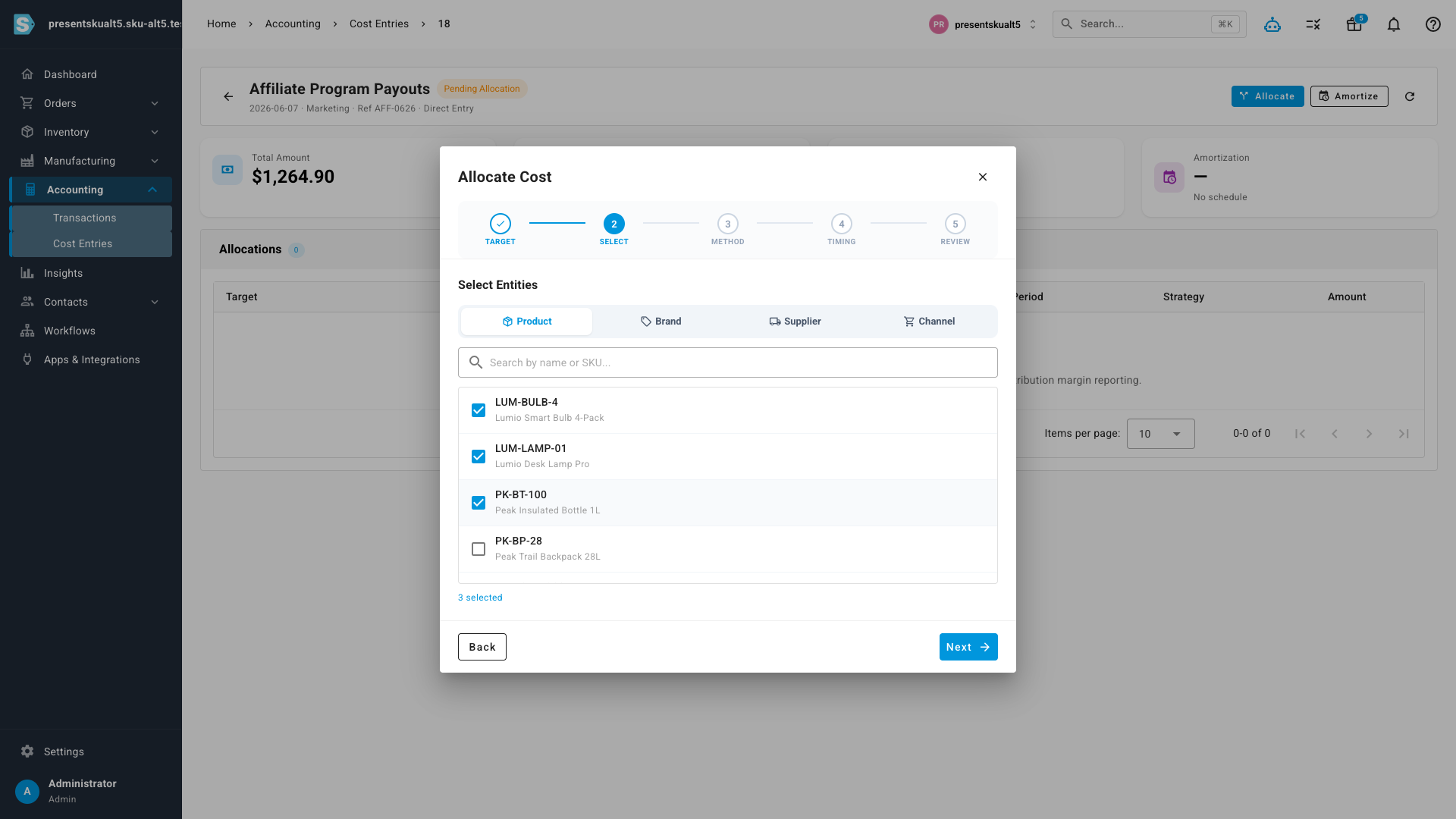
Hit Allocate on any entry and a wizard walks you through it: choose the target, pick who gets the cost, choose how to split it, decide when it's recognized, and review. Targets come in two flavors:
- Direct entities — pick specific products, brands, suppliers, or sales channels and split the amount equally or enter exact manual amounts.
- Document lines — point the cost at purchase orders, sales orders, transfers, stock takes, or assemblies, and let SKU prorate it across the lines by revenue, cost, quantity, weight, or volume.
Spread costs over time with amortization
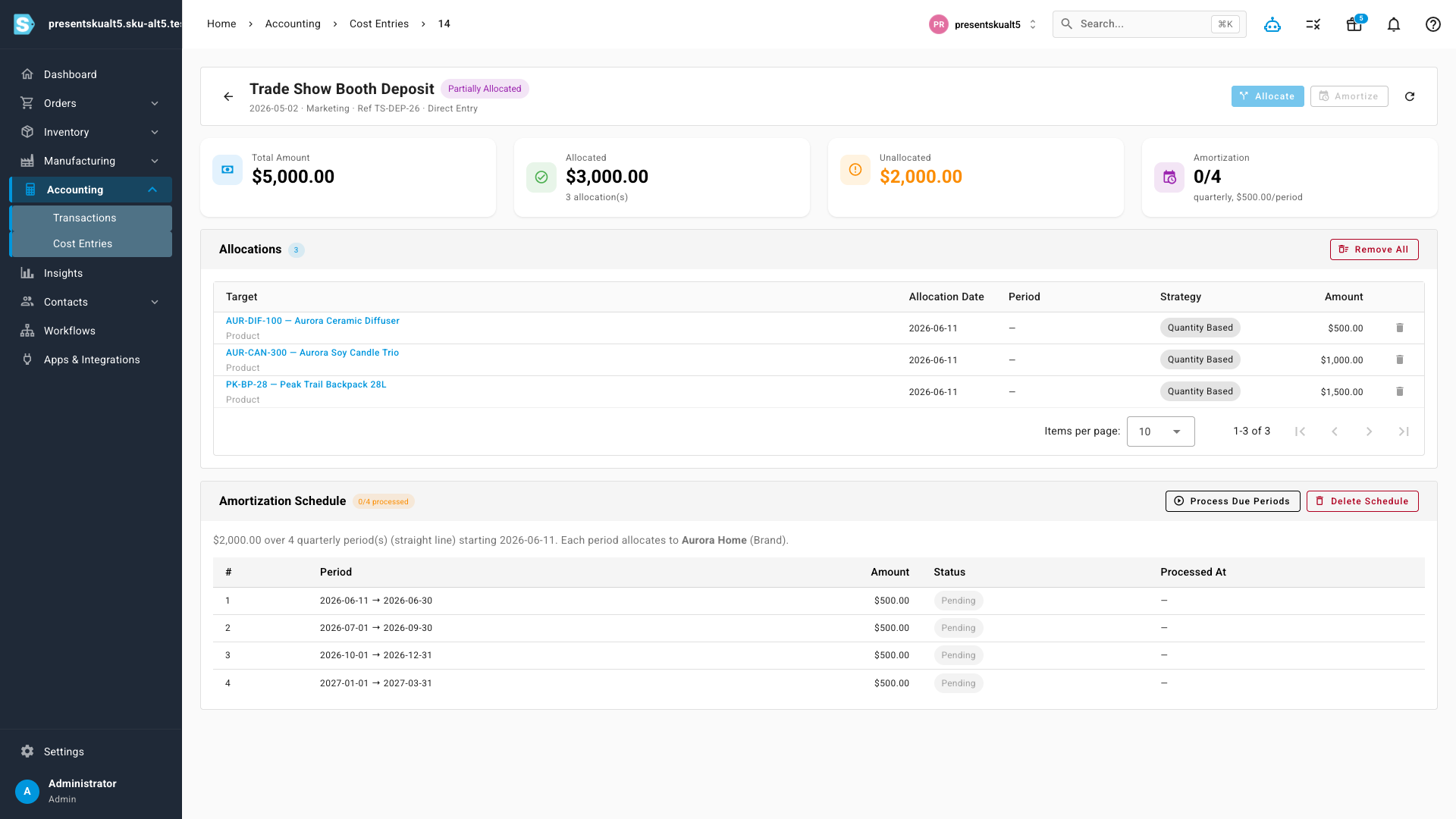
Some costs don't belong to one month. For an annual software license or a deposit paid up front, choose Amortize instead of a one-time allocation: set the start date, frequency (monthly, quarterly, and more), and number of periods, and SKU builds the schedule. Each period posts its slice automatically once it comes due — no manual follow-up — and the entry's detail page shows exactly which periods have been processed, with a catch-up button if you ever want to post due periods immediately.
Contribution margin, finally honest
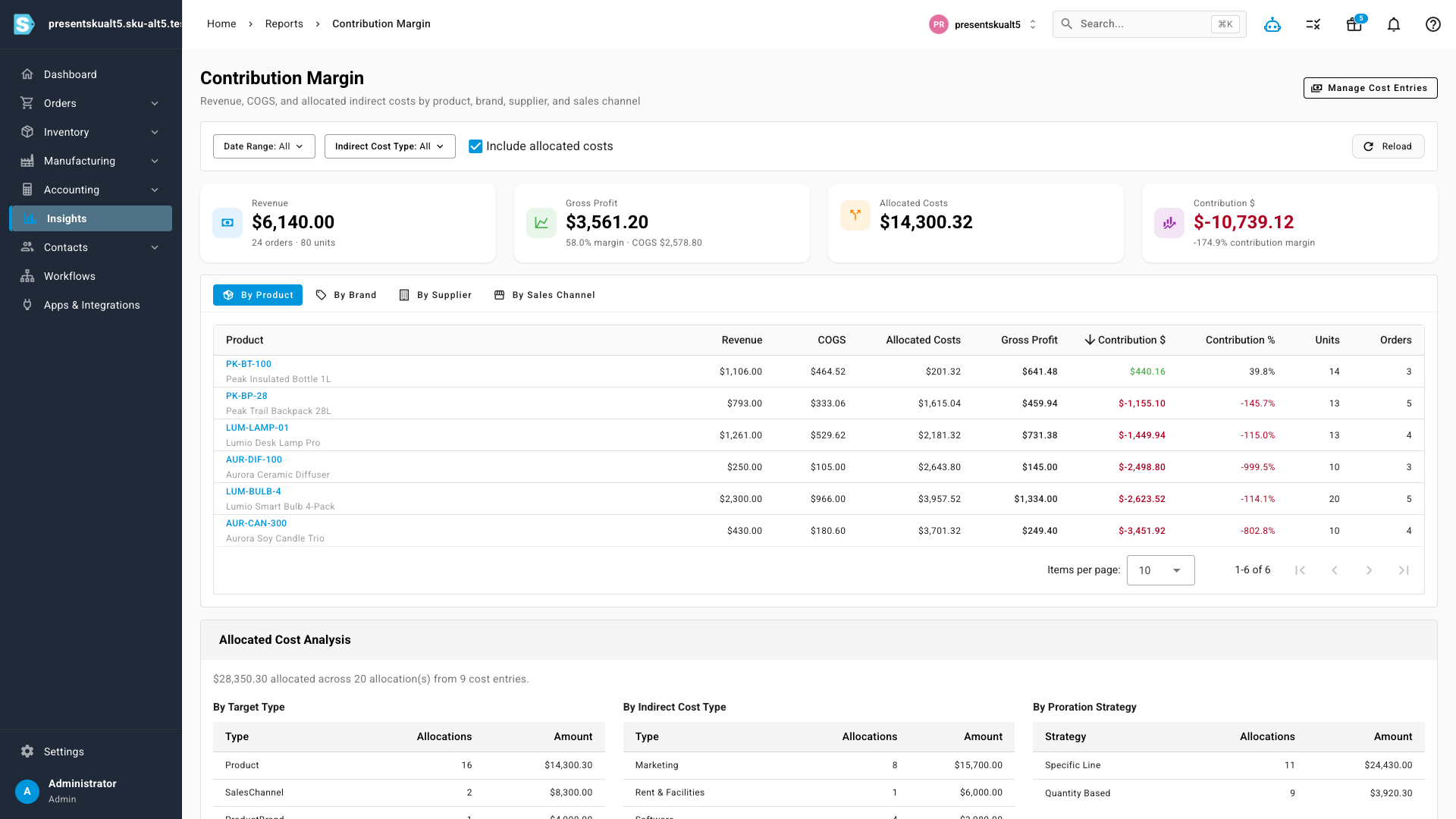
The new Contribution Margin report (under Insights) puts it all together: revenue, COGS, gross profit, allocated costs, and contribution — switchable between By Product, By Brand, By Supplier, and By Sales Channel views, filtered by date range and cost type. Product-level allocations roll up into their brand and supplier rows automatically. Below the table, the Allocated Cost Analysis breaks down where the overhead came from — by target type, by indirect cost type, and by proration strategy — so the number is never a black box.
Where to find it
- Accounting → Cost Entries — record, allocate, and amortize indirect costs.
- Insights → Contribution Margin — the profitability report, with a one-click link back to manage cost entries.