Sales Tax Reporting — file-ready tax by state, across every channel
Filing a state sales-tax return used to mean leaving SKU.io, exporting orders, and rebuilding the numbers in a spreadsheet — channel by channel, because each marketplace only shows you its own slice. Sales Tax Reporting brings the whole picture into one place: tax collected by destination state, the split between what you owe and what your marketplaces already remitted for you, and a live view of where you're approaching economic-nexus thresholds.
✨ What this means for you:
- See tax collected by state for any period, with a taxable vs. non-taxable breakdown and transaction-level drill-down.
- Know exactly what you owe on your own channels — separated from the tax Amazon, eBay, and Walmart already collect and remit on your behalf.
- Catch economic nexus before it catches you: per-state thresholds with "approaching" alerts and clear flags where you've crossed but aren't registered.
- Export any view to CSV, Excel, or PDF for filing.
Tax collected by state, net of returns
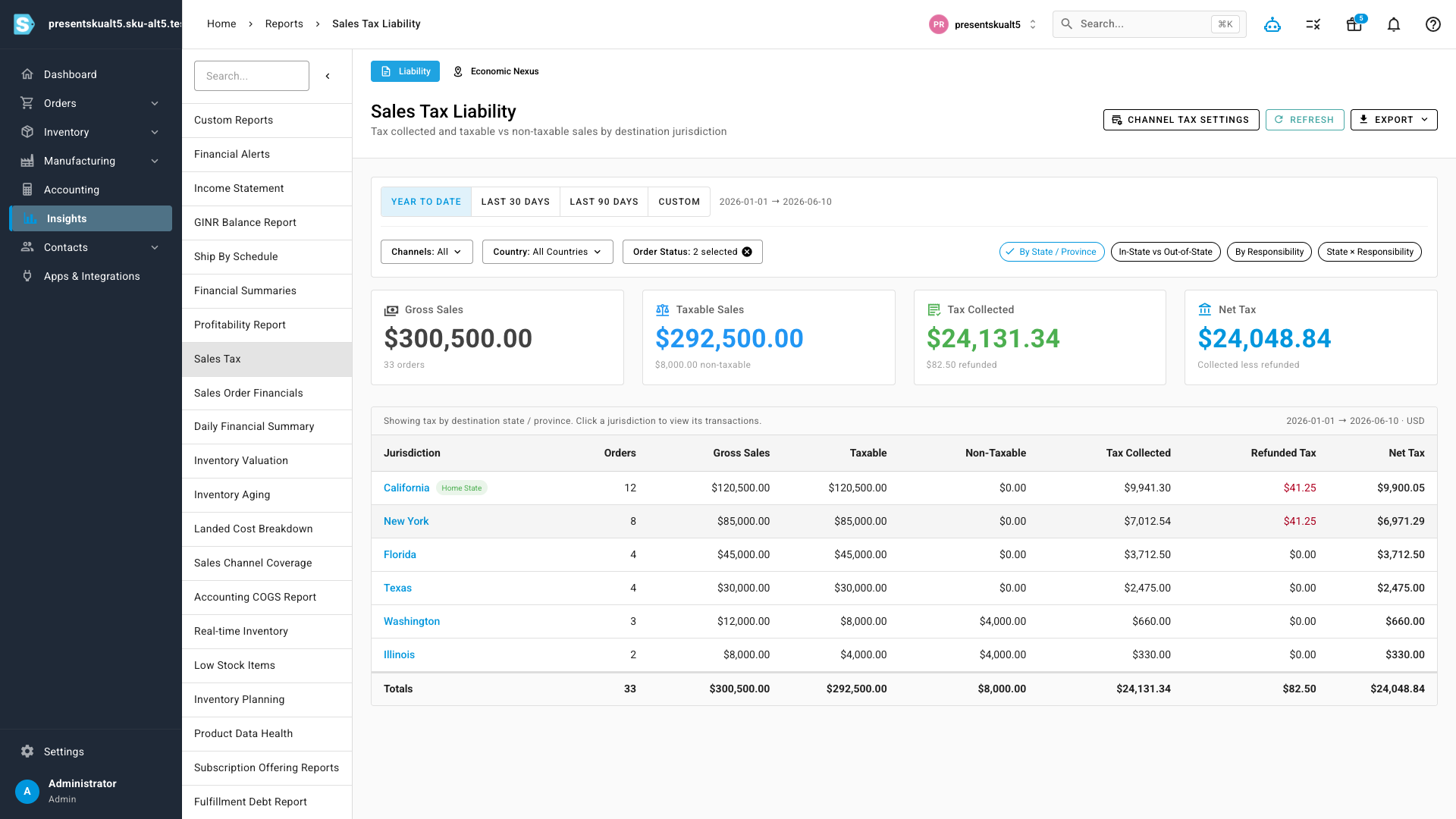
The Sales Tax Liability report totals the tax you collected across every connected channel, sourced to the destination (ship-to) state and net of refunds. Headline cards show gross sales, taxable sales, tax collected, and net tax for the period, and the table breaks it down jurisdiction by jurisdiction. Change the date range, filter by channel or country, switch grouping lenses, or open any row to see the individual transactions behind the number.
What you owe vs. what marketplaces remitted
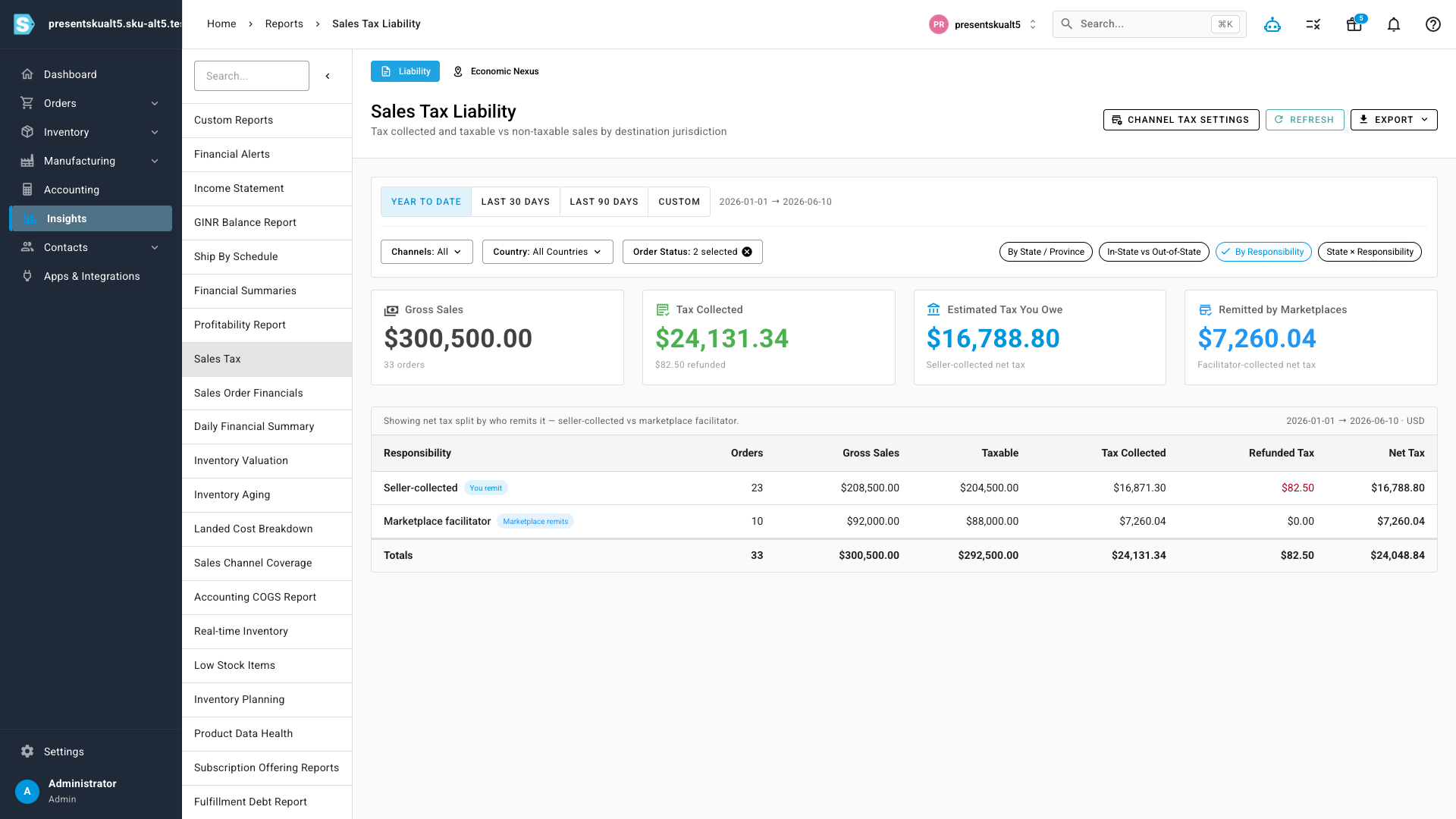
This is the view no single-channel report can give you. Under marketplace-facilitator laws, Amazon, eBay, and Walmart collect and remit sales tax on your behalf — so a flat "sales by state" total overstates what you actually owe. The By Responsibility lens splits every dollar into Estimated Tax You Owe (your own seller-collected channels) and Remitted by Marketplaces, so your return reflects your real obligation.
Tell SKU.io who collects for each channel
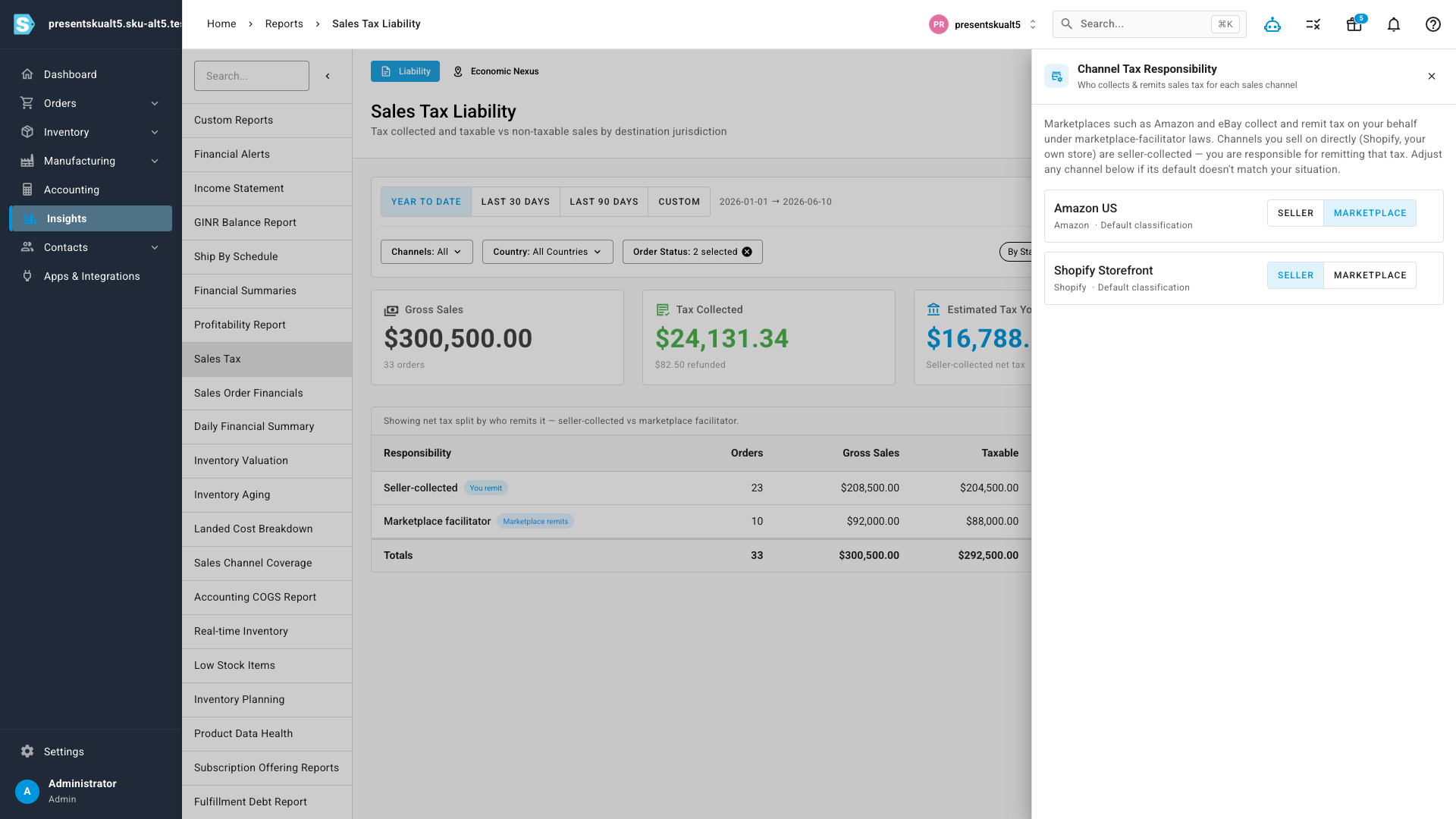
SKU.io classifies each connected channel automatically — marketplaces like Amazon and eBay as facilitator-collected, your own storefronts as seller-collected — and flags anything it isn't sure about for review. Open Channel Tax Settings to confirm or override any channel's classification in a click.
Know where you have nexus — before you cross it
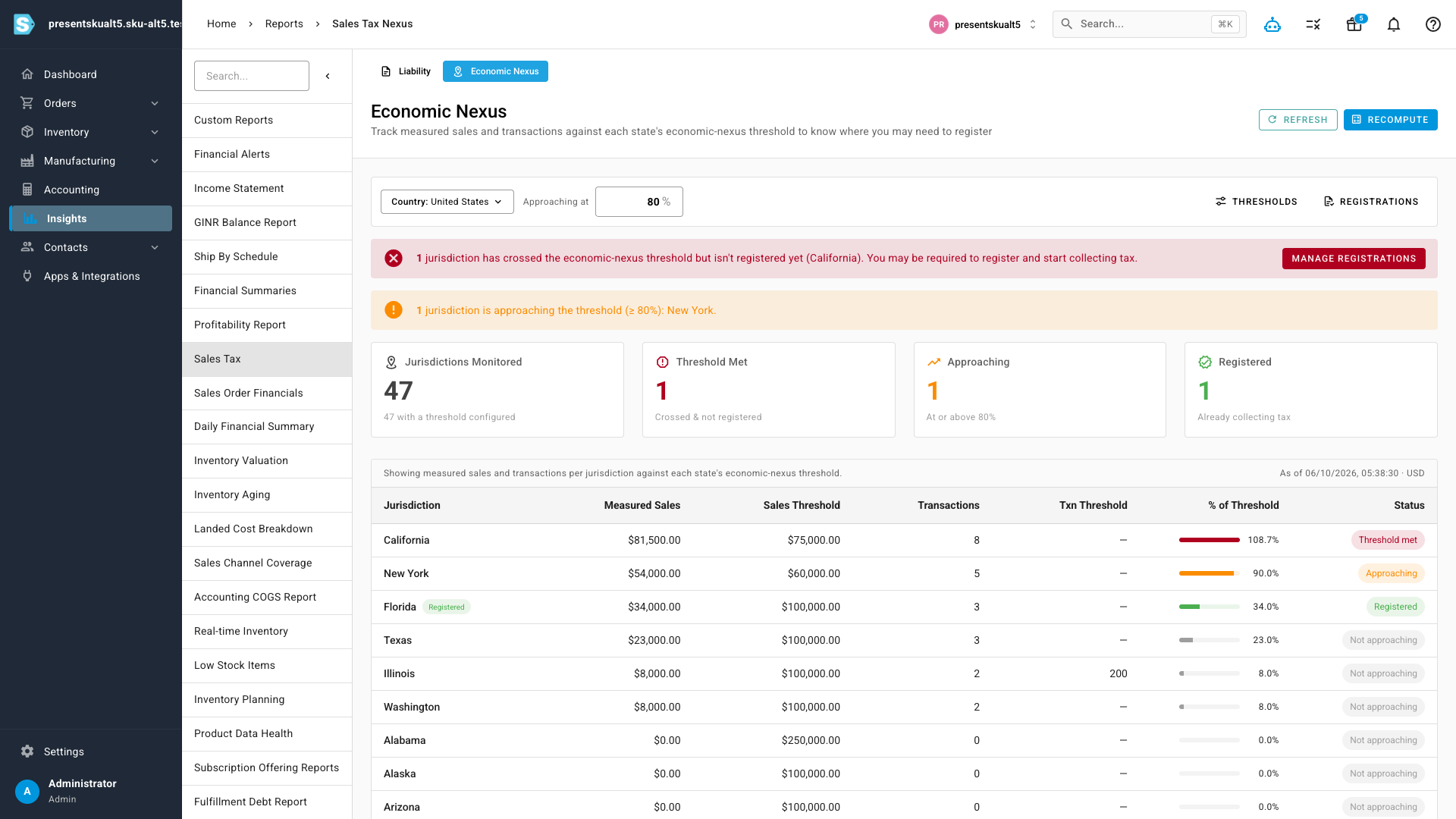
The Economic Nexus dashboard measures your sales and transaction counts in every US state against that state's threshold — excluding marketplace-facilitated sales, the way the statutes do. Each state shows how close you are as a percentage, with statuses for met, approaching, and registered. Banner alerts call out where you've crossed a threshold but aren't yet registered to collect, and recording your registrations drops the states you already file in off the watch list.
Where to find it
From the left menu, open Insights → Sales Tax. The report opens on the Liability tab, with Economic Nexus alongside it. Channel Tax Settings, thresholds, and registrations are all reachable from the report header.