Recipe History — know what's inside every bundle and kit, on any date
You tweak a kit's recipe — swap a component, bump a quantity — and suddenly your history and your forecasts look different, as if the previous version never existed. Worse, you can't answer a simple question: what was actually in this bundle back in the spring? Until now, a bundle or kit had exactly one recipe — whatever it happens to be right now. Recipe History changes that. Every bundle and kit now keeps a full, dated history of its recipe, so you can see what it contained on any date, edit it without rewriting the past, schedule a change ahead of time, and correct a past recipe when something was recorded wrong.
✨ What this means for you:
- A full timeline of every recipe change — every version of a bundle or kit's recipe, with what changed, when, and who made it.
- See the recipe as of any date — pick a date and SKU.io shows exactly what the product contained then.
- Editing no longer rewrites the past — a change applies from today forward, so last quarter's records stay exactly as they were.
- Schedule a change ahead of time — set a new recipe to take effect on a future date; today's recipe stays live until then, then switches over automatically.
- Correct the past when you need to — fix a recipe that was recorded wrong for a stretch of time, clearly flagged as a correction, and bring the affected orders back in line.
A full history of every recipe
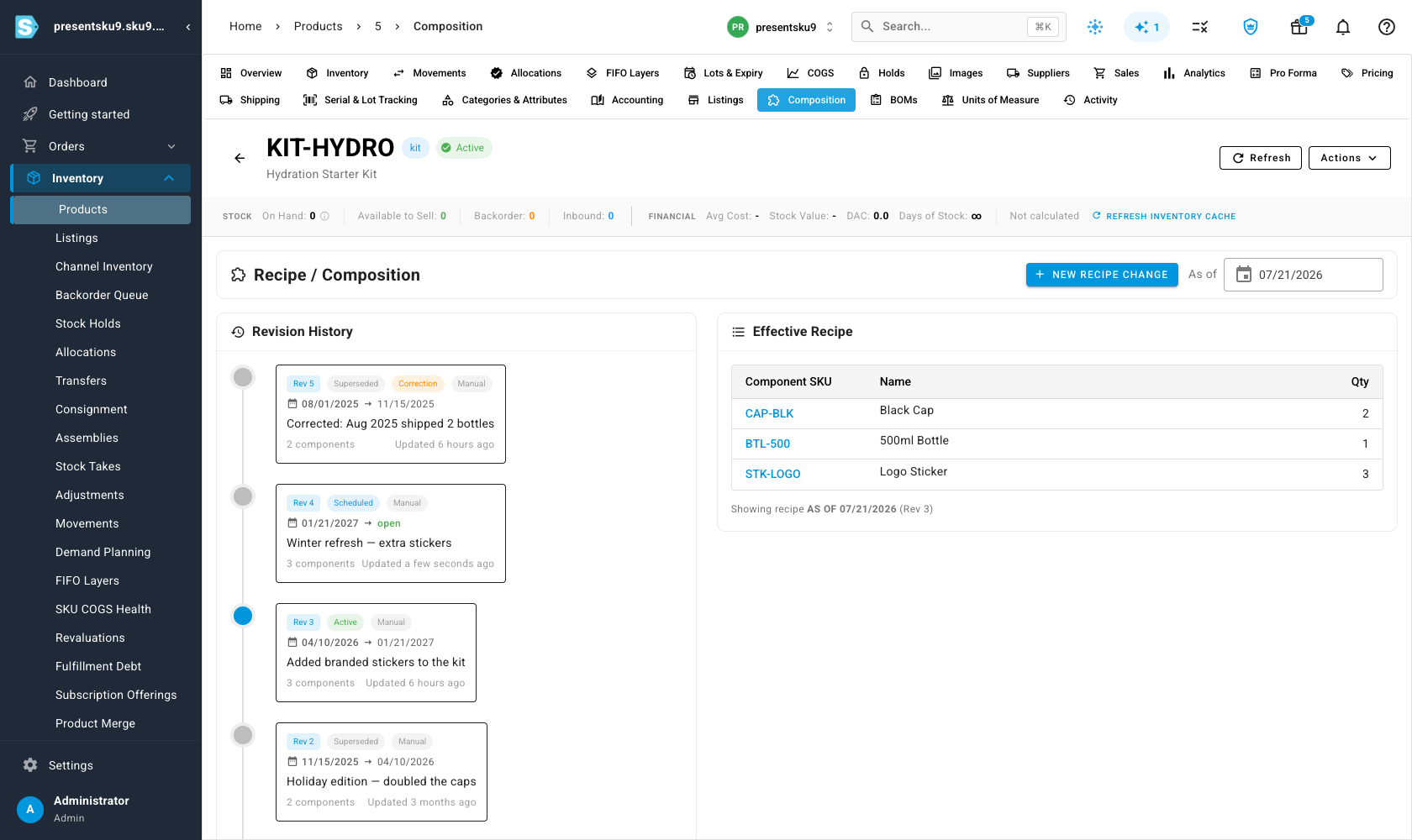
Every bundle and kit now has a Composition tab that shows its recipe as a timeline. Each entry is a dated version — active now, superseded, scheduled for later, or a correction — with a plain-language note of what changed and who made it. Alongside it, the Effective Recipe panel shows exactly what's in the product today. No more guessing whether the recipe you're looking at is the one that was in effect last season.
See the recipe as of any date
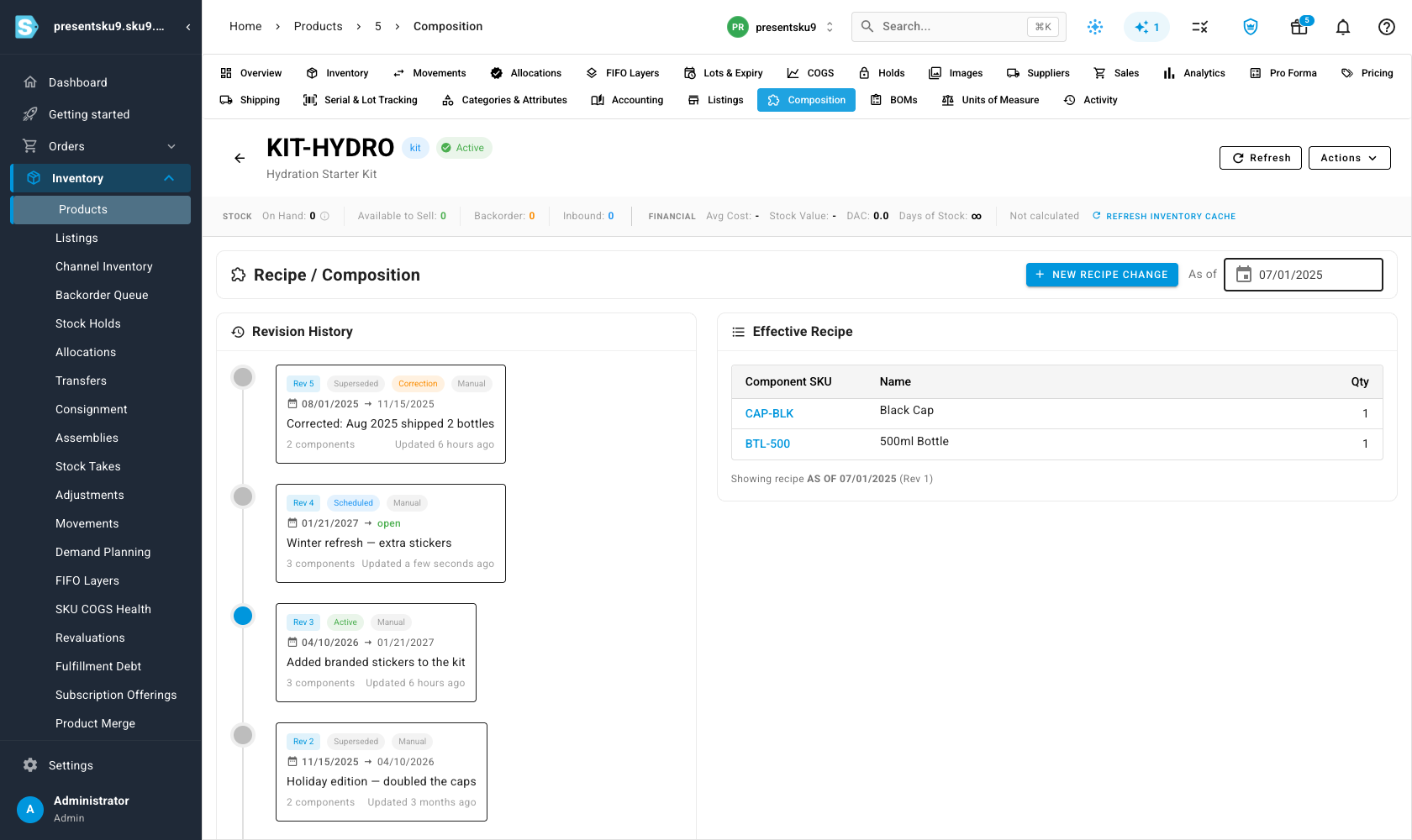
Set the As of date and the Effective Recipe updates to show what the product contained on that day. A kit that ships with three components today might have had two last summer — and now that's a single click to confirm, not an archaeology project. Because the history is real, a recipe you edit today never changes what the product looked like on an earlier date.
Schedule a change ahead of time
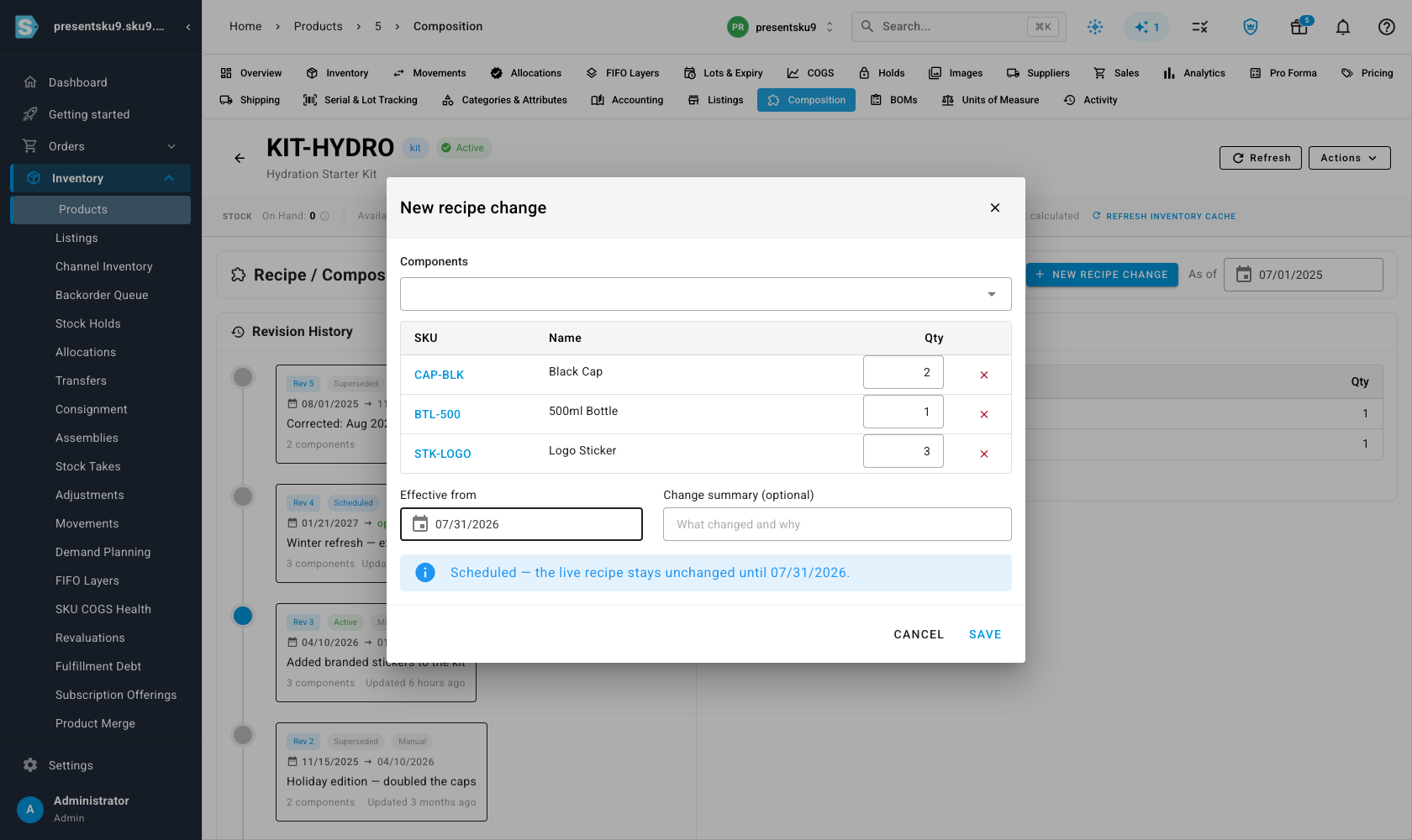
Planning a formulation update or a seasonal edition? Open New recipe change, adjust the components, and set the effective date in the future. SKU.io schedules it: the live recipe stays exactly as it is until that day arrives, then the new one takes over on its own. You can line up a change weeks ahead without it affecting anything you sell today.
Correct the past when you need to
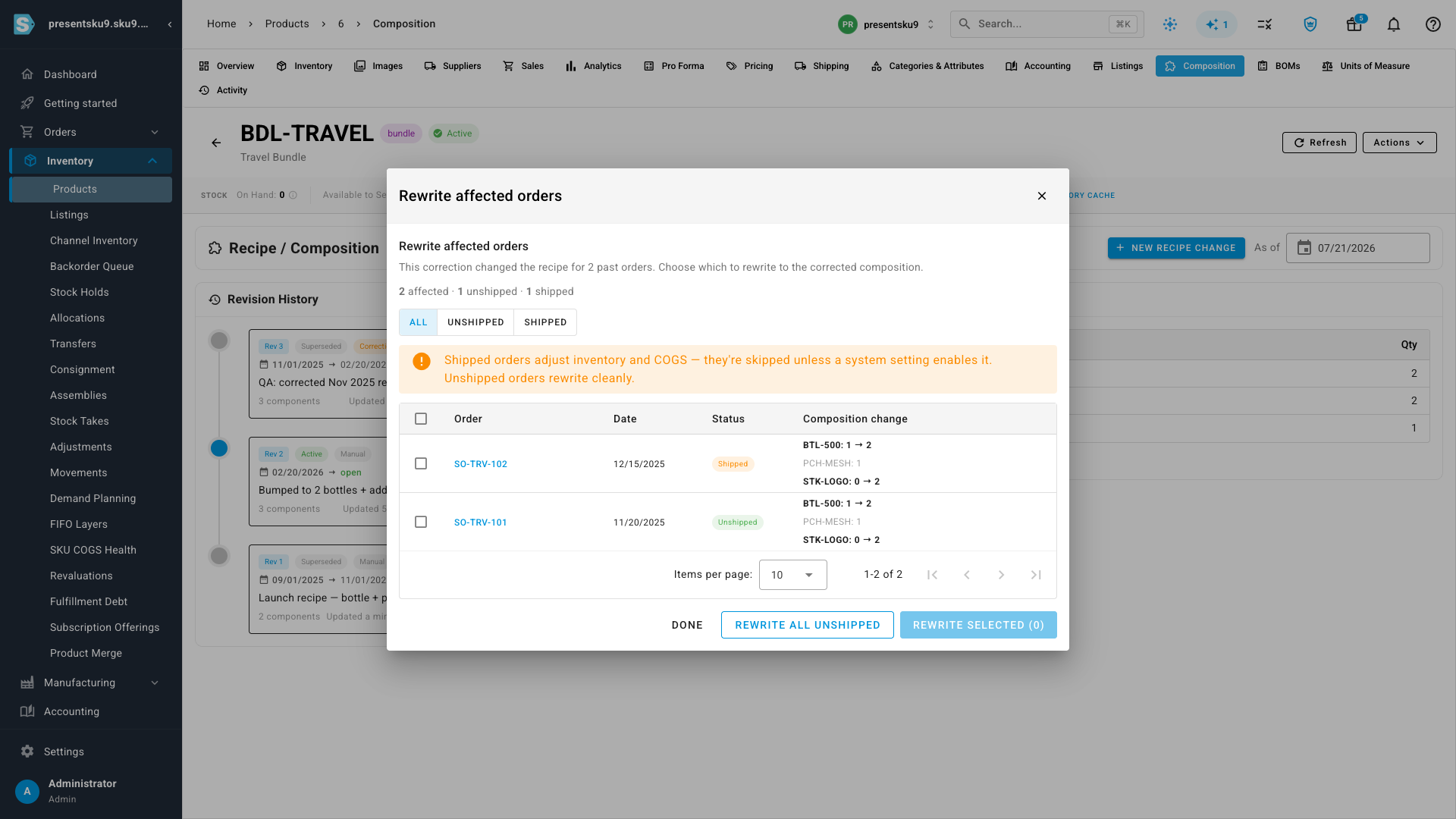
Sometimes a recipe was simply recorded wrong for a stretch of time. Set the effective date in the past and confirm, and SKU.io files it as a correction — changing only that window's history, and marking it clearly so the change is always attributable. For bundles, you can take it a step further: SKU.io lists every order placed in that window — with each one's status and the exact before → after for each component — so you can bring the affected orders in line with the corrected recipe.
Where to find it
Open any bundle or kit product and select the Composition tab. Your product's current recipe is on the right; its full history is on the left; and New recipe change lets you edit it now, schedule it for later, or correct it in the past.