Magento 1 — bring your OpenMage store into SKU
Still running a Magento 1 (or OpenMage) storefront? It hasn't had an official update in years, but plenty of stores still sell on it every day — and keeping it in step with the rest of your operation has meant re-keying every order by hand and hoping your published stock levels haven't drifted since the last time someone checked. Magento 1 is now a first-class sales channel in SKU — connect your store once and orders import automatically, your catalog syncs in, and a side-by-side inventory view shows exactly where your real stock and your storefront disagree so you can push the correct numbers back with one click. It lives right alongside Shopify, Amazon, and every other channel, using the same screens you already know.
✨ What this means for you:
- Orders import automatically — every Magento 1 order becomes a SKU sales order on a schedule, so stock deducts when a sale actually happens instead of when you get around to typing it in.
- Your catalog syncs in — products pull from Magento 1 into SKU, ready to map and manage next to everything else you sell.
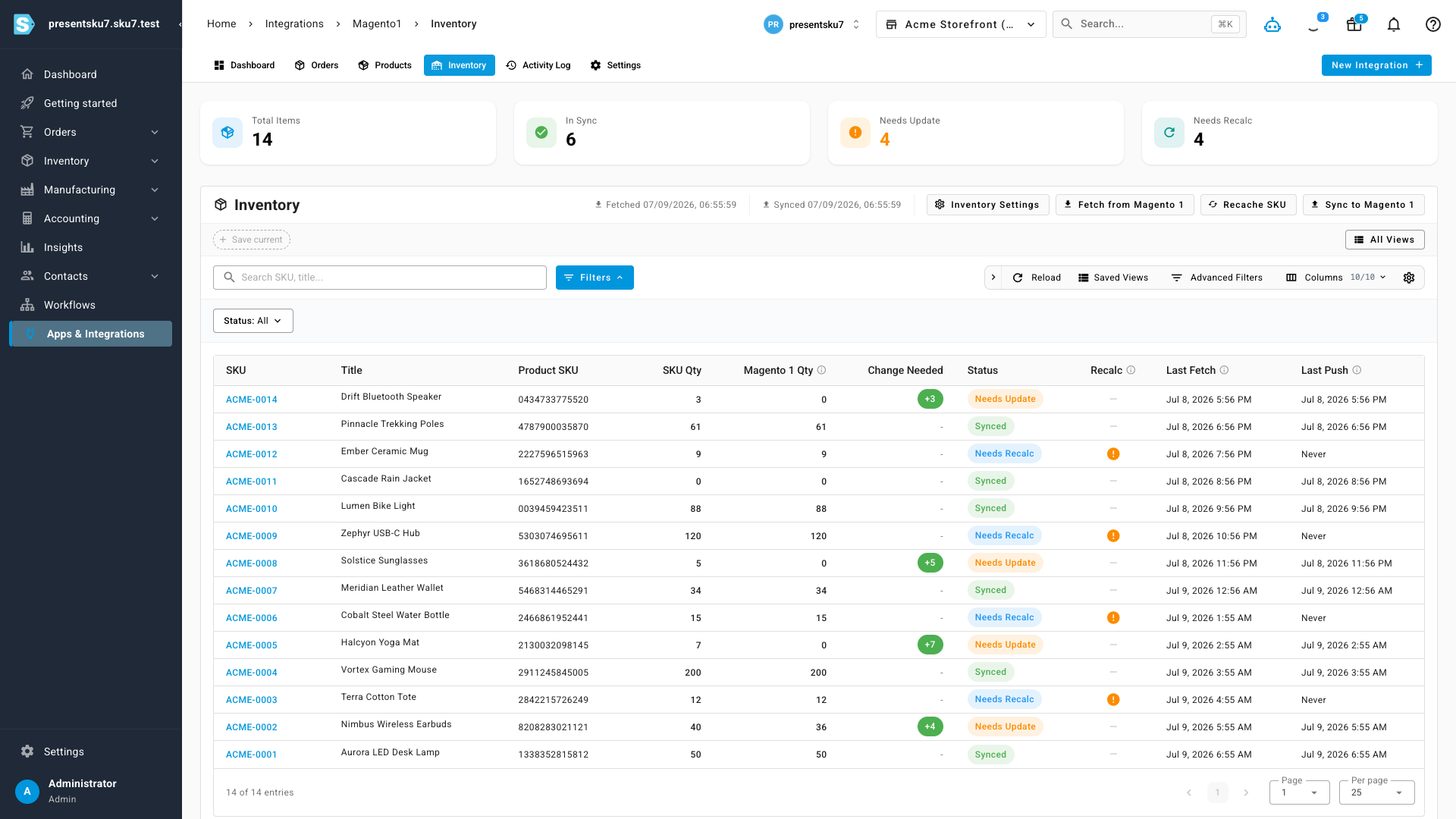
- A true stock comparison, side by side — one screen shows your SKU quantity next to your live Magento 1 quantity for every item, and tells you exactly which ones are out of sync and by how much.
- Push the right numbers back — sync corrected inventory out to Magento 1 in one action, so your storefront stops overselling stock you don't have.
- No plugin, no webhooks to babysit — Magento 1 has no real-time events, so SKU polls your store for you on a schedule you control. There's nothing to install on the Magento side.
- One UI for every channel — Magento 1 uses the same navigation, tables, and filters as your other integrations, so there's nothing new to learn.
A dashboard for your store at a glance
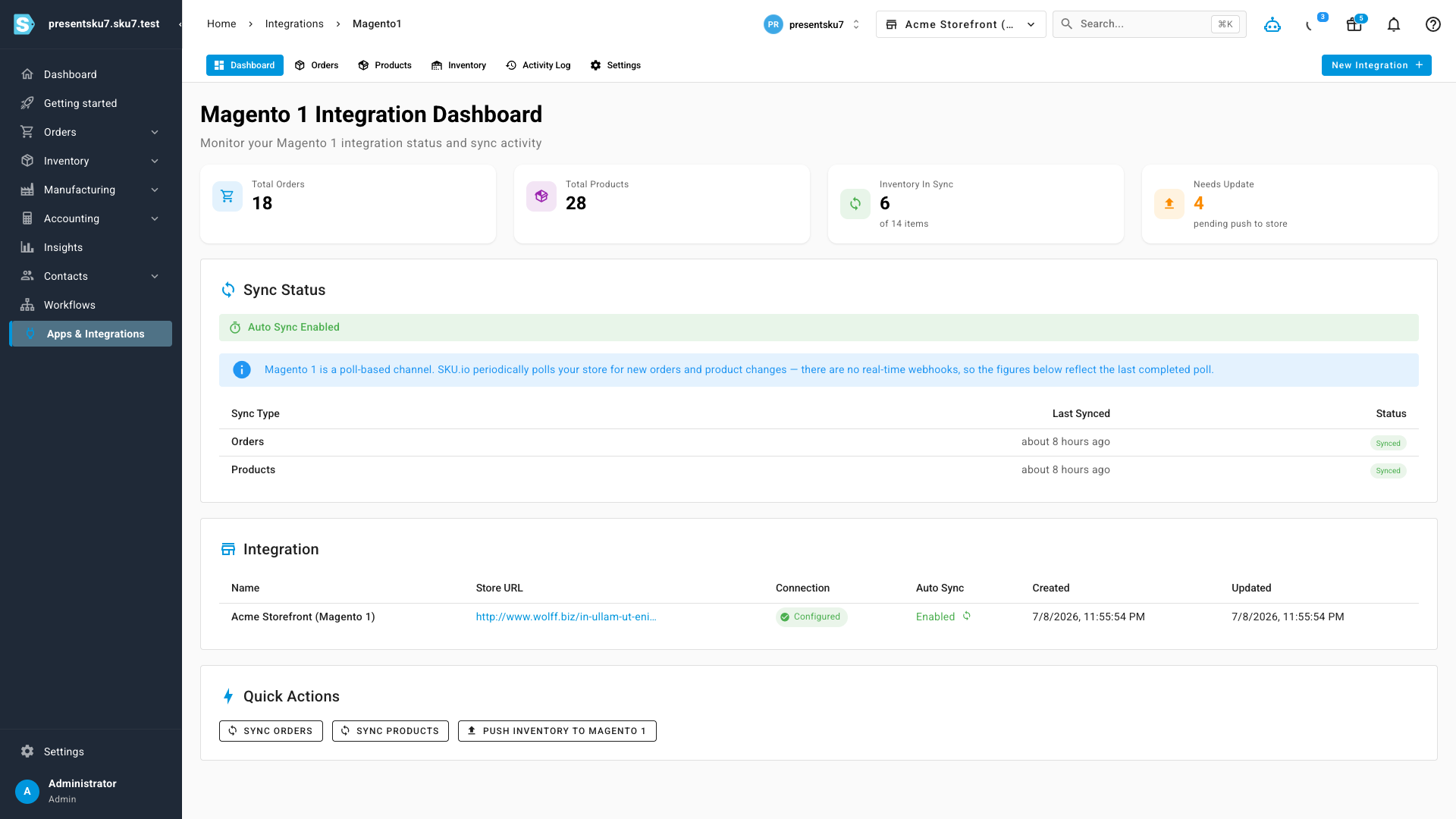
Connect your Magento 1 store and you get a dedicated workspace with its own dashboard — order and product totals up top, how many items are in sync versus pending a push, and the status of the last poll for orders and products. Because Magento 1 is poll-based rather than event-driven, a banner reminds you that the figures reflect your last completed sync, so you always know how fresh the numbers are.
Orders flow in automatically
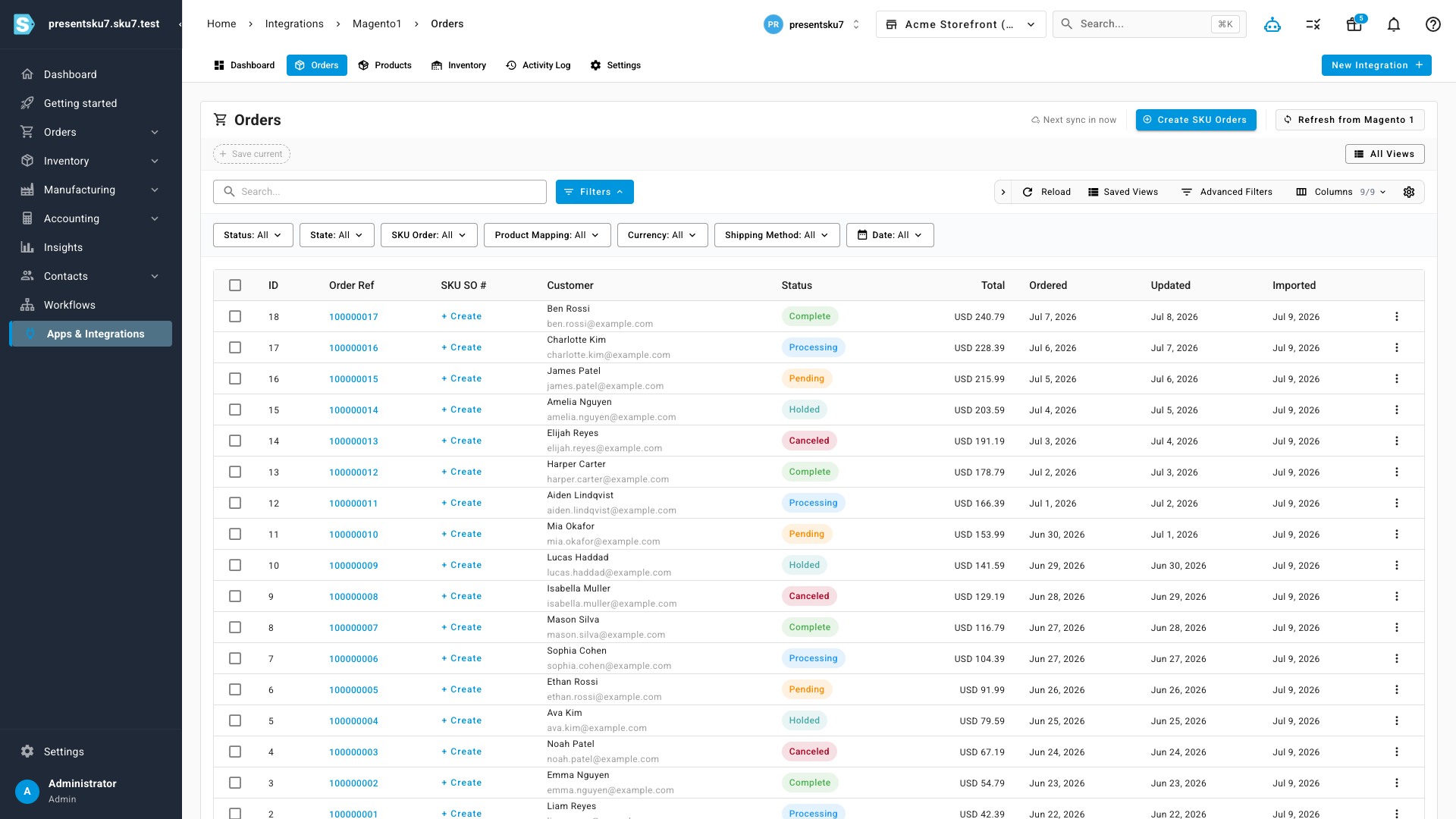
Every Magento 1 order imports as a SKU sales order, complete with the customer, line items, totals, and its current Magento status — pending, processing, complete, holded, or canceled. The orders list is the same sortable, filterable table you use on every other channel, with rich filters for status, product mapping, currency, and shipping method. Turn a Magento order into a SKU sales order individually or in bulk, and pull the latest straight from the storefront whenever you want.
See exactly where your stock disagrees — then fix it
This is the part that saves the most time. Instead of guessing whether your storefront is accurate, the inventory view puts your SKU quantity right next to your live Magento 1 quantity for every item, flags each one as In Sync, Needs Update, or Needs Recalc, and shows the exact change required to bring them back in line. When you're ready, push the corrected numbers back to Magento 1 in a single action — no spreadsheet, no item-by-item edits in the Magento admin.
Sync on your schedule
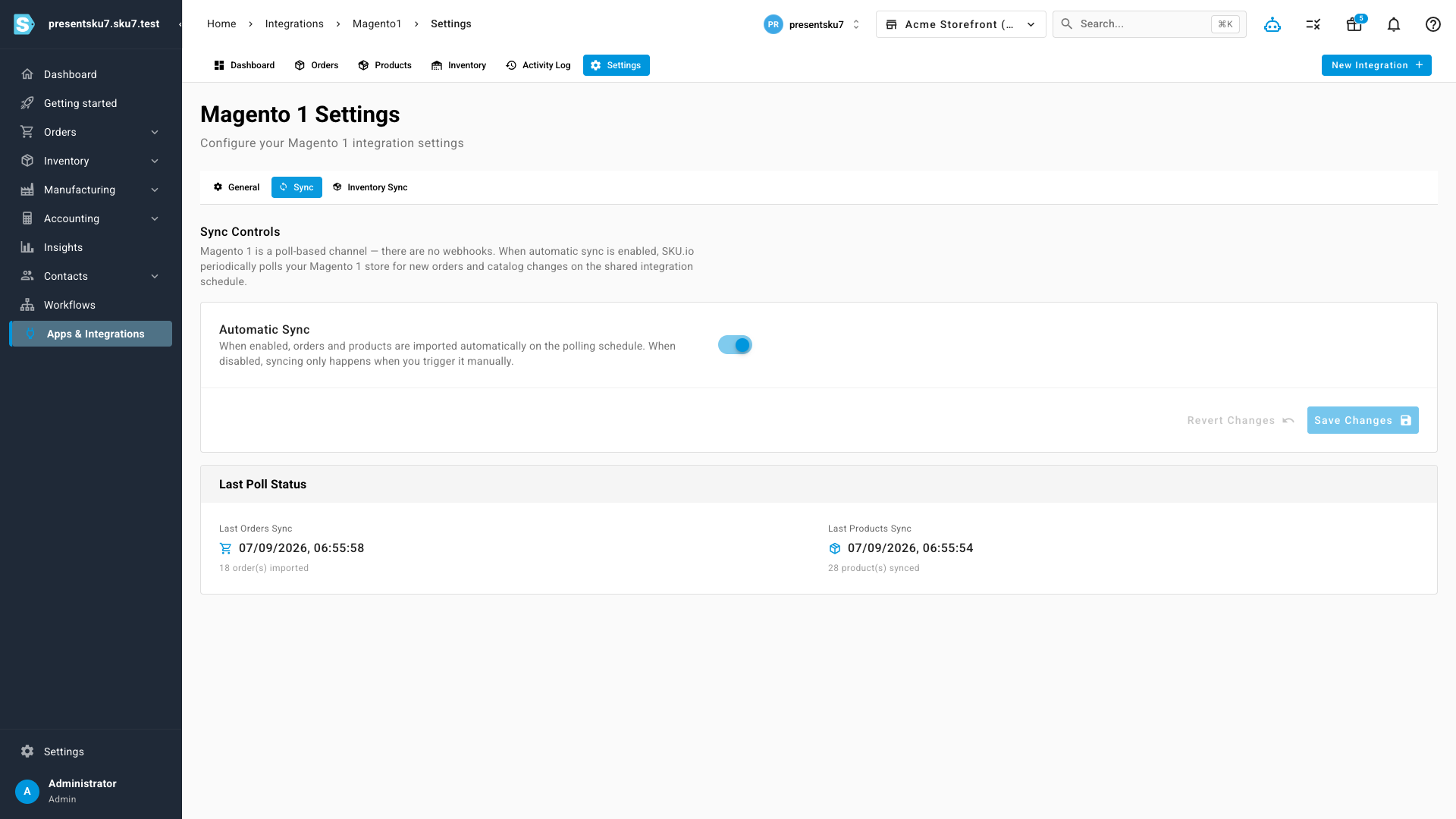
Everything runs on a schedule you control. From the channel's settings you can turn automatic sync on or off, and see the status and timing of the last orders and products poll at a glance. Prefer to run it by hand? Every sync — orders, products, and inventory — is also available as a one-click action.
Where to find it
Open Apps & Integrations and add Magento 1, then enter your store URL and API credentials. Once connected, your store lives under Integrations → Magento 1, with tabs for Dashboard, Orders, Products, Inventory, Activity Log, and Settings — the same layout as every other sales channel in SKU.