Shopify Cost Sync — keep your Shopify profit reports accurate, automatically
Shopify's profit and margin reports are only as good as the Cost per item you enter on each product — and that number goes stale the moment your costs change. Keeping it up to date by hand across a whole catalog is tedious, easy to forget, and the reason so many Shopify profit reports quietly drift out of line with reality. SKU.io now syncs your costs to Shopify for you. Turn on Cost Sync for a Shopify store and SKU.io pushes each mapped product's real average cost into Shopify's "Cost per item" field — so Shopify's own profit reports, and any margin app that reads that field, finally show the truth.
✨ What this means for you:
- Accurate Shopify profit reports — Shopify calculates gross profit from Cost per item at the time of sale. Keep it current and your margin numbers are finally trustworthy.
- No more manual cost entry — set it once per store; SKU.io keeps every mapped listing's cost in sync as your costs move.
- Bundles and kits handled for you — a bundle's cost is built from the real cost of its components, automatically.
- Your data is protected — SKU.io never pushes a zero or empty cost, so a product you haven't costed yet can't wipe a value you set in Shopify by hand.
- Runs on its own — push on demand, on a daily schedule, and automatically within minutes of a cost changing.
Turn it on per store
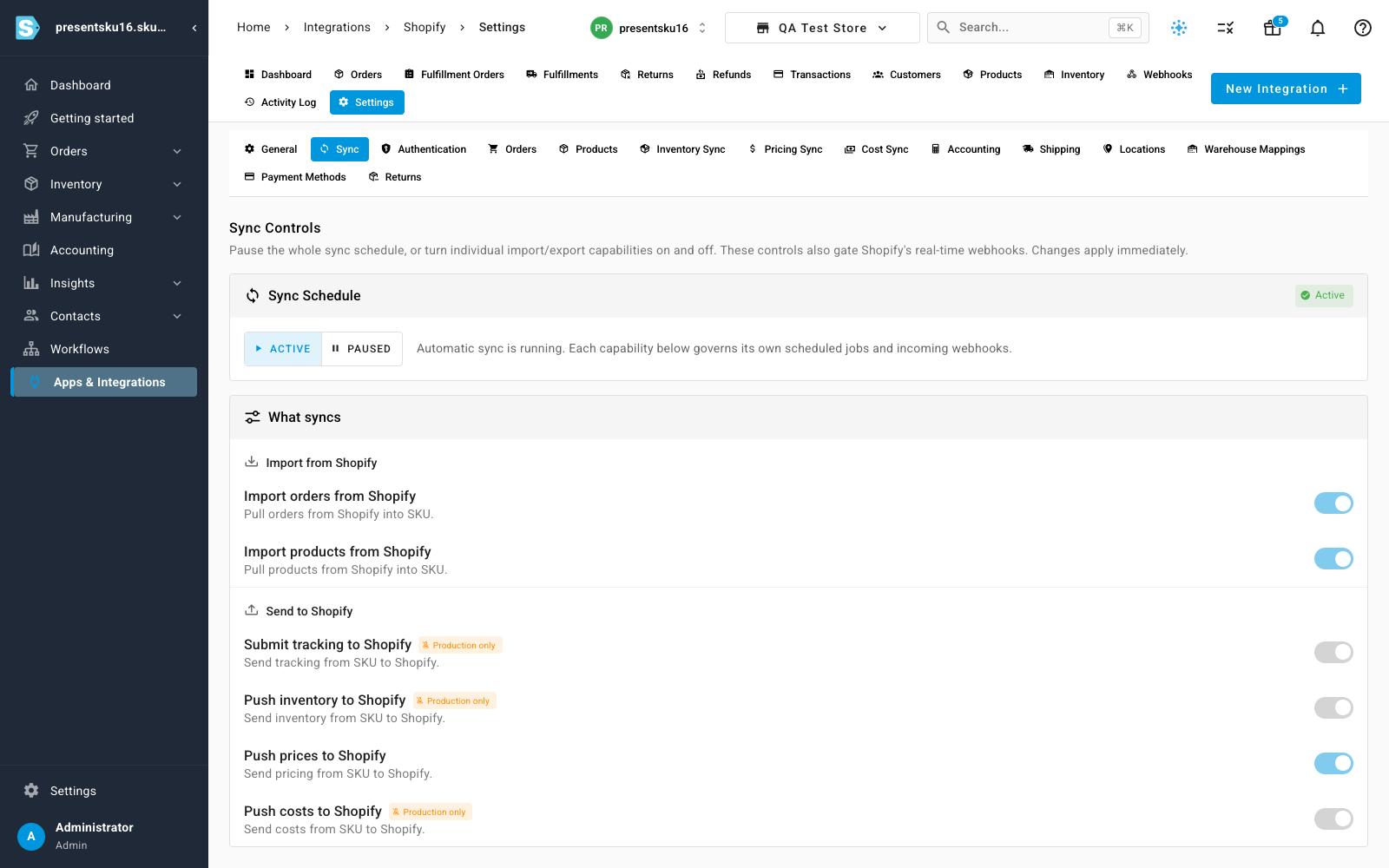
Cost Sync is off by default and enabled per Shopify store, so you decide exactly which stores it manages. Flip on Push costs to Shopify in the store's Sync controls, and the new Cost Sync tab takes over from there.
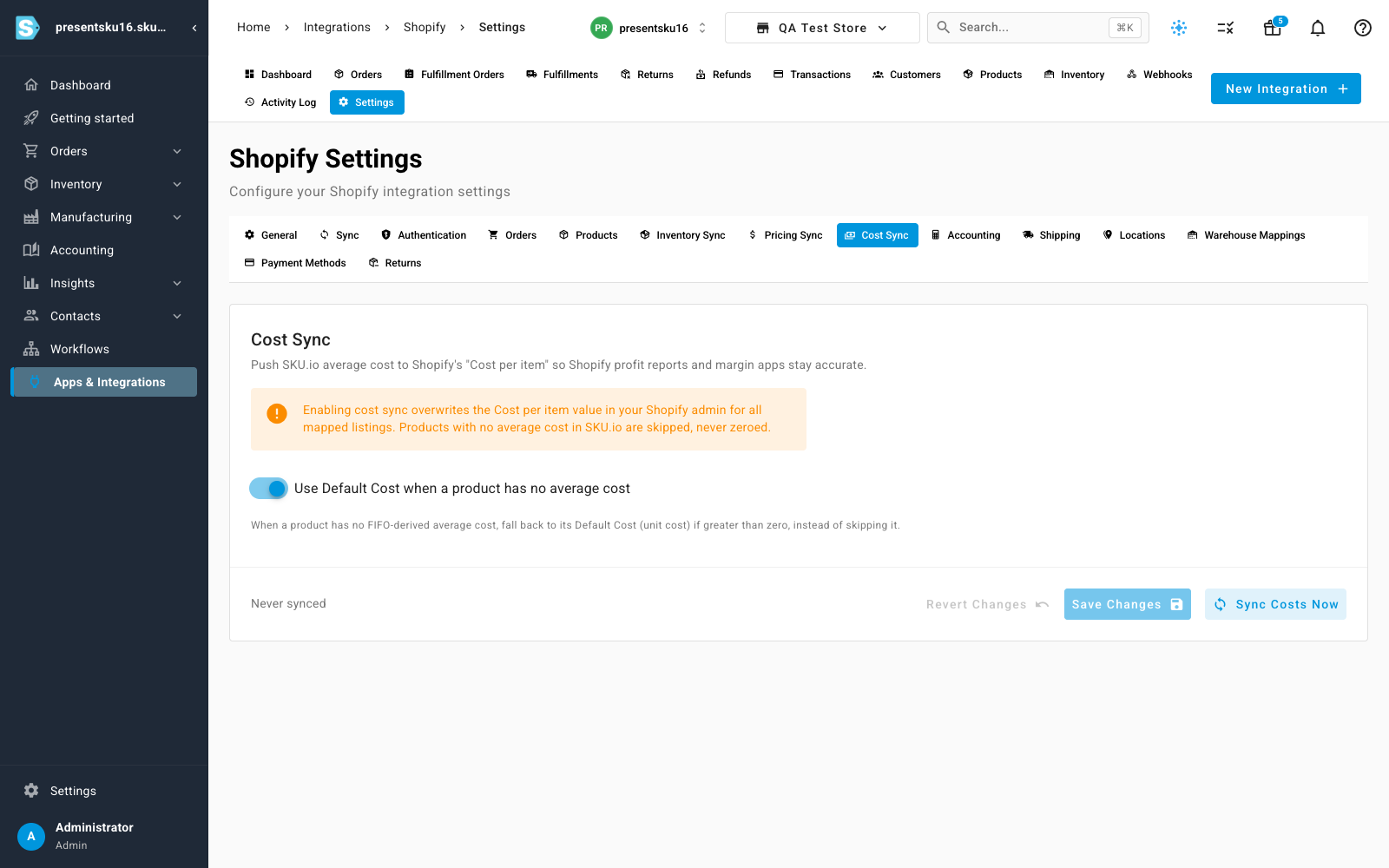
Enabling it overwrites the Cost per item in your Shopify admin for every mapped listing — so the Cost Sync tab is upfront about that, and about the safeguards that keep it from doing anything destructive.
The right cost, safely
SKU.io pushes each product's average cost — the real, landed cost derived from what you actually paid, not a guess. A few rules keep it honest:
- Bundles and kits get a cost built from the sum of their components' costs, so a bundle's margin reflects what's really inside it. If any component isn't costed yet, SKU.io skips that bundle rather than push a half-right number.
- No zeros, ever — a product with no average cost yet is skipped, not zeroed. A cost you entered in Shopify by hand stays put until SKU.io has a real number to replace it with.
- Multi-currency aware — if your Shopify store's currency differs from your base currency, costs are converted before they're sent.
- No wasted work — costs already matching Shopify are skipped, so a sync only touches what actually changed.
Every run reports back exactly what happened — how many costs were pushed, and how many were skipped and why — so there's never a mystery about what Cost Sync did.
Push now, or let it run itself
Use Sync Costs Now whenever you want an immediate push. Beyond that, Cost Sync keeps working on its own: a daily sweep catches anything that drifted, and a cost change on a product triggers a targeted re-push of just that product (and any bundle it belongs to) within minutes — so Shopify reflects your latest costs without you thinking about it.
Where to find it
Open Apps & Integrations → Shopify → Settings, then the Cost Sync tab. Enable Push costs to Shopify under the Sync tab's controls first, then use Sync Costs Now for an immediate push.