Lot & Expiry Tracking — capture batches, pick FEFO, and stay ahead of expiring stock
If you sell supplements, food, cosmetics, pet products, or anything else with a shelf life, you need to know exactly which batch is on the shelf, when it expires, and whether you're shipping the soonest-to-expire stock first. Until now SKU could only capture that detail inside manufacturing. Lot & Expiry Tracking brings batch numbers and expiration dates to the entire platform — capture them when you receive, pick the right lots automatically, and see what's expiring (and what it's worth) before it becomes a problem.
Turn it on per product, choose FIFO or FEFO, and every place inventory moves now understands lots and expiry — from the receiving dock to the expiry report.
✨ What this means for you:
- Capture batch + expiry at receiving — on purchase orders, inbound shipments, transfers, adjustments, and returns, not just manufacturing.
- Ship the right stock first — FEFO (first-expired, first-out) picking automatically allocates the soonest-to-expire lots across fulfillment, so short-dated product goes out before it expires.
- See what's at risk, in real dollars — the Expiry & Shelf-Life report values expired and near-expiry stock at true landed cost, so you know exactly how much inventory needs attention.
- Get ahead of expiry — near-expiry alerts and an expired-stock workflow help you discount, move, or write off before stock ages out silently.
- Trace any batch — answer "which customers received batch L2406?" for purchased goods, not just things you manufactured.
Capture lots and expiry the moment stock arrives
When you receive a lot-tracked product, SKU prompts for the batch number and expiry date right in the receive panel. Don't know the lot? Leave the batch blank and SKU generates a traceable id for you; leave the expiry blank and the lot simply lands in a "No expiry" group. Set a shelf life on the product and the expiry can auto-fill from the manufacture date.
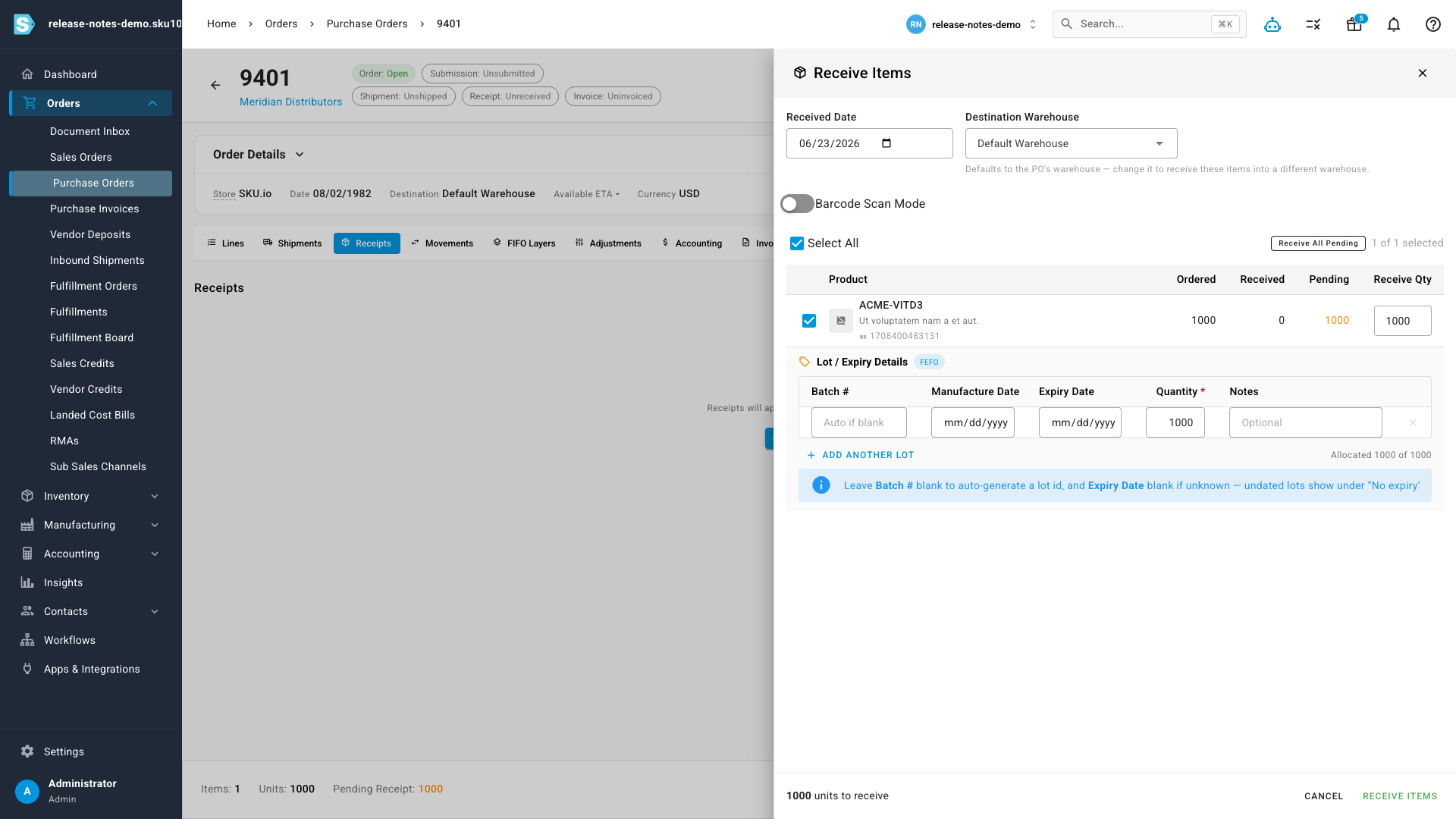
Every lot becomes its own costed layer, so each batch carries its own landed cost and is valued and consumed independently.
Know what's expiring — and what it's worth
The new Inventory Expiry & Shelf-Life report rolls every lot up by how soon it expires. See total tracked value, expired value, value at risk in the next 90 days, and Amazon disposal risk at a glance — then drill into the lot detail. Filter by expiry bucket, supplier, brand, batch, or "near-expiry only," and export it all to CSV.
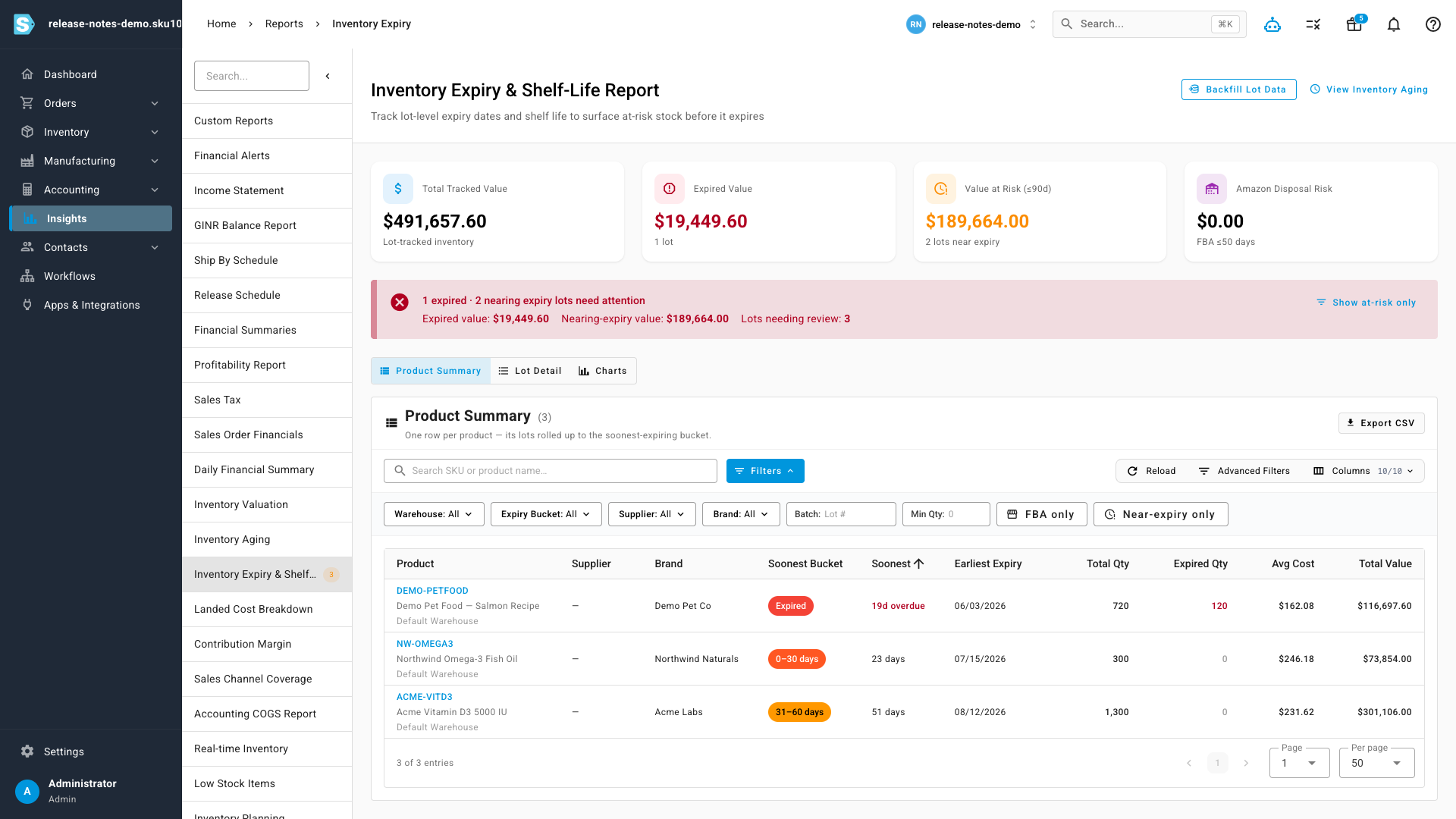
Because SKU values every lot at its real FIFO landed cost, the dollar figures are exact — not average-cost approximations.
Lot-level visibility on every product
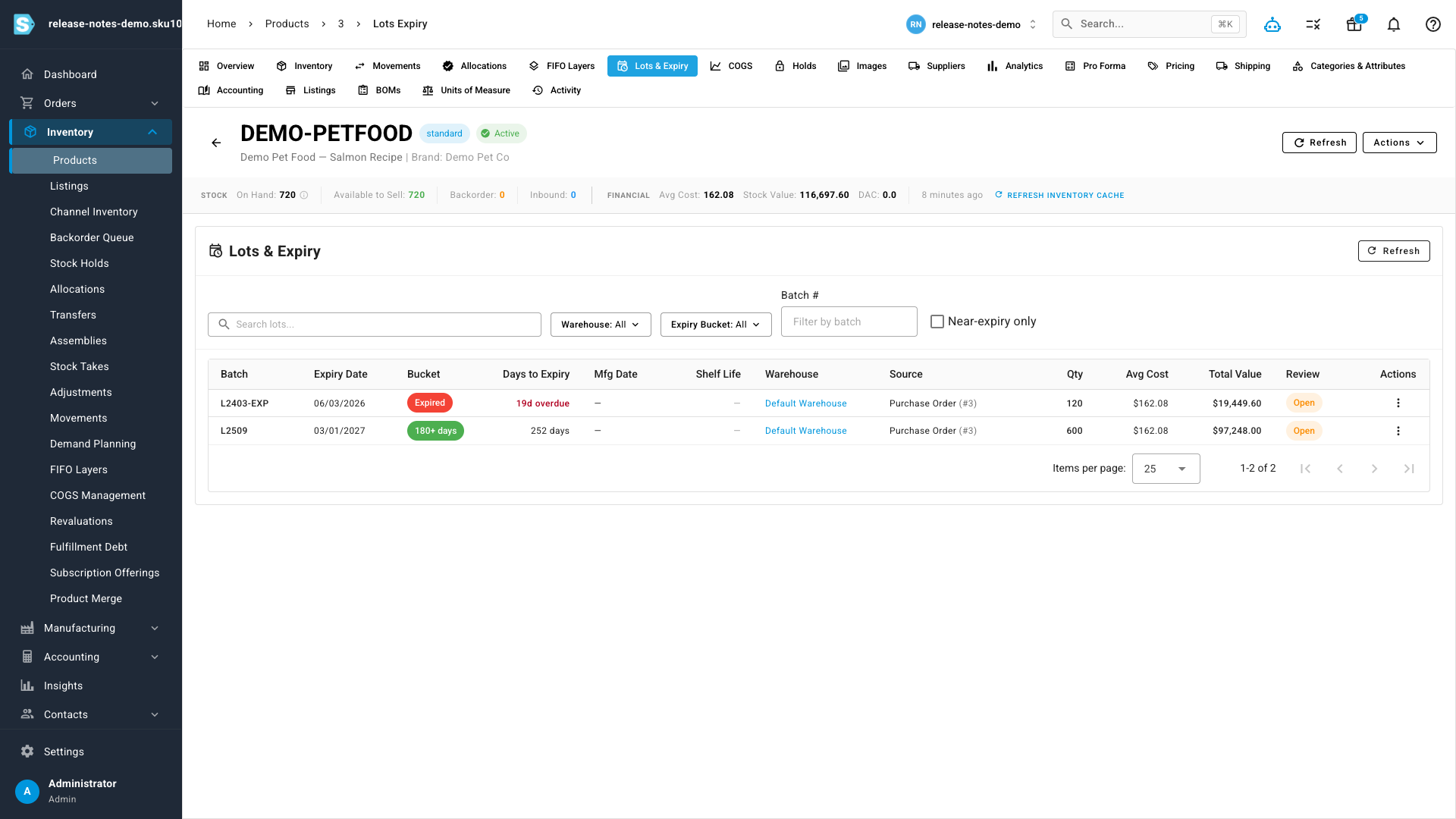
Each product now has a Lots & Expiry tab showing every batch on hand: expiry date, days to expiry, shelf life remaining, quantity, value, and a deep link back to the purchase order (or manufacturing order) it came from. Expired and near-expiry lots are clearly flagged so you can quarantine, discount, or write them off.
FEFO picking and full recall traceability
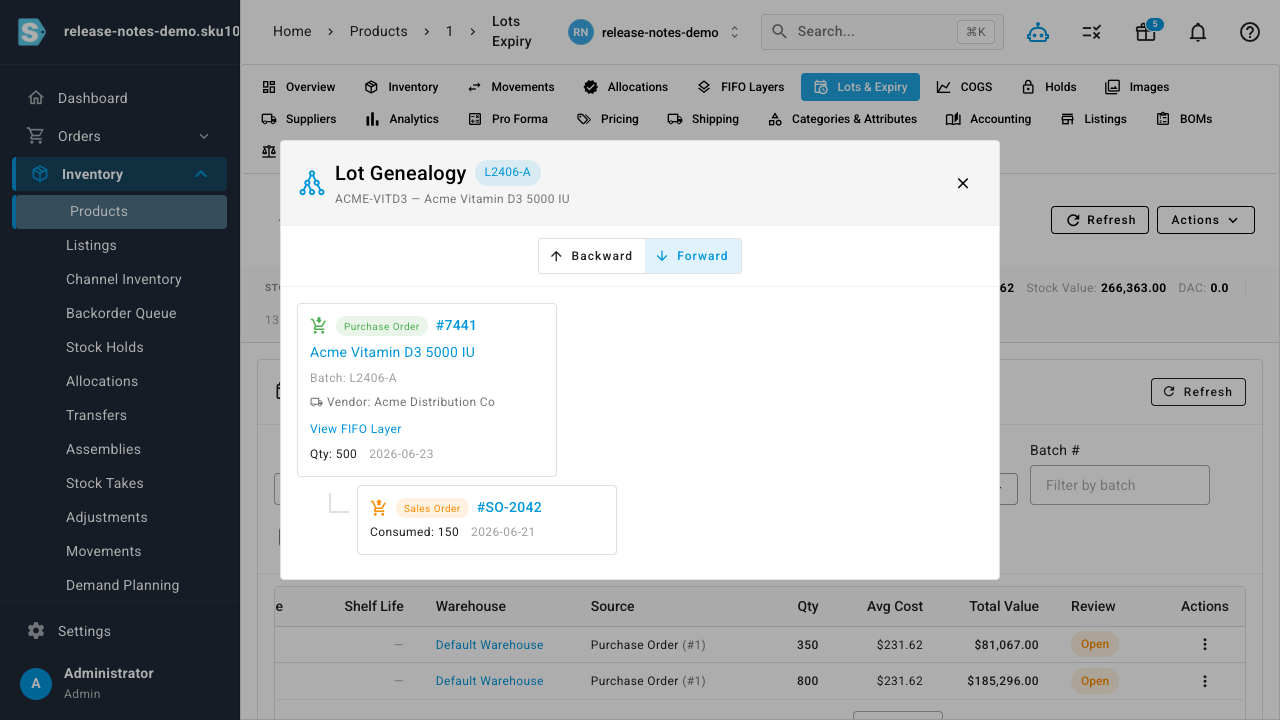
Flag a product as FEFO and SKU consistently allocates the soonest-to-expire lots first — across sales-order fulfillment, transfers, and manufacturing — so you stop shipping fresh stock while short-dated stock ages on the shelf. And because the batch is captured at receipt, lot genealogy now works for purchased goods too: trace a batch forward to the customers and shipments that received it, or backward to its supplier and source document — exactly what you need to answer a recall fast.
Where to find it
- Turn on lot tracking per product under Inventory → Products (choose FIFO or FEFO, and an optional shelf life).
- Capture lots when you Receive a purchase order or inbound shipment.
- See what's expiring under Insights → Inventory Expiry & Shelf-Life.
- Review a single product's batches on its Lots & Expiry tab.