Material Requirements Planning — Plan Every Part You Make and Buy, in One Run
If you build what you sell, planning has meant exporting to a spreadsheet and working the math by hand — which finished goods to build, which components that build will burn through, what's already on order, and what you still need to buy before you run short. SKU's old demand suggestions only ever looked at the finished product one level deep; they never opened up the recipe underneath. Material Requirements Planning replaces that with a full multi-level engine: one run explodes every bill of materials, nets each part against everything you have and everything that's coming, and hands you dated planned orders to make, buy, and transfer — all in one place.
✨ What this means for you:
- Plan the whole tree, not just the top — every run explodes each product's recipe down through its components, sub-assemblies, and raw materials, so nothing gets missed a level down
- Make and buy, planned together — one run proposes Manufacturing Orders for what you build and Purchase Orders for what you buy, from the same shortage math
- Nets against everything — on-hand stock, open POs, open MOs, and in-transit transfers all count as supply, so you don't over-order
- Every number is time-phased — see projected stock week by week, with separate due dates and release dates, instead of a single days-of-cover figure
- A planner's action inbox — typed, prioritised messages tell you exactly what to expedite, reschedule, or order, and how late it is
- Per-item planning policies — set each part's planning method, lot sizing, safety stock, and lead time once, and let every run honour it
One plan for everything you make and buy
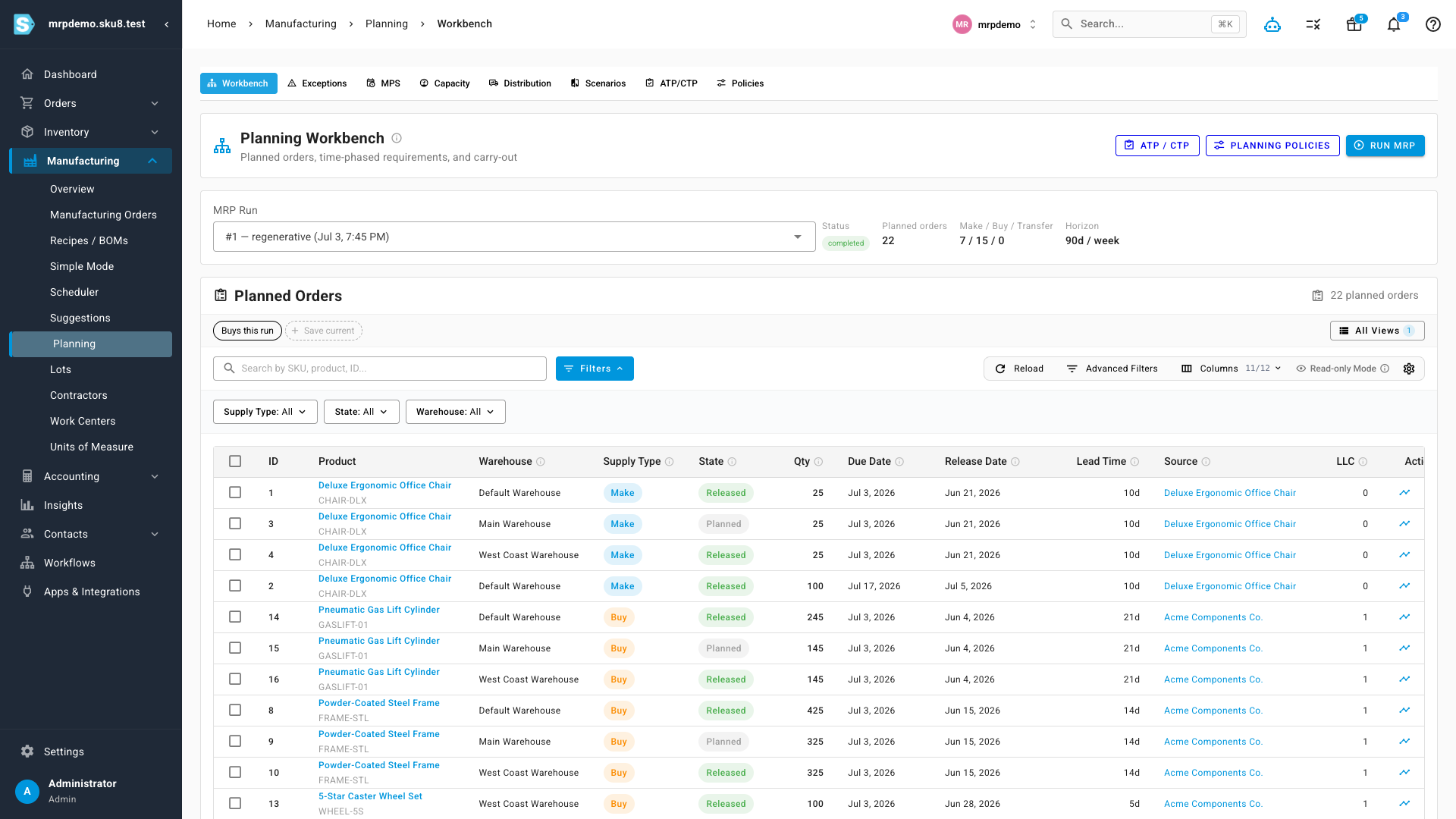
The Planning Workbench is your command centre. Kick off a run and SKU shows you the result at a glance — how many planned orders it produced, and how they split across Make, Buy, and Transfer — then lists every suggested order in one table. Because the engine explodes the full bill of materials, you can see it working: a chair planned as a Make order, and the components that go into it planned as Buy orders from their supplier, all from the same run. Each line carries its own due date, release date, and lead time, so you know not just what to order but when to start it.
See exactly why every number is what it is
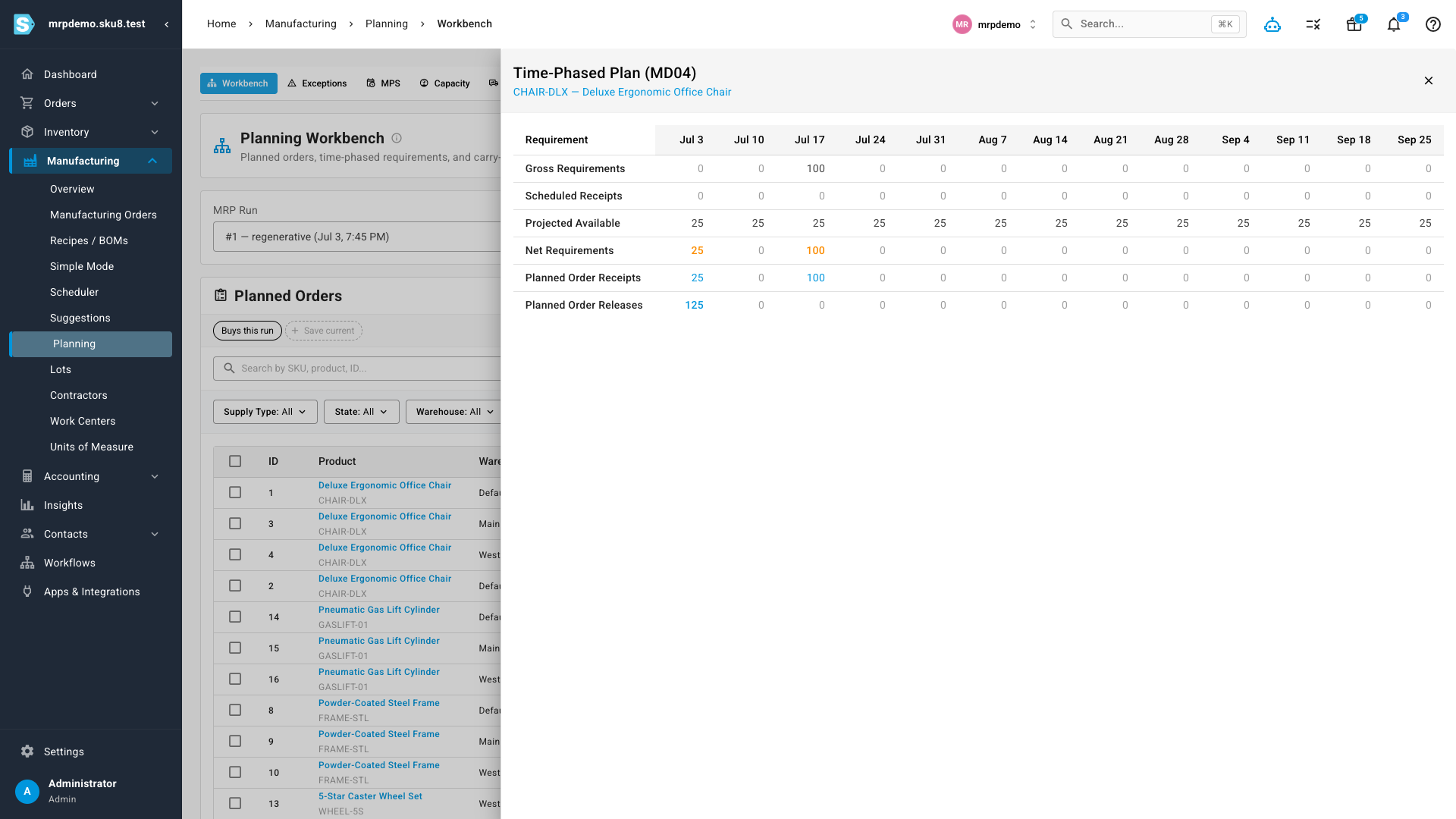
Open any planned item and SKU shows the classic time-phased plan behind it — the same view a seasoned planner would expect. Week by week across the horizon you can read gross requirements, scheduled receipts, projected stock on hand, and the net requirement that remains, then see precisely which planned orders SKU proposes receiving and releasing to cover it. There's no black box: the plan is laid out period by period so you can trust it, or adjust the inputs that drive it.
A planner's action inbox
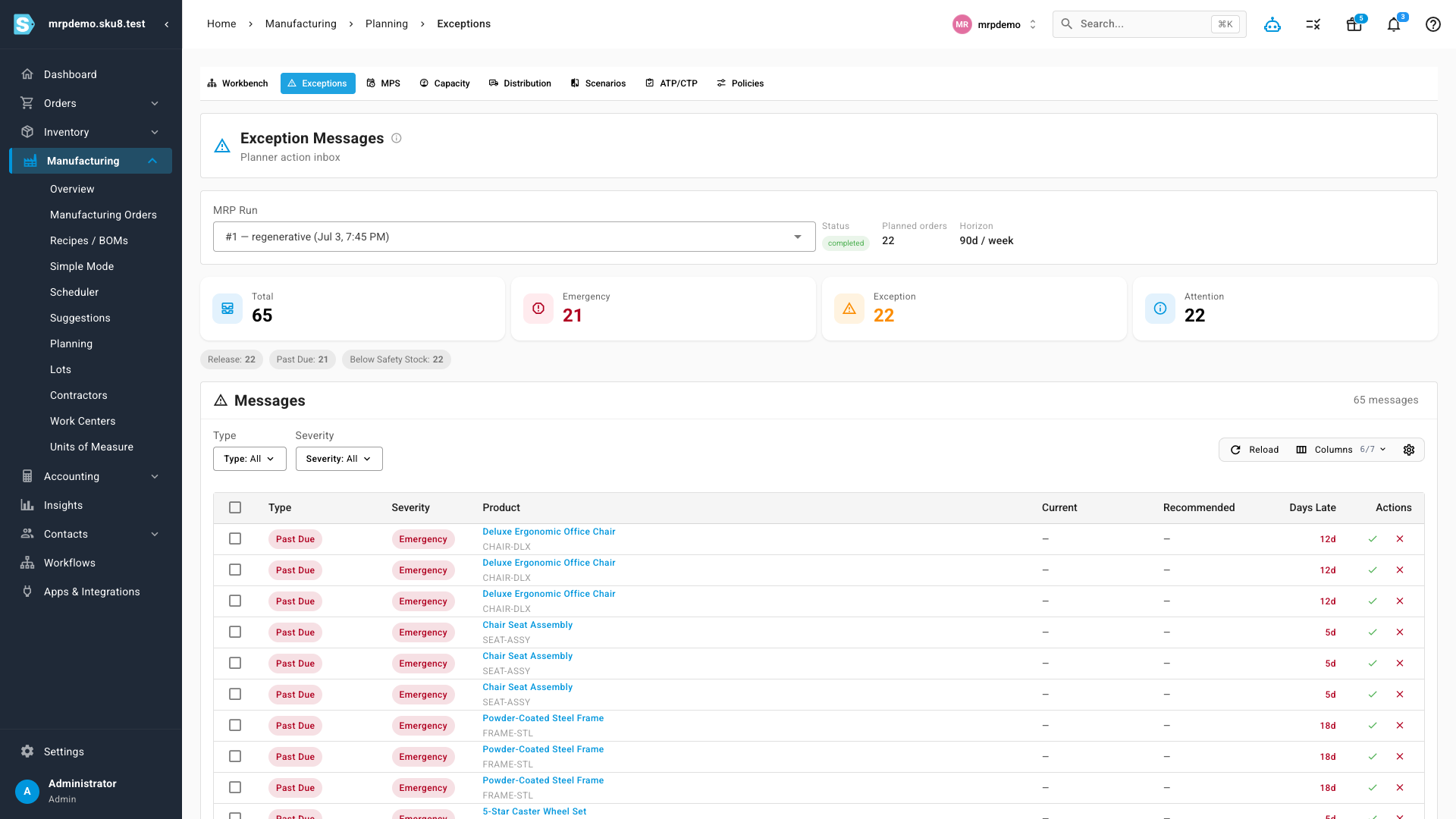
A big plan is only useful if it tells you what to do. Every run generates a prioritised list of action messages — expedite this, reschedule that, this part has fallen below safety stock, this order is past due by twelve days. Each message is graded by severity so the fires float to the top, and shows the current versus recommended date alongside how late it is. Instead of re-reading the whole plan, you work the inbox from the top down.
Where to find it
Open Manufacturing → Planning in the main navigation. Workbench is where you run MRP and review, firm, and release the planned orders it produces. Exceptions is your action inbox. Policies is where you set each item's planning method, lot sizing, and safety stock. The remaining tabs — MPS, Capacity, Distribution, Scenarios, and ATP/CTP — extend the same plan into master scheduling, capacity checks, multi-warehouse distribution, what-if simulation, and order promising.