Landed Cost Bills — every freight, duty, and handling bill in one register
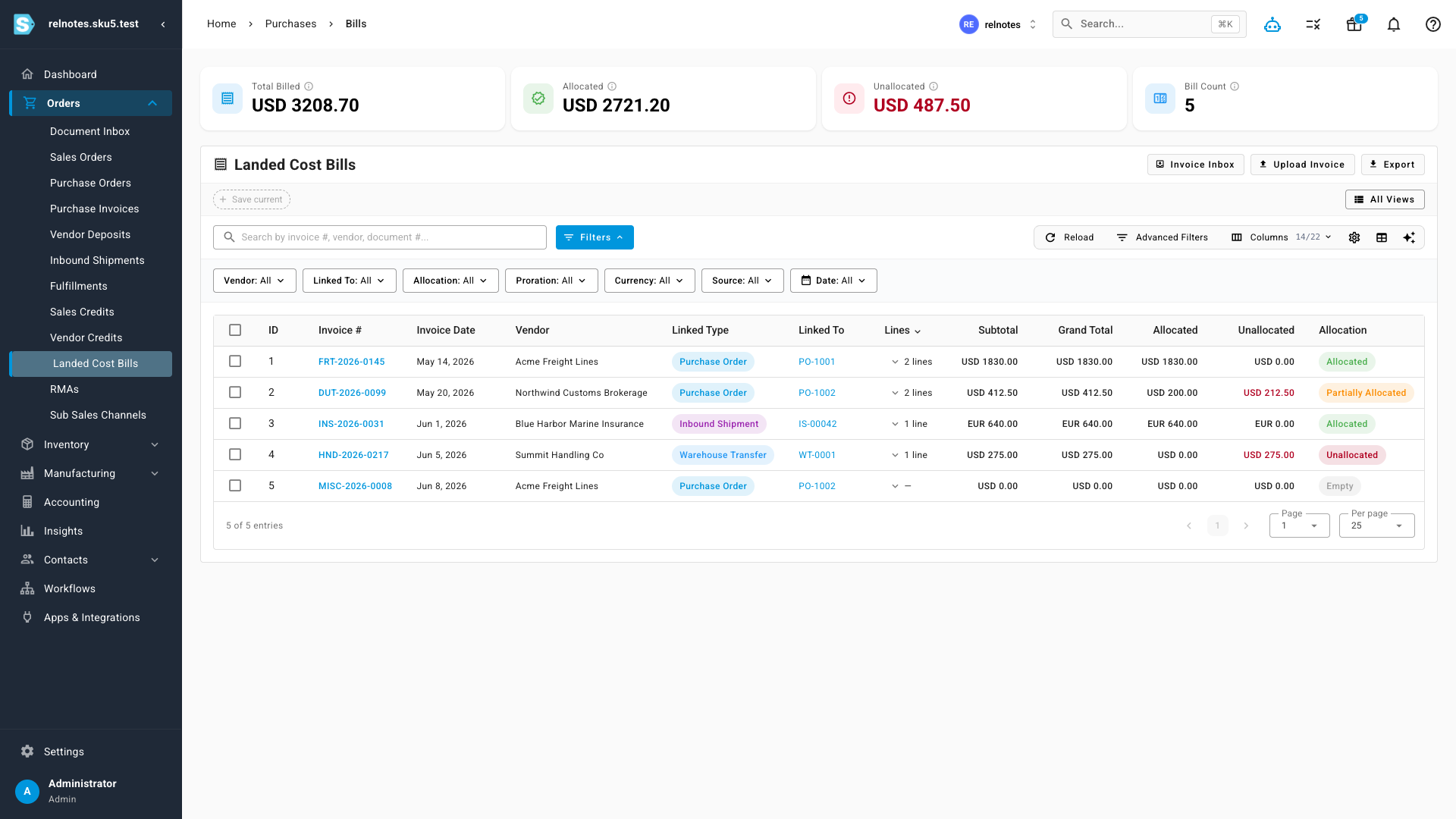
Landed cost bills used to live scattered across the documents they belonged to. A freight invoice was tucked inside its purchase order, a customs bill inside another, an insurance premium inside an inbound shipment — and the only way to answer "which bills haven't been applied to my product costs yet?" was to open every document one by one. Landed Cost Bills is a new register that brings every bill together in a single searchable table, with live totals and an allocation status on every row, so a bill that hasn't reached your landed costs can't go unnoticed.
✨ What this means for you:
- Every bill, one page — freight, duty, insurance, and handling bills across all purchase orders, inbound shipments, and warehouse transfers, in one table.
- Unapplied costs can't hide — each bill shows an allocation status: Allocated, Partially Allocated, Unallocated, or Empty, with the exact unallocated amount in red.
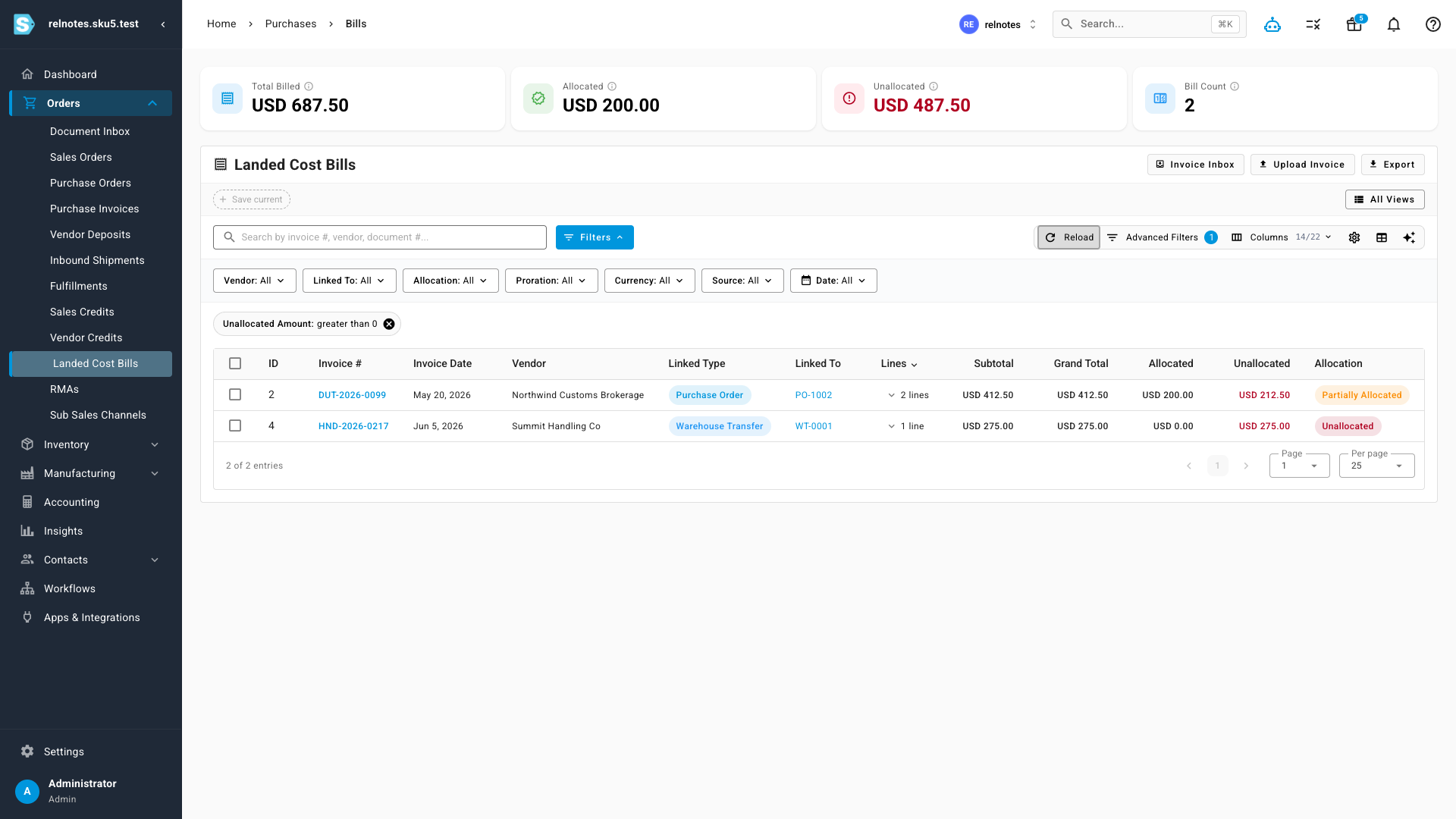
- Live totals that follow your filters — Total Billed, Allocated, and Unallocated summary cards recalculate as you filter, and clicking the Unallocated card jumps straight to the bills that still need attention.
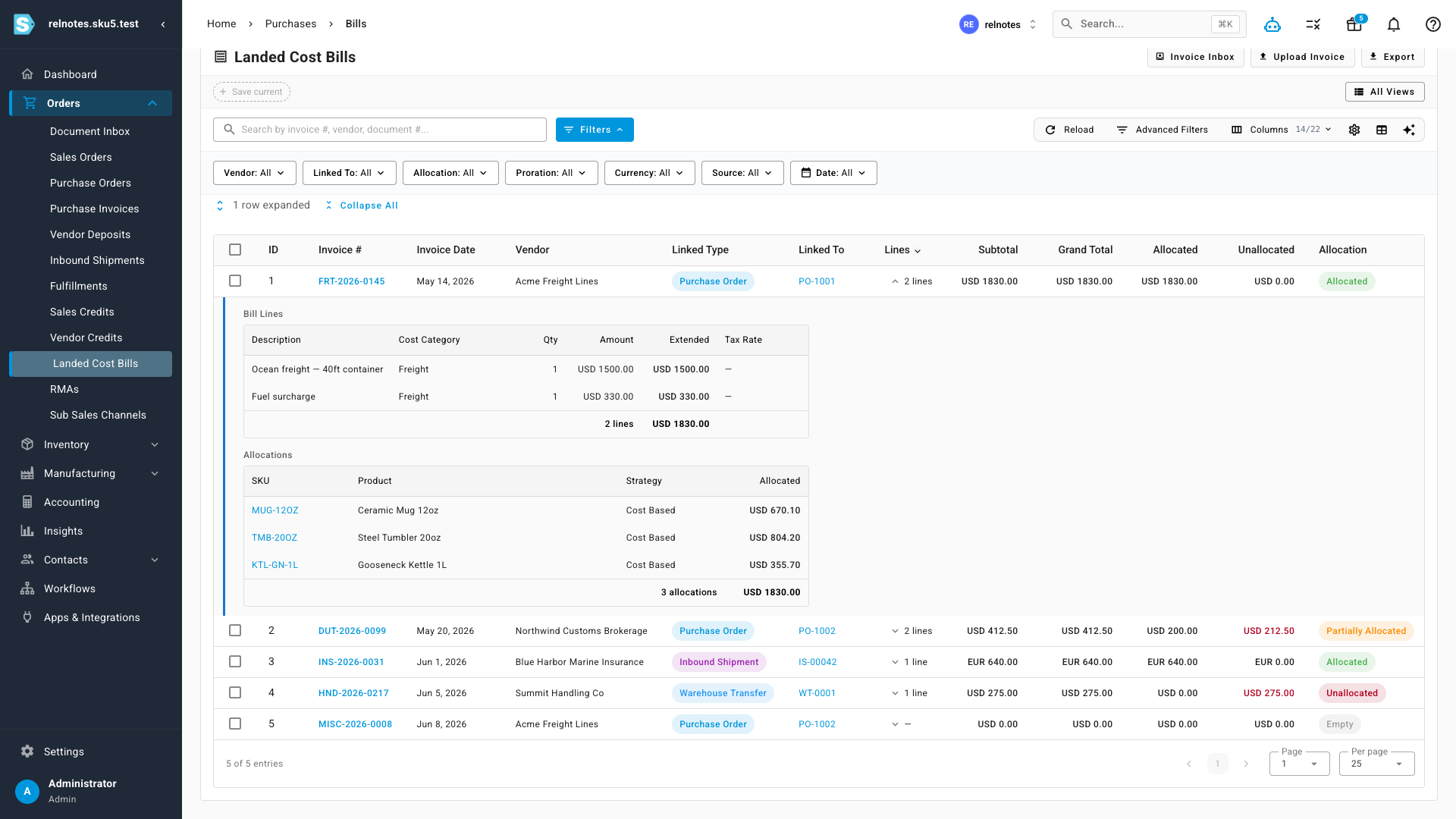
- Drill in without leaving the page — expand any row to see the bill's line items and exactly which products its cost was allocated to.
- Find anything fast — search, quick filters (vendor, linked document, allocation status, proration strategy, currency, source, date), advanced filter groups, saved views, and an AI filter assistant.
- Export what you see — download the filtered table for reconciliation or reporting.
See allocation status at a glance
Every row computes its subtotal, allocated, and unallocated amounts directly from the bill's allocations — nothing to refresh or rebuild. Bills priced in another currency display in their own currency, while the summary cards roll everything up in your home currency. Status chips make the state obvious: green for fully allocated, orange for partial, red for unallocated, and grey for bills with no lines yet.
Drill into lines and allocations
Expand a row to see the full story without opening the bill: a Bill Lines table with each charge, its cost category, and amounts — and an Allocations table showing exactly which product lines received the cost, under which proration strategy, with totals that tie back to the bill.
Chase down unallocated costs
The summary cards aren't just numbers — click the Unallocated card and the table filters to bills with money left to allocate, with the cards recalculating to match. From there, every invoice number links straight into the landed cost workspace for that document, so fixing an unallocated bill is one click away. The linked document column cross-links too: jump to the purchase order, inbound shipment, or warehouse transfer the bill belongs to.
Where to find it
Open Orders → Landed Cost Bills from the main menu. The Invoice Inbox and Upload Invoice buttons at the top connect to invoice OCR, so you can go from a vendor's PDF to an allocated bill without retyping a line.