Incoterms — real trade terms on your orders, with the rulebook built in
If you buy or sell across a border, the Incoterm is one of the most consequential fields on the order — it decides who pays the freight, who insures the goods, who clears customs, and the exact moment risk stops being yours. Until now, SKU.io treated it as little more than a note: a free-text code on purchase orders, nothing at all on sales orders, and no explanation of what any of it meant. Incoterms changes that. The 11 official ICC Incoterms® 2020 rules now ship built into every account with plain-English education, a term on an order is a complete value — code, named place, and edition — that's locked into history, and every screen that touches a term can explain exactly who is responsible for what.
✨ What this means for you:
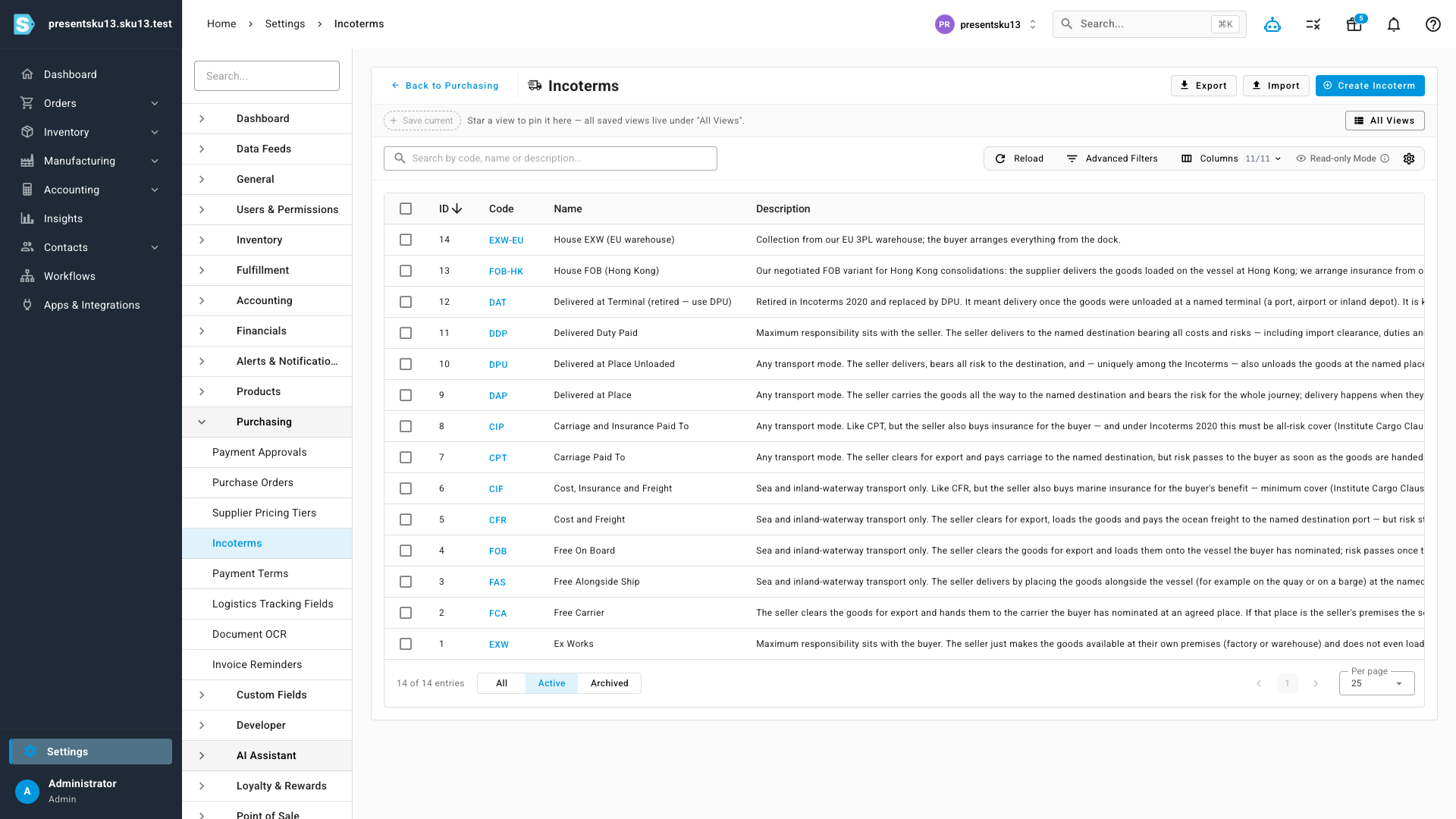
- The rulebook is built in. All 11 Incoterms 2020 rules (plus the retired DAT, kept for old contracts) come pre-loaded with their transport mode, family, customs responsibilities, insurance obligations, and risk-transfer point — no setup required. You can still add your own house terms alongside them.
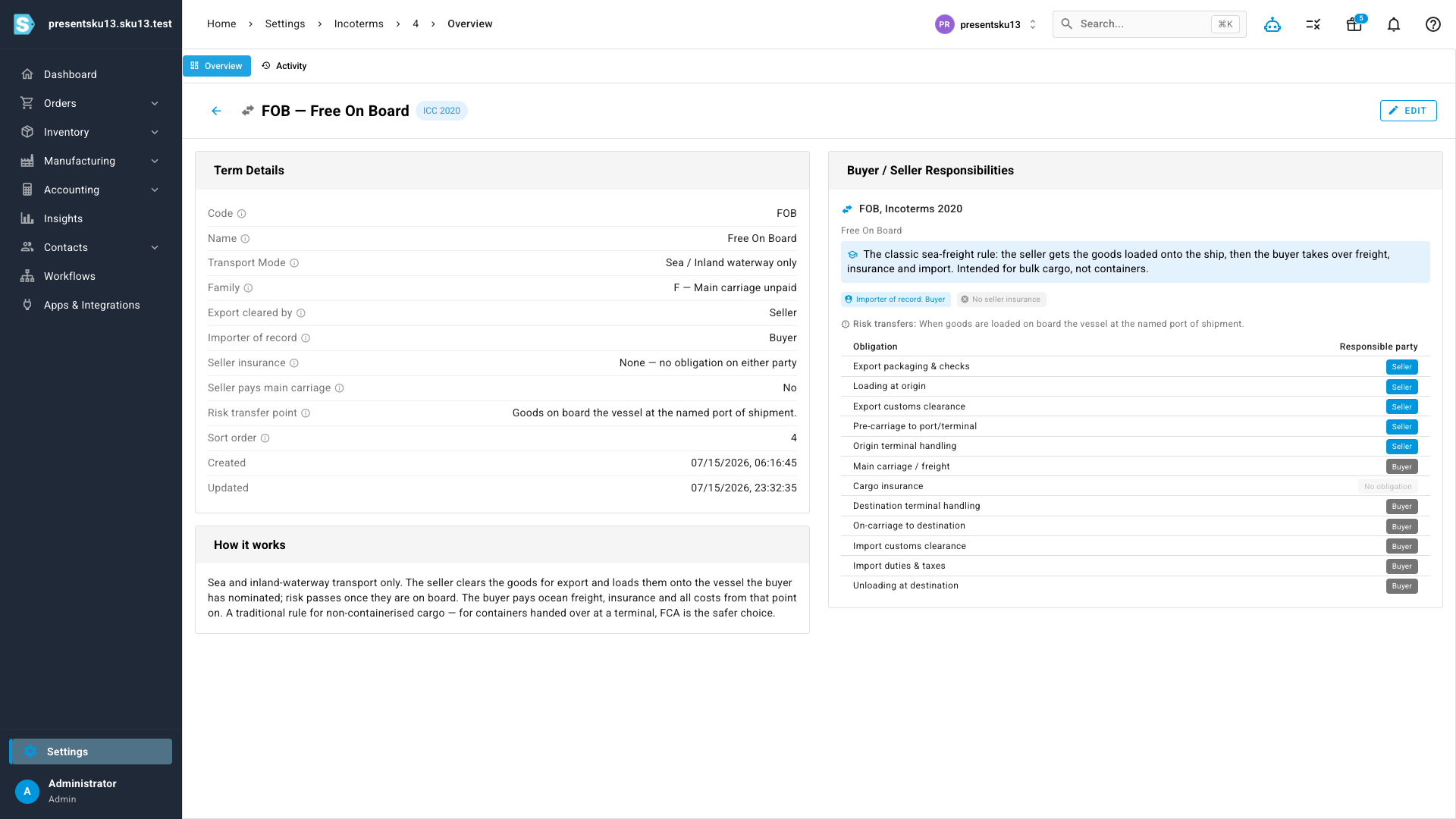
- No trade-law degree needed. Every rule carries a plain-language explanation, and hovering any field — Family, Insurance, Importer of Record — tells you what it means, right down to what those E/F/C/D letters stand for.
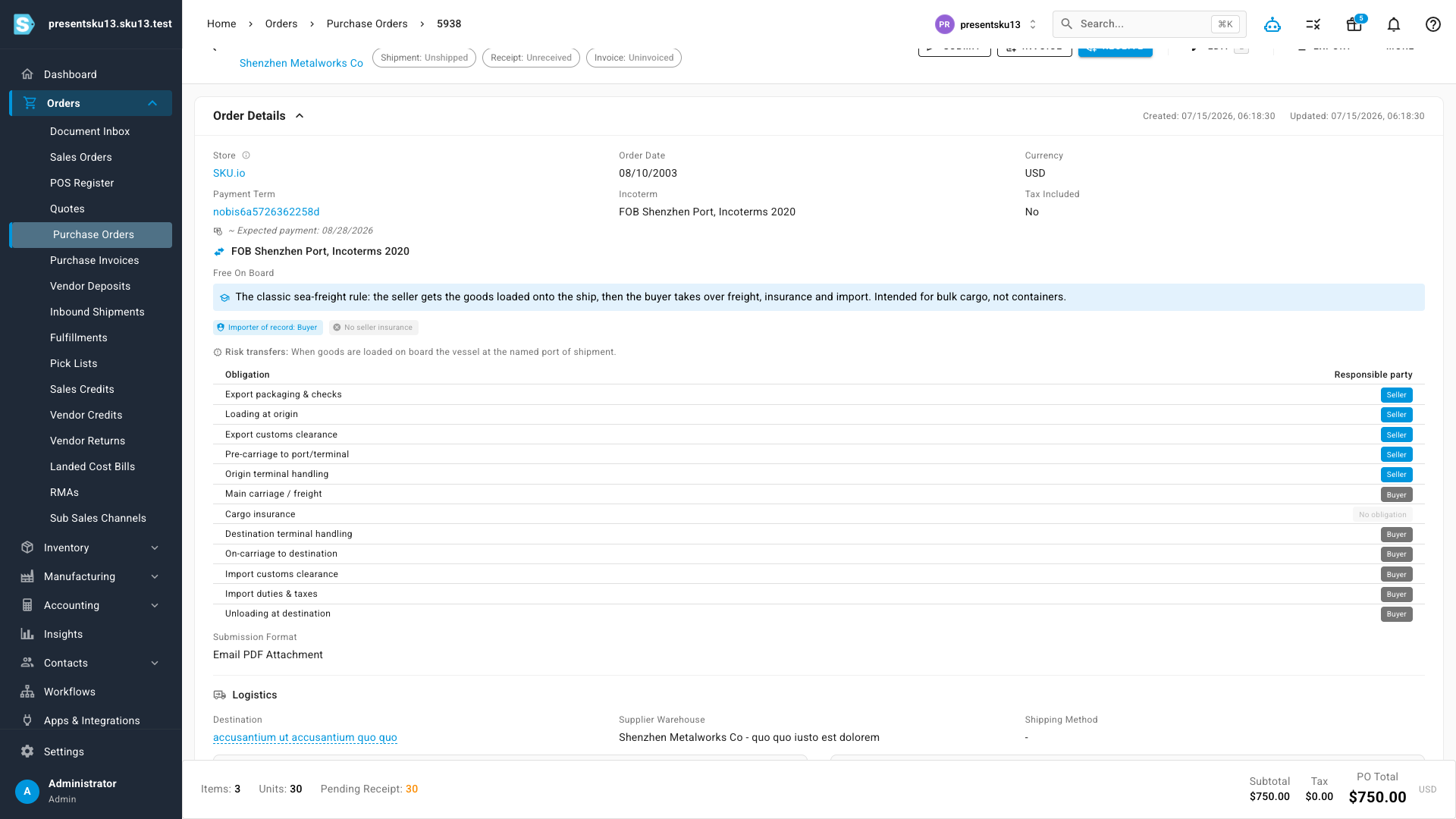
- A term is finally complete. Orders record the code and the named place and the edition — "FOB Shenzhen Port, Incoterms 2020", not just "FOB". That's the form a commercial invoice and a customs authority actually require.
- Sales orders get terms of sale. Incoterms now live on sales orders at full parity with purchase orders — including the DDP warning that matters most: under DDP, you become the importer of record.
- History can't be rewritten. The stated term is snapshotted onto each order, so renaming or archiving a term later never changes what a closed order says. Editing a sent PO's term or place flags the change for the supplier, like any other amendment.
- Set it once. Record each supplier's and customer's standard term and named place on their profile — the classic "this supplier always ships FOB Shenzhen" lives with the supplier, not in someone's head.
The full ICC 2020 rulebook, built in
Head to Settings → Purchasing → Incoterms and the table is already populated: every standard rule with its responsibilities mapped out and a plain-English description of how it works. Standard rules are protected — their codes and responsibility data can't be edited or deleted — while your own custom terms are fully yours. The list supports search, filtering, sorting, import and export like any other SKU.io table, and every trade-domain column header has a tooltip that explains it.
Every term explains itself
Click any term to open its detail page: a full breakdown of who does what across all twelve stages of a shipment — packaging, loading, export clearance, main carriage, insurance, import duties, and the rest — alongside where risk transfers and a "How it works" explainer. Cargo insurance is shown honestly, too: only CIF and CIP oblige the seller to insure; every other rule says so instead of guessing. Each term also keeps its own activity history, so you can see who changed what and when.
Terms of sale on the documents that need them
On a purchase order or sales order, pick the term and name the place — the order then displays the complete stated term and unfolds the full responsibility breakdown right on the page, so whoever is looking at the order knows exactly where the cost and risk split sits. The panel warns when a named place is missing (an Incoterm without one is legally incomplete) and flags retired codes like DAT. On sales orders, DDP makes it clear the seller is the importer of record — the single most expensive Incoterm surprise in cross-border selling. The stated term also flows through to your purchase order PDFs.
Set it once with defaults
Suppliers and customers now carry a Default Incoterm and Default Named Place on their profiles — recorded once, displayed with the same education everywhere the contact appears, and ready to reference whenever you raise an order for them.
Where to find it
- Settings → Purchasing → Incoterms — the rulebook, your custom terms, import/export, and each term's detail page with its activity history.
- Purchase Orders & Sales Orders → Order Details — set the term, named place, and edition; the responsibility panel appears right below.
- Suppliers & Customers → Settings — default term and named place per contact.