Shippit — connect your courier account and let orders ship themselves
If you ship through Shippit, you know the drill: every order gets re-keyed into the Shippit merchant portal by hand, labels get printed over there, and then someone copies the tracking number back into SKU.io — order by order, all day. Meanwhile your fulfillments stay open, your sales channels never hear that the parcel shipped, and the real courier cost lives only in Shippit, so your margins are a guess. The new Shippit integration closes that loop end to end. Connect your Shippit account once, and orders routed to Shippit are created there automatically, a courier is allocated and the label generated on Shippit's side, and the moment it's despatched the tracking number, carrier, and shipping cost flow straight back into SKU.io — no re-keying, no copy-paste, no blind spots.
✨ What this means for you:
- Orders push to Shippit automatically. A fulfillment routed to Shippit is created there on submit — with the real Shippit order and tracking number saved back on your fulfillment. No portal data entry.
- Tracking flows back on its own. When Shippit despatches, SKU.io records the shipment with its tracking number and courier, marks the fulfillment shipped, and passes tracking to the sales channel — so your customers get their notification and your channels stay inside their SLA.
- Real shipping costs, captured. The actual courier price Shippit charges lands on the fulfillment as a cost, so landed cost and margin are accurate instead of estimated.
- Your shipping methods, mapped to Shippit couriers. Match each SKU.io shipping method to a Shippit courier type and service level, and the right service is requested automatically at submit.
- Live status, event-driven. Despatch and delivery updates arrive by webhook in real time, with a scheduled reconcile as a safety net, so nothing gets stuck.
- Sandbox or live. Connect against Shippit's sandbox to test, or production for real shipments — and run more than one Shippit account side by side if you need to.
Connect your Shippit account in a couple of clicks
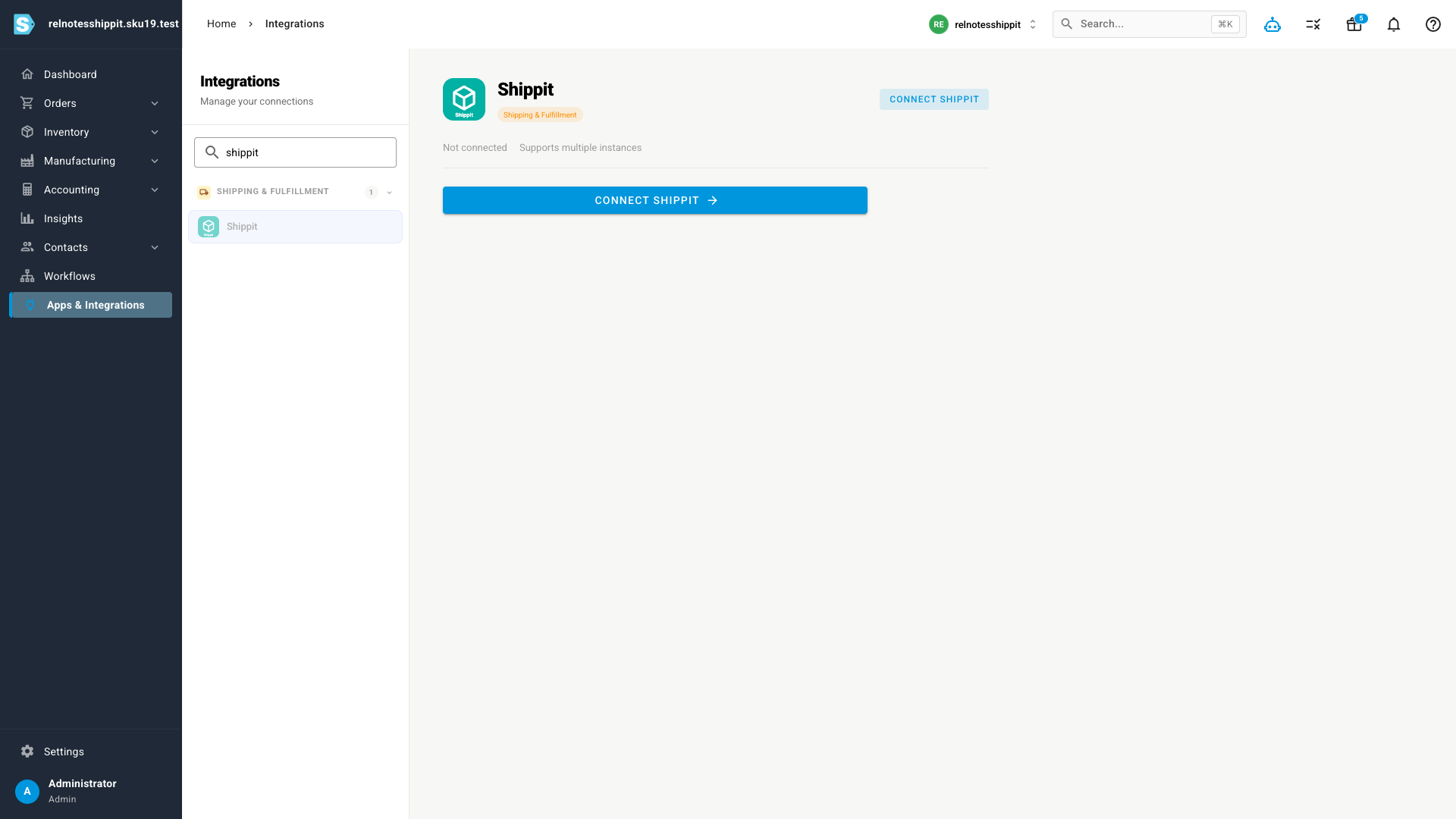
Head to Apps & Integrations, open Shippit under Shipping & Fulfillment, and click Connect Shippit.
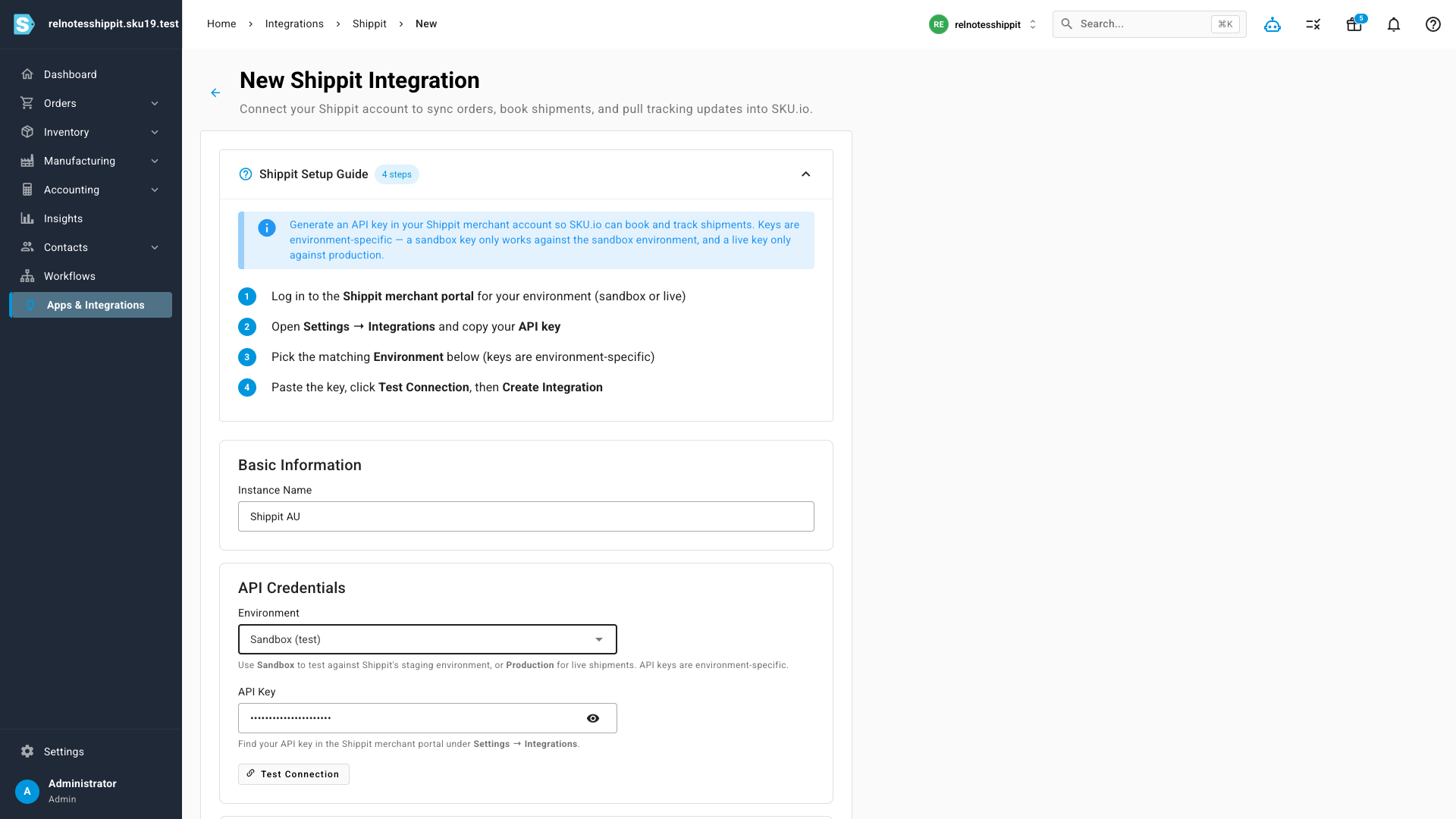
From there it's a short form: name the connection, pick your environment (Sandbox to test, Production for live shipments — Shippit keys are environment-specific), paste your Shippit API key, and hit Test Connection to confirm it's talking to your account. A built-in setup guide walks you through where to find your key in the Shippit merchant portal.
Orders ship themselves
Once connected, fulfillment is hands-off. When an order is routed to Shippit, SKU.io creates the Shippit order and requests a courier automatically, and saves the Shippit tracking number back onto your fulfillment right away. When Shippit despatches the parcel, SKU.io records the shipment — tracking number, courier, number of parcels, and shipping cost — marks your fulfillment as shipped, and hands the tracking off to the originating sales channel so the buyer gets their notification. If a despatch update is ever missed, a scheduled reconcile catches it and fills in the gap.
Real shipping costs, captured automatically
The price Shippit charges for each consignment comes back with the despatch and is written onto the fulfillment as a shipping cost — no separate export, no manual entry. Your landed cost and margin reflect what you actually paid the courier.
Map your shipping methods to Shippit couriers
Shippit aggregates a range of couriers and service levels. Map each of your SKU.io shipping methods to the matching Shippit courier type once, and every order that uses that method requests the right service automatically when it's sent to Shippit.
Where to find it
Go to Apps & Integrations → Shipping & Fulfillment → Shippit and click Connect Shippit. You'll need a Shippit API key from your Shippit merchant portal (Settings → Integrations). Prefer to try it first? Choose the Sandbox environment with a sandbox key before you go live.