Automatic Daily Exchange Rates — current multi-currency, hands-off
If you buy or sell in more than one currency, keeping exchange rates accurate used to be a manual chore — someone had to remember to update the conversion for each currency, and a rate that quietly went stale skewed your margins, costs, and reports. Automatic Daily Exchange Rates takes that job off your plate: SKU.io now pulls fresh rates every day and keeps every currency current, converted to your base currency automatically — whatever that base currency is.
✨ What this means for you:
- Exchange rates update automatically every day — no more manual entry.
- Every currency converts to your base currency (not just US Dollars), using live cross-rates.
- Pin a custom rate on any currency when you need to — automation leaves it alone.
- Always know how fresh your rates are, and refresh on demand.
- A complete day-by-day history of every rate, so you can see how a currency moved over time.
Set it and forget it
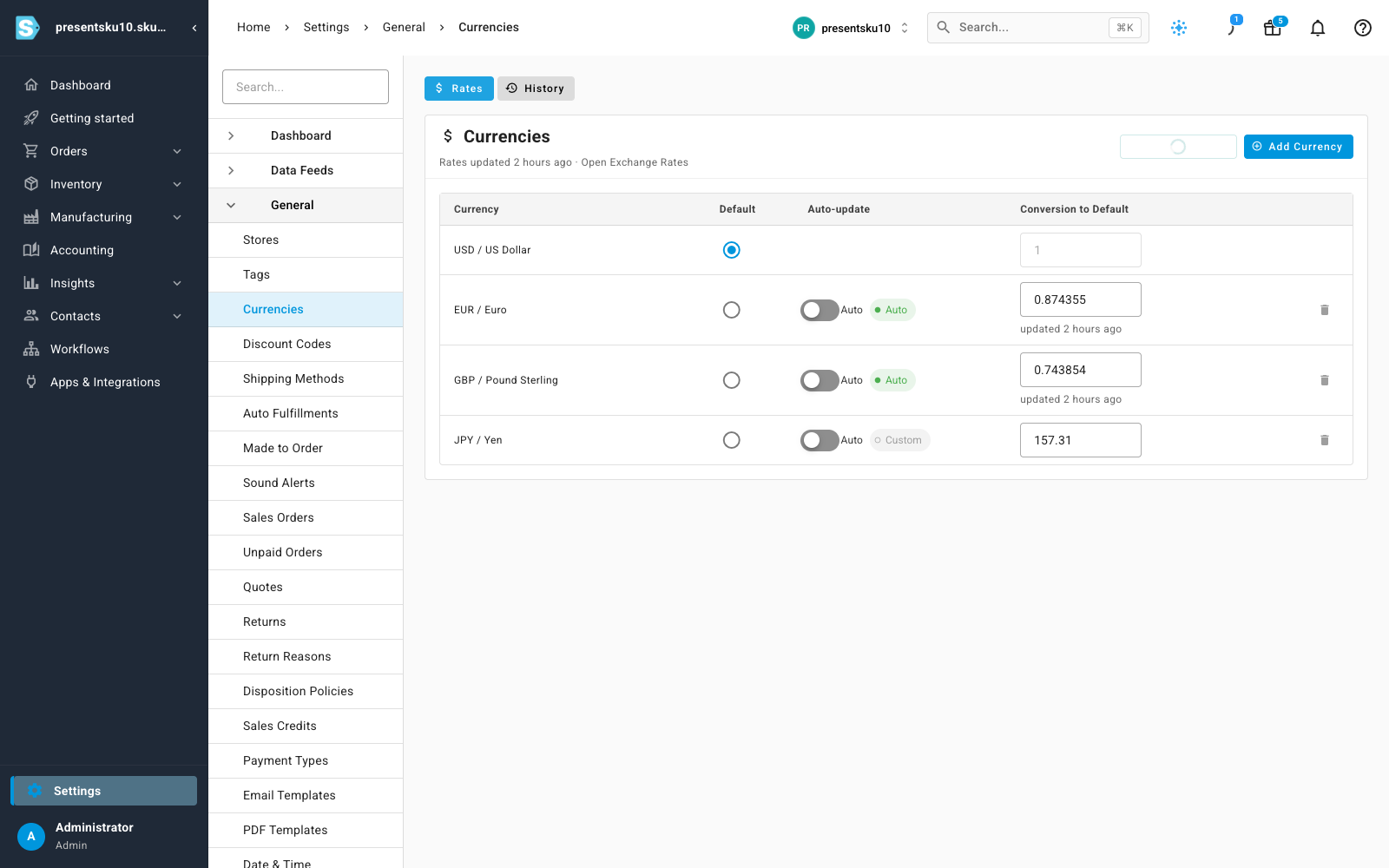
The Currencies screen now shows a live conversion for every foreign currency, refreshed daily and converted to your base currency. A green Auto chip means that currency's rate is managed for you, and the header tells you exactly when rates were last updated and where they came from.
Keep a custom rate when you need one
Automation is the default, but you stay in control. Turn a currency's Auto-update toggle off to pin your own rate — the daily refresh will never overwrite it (the Yen above is set manually). Flip it back on and it picks up the live rate again on the next update.
Refresh on demand, with honest status
Need the latest numbers right now? Click Refresh Rates. And if the rate source is ever unreachable, SKU.io tells you plainly and keeps using your last known rates — it never quietly passes off stale numbers as current.
A history you can look back on
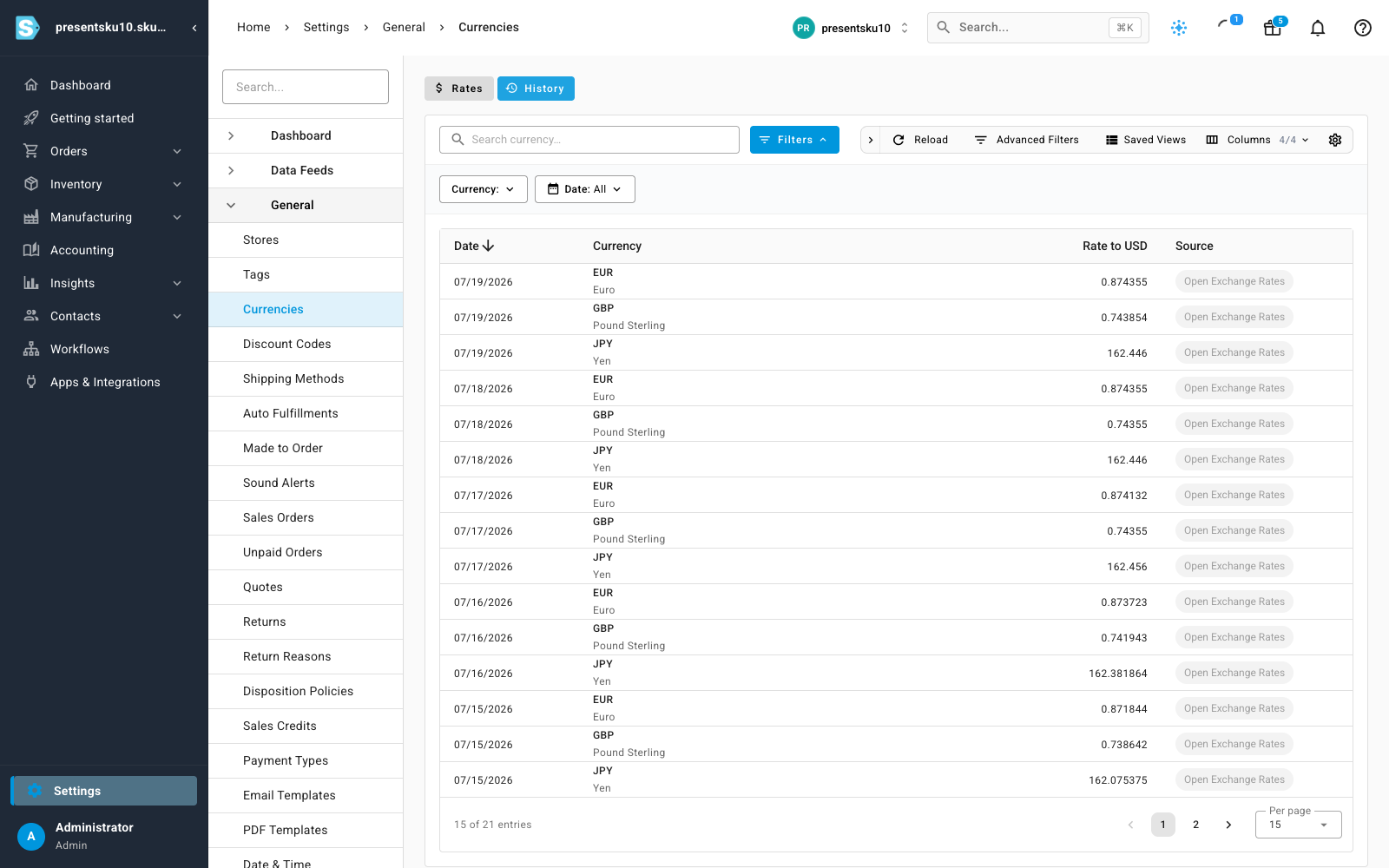
The new History tab is a searchable, sortable table of every currency's rate to your base currency, day by day. Filter by currency or by date range to see exactly how a rate moved over time — handy for reconciling foreign‑currency orders, bills, and payouts.
Where to find it
Head to Settings → General → Currencies. The live rates, Auto-update controls, and freshness status are on the Rates tab; the day‑by‑day rate history is on the History tab — which you can bookmark or open in its own tab.