Amazon Ads spend, attributed to every SKU
Advertising is usually an Amazon seller's biggest variable cost after the product itself — but until now it lived in a separate tab, invisible to your profitability inside SKU.io. A product could look healthy on margin while quietly losing money once ad spend was counted, and the only way to see the truth was exporting ad reports and inventory reports and joining them by hand in a spreadsheet. Amazon Ads cost attribution closes that gap: connect your Amazon Advertising account and SKU.io automatically pulls your Sponsored Products spend, attributes it to the exact SKU it was spent on, and turns it into real product-level costs — so your contribution margin and ACoS finally include the cost of the ads that drove the sales.
✨ What this means for you:
- See ad spend per SKU next to the attributed sales it generated — no more spreadsheet joins.
- Ad spend flows into your product costs and contribution margin automatically, so margins reflect reality.
- Track ACoS — advertising cost of sales — for the whole account and per SKU, at a glance.
- Unmapped spend is never hidden: anything we can't tie to a product is surfaced so you can map it.
- Re-syncs restate spend as Amazon revises attribution over its 14-day window — no double-counting.
Your ad spend, attributed to every SKU
Connect an Amazon Advertising account and SKU.io pulls your Sponsored Products spend on a schedule (or on demand). The Amazon Ads dashboard sums your ad spend, attributed sales, and ACoS for the period, then breaks spend down by advertised SKU — each row tied to the SKU.io product it maps to, with clicks, impressions and attributed sales alongside. The Mapped Spend card tells you what share of your spend is tied to a product, so nothing slips through unaccounted for.
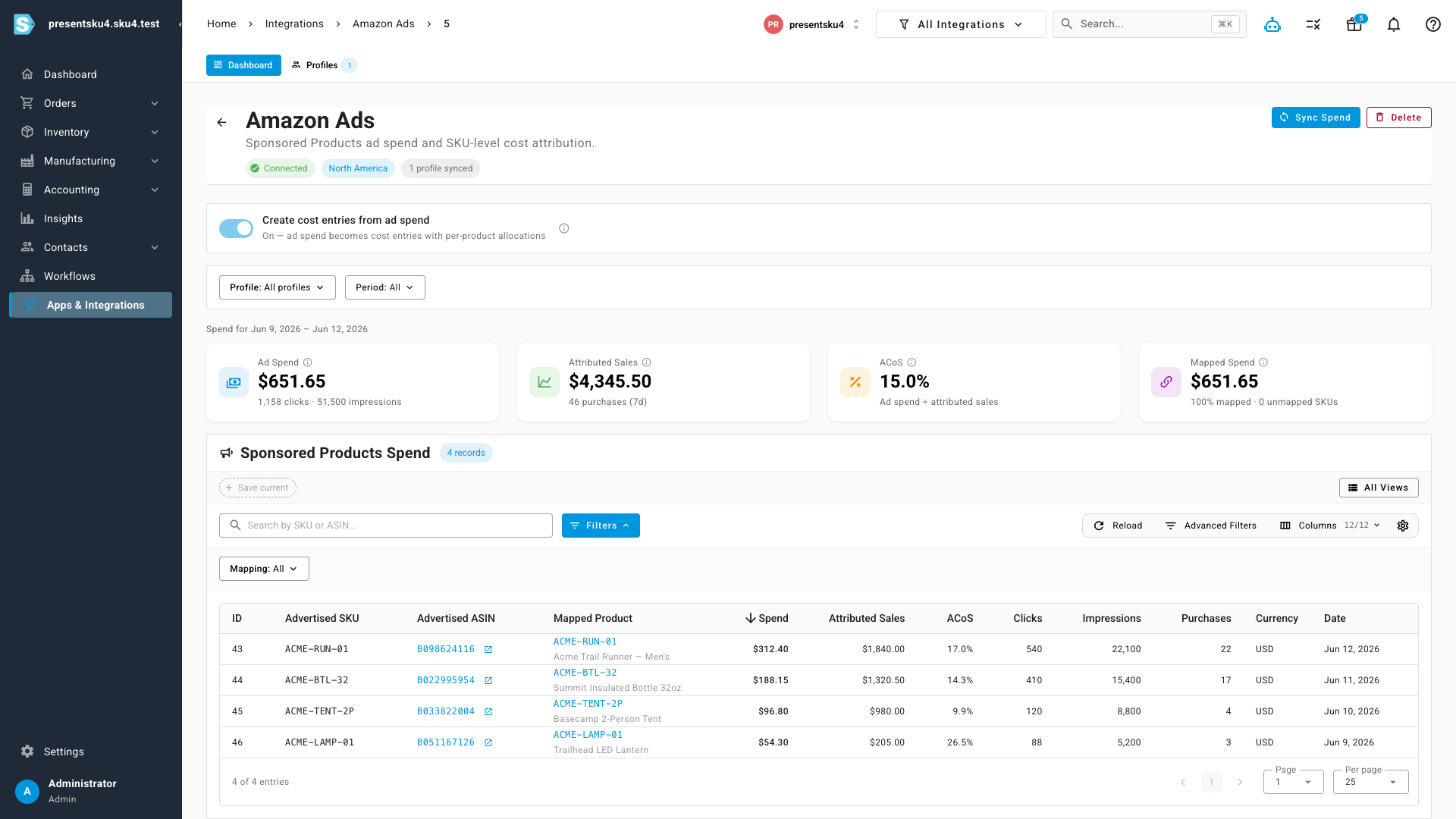
Spend by SKU, restated cleanly on every sync
Because Amazon attributes spend to the advertised SKU directly, each SKU's spend lands against the exact product it was spent on — not a lump sum spread by guesswork. Re-running a sync restates the window to match Amazon's latest figures (Amazon keeps revising attribution for about two weeks), so the numbers stay accurate without ever double-counting.
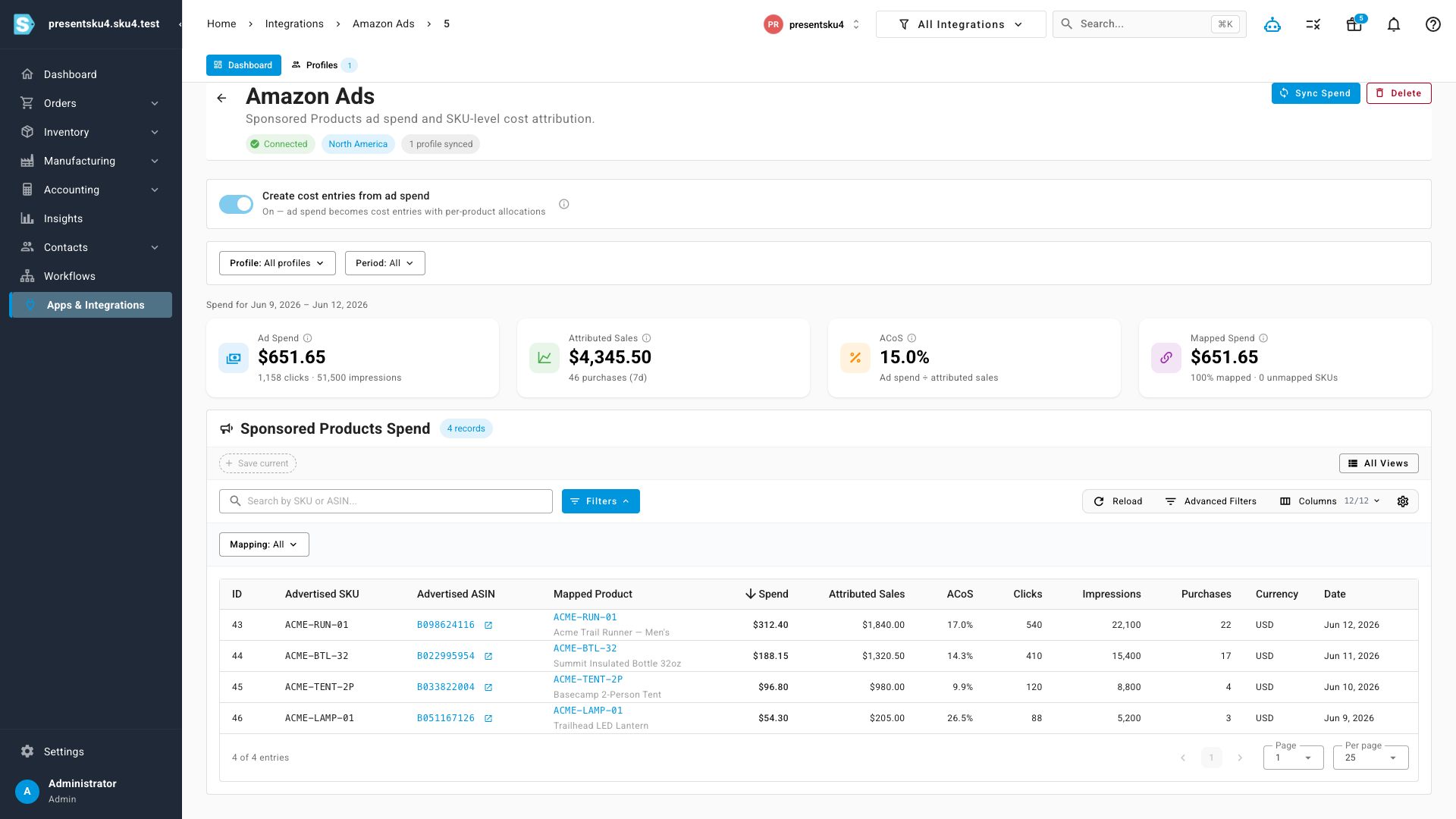
Fold ad spend into your real margins
Flip on Create cost entries from ad spend and each sync turns that spend into per-product cost allocations over the period — the same cost-allocation engine that powers contribution margin. Now your product margins reflect the ads that drove the sales, not just COGS. It's opt-in per connection, so you decide when ad spend starts affecting your accounting; turn it off and the spend is still tracked, just without the accounting impact.
Where to find it
Go to Apps & Integrations → Amazon Ads, open your connection, and you'll land on the Dashboard tab with your spend, ACoS and spend-by-SKU breakdown. Use Create cost entries from ad spend at the top to fold ad spend into your product costs, and Sync Spend to pull the latest figures.