Fulfillment-based revenue recognition — revenue that waits for the shipment
Sell something on Monday, ship it on Friday, and your books tell a small lie all week: the revenue is already sitting in your P&L, but the cost of goods doesn't arrive until the shipment goes out. Inside one month it makes your daily margins jumpy; across a month-end it's worse — one period gets revenue with no cost, the next gets cost with no revenue. And if you take pre-orders or run backorders, "revenue you haven't earned yet" can sit in your income statement for weeks. Fulfillment-based revenue recognition is a new accounting policy that fixes this the way accountants say it should be fixed: invoiced sales park in a Deferred Revenue liability, and revenue is only recognized when the goods actually ship — released on the very same entry, and the very same date, as their cost.
✨ What this means for you:
- Revenue and cost of goods always land in the same period — margins are right on any day, not just after month-end adjustments.
- Pre-orders and backorders stop inflating your income statement — money you've invoiced but not yet earned shows as a liability, where it belongs.
- Your balance sheet shows exactly what you still owe customers — the Deferred Revenue balance is your invoiced-but-unshipped order book, updated live.
- Partial shipments are handled properly — each shipment releases just its share, including a proportional slice of shipping income.
- It's entirely opt-in. Nothing changes unless you switch it on, and it only applies to orders created after the switch — history is never rewritten.
- It flows through to QuickBooks Online and Xero, so your accounting system tells the same story.
Pick your recognition policy
Head to Accounting v2 → Settings → General and you'll find a new Revenue recognition setting with two choices. At order date is the default — exactly how SKU has always worked, and the pragmatic choice for most stores with quick ship times. At fulfillment (deferred revenue) is the ASC 606-style policy: switch it on and every new order defers its revenue until shipment. A confirmation explains the change before anything happens, and the switch only affects orders created from that moment on.
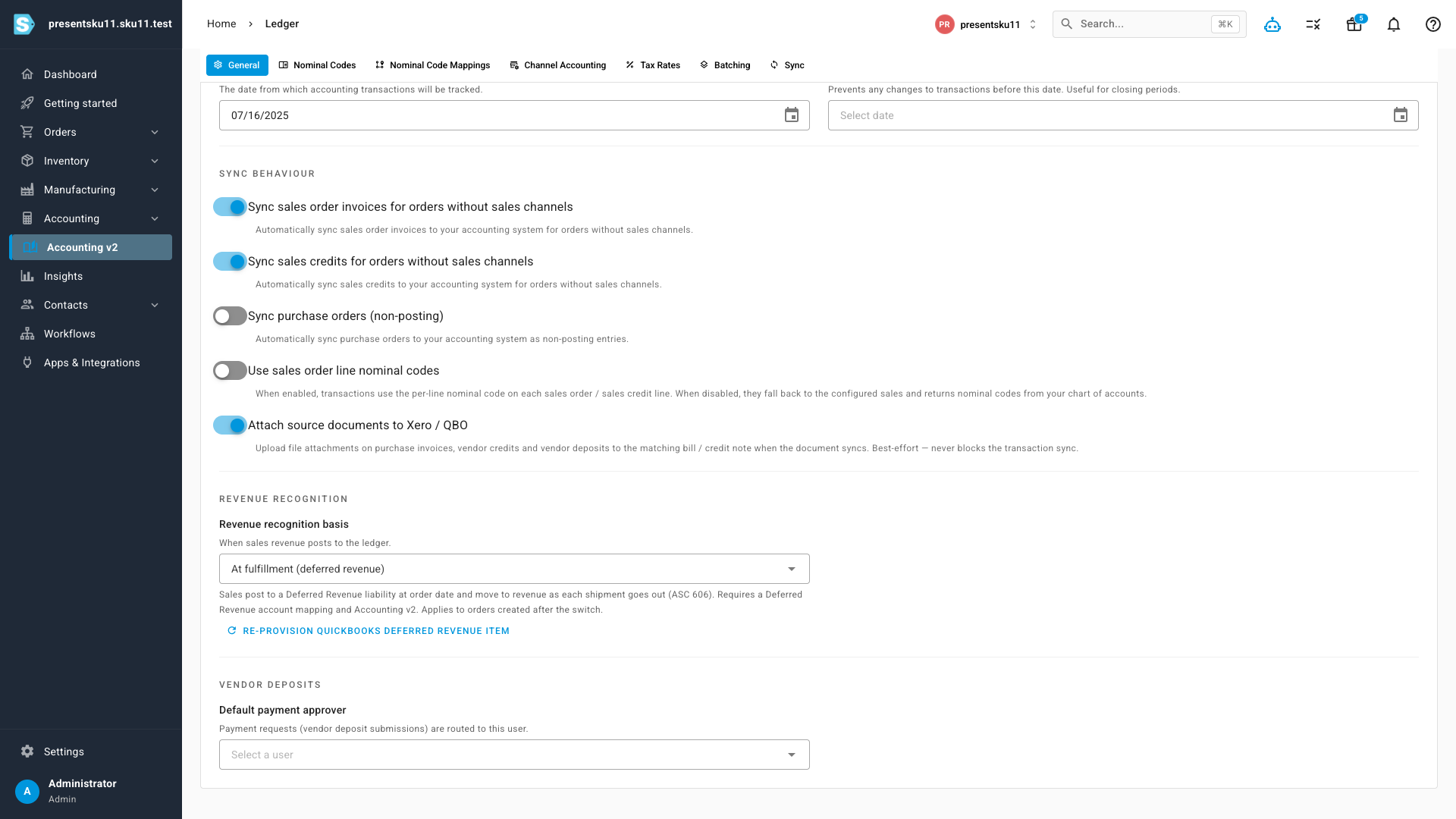
A matching Deferred Revenue account is part of your chart of accounts — new tenants get account 2400 created and mapped automatically, and existing tenants can map any liability account under Settings → Nominal Code Mappings before switching on.
Invoiced revenue waits for the shipment
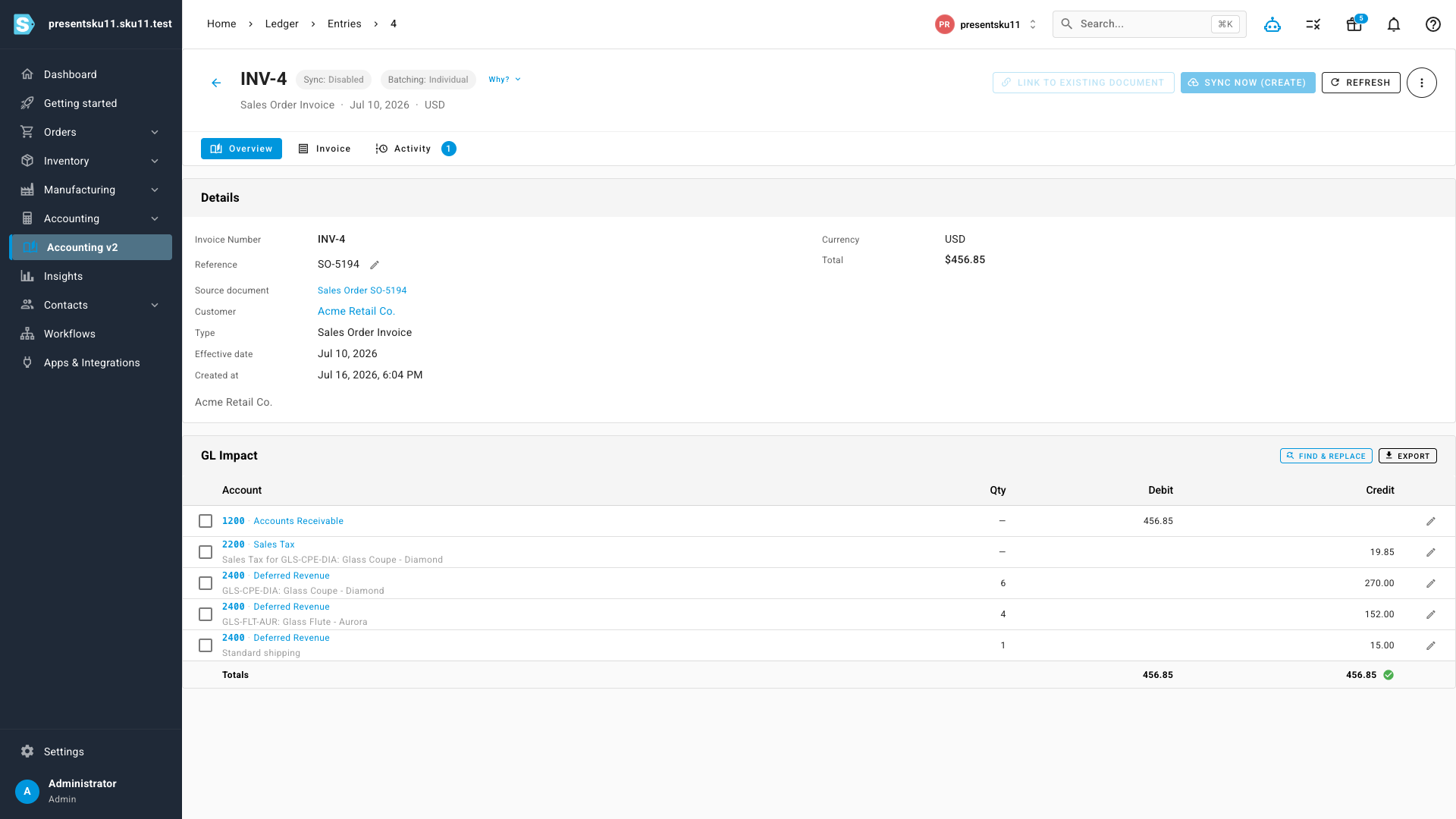
With the policy on, a new order's invoice entry books your receivable as usual — but every dollar of product and shipping revenue is credited to Deferred Revenue instead of Sales. Nothing touches your income statement yet, because nothing has been earned yet. Tax is still recorded normally, and the entry stays perfectly balanced.
Released together with its cost
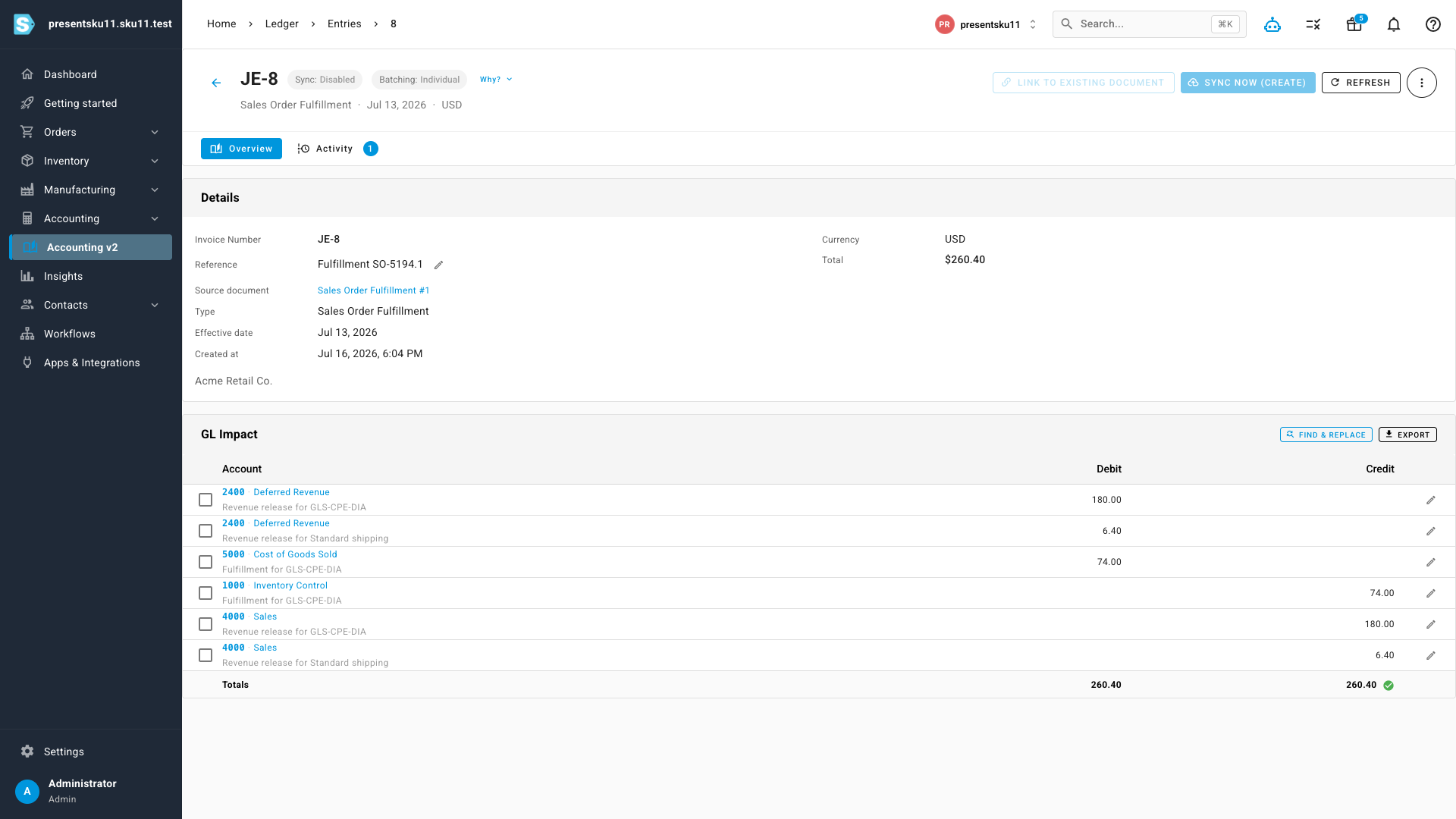
When a shipment goes out, one entry does the whole job: cost of goods is booked against inventory, and the shipped units' revenue moves out of Deferred Revenue and into Sales — same entry, same date, same accounting period. Ship four of six units and exactly four units of revenue release, along with a proportional share of the order's shipping income; the final shipment releases whatever remains, right down to the cent.
Orders that a sales channel fulfills for you (where SKU never ships anything locally) are recognized at order date automatically, so nothing gets stuck waiting for a shipment that will never come from your warehouse.
Your open promise, on the balance sheet
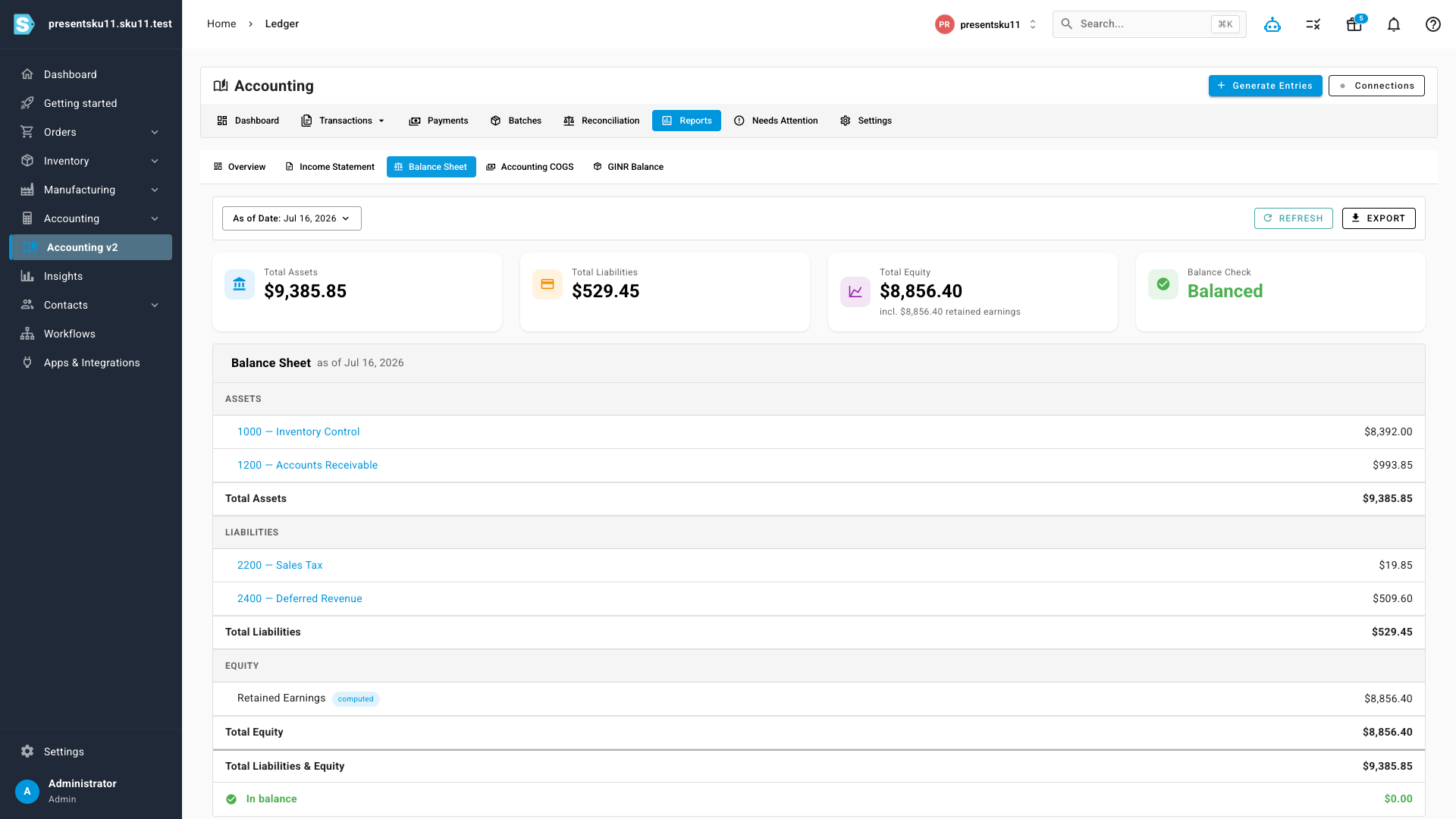
Between invoice and shipment, the Deferred Revenue account carries the running balance of everything you've billed but not yet delivered. It appears on your Balance Sheet under liabilities automatically, and it reconciles to the cent against your open order book — a number auditors, lenders, and buyers specifically look for.
Built-in guardrails
Recognition policies are easy to get wrong, so this one protects itself. Switching on requires a mapped liability account and Accounting v2. Once the policy has been used, the Deferred Revenue mapping is locked — historical entries depend on it. Switching back to order-date recognition is blocked while any deferred revenue is still open, and orders created under the fulfillment policy keep their treatment forever, even as entries are recalculated later — your history can never be silently restated. In QuickBooks Online, invoices carry the deferral through a dedicated "SKU Deferred Revenue" item that SKU provisions and repairs for you; in Xero it flows through your account codes with no extra setup.
Where to find it
Accounting v2 → Settings → General → Revenue recognition. Map your Deferred Revenue account first under Settings → Nominal Code Mappings (new tenants have this out of the box), then switch the basis to At fulfillment (deferred revenue). Ledger entries, the Balance Sheet, and your QuickBooks/Xero sync take care of the rest.