Per-warehouse lead times — how long each supplier takes to reach each location
Your suppliers rarely reach every one of your warehouses in the same number of days. The same vendor might land stock at your main warehouse in two weeks but take six by sea to a warehouse in another region — yet SKU.io applied a single lead time to every destination, so one of those reorder recommendations was always built on the wrong number. Per-warehouse lead times let you set a default lead time on a supplier and then override it for individual warehouses, and demand planning automatically uses the right one for each destination you forecast.
✨ What this means for you:
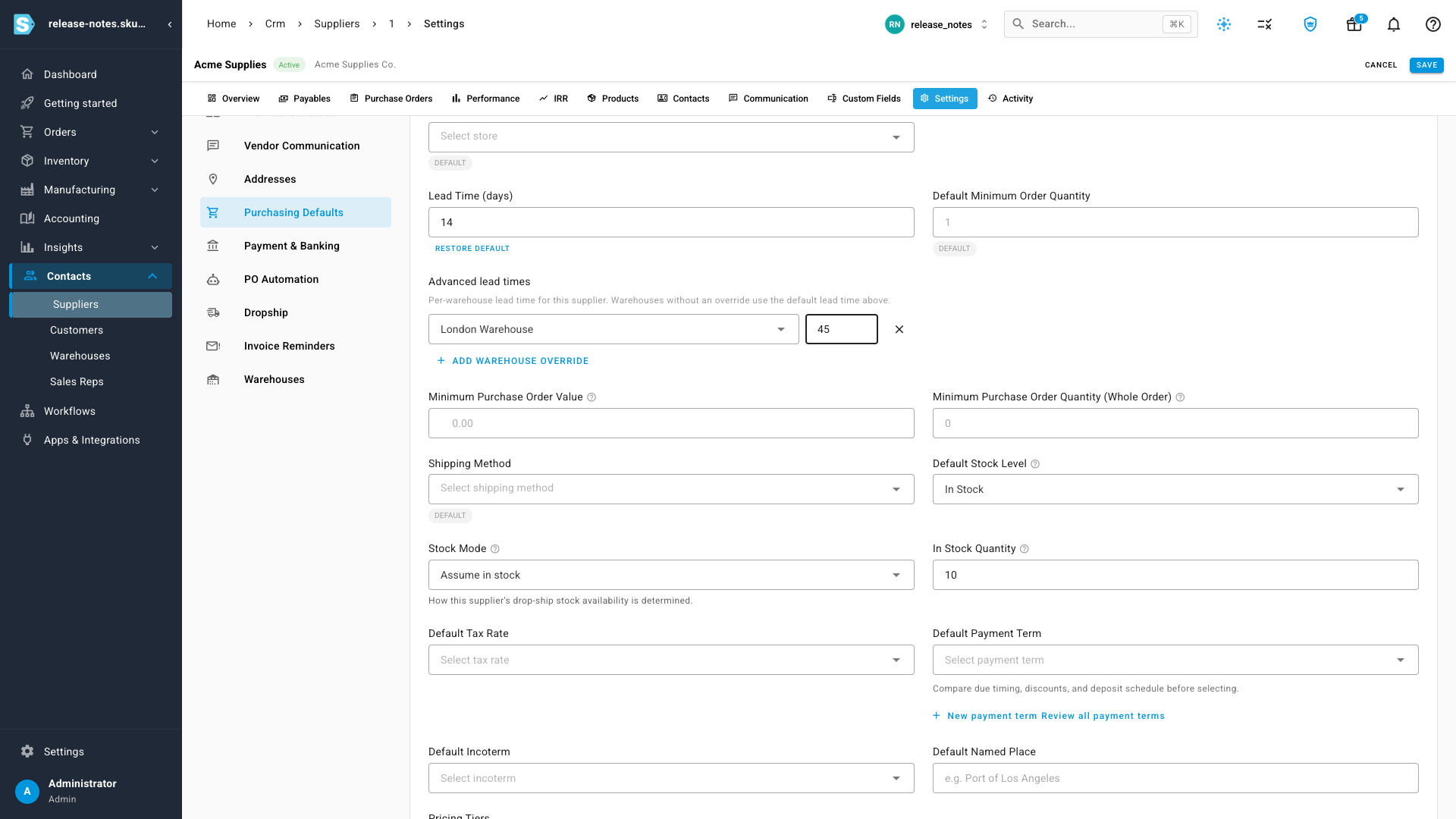
- Add an Advanced lead times override on any supplier — a specific number of days for a specific warehouse — right on its Purchasing settings.
- Warehouses you don't override simply inherit the supplier's default lead time, so you only configure the exceptions.
- Demand planning and reorder suggestions use the lead time for the destination warehouse you're forecasting — so multi-region and multi-warehouse buys stop sharing one blended (and usually wrong) number.
- Every forecast tells you which lead time it used — the supplier's default, a per-warehouse override, or a measured actual from your own receiving history — so the number is always traceable.
Set lead times per warehouse, right on the supplier
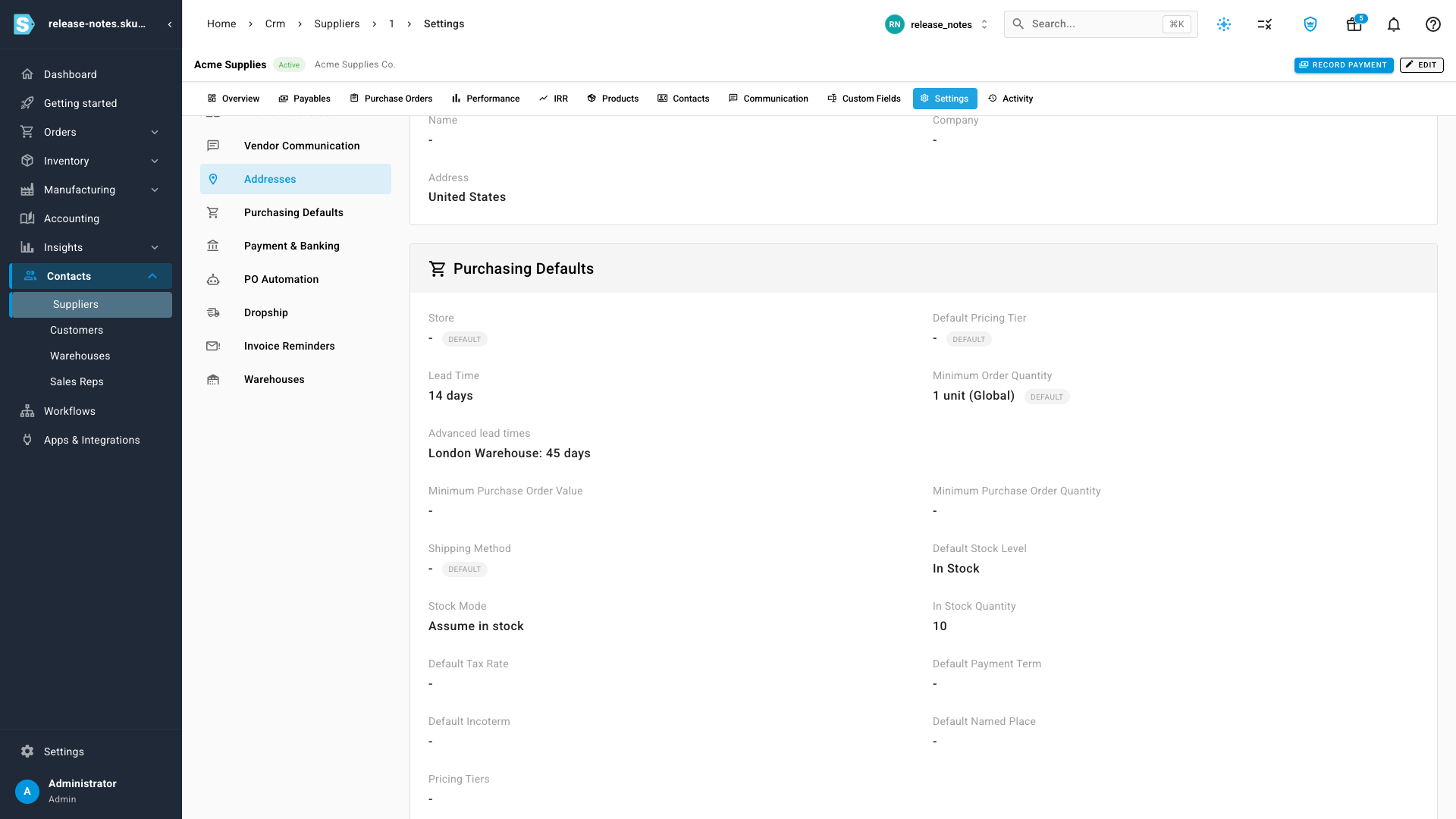
Open a supplier and go to Purchasing Defaults. The Lead Time field is the supplier's default — used everywhere unless you say otherwise. Just below it, the new Advanced lead times section lets you add an override: pick a warehouse, enter the number of days, and add another for each exception you have. In the example below, this supplier normally takes 14 days, but reaches the London Warehouse in 45.
Only configure the exceptions
There's no need to fill in a row for every warehouse. The overrides you set are listed clearly on the supplier, and every other location quietly falls back to the default lead time above — so a vendor that's slower to just one region takes a single line to configure, not a table full of duplicates.
The forecast uses the right one — and shows you which
When you build a demand-planning forecast with a destination warehouse selected, SKU.io resolves the lead time for that warehouse: a per-warehouse override wins first, then a measured actual learned from your own purchase-order history, then the supplier's default. Because each destination now plans on its own real lead time, a US buy and a UK buy for the same vendor no longer share one figure — and the Lead column on every line tells you exactly which source drove the number, so a longer overseas lead time is never a mystery.
Where to find it
- Set the overrides: open Contacts → Suppliers, choose a supplier, then Settings → Purchasing Defaults, and add rows under Advanced lead times.
- See it applied: open Inventory → Demand Planning, build a forecast with a destination warehouse selected, and check the Lead column — hover it to see which lead time the forecast used for that location.