Airtable integration — two-way sync with no middleware
If your team plans in Airtable — merchandising calendars, purchasing boards, ops trackers — keeping it in step with SKU.io has meant CSV round-trips or a paid middleware subscription that breaks the moment either side changes. The new Airtable integration removes the bridge entirely: connect your Airtable account and SKU.io syncs your operational data both ways, on a schedule or in near-real-time. Push products, inventory, orders, purchase orders, and suppliers into your own Airtable base — or let SKU.io build a ready-made base for you in one click — and when someone edits a safe field in Airtable, review the change before it updates your catalog. It's a first-party, two-way connector with nothing in the middle.
✨ What this means for you:
- No middleware. Connect Airtable directly from SKU.io — no Zapier, no Make, no per-task billing, no third vendor to blame when a sync breaks.
- Both directions. Push SKU.io data into Airtable, and let a narrow, safe set of Airtable edits flow back into your catalog for review.
- A base in one click. Let SKU.io provision a ready-made "Ops Hub" base — the right tables and field types, pre-mapped and backfilled — so you're synced in minutes.
- On your schedule. Sync every 15 minutes, hourly, daily, on demand, or in real time as records change.
- Safe by design. Only fields you map are written, and inbound edits can never touch order status, inventory, costs, or pricing.
Connect your account — and see everything in one place
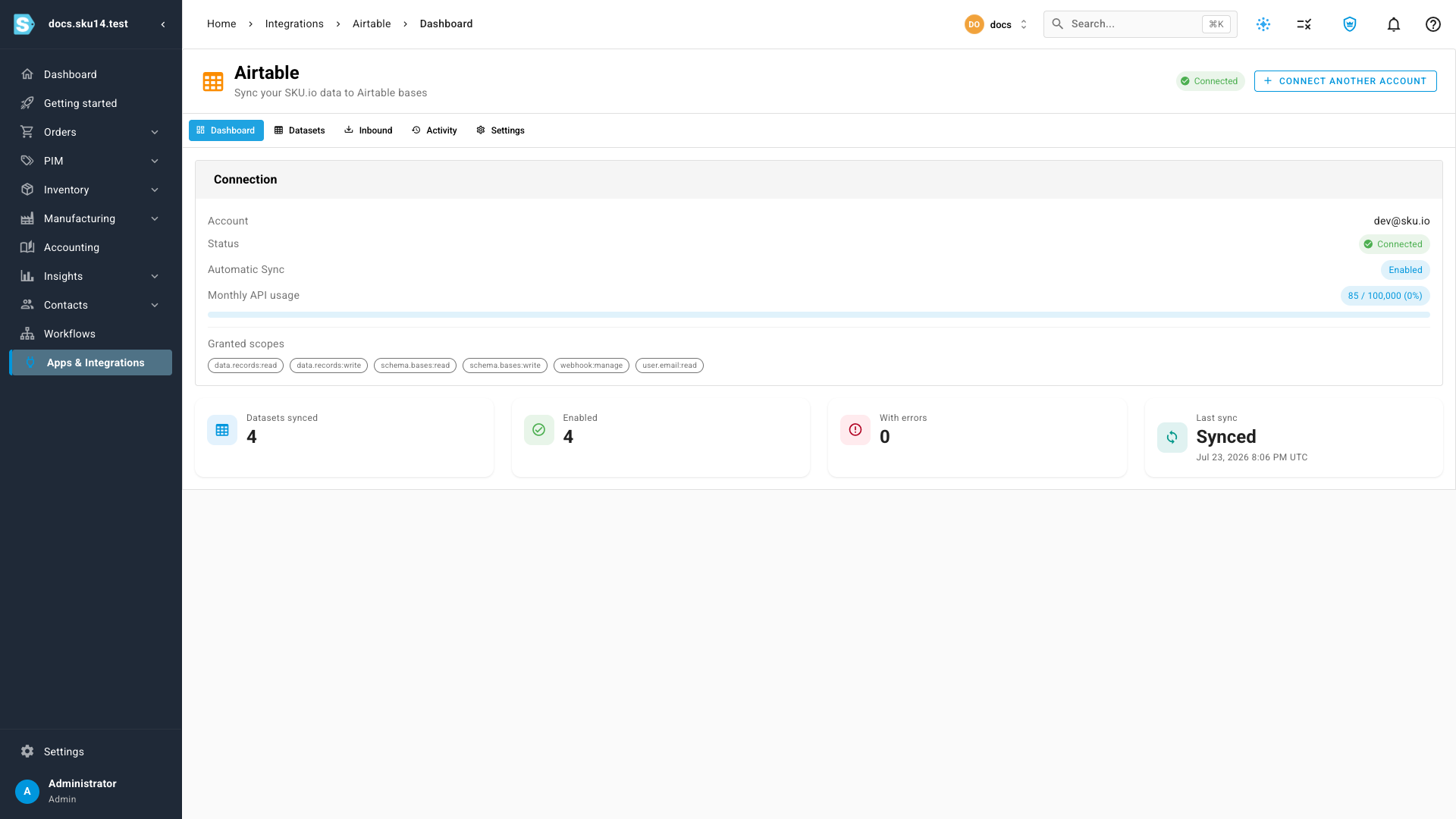
Connecting is a single OAuth handshake: open Apps & Integrations → Airtable, select Connect Airtable, and grant access in the Airtable window. Once connected, a dashboard shows your account, connection status, the exact scopes you granted, and your monthly Airtable API usage — so you always know the sync is healthy.
Map any dataset — and sync it your way
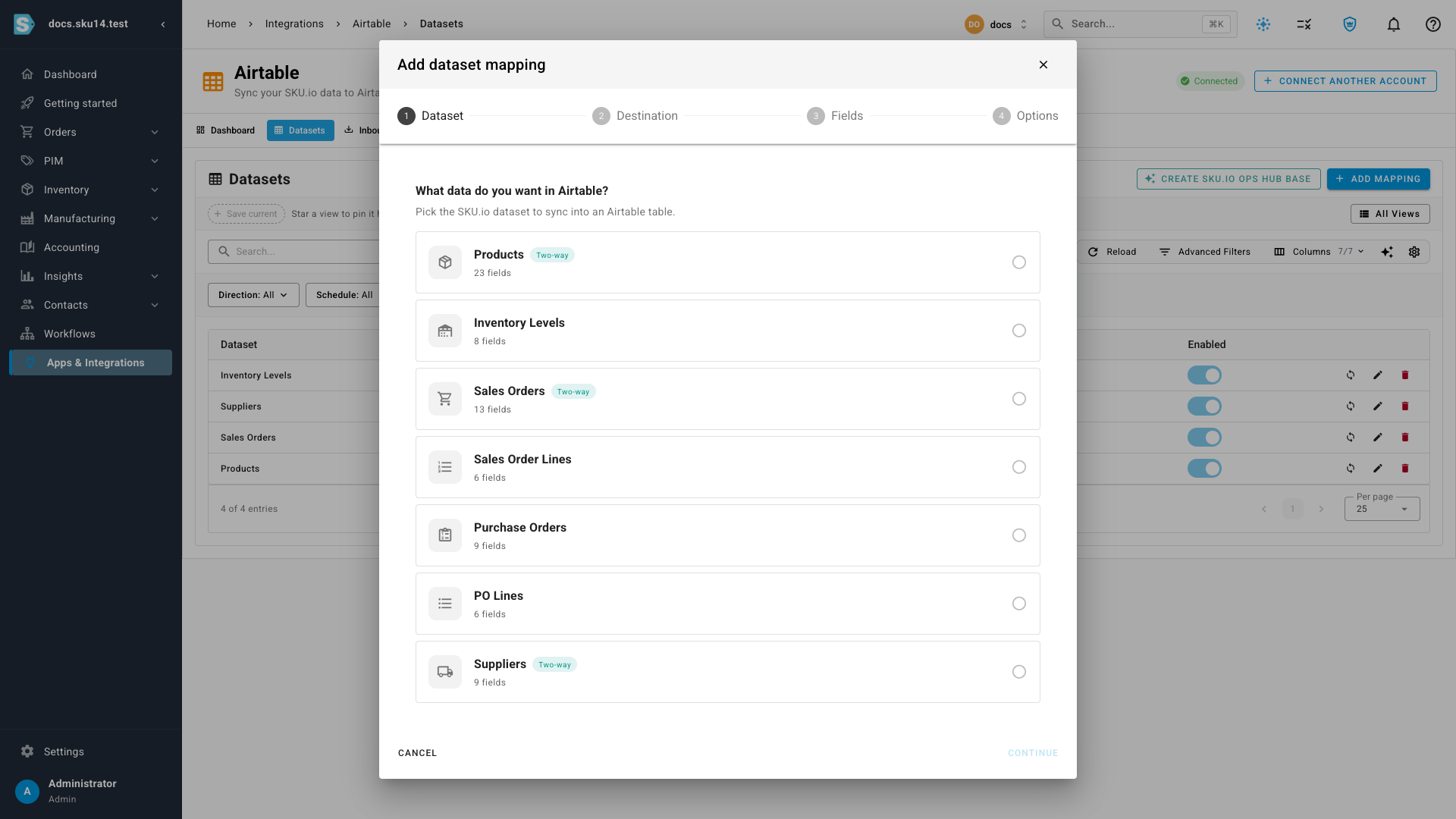
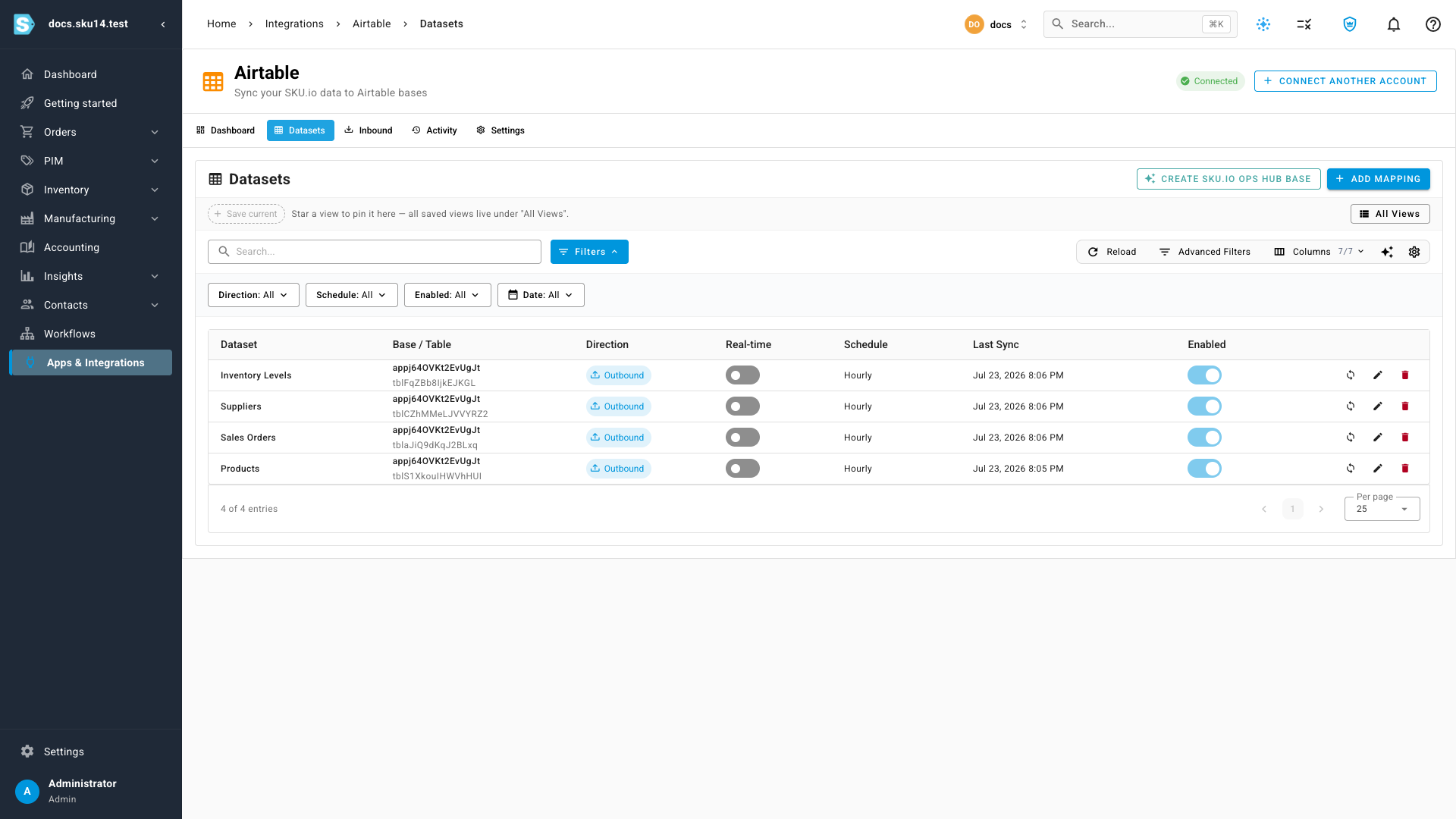
Each row on the Datasets tab ties one SKU.io dataset to one Airtable table. A guided wizard walks you through the dataset, the destination base and table, the field mapping, and the options — sync direction, schedule, real-time push, and how deletions are handled. Seven datasets are available; Products, Sales Orders, and Suppliers can sync two ways.
Once a dataset is mapped, push the latest data any time with Sync now, or let it run on the schedule you chose. SKU.io matches records by a stable key, so repeat syncs update the same Airtable rows instead of creating duplicates.
Let Airtable enrich your catalog — safely
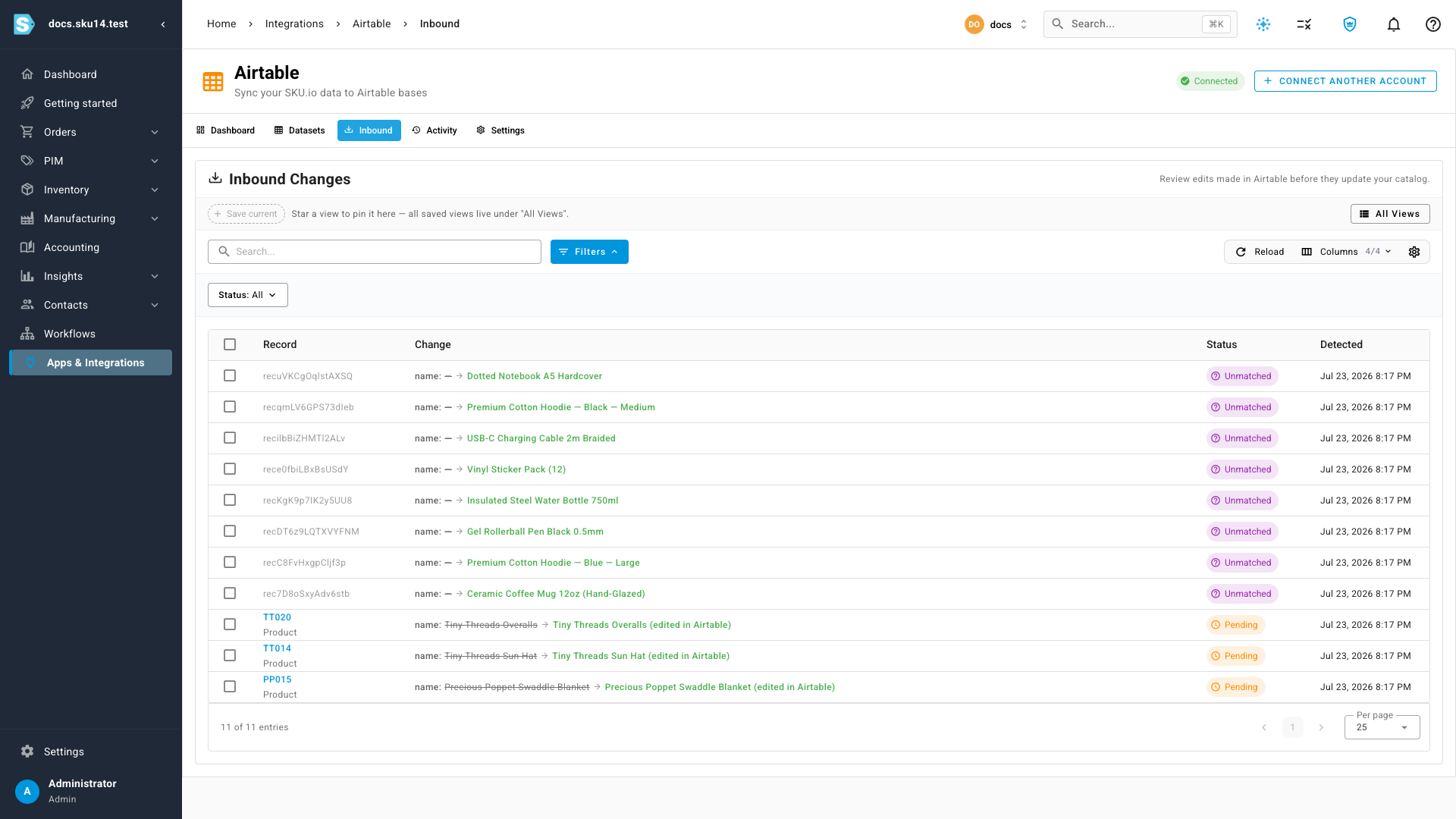
Airtable is a great place for content and planning teams to work, so the integration lets a whitelisted set of edits flow back into SKU.io. When someone changes a safe field in Airtable, the change lands in an Inbound review queue — showing the record it affects, the old and new values, and a status — so you approve it before it updates your catalog. Operational fields like order status, inventory, costs, and pricing are never writable from Airtable.
Where to find it
Open Apps & Integrations → Airtable and select Connect Airtable to get started. For step-by-step guides and short walkthrough videos — connecting, mapping and syncing, reviewing inbound changes, and the full field reference — see the Airtable integration documentation.