Merged Fulfillment Orders — ship multiple orders together
When the same customer places two or three orders to the same address within a few days, your warehouse shouldn't have to pick, pack, and dispatch each one separately — that's more labels, more trips to the packing bench, and more chances for something to drift out of sync. Merged fulfillment orders let you combine open orders that ship from the same warehouse to the same address into a single fulfillment order, so they're picked, packed, and dispatched together as one. Each sales order keeps its own line items and identity — nothing is destroyed or rewritten. And now, even when auto-dispatch has already sent your orders on to your carrier or 3PL, SKU can still combine them — safely reconciling with the carrier so your customer gets a single parcel instead of two.
✨ What this means for you:
- One fulfillment order instead of several when orders go to the same place — less duplicated picking, packing, and paperwork.
- SKU spots combinable orders for you — no hunting required.
- Works even after dispatch — combine orders your carrier or 3PL has already received, without a second label or a second parcel.
- Every original order stays intact — each keeps its own line items, identity, and tracking; pre-dispatch merges are fully reversible before the order leaves.
- A clear "Merged" view so you always know which orders are travelling together.
SKU spots combinable orders for you
On an order's Fulfillment tab, SKU automatically checks for other open orders that ship from the same warehouse to the same address — and surfaces them right where you're working. No need to remember a customer's other orders or go looking for them.
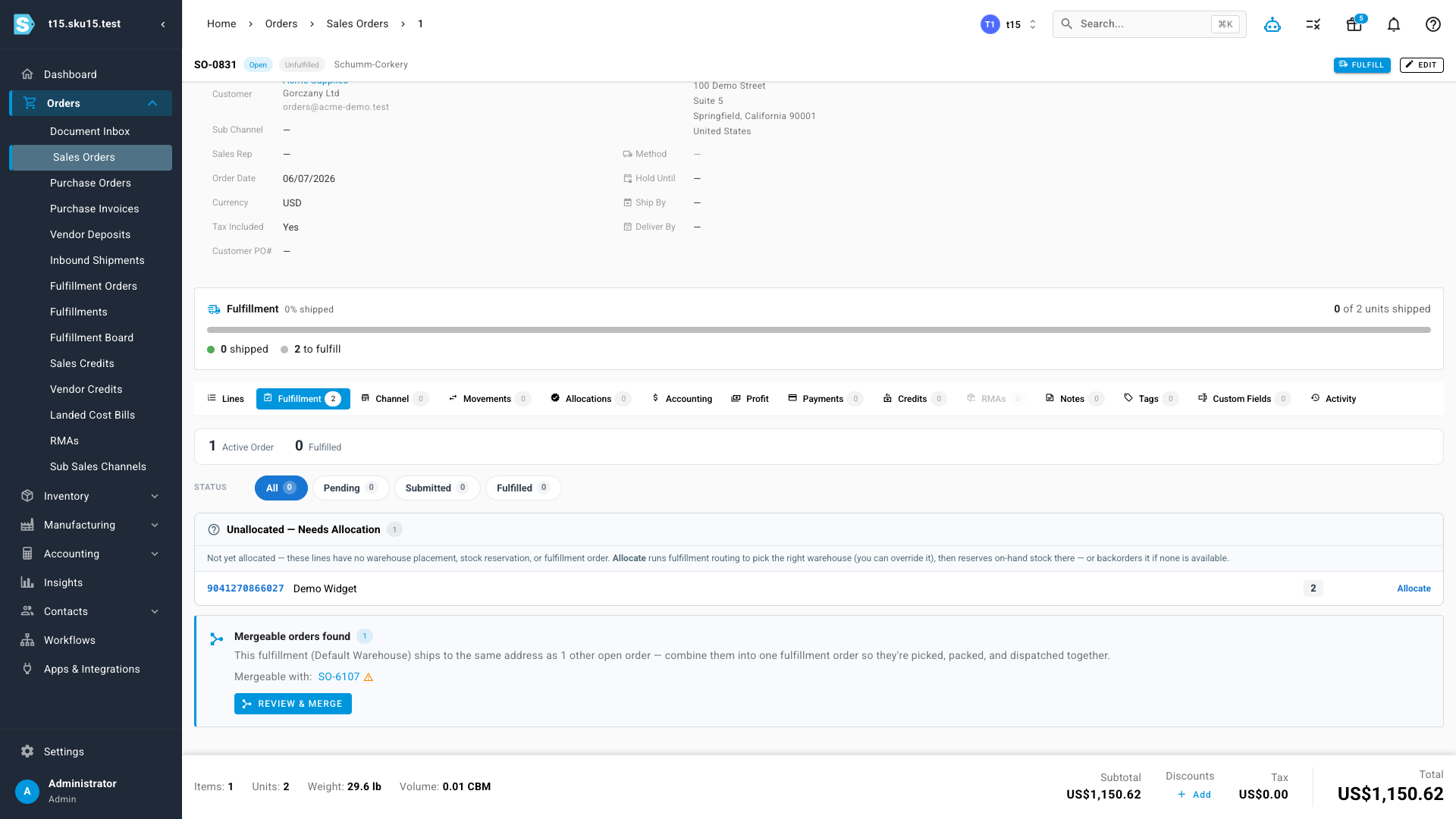
Combine them into one fulfillment order
Review the matching orders and merge them in one step. They become a single fulfillment order that's picked, packed, and dispatched together instead of as separate orders — while each sales order keeps its own line items and identity. The dialog shows exactly what will ship together, so there are no surprises at the packing bench.
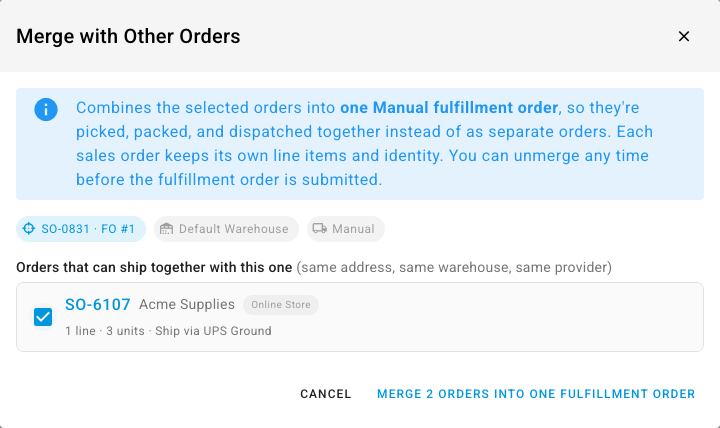
Merge even after they've gone to your carrier
With auto-dispatch turned on, orders can be on their way to your carrier or 3PL within seconds of coming in — which used to mean the window to combine them had already closed. Not anymore. When SKU spots two already-sent orders heading to the same address, it can still merge them: it safely cancels the extra order with your carrier and moves its items onto a single surviving order, so your customer receives one parcel with one set of tracking, and you're not paying for a duplicate label.
It's careful about it. SKU always acts on the carrier first — cancelling before it combines — so there's no moment where the same items could ship twice. Before it starts, it checks that each order is still early enough to change; anything the warehouse has already picked, packed, or shipped is left exactly as-is, and shown as such so you know why. You watch the whole thing happen live, step by step, and only once every carrier step has succeeded does SKU record the merge on its side. If something can't be changed at the carrier, SKU stops and tells you precisely where — nothing is ever left half-done, and every sales order keeps its own tracking throughout.
Always know what's travelling together
Merged orders are clearly badged across your fulfillment orders, and a one-click Merged filter shows just the ones that are combined — so the warehouse always knows what belongs in the same parcel. For orders you haven't dispatched yet, changed your mind? You can unmerge any time before the fulfillment order is submitted.
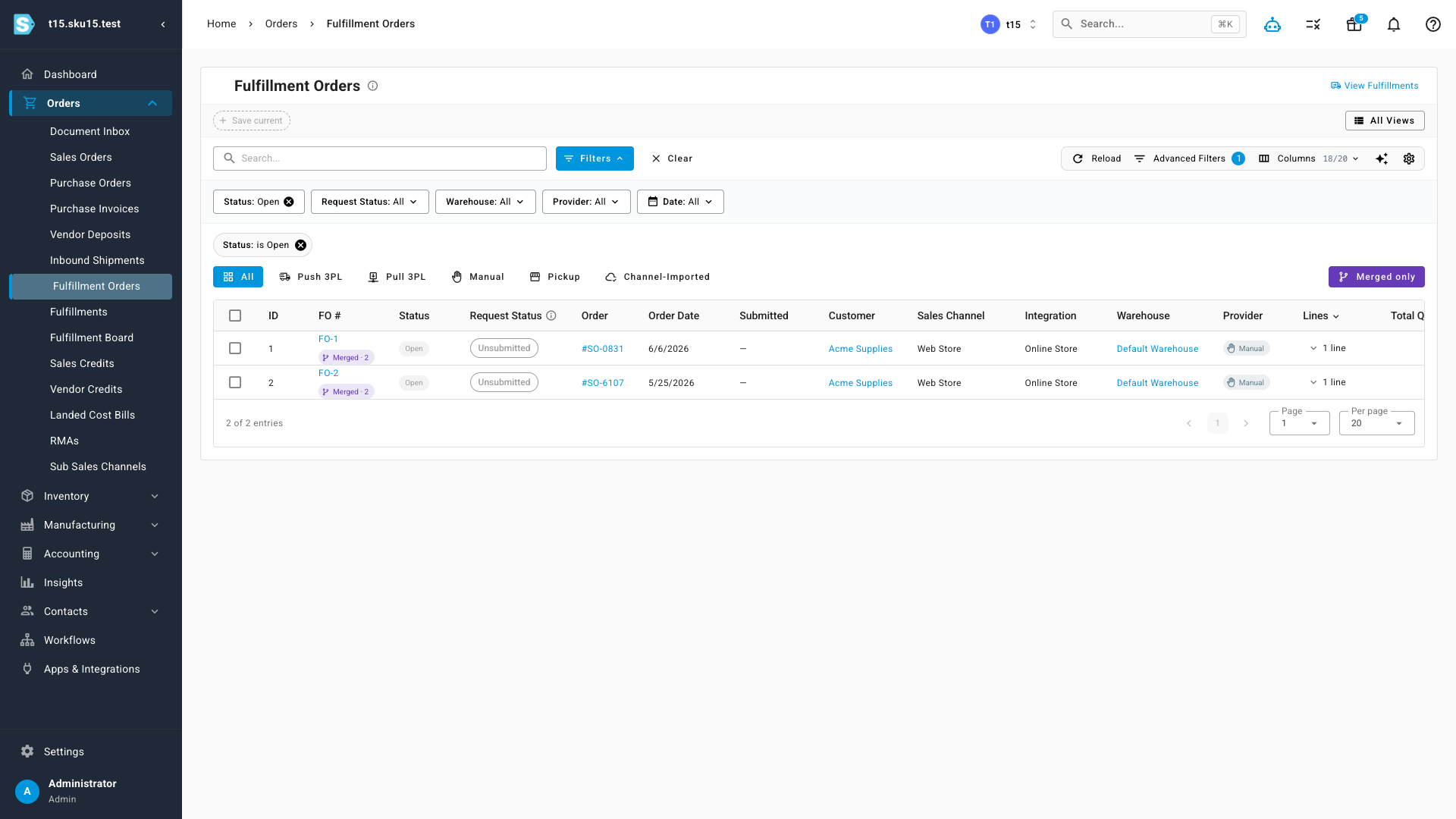
Where to find it
Open any sales order and go to the Fulfillment tab — if it has combinable orders, you'll see a Mergeable orders found prompt (for orders you haven't dispatched yet) or a prompt to merge orders already sent to your carrier, each with a Review button. To see everything that's currently merged, go to Orders → Fulfillment Orders and switch on the Merged filter.