Purchasing Targets — plan monthly supplier spend and see how you're tracking
If you plan how much to buy from each supplier every month, that plan probably lives in a spreadsheet — and reconciling it means exporting purchase orders, pivoting them by supplier and month, and eyeballing the result against your budget. By the time you spot an overrun, the money is already spent. Purchasing Targets brings the whole loop into SKU: set a monthly purchase target per supplier, and a live report compares it against your actual purchase orders — with variance, mid-month pacing, and exactly how much room you have left to buy.
✨ What this means for you:
- Set a monthly target per supplier, in dollars or units, for any year — edited inline like a spreadsheet.
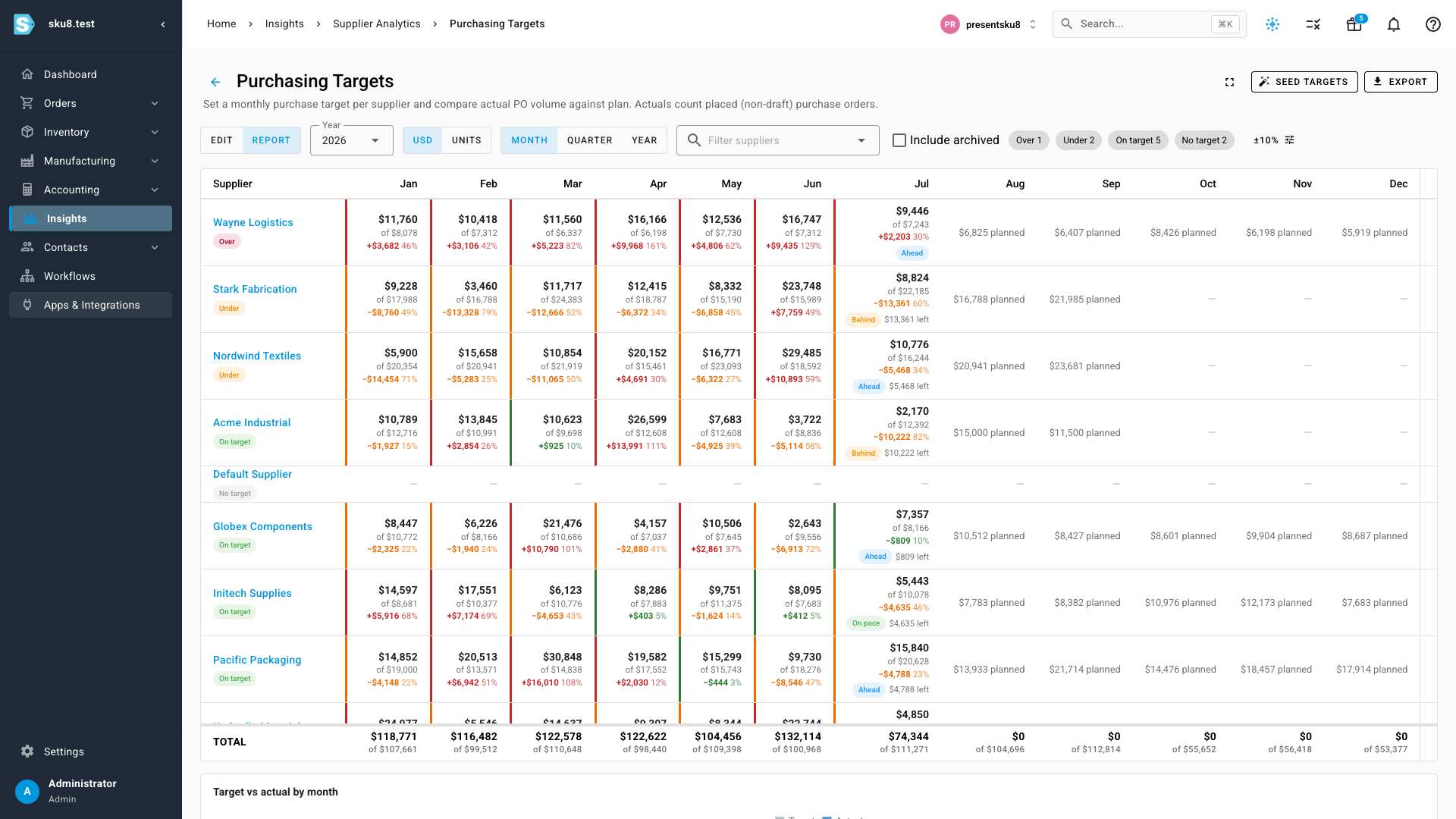
- See actual PO volume against plan the moment orders are placed — variance in dollars and percent, color-coded so the off-target suppliers surface first.
- A pacing badge on the current month tells you if you're ahead, behind, or on pace before the month closes — plus a running remaining-to-buy figure.
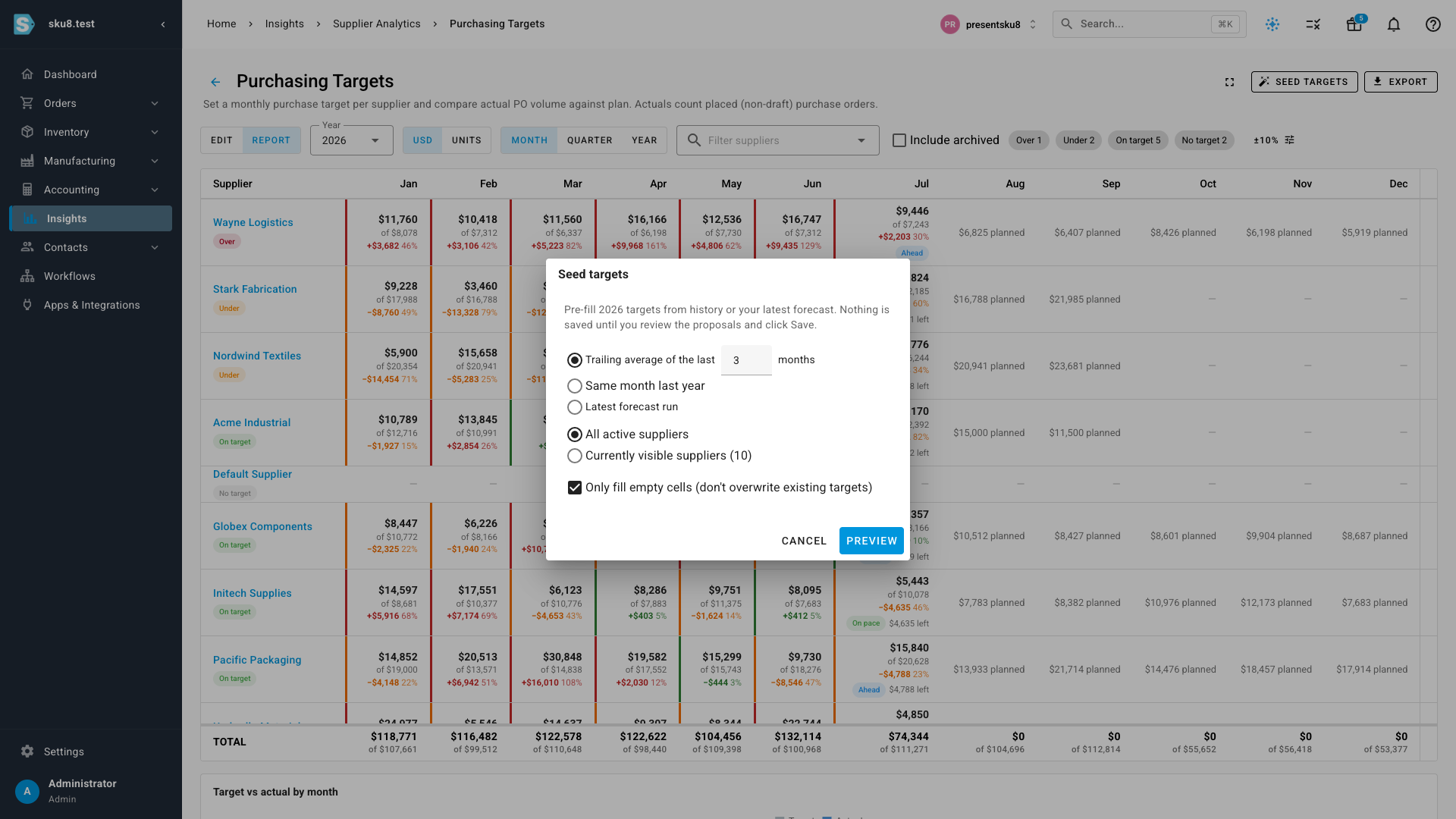
- Seed targets automatically from your purchase history or your latest forecast run — nobody starts from a blank grid.
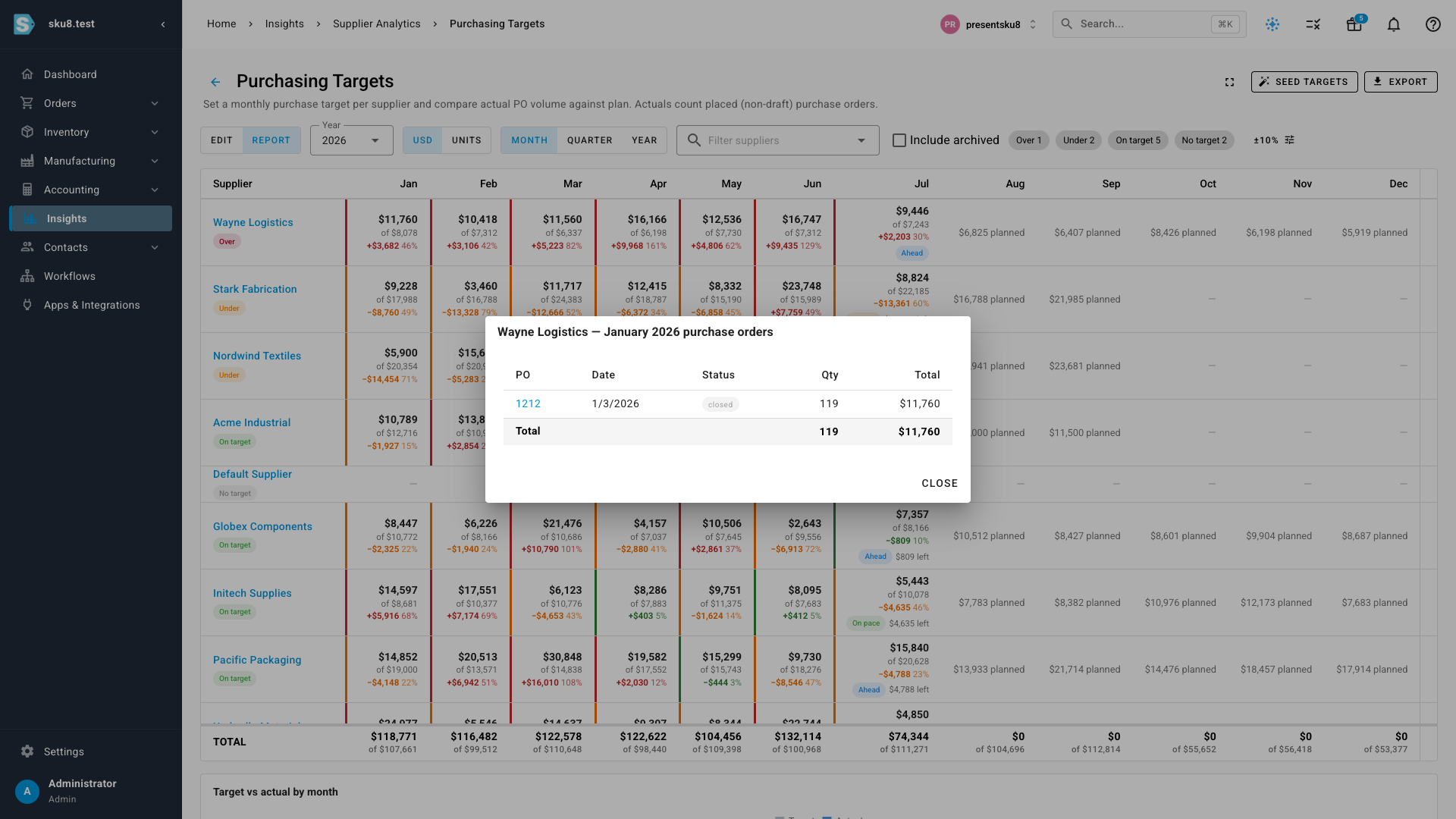
- Click any month to see the exact purchase orders behind the number — every figure is verifiable.
One matrix for the whole year
The report shows every supplier across all twelve months: the actual purchase volume, the target it's measured against, and the variance — with elapsed months, the in-progress month, and future planned months each treated correctly. Suppliers that are over or under target sort to the top, and status chips let you filter to just the ones that need attention. The on-target band is configurable (±10% by default), so you decide how close counts as on plan. Roll the view up to quarters or the full year when supplier commitments aren't monthly, switch between dollars and units, and export the whole thing to Excel or CSV.
Every number is verifiable
Click any month and a drill-down lists the purchase orders that make up that actual — each one linked to its PO. No more wondering whether the report and reality agree.
Start from your history, not a blank grid
Setting targets for dozens of suppliers by hand is the reason plans go stale. Seed targets proposes a full year of targets from a trailing average of recent purchases, the same month last year, or the purchase orders generated by your latest forecast run. Proposals load as pending cells for you to review and adjust — nothing is saved until you say so, and existing targets are never overwritten unless you ask.
Editing works the way you'd expect from a spreadsheet: click a cell, type a number, and save — all your edits are written together in one atomic save. Clearing a cell removes the target; entering zero is a real zero target.
The plan follows you to the supplier
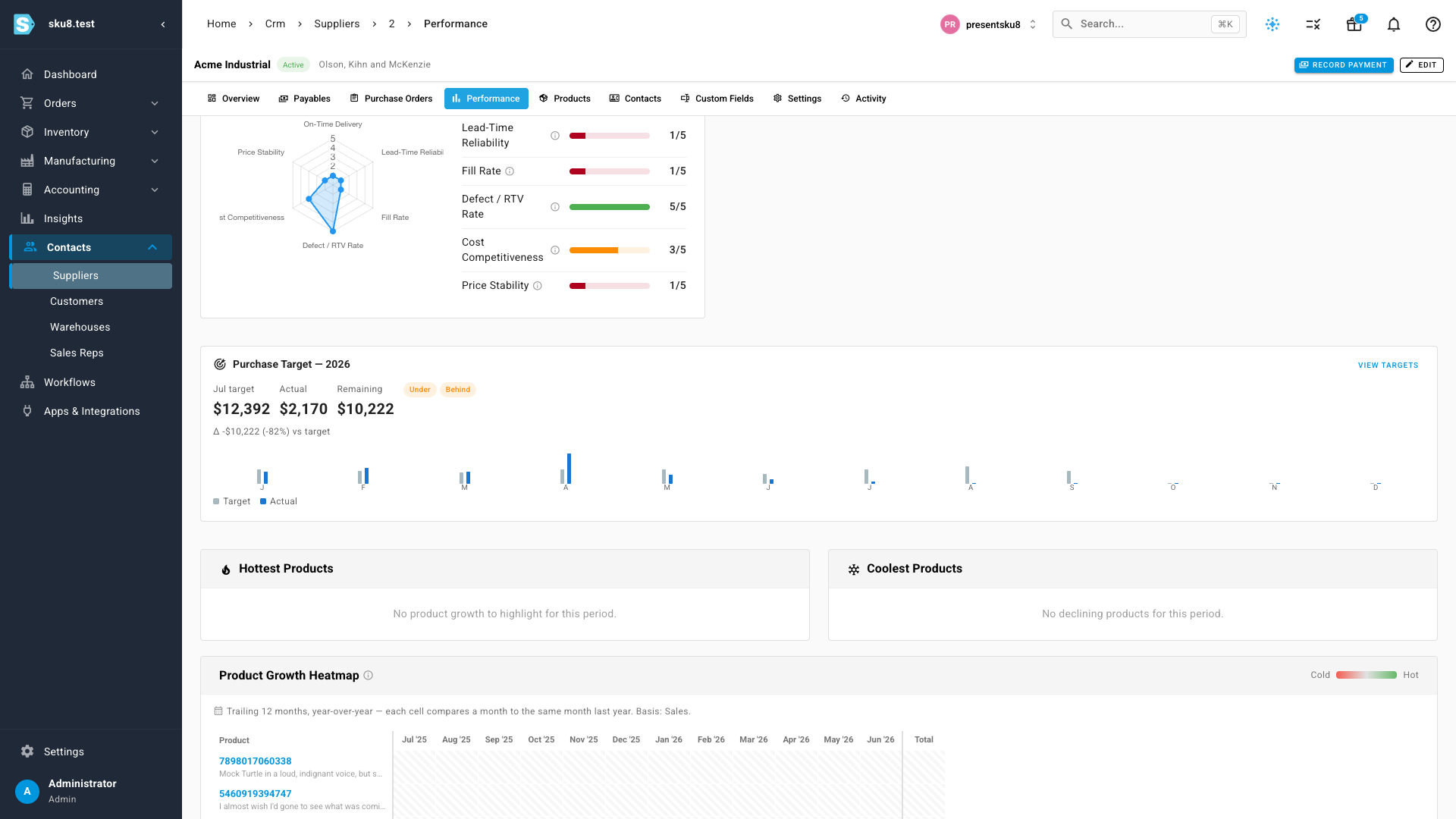
Each supplier's Performance tab now carries a Purchase Target card: this month's target, actual, and remaining-to-buy, with pacing chips and a twelve-month target-vs-actual chart. The same figures appear as a one-line strip when you create purchase orders from Demand Planning — so you can see how a draft PO lands against this month's plan before you place it.
Where to find it
Head to Insights → Supplier Analytics → Purchasing Targets (it has its own entry in the reports list). The per-supplier card lives on each supplier's Performance tab under Contacts → Suppliers, with a one-click link back to the full matrix. A fullscreen toggle on the report gives the twelve-month matrix the whole screen when you're deep in planning.