Request Missing Invoices from Suppliers
You've placed the order, the goods are on their way, and in many cases you've already paid a deposit up front — but the supplier's tax invoice never landed in your inbox. Those missing invoices quietly pile up: your books don't reconcile, you can't reclaim the VAT/GST on money you've already spent, and chasing them means digging through purchase orders one by one to work out who still owes you paperwork. Request Missing Invoices from Suppliers turns that scramble into a one-click ask. SKU now surfaces every purchase order still waiting on its invoice in a dedicated worklist, and lets you email the supplier a polished request — for a single order, or for all of their outstanding orders at once.
✨ What this means for you:
- See every outstanding invoice in one place — a new Awaiting Invoices worklist lists every submitted PO still waiting on its invoice, with prepaid orders surfaced first.
- Chase an invoice in two clicks — open a purchase order and send the supplier a pre-filled request without leaving the page.
- One email for all of a supplier's orders — select several outstanding POs and send a single consolidated request instead of one email per order.
- Prepaid orders stand out — orders where you've already paid a deposit are clearly flagged, so you can prioritize reclaiming the paperwork that matters most for your accounts.
- Emails come from your store, replies come to you — the request is sent under your store's name and address, while the supplier's reply is routed straight back to whoever sent it.
A worklist for everything you're still owed
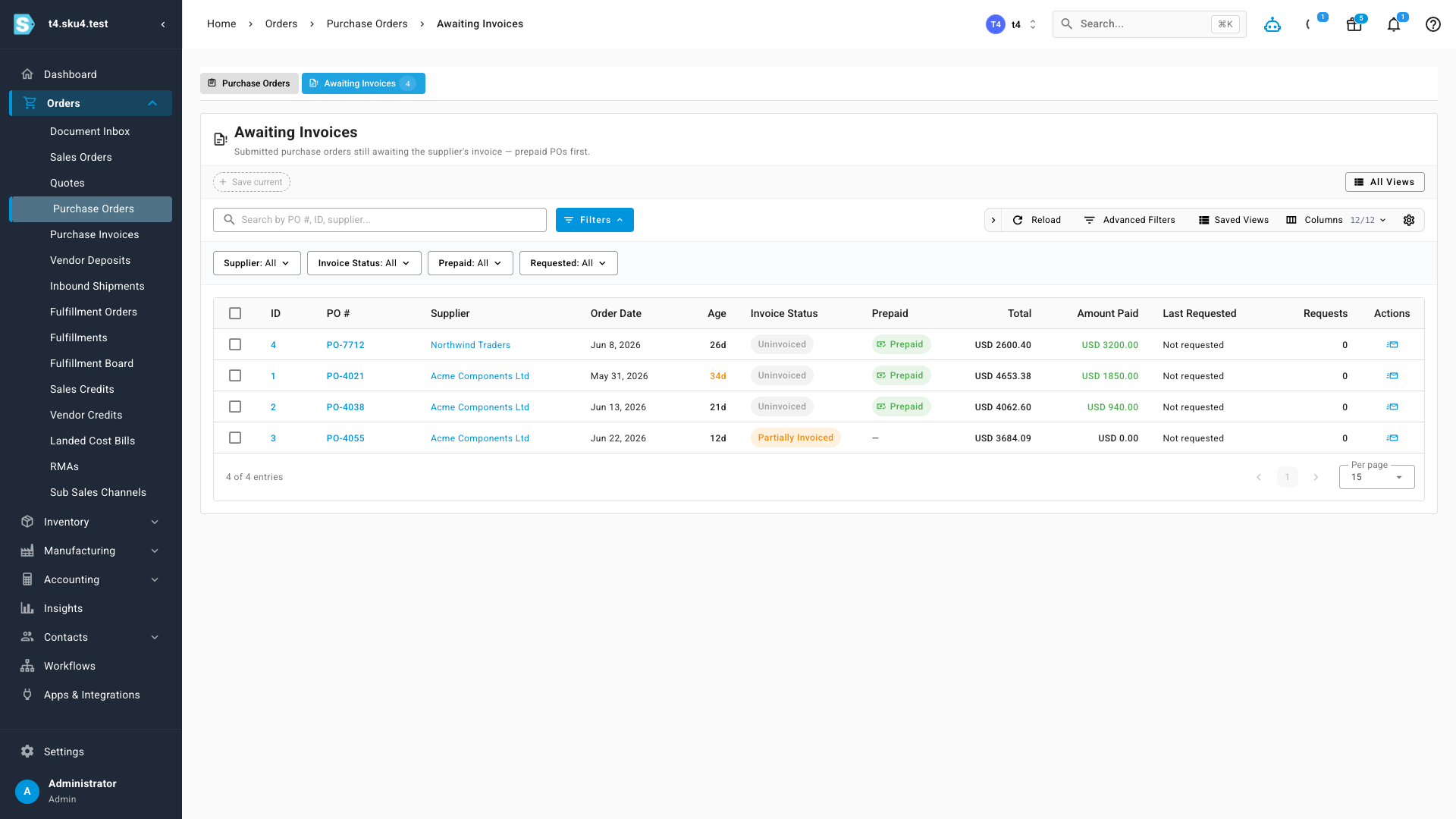
The new Awaiting Invoices tab sits alongside your purchase orders and collects every submitted PO that hasn't been invoiced yet. Each row shows how long the order has been outstanding, whether it was prepaid, the order total, and how much you've already paid — so the orders that most need chasing rise to the top. Filter by supplier, invoice status, or prepaid state to zero in on exactly what you're after.
Request an invoice without leaving the order
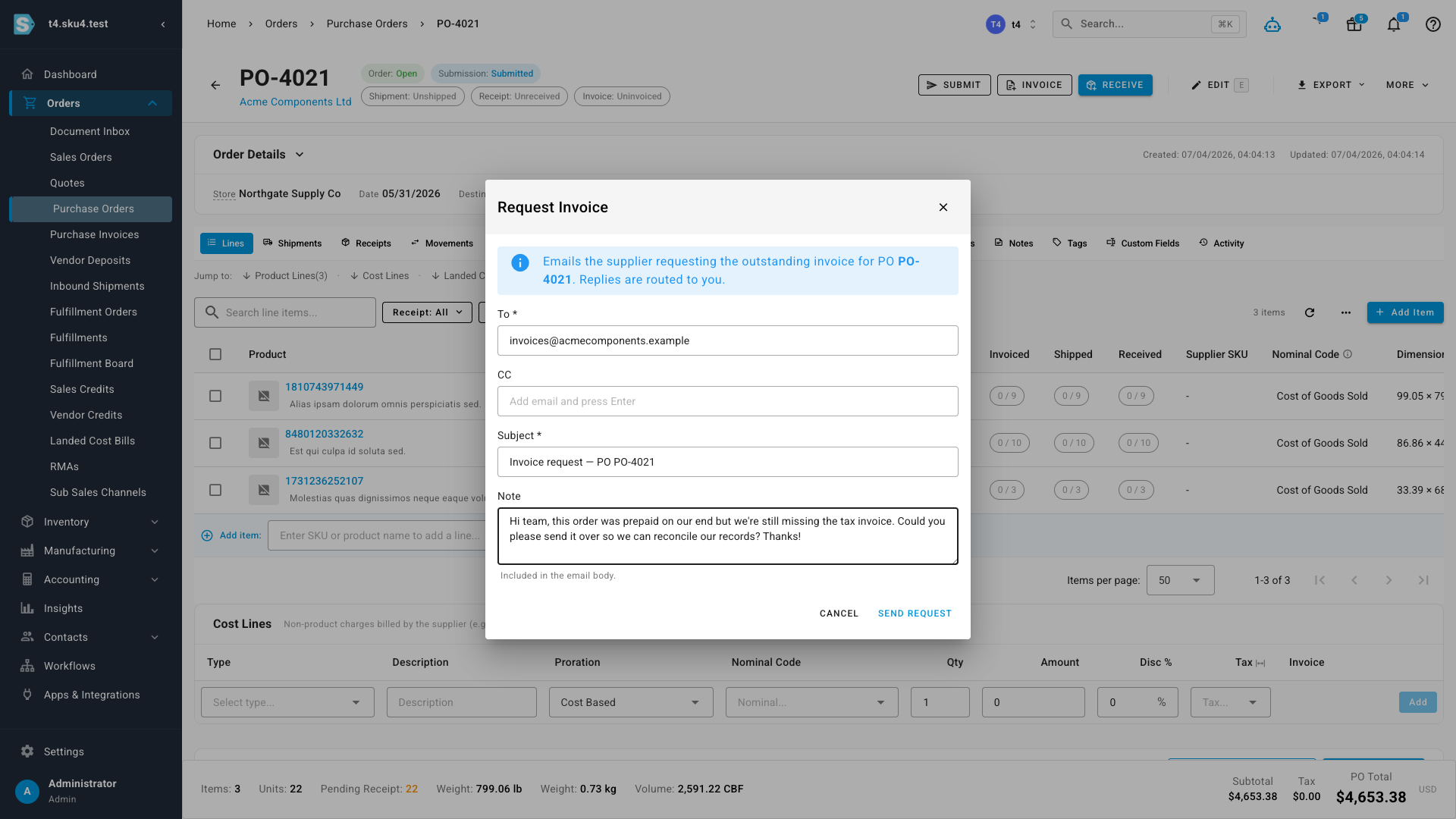
Open any purchase order that's still awaiting its invoice and you'll find a Request Invoice action. It opens a ready-to-send email — the supplier's address, a sensible subject line, and space for a short note are all filled in for you. Add a personal message if you like, then send. The email goes out under your store's name, and any reply comes back to you.
One consolidated email per supplier
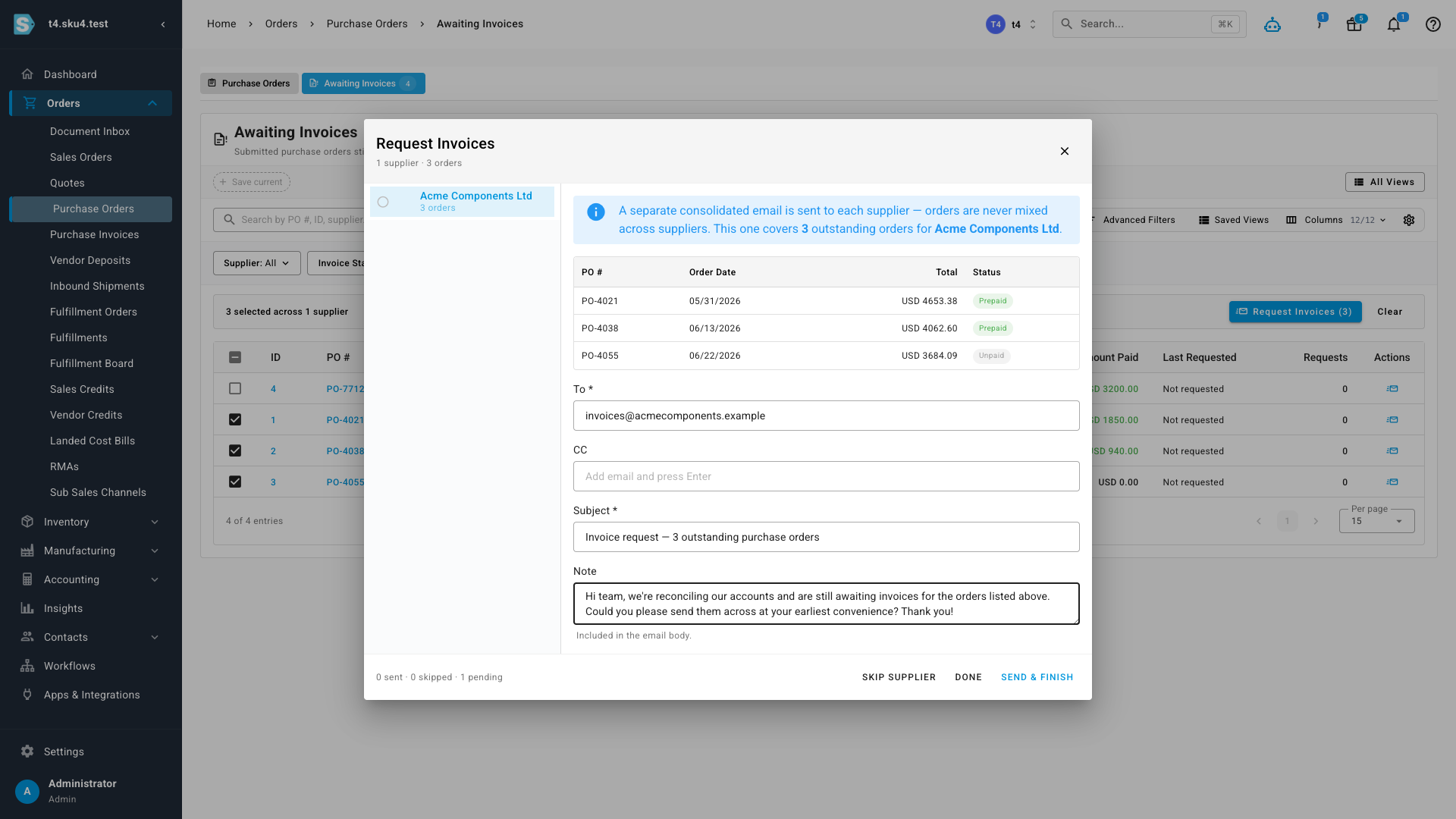
When a supplier owes you invoices for several orders, you don't need to email them over and over. Select the outstanding orders in the worklist and choose Request Invoices — SKU groups your selection by supplier and prepares a single consolidated email for each, listing every order with its date, total, and whether it was prepaid. Orders are never mixed across suppliers, so each supplier only ever sees their own. Send them one at a time, skip any you're not ready for, and SKU keeps a running tally of what's been sent.
Where to find it
Head to Orders → Purchase Orders, then open the Awaiting Invoices tab to see everything still owed and send consolidated requests. To chase a single order, open any submitted purchase order still awaiting its invoice and choose Request Invoice from the More menu.