Serial Number Tracking — full traceability, unit by unit
If you sell regulated, high-value, or warranty-backed goods — electronics, medical devices, cosmetics, anything with a recall or authenticity requirement — "how many do we have" was never enough. You needed to know which one, and where it went. Until now SKU.io tracked quantities but not the individual units behind them. Serial Number Tracking closes that gap — and now follows each unit end to end: opt in per product, capture a serial as stock arrives, choose the exact units when you fulfill, print them on your pick lists and packing slips, and trace any serial's full history.
✨ What this means for you:
- Opt in per product — enable serial tracking only where you need it, so the rest of your catalog stays simple.
- Capture a serial for every unit as you receive stock — type, scan, or paste in bulk, with automatic uniqueness checks.
- Choose the exact units at fulfillment — SKU.io suggests the oldest-received serials first and won't let you ship until every unit is confirmed.
- See serials on your documents — pick lists and packing slips list the exact units to grab, each with a check-off box.
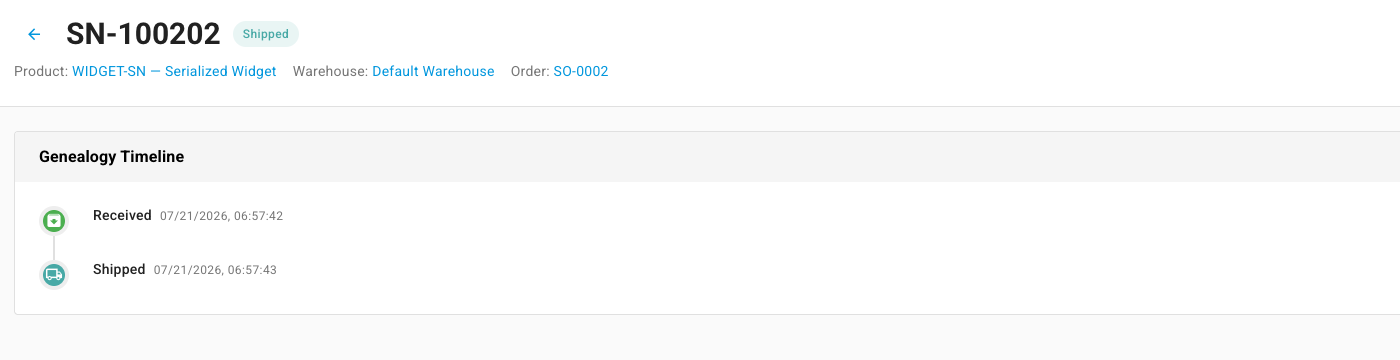
- Trace any unit end to end — search by serial, follow its full Received → Shipped timeline, and quarantine a unit in one click when it has to come off the shelf.
Turn it on only where you need it
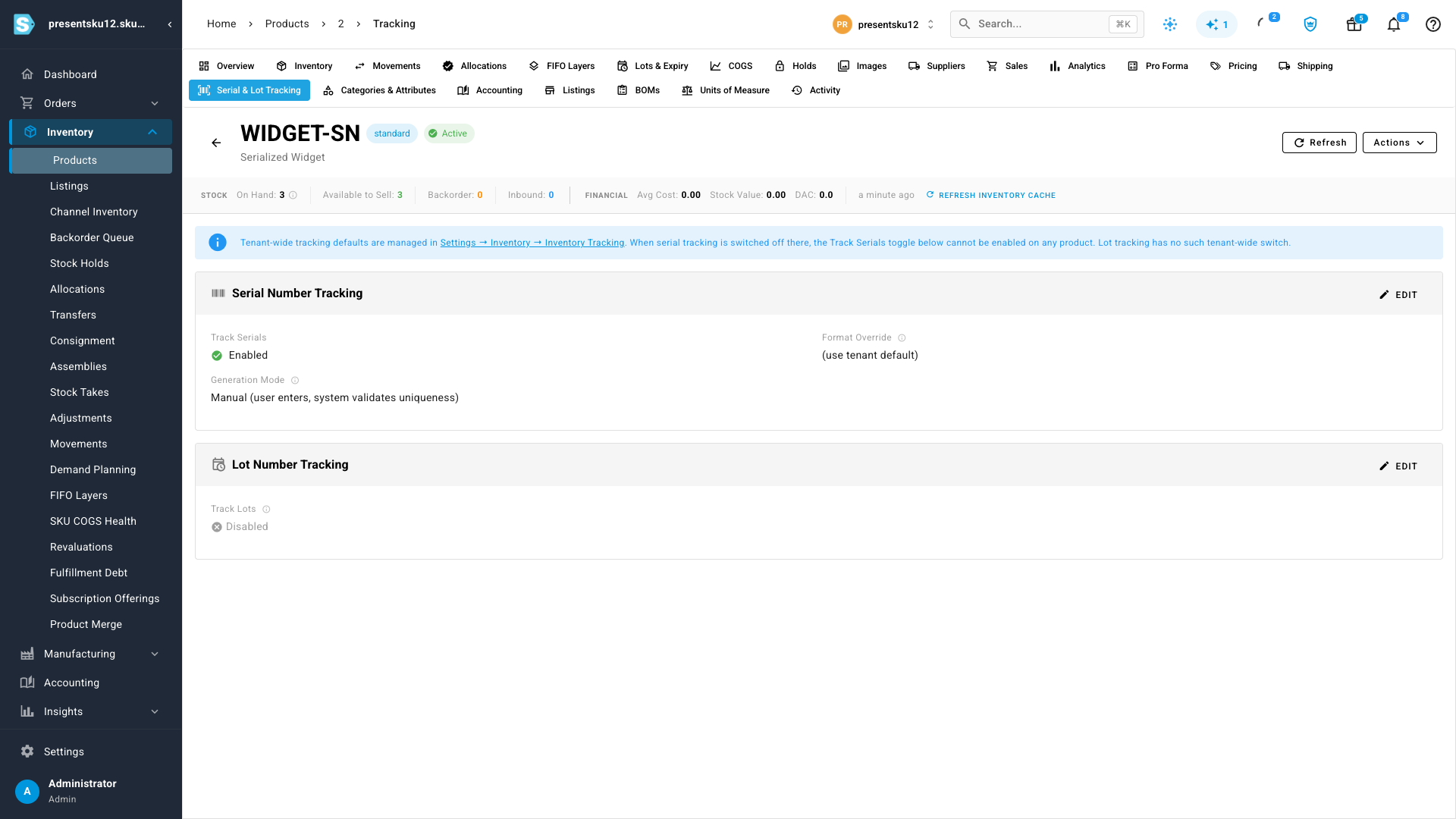
Serial tracking is a two-step opt-in, so it never gets in the way of products that don't need it. First an admin flips the tenant-wide switch in Settings → Inventory → Inventory Tracking; then each product that should be serialized gets its own Track Serials toggle on its Serial & Lot Tracking tab. You also choose how serials are created — type or scan each one yourself, with SKU.io validating uniqueness for you.
Capture serials as stock comes in
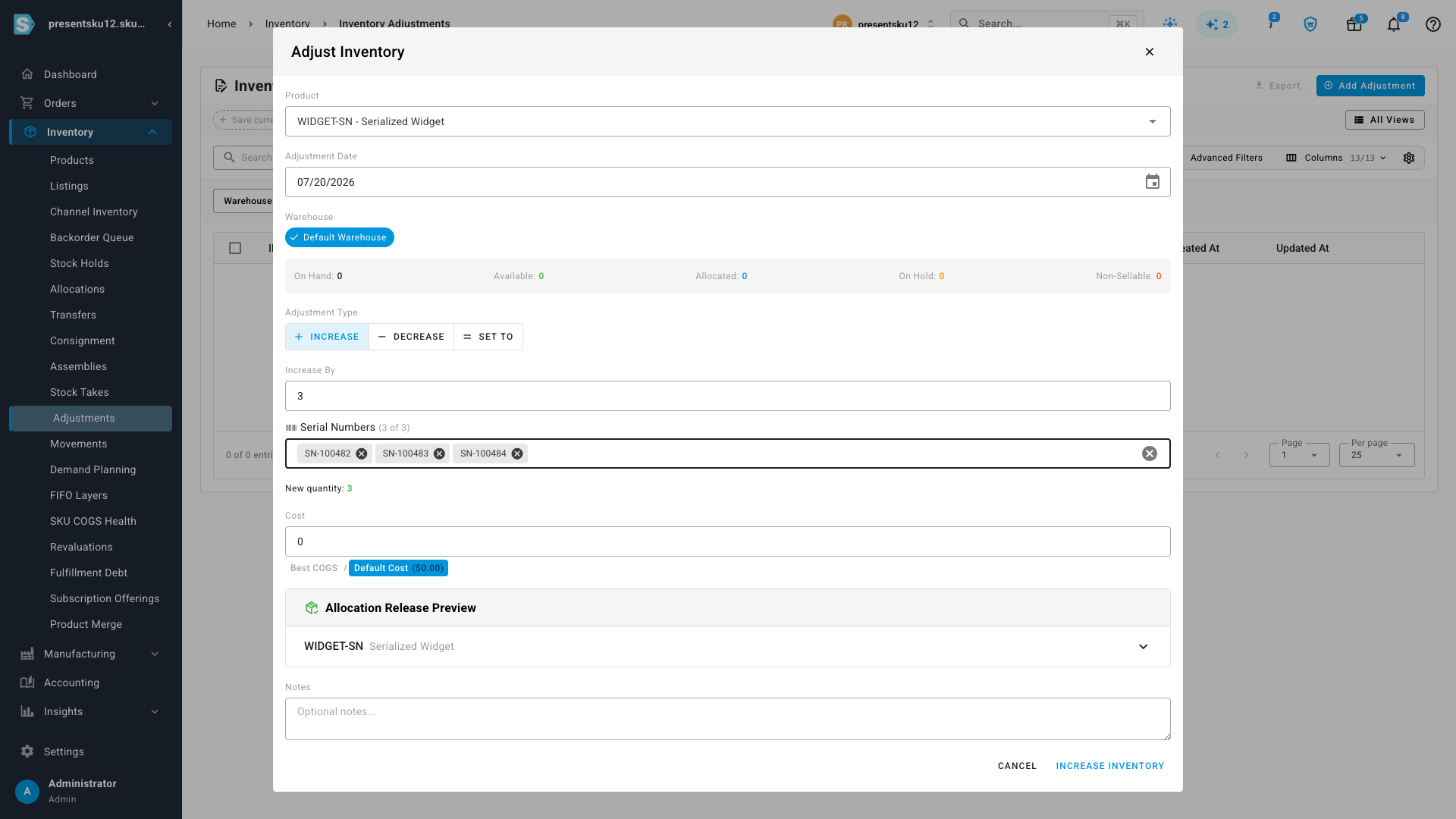
Once a product is serialized, receiving stock asks for the detail that matters. Add inventory as usual and a Serial Numbers field appears, keeping a running count against the quantity — "3 of 3" — so you can't commit a receipt that's missing a unit. Scan them one at a time, type them, or paste a whole list at once; each serial becomes a chip you can review and remove before you commit.
Pick the exact units when you fulfill
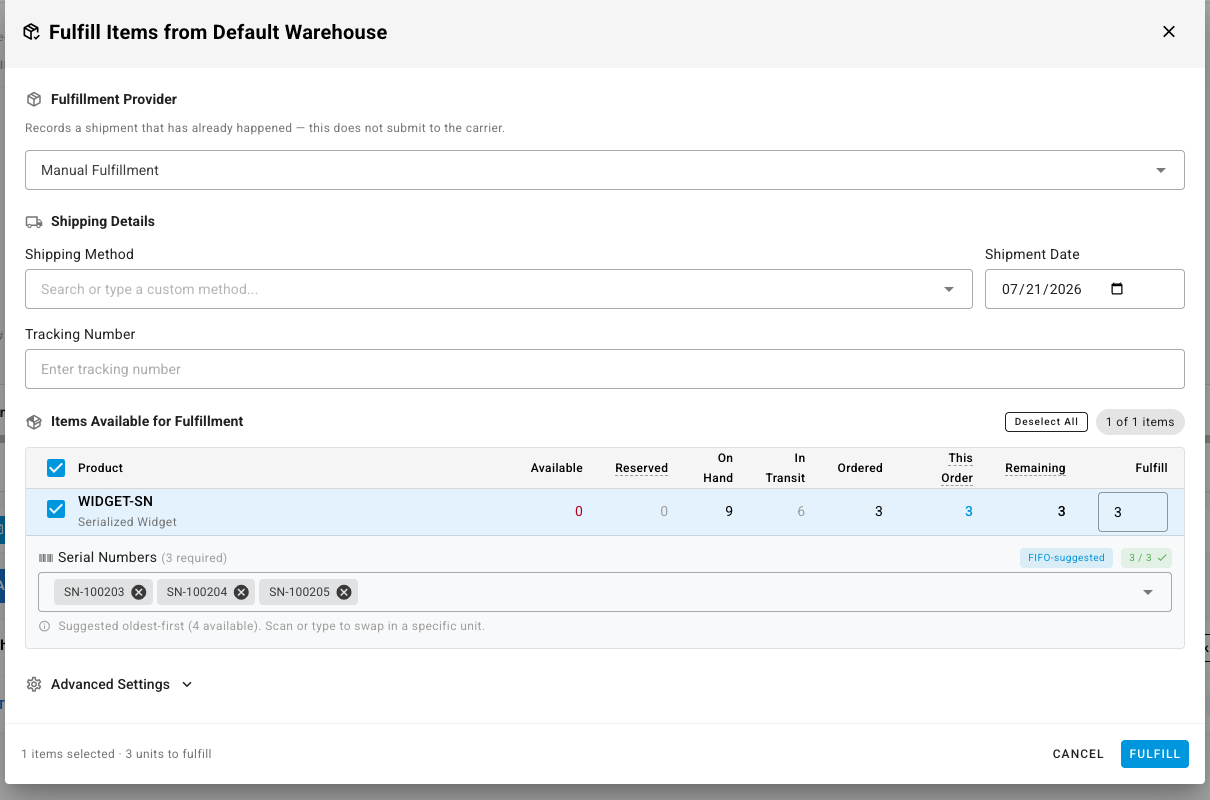
When you ship a serialized product, SKU.io does the choosing for you — and lets you override. The fulfillment dialog suggests serials oldest-received-first and counts them against the quantity ("3 / 3"), so a serialized line can't ship a unit short. Need to send a specific one instead? Remove a suggestion and scan or type the serial you're actually pulling. The units you confirm are the ones recorded as shipped against the order — so the trail from receipt to customer is exact.
Serials on your pick lists and packing slips
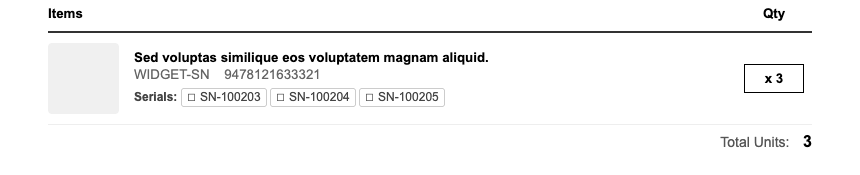
Your warehouse paperwork now carries the detail that matters. Pick lists and packing slips print the specific serials for each line — each with a check-off box — so whoever's packing the box grabs exactly the right units and can tick them off as they go. It happens automatically for serialized products; documents for everything else look exactly as they do today.
Trace every unit — and pull one when you need to
Every serial has its own page with a full Received → Shipped timeline, linked back to the product, warehouse, and order it moved through — so a warranty claim, a recall, or a "where did this one go?" question is a single lookup, not an investigation. Browse or search the whole list from Inventory → Serial Numbers, filter by status, and when a unit has to come off the shelf — damage, inspection, a recall — quarantine it in one click to hold it out of stock, then release it back once it's cleared.
Where to find it
Switch it on under Settings → Inventory → Inventory Tracking, then enable Track Serials on any product from its Serial & Lot Tracking tab. From there it flows on its own: every receipt captures serials, every fulfillment lets you choose them, and your pick lists and packing slips print them. Look up any unit anytime from Inventory → Serial Numbers. Lot and batch numbers work the same way for products that need expiry or batch traceability instead.