Auto-list blemished returns on eBay — turn returned stock back into revenue
Every merchant that sells online lives with returns, and the awkward ones are the blemished and open-box items: a watch comes back with a scratched bezel, you can't sell it as new, so it drifts into a corner and quietly loses value until someone finally gets around to listing it somewhere. That "someone" was a job — a person opening each product, writing a listing, setting a price, and babysitting it. Automatic eBay listing for blemished SKUs hands that whole job to SKU.io. The moment a return is received and marked as a new blemished SKU, SKU.io can publish it to eBay as an auction — with the item's condition written into the listing — and then keep relisting it, stepping the price down on a schedule you choose, until it sells.
✨ What this means for you:
- Returns become live auctions on their own. As soon as a blemished SKU is received into stock, SKU.io lists it on eBay for you — no manual listing step, no backlog.
- It sells itself. Each auto-listed item relists automatically when the auction ends, dropping the price by a percentage you set, down to a floor you choose — so used stock keeps working until it's gone.
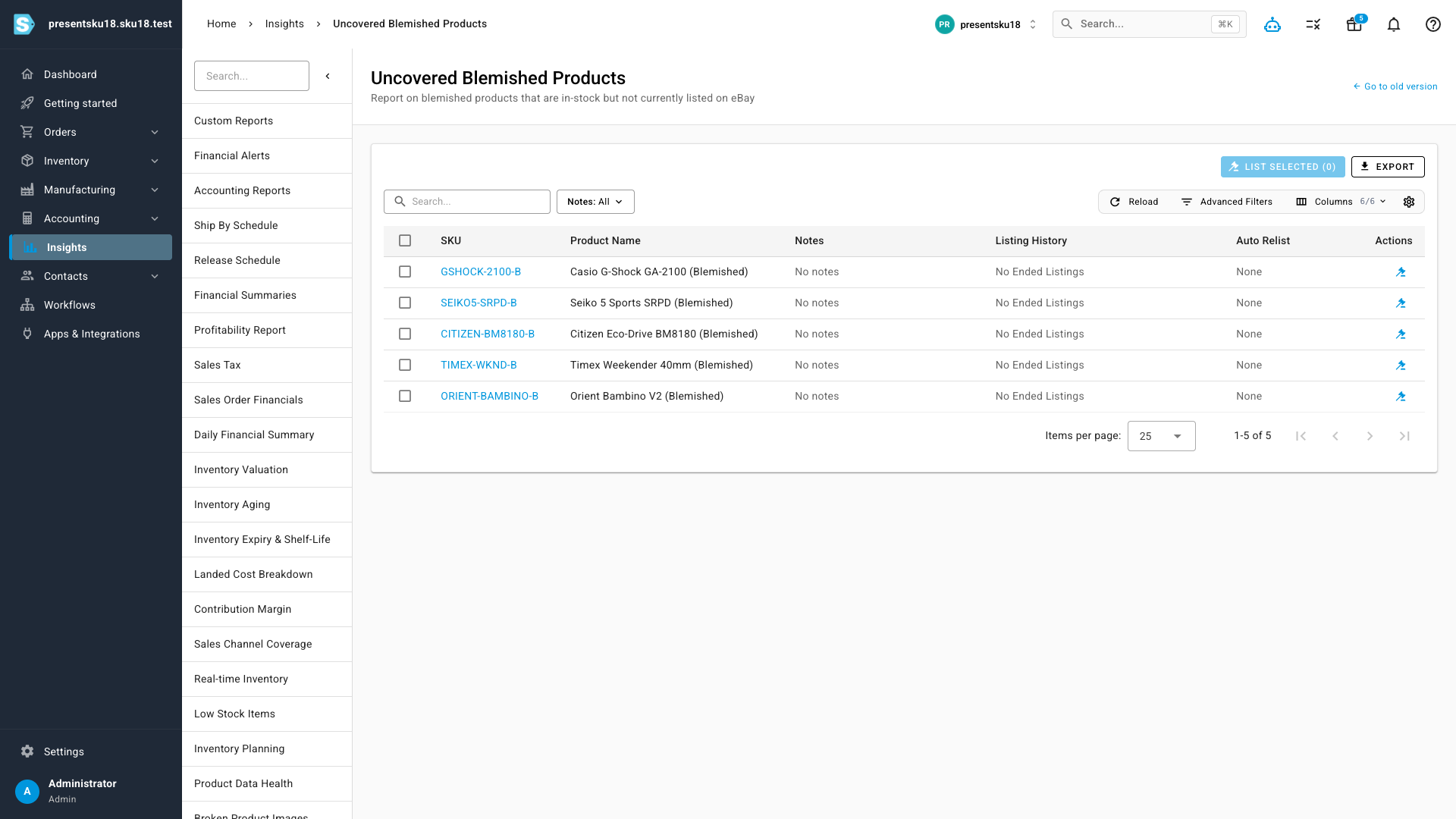
- Nothing slips through. A single Uncovered Blemished Products report shows every blemished SKU that's in stock but not yet on eBay, so you can see the gap at a glance.
- Do it by hand when you want to. List one item, or a whole batch, with a single click straight from that report.
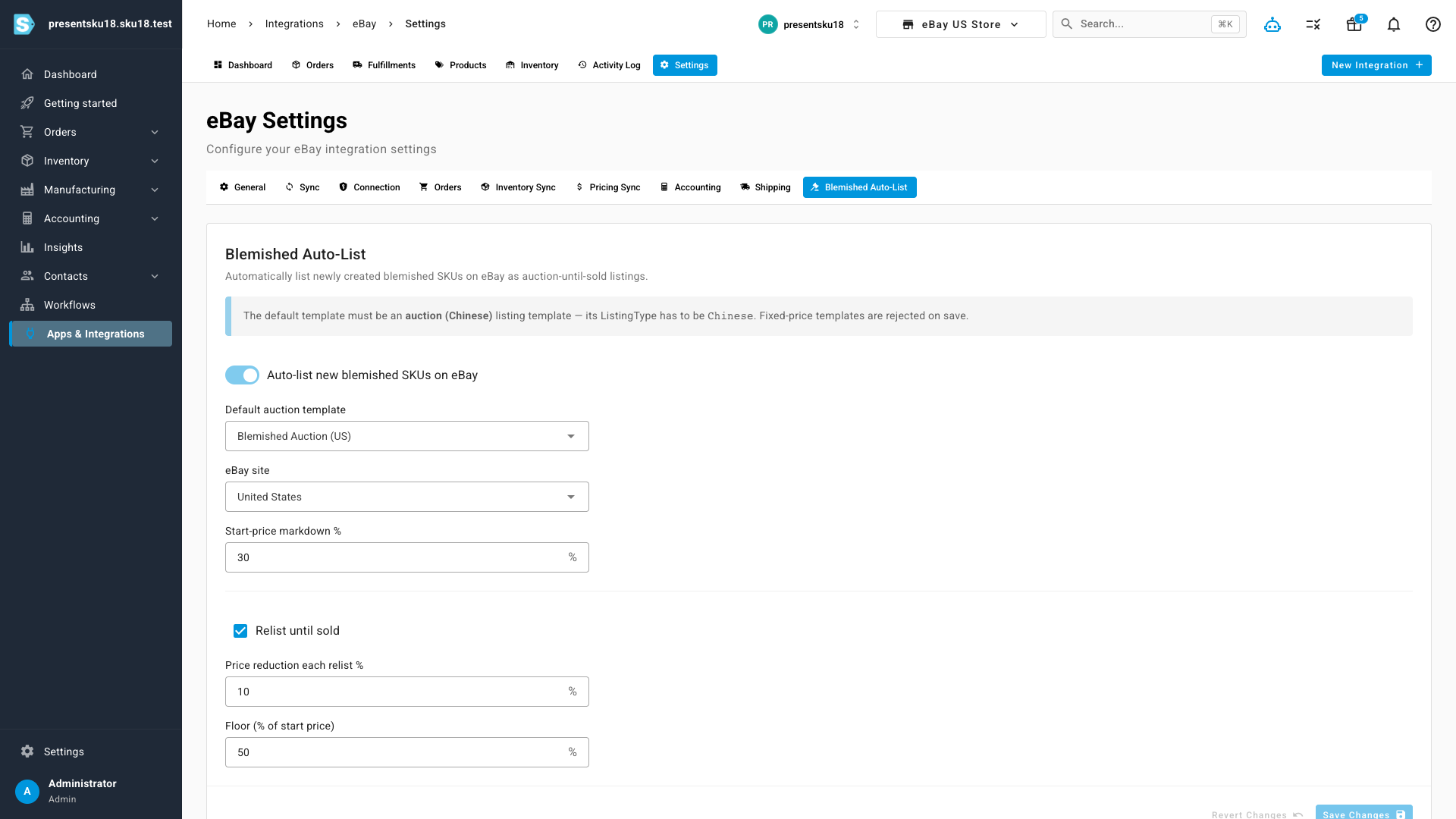
- Set it once, per eBay store. Choose your default auction template, an optional discount, and your relist price-decay and floor — then leave it running.
From return to live auction, automatically
When you receive a return and choose to turn it into a new blemished SKU, SKU.io already creates a separate, condition-tracked product and lands its stock. Now it takes the final step for you: it publishes that SKU to eBay as an auction-until-sold listing using your store's default template, folds the item's blemish description into the listing, and switches on relisting so the auction re-runs and steps its price down each time until it sells. The whole path from "a box arrived at the door" to "it's live on eBay" happens without anyone opening a listing form.
Never lose track of what isn't listed yet
The new Uncovered Blemished Products report is your safety net: it lists every blemished SKU that's in stock but has no active eBay auction covering it, alongside its recent listing history and whether relisting is switched on. From here you can List now on a single item, or select several and list them in one go — handy for clearing a backlog or listing items on an eBay account you'd rather manage by hand.
Set it once, per eBay store
Automatic listing is opt-in and configured per eBay store, so nothing changes until you turn it on. Open the store's Blemished Auto-List settings, flip the switch, and choose how listings should behave: the default auction template to list against, the eBay site, an optional start-price markdown for used goods, and — under Relist until sold — how much to knock off the price on each relist and the floor it should never drop below. Set it once, and every new blemished SKU that lands from a return flows through on its own.
Where to find it
- The report: open Insights and choose Uncovered Blemished Products.
- The settings: open Apps & Integrations → eBay, select your store, and open its Blemished Auto-List settings.