Point of Sale — SKU.io is now your in-store register
Selling in person used to mean running a separate point-of-sale system — Square, Shopify POS, Lightspeed — and then reconciling every one of those sales back into SKU.io at the end of the day. Your on-hand counts, customer history, and financials were always a step behind, and closing the books meant matching two systems by hand. SKU.io Point of Sale removes the second system entirely: a fast, touch-friendly register lives right inside SKU.io. Ring up a sale at the counter and it instantly becomes a paid, fulfilled sales order — inventory decrements on the spot, so your numbers are correct the moment the customer walks out.
✨ What this means for you:
- One system, no reconciliation. Every in-person sale is captured directly in SKU.io — inventory, COGS, customer history, and financials update in real time.
- Fast at the counter. Tap products from a best-sellers grid, scan a barcode, or search by name; a big, clear "Total Due" and a one-tap charge keep the line moving.
- Every tender you need. Cash (with change due), card, gift card, store credit, on-account, and split payments across them.
- Sell and honor gift cards & store credit right at the register, and apply loyalty points as you ring up.
- Real cash control. Open a drawer with a starting float, and close it with a guided bill-and-coin count that reconciles your over/short automatically.
- Receipts your way. Print a receipt or email it to the customer, and reprint any past sale later.
A register built for the counter
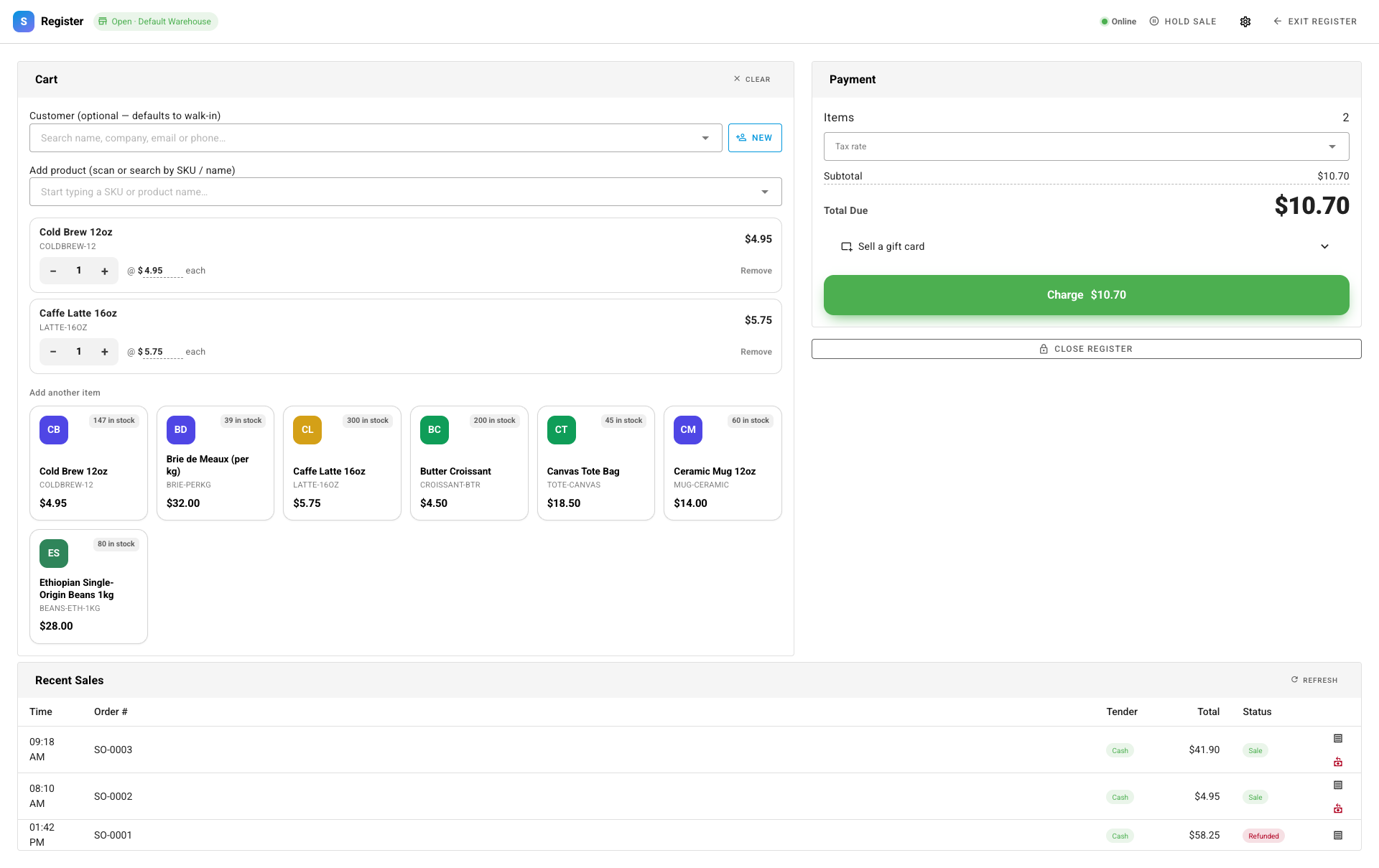
Open the register and SKU.io goes full-screen — no menus in the way, just the sale. Tap a product from the grid (which leads with your best sellers and shows live stock), scan a barcode, or search by SKU or name to build the ticket. Adjust quantities with big steppers, attach a customer if you like (or leave it as a walk-in), and the running Total Due is always front and center.
Take any payment, make change
Hit Charge and a focused payment panel slides over. For cash, a keypad and quick-cash buttons (the exact amount, or the next round bills) make entry instant — enter what the customer handed you and the change due is calculated for you. Prefer card, gift card, store credit, or account? They're one tap away, and you can split a single sale across more than one tender.
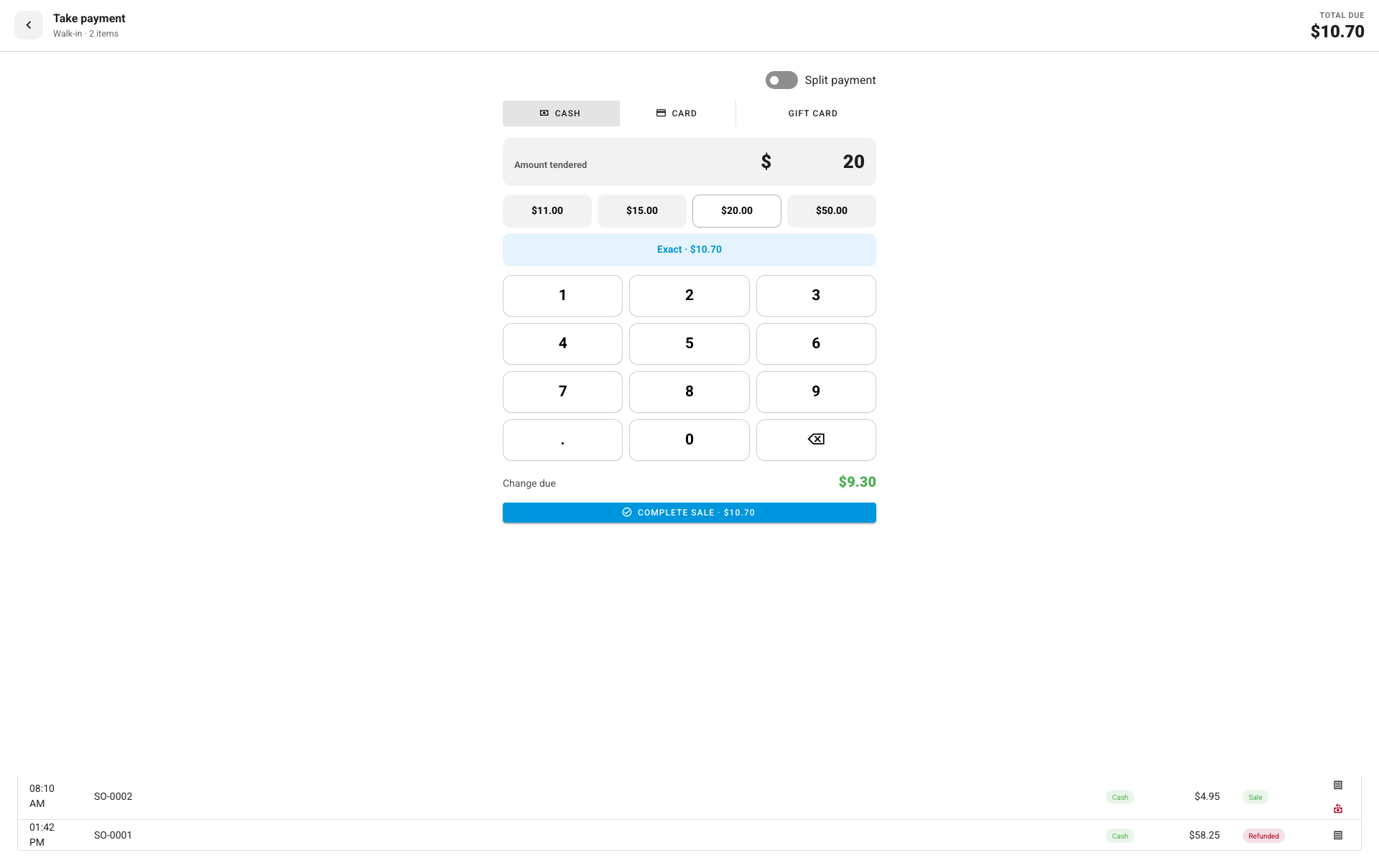
The instant you complete the sale, SKU.io creates a paid, fulfilled sales order and decrements on-hand at that register's warehouse — no export, no end-of-day import, no drift between systems.
Count the drawer with confidence
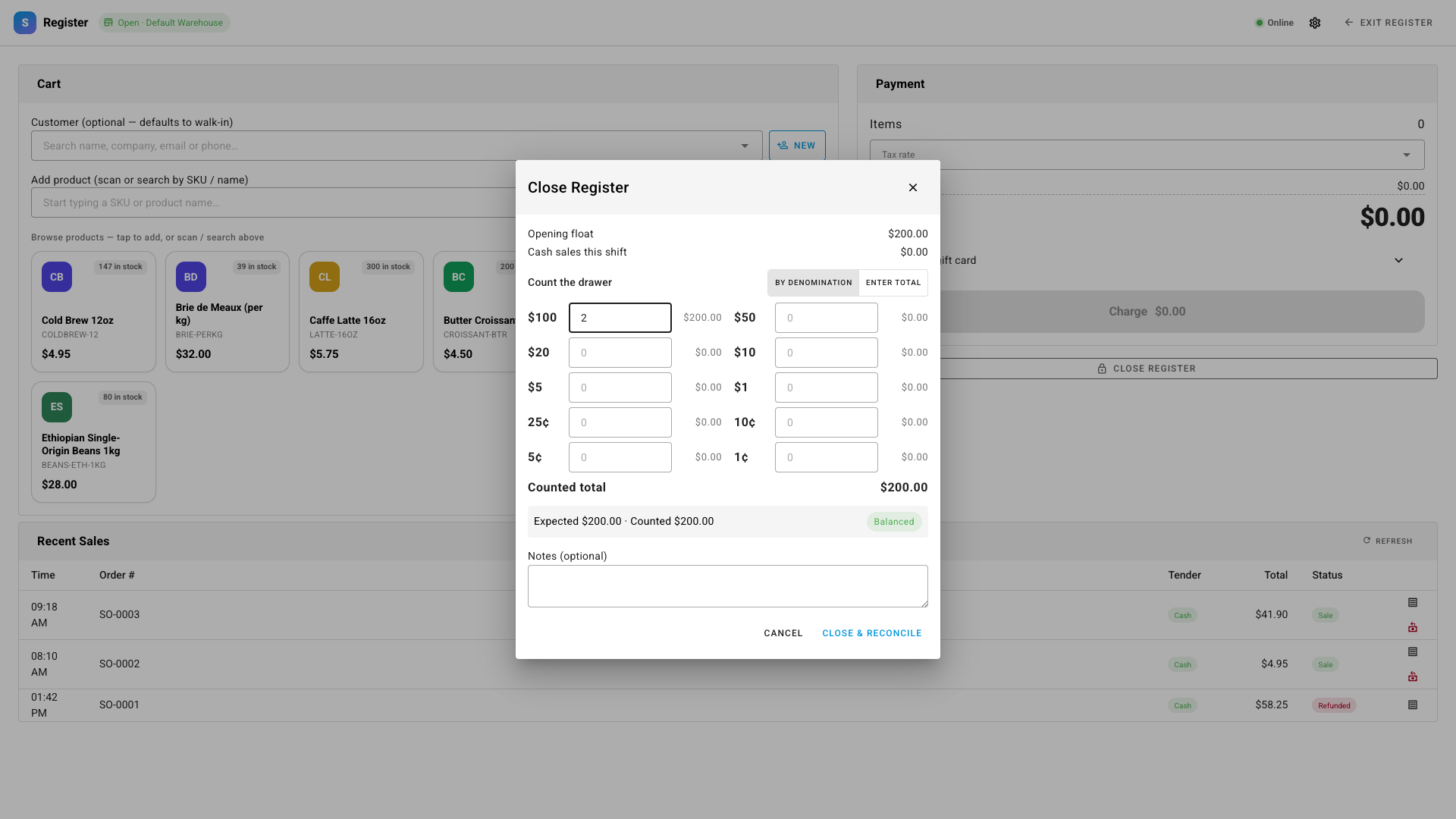
Cash registers need honest cash handling. Open a session with a starting float, and at the end of the shift close it with a guided denomination count — enter how many of each bill and coin are in the drawer and SKU.io totals it for you, then reconciles it against what it expected (opening float + cash sales) and flags any over or short before you close.
Where to find it
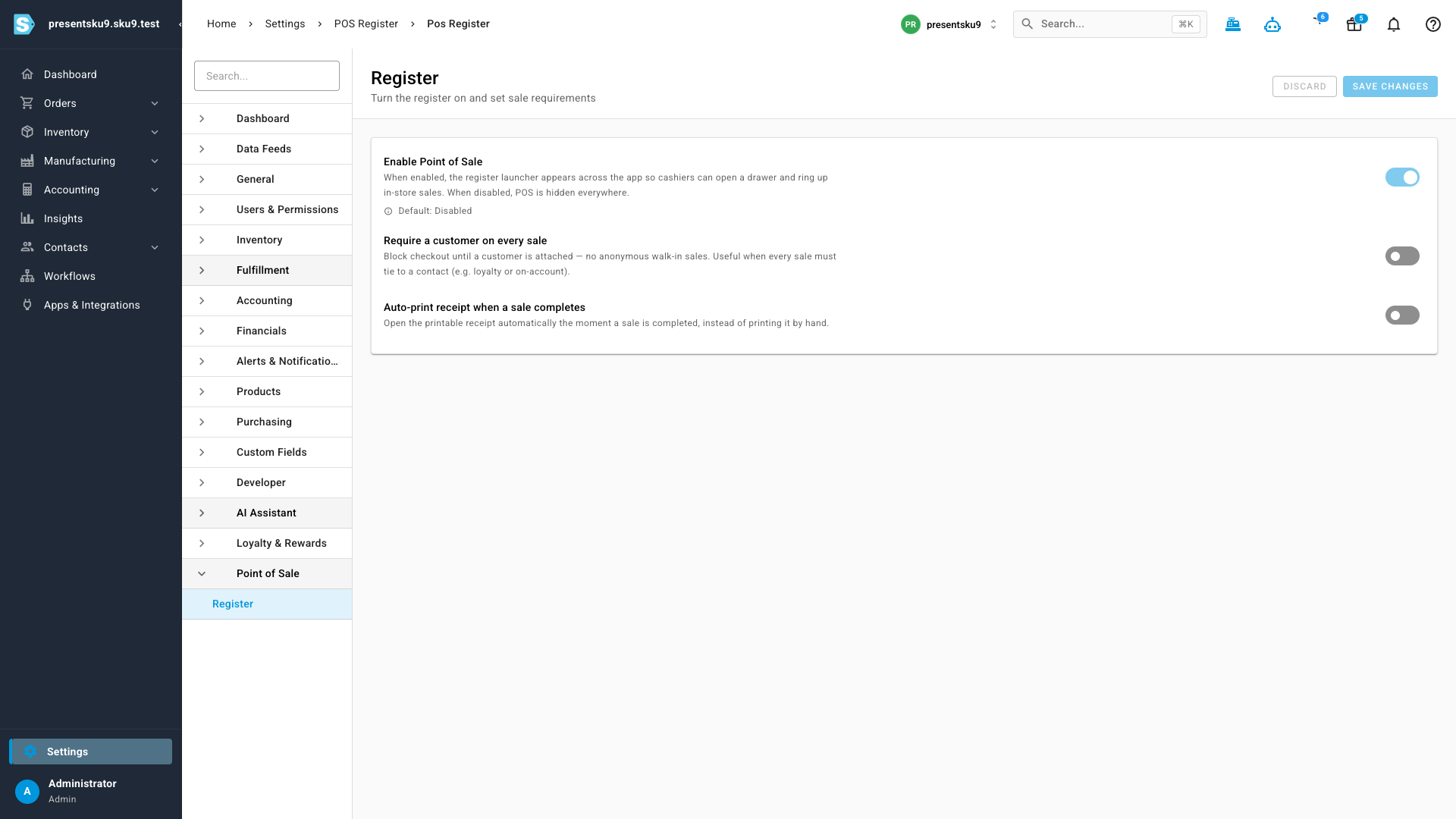
Point of Sale is off by default. An administrator turns it on under Settings → Point of Sale, where you can also require a customer on every sale or auto-print receipts. Once it's enabled, open the register any time from the cash-register icon in the top bar — reachable from every page — or from Orders → POS Register in the main menu.