Trackstar — connect any 3PL or WMS through one integration
If your fulfillment lives in a third-party warehouse, your operational truth lives in someone else's system. Orders get shipped in the WMS, inventory moves in the WMS, returns land in the WMS — and SKU.io only finds out if someone re-keys it, or if you commissioned a bespoke integration for that one provider. Switch 3PLs, add a second warehouse, or work with a partner running a different platform, and you start over. The new Trackstar integration removes that per-provider tax. Trackstar is a unified API that sits in front of dozens of warehouse systems — ShipBob, ShipHero, Extensiv and more — so a single connection in SKU.io keeps your orders, inventory, products, inbound shipments, returns, shipping methods and bills in sync no matter which WMS is actually doing the work.
✨ What this means for you:
- One integration, any warehouse. Connect through Trackstar once and reach whatever WMS or 3PL your partner runs — no separate build per provider, and no re-integration when you switch or add a warehouse.
- Your whole fulfillment picture, synced. Orders, inventory, products, inbound shipments, returns, shipping methods and bills all flow into SKU.io automatically, each on its own schedule.
- Real-time, not overnight. Webhooks push order, inventory and shipment updates the moment they happen in the warehouse, so what you see in SKU.io matches what's really on the floor.
- Turn on exactly what you need. Enable inventory sync, inbound shipments, returns and fulfillment independently per connection — start read-only and add fulfillment when you're ready.
- Run more than one. Connect multiple warehouses side by side, each with its own settings and sync status.
- Map warehouses your way. Point each Trackstar warehouse at the right SKU.io 3PL warehouse so stock and fulfillments always land in the correct place.
Connect your warehouse once
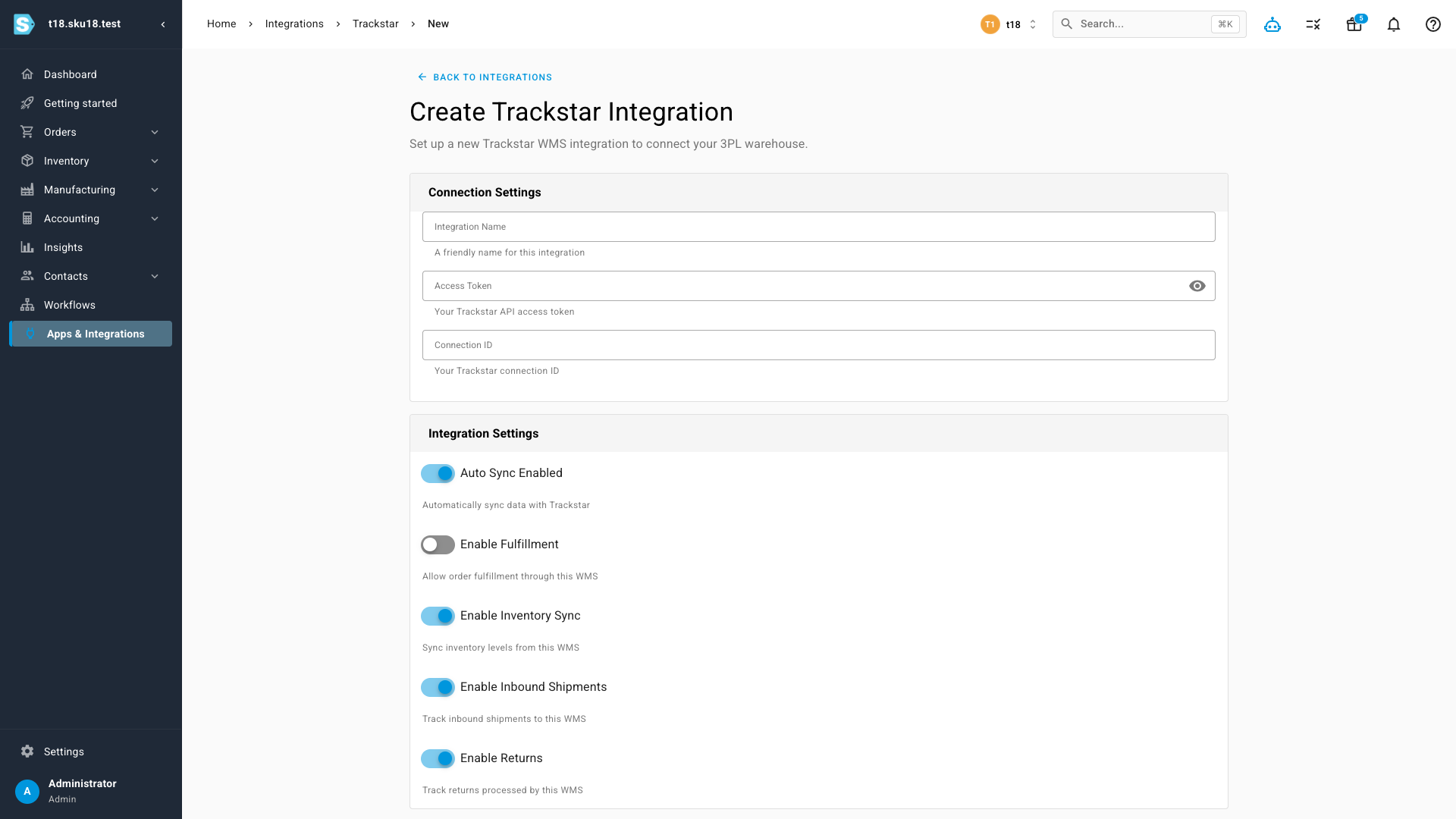
Head to Apps & Integrations, choose Trackstar, and fill in a short form: give the connection a friendly name, paste your Trackstar Access Token and Connection ID, then decide what this warehouse should do. The toggles let you turn inventory sync, inbound shipments, returns and fulfillment on or off independently — so you can bring a warehouse online read-only and enable order fulfillment through it later.
One dashboard for everything your warehouse knows
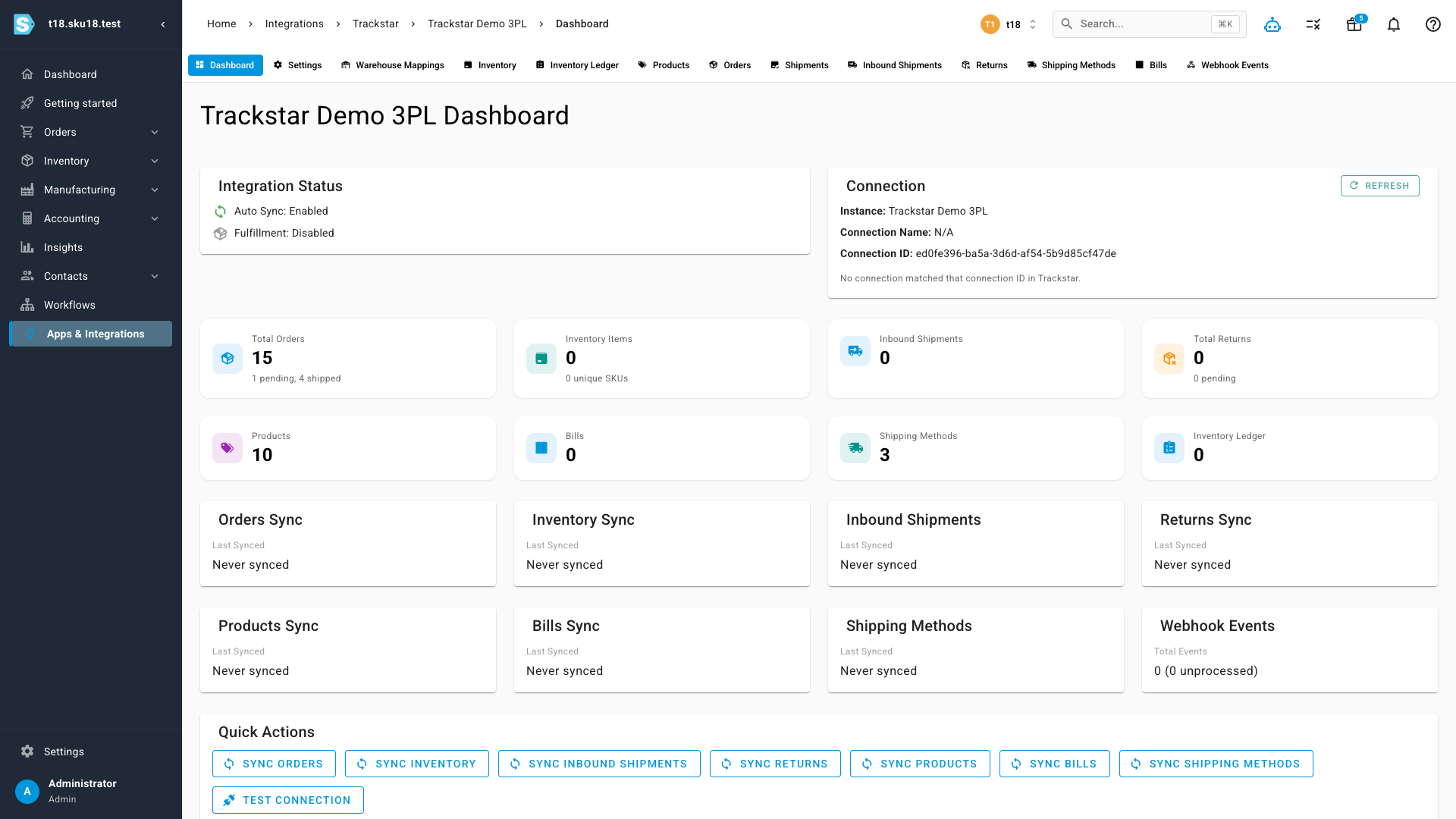
Once connected, each integration gets its own dashboard — a single place to see status and pull data on demand. At-a-glance cards count your orders, inventory items, products, inbound shipments, returns, shipping methods and bills, each with its own last-synced time, and one-click sync buttons let you refresh any data type immediately instead of waiting for the next scheduled run. A Test Connection button confirms SKU.io is talking to the warehouse.
Your fulfillment orders, in sync
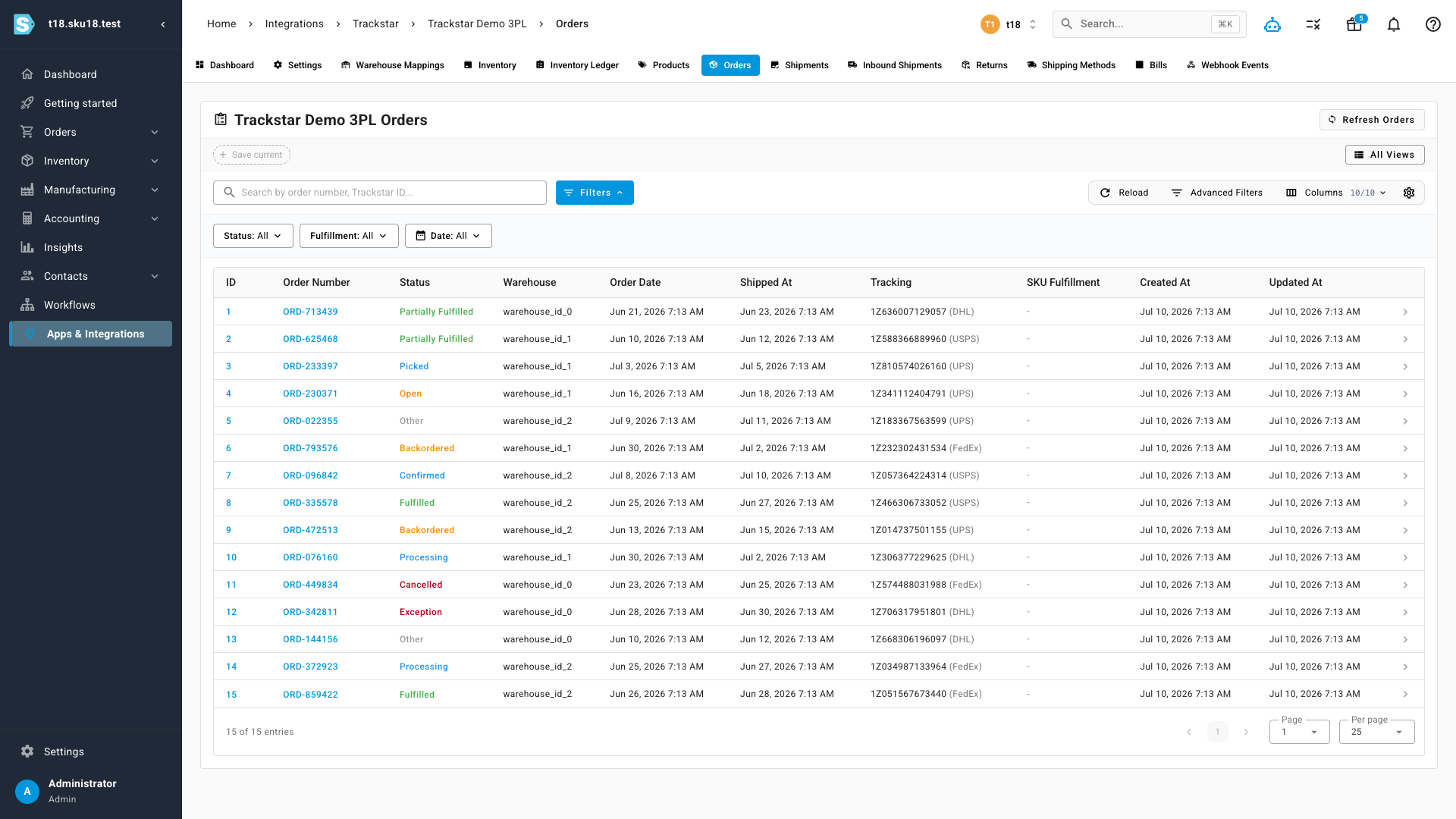
Orders from the warehouse arrive in SKU.io with their status, assigned warehouse, order and ship dates, and carrier tracking — and link straight to the matching SKU.io fulfillment. Filter by status, fulfillment or date, search by order or Trackstar ID, and save the views you use most.
Your product catalog, in sync
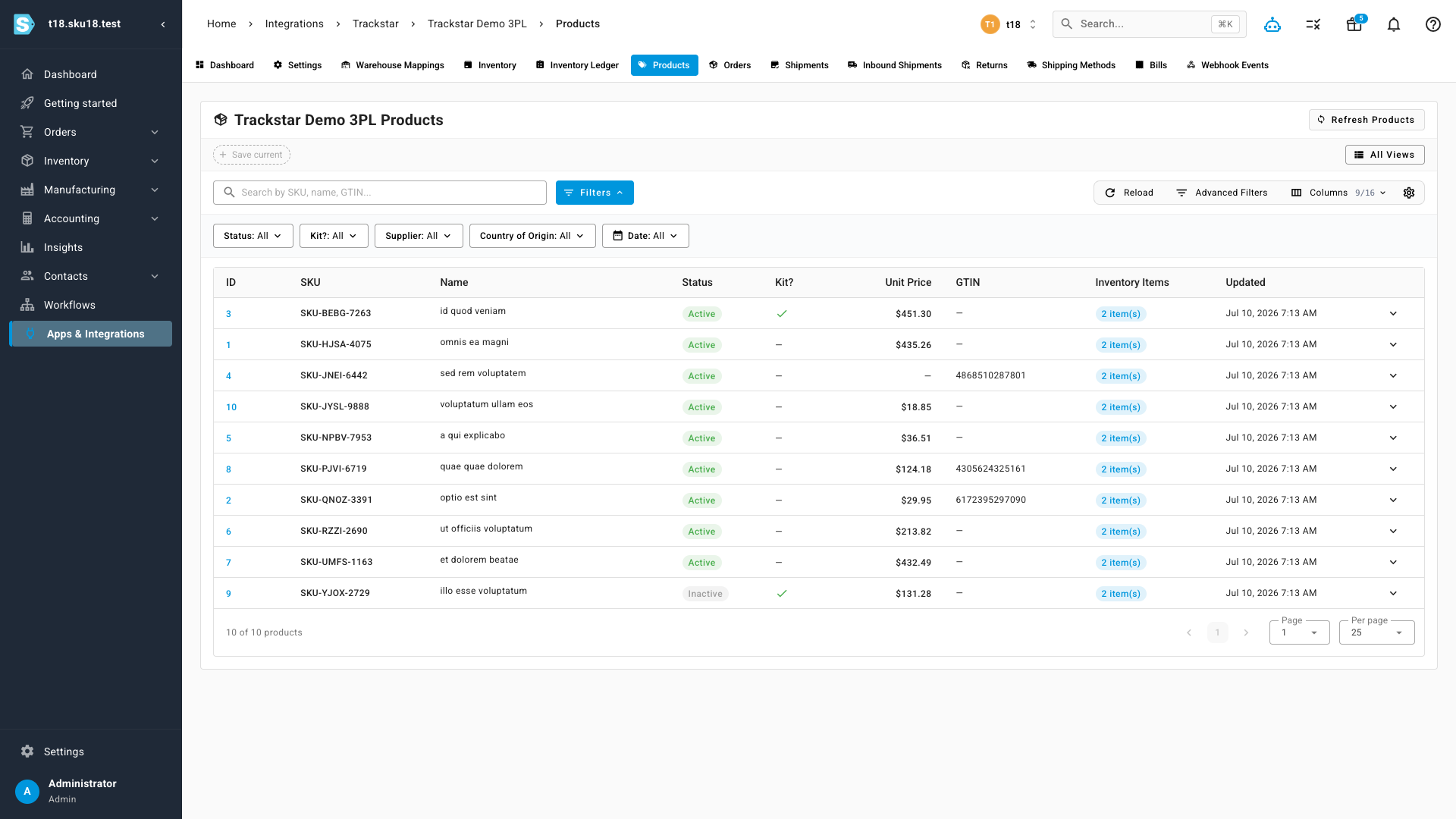
The products the warehouse holds come across too — SKU, name, status, unit price, GTIN, kit flag and linked inventory items — so what SKU.io knows about your catalog matches what your fulfillment partner is actually storing and picking.
Beyond these, each connection also carries dedicated views for inventory, the inventory ledger, shipments, inbound shipments, returns, shipping methods, bills and the raw webhook events — and mapping controls to tie each Trackstar warehouse to the right SKU.io 3PL warehouse. Where a particular warehouse system doesn't support a capability, SKU.io hides or disables just that piece, so you only ever see what your WMS can actually do.
Where to find it
Go to Apps & Integrations → Trackstar and connect a warehouse. You'll need your Trackstar Access Token and Connection ID from Trackstar. Turn on only the capabilities you want to start with — you can enable fulfillment, returns and the rest at any time from the connection's settings.