Made-to-Order Decoration — capture, cost, and control every custom job
If you sell decorated goods — embroidered caps, screen-printed tees, engraved tumblers — the details that actually drive the job have never had a real home in your order. Placement, technique, thread or ink colors, stitch count, which logo and whether it's even been digitized yet: all of it ended up crammed into a line's description or a spreadsheet on someone's desk, unqueryable and impossible to cost. Made-to-Order Decoration brings that world into SKU.io as structured data — a decoration spec you attach to any order line, registries of methods and placements you control, and a pro-forma cost estimate that shows you the margin before you accept the order.
✨ What this means for you:
- Add one or more decorations to any product line — each with its own method, placement, artwork, colors, sizing metrics and setup type.
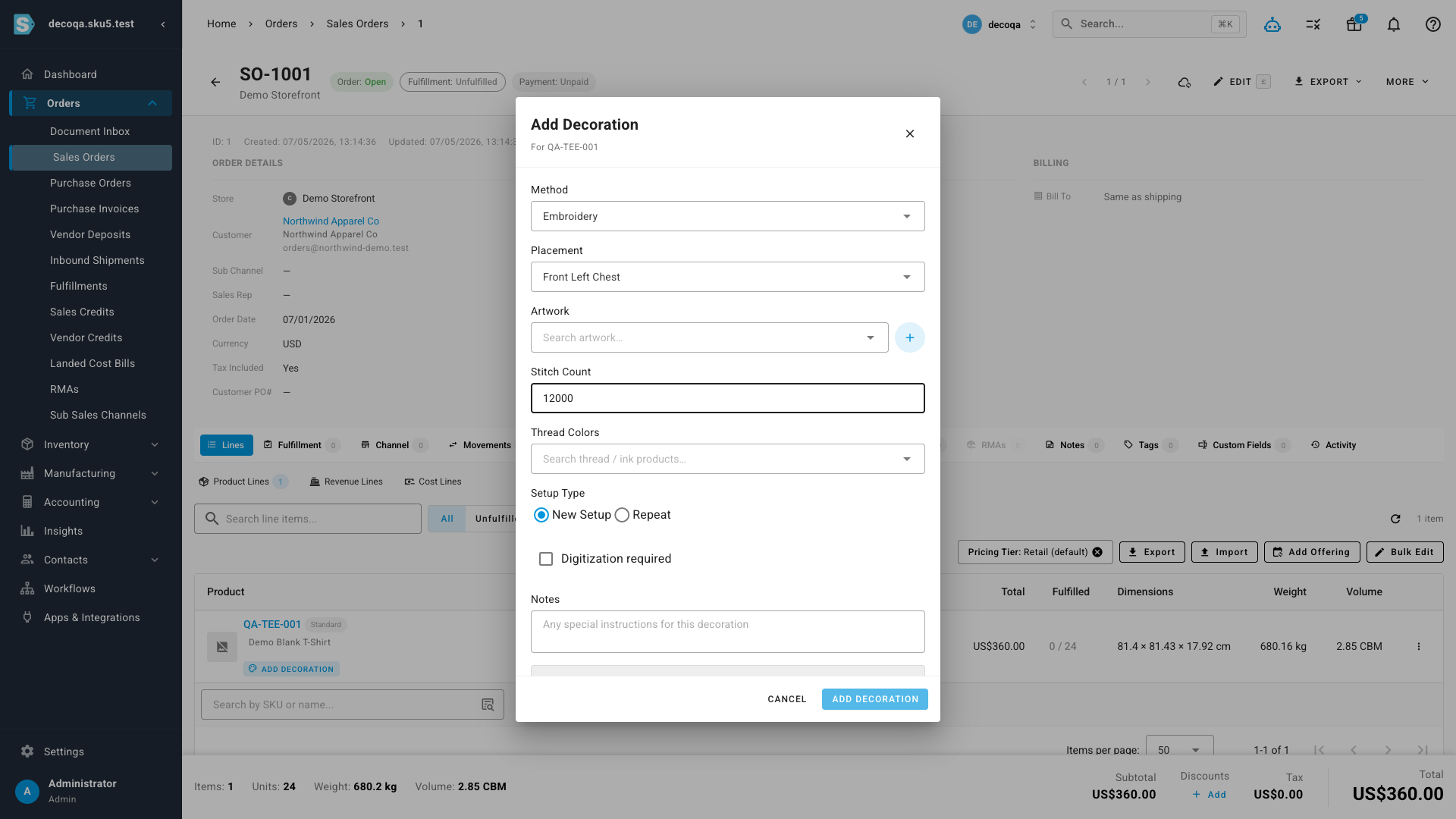
- Method-aware fields — embroidery asks for a stitch count, screen print for ink colors — with live validation, so a spec is complete before it ever reaches the production floor.
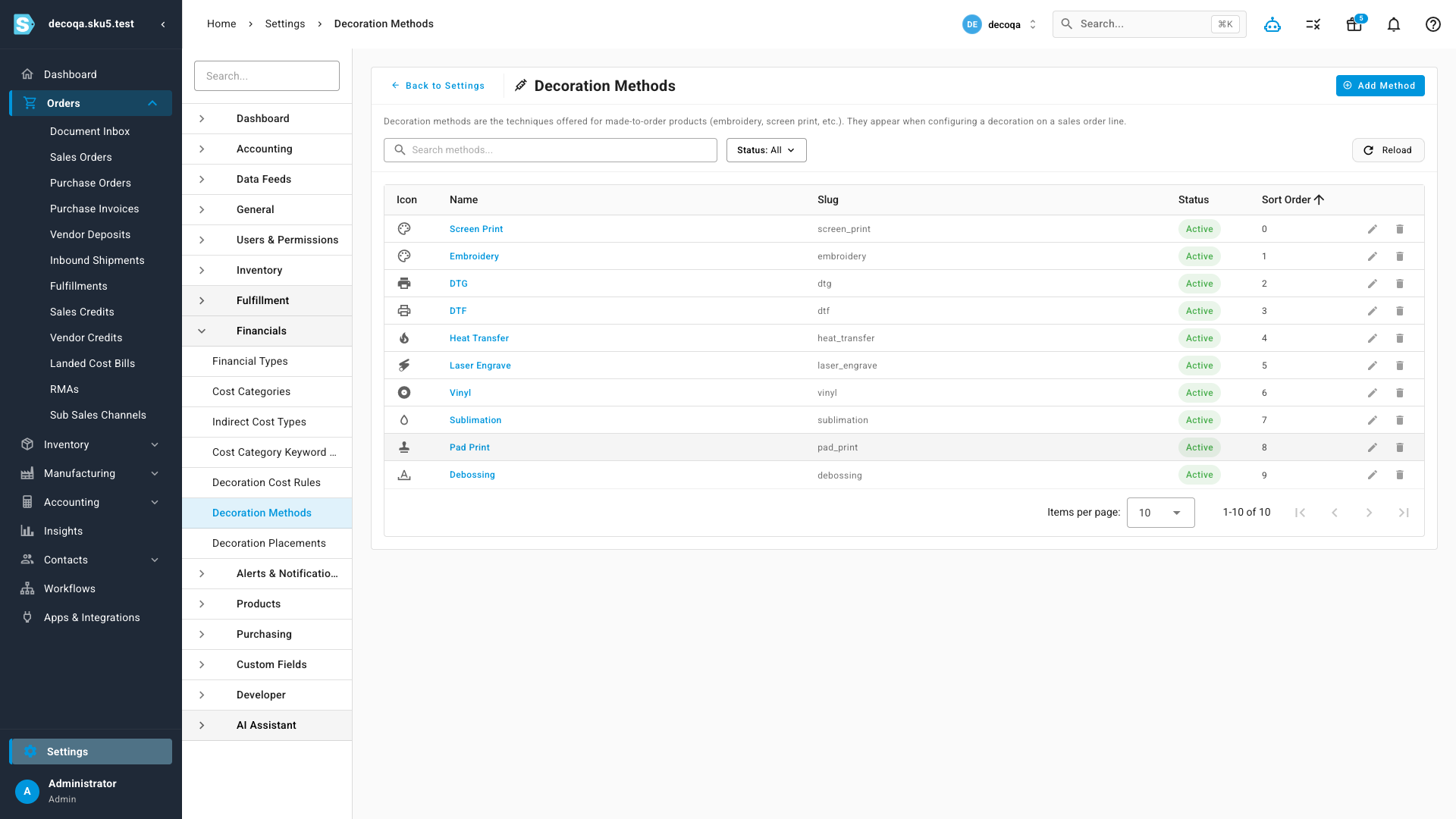
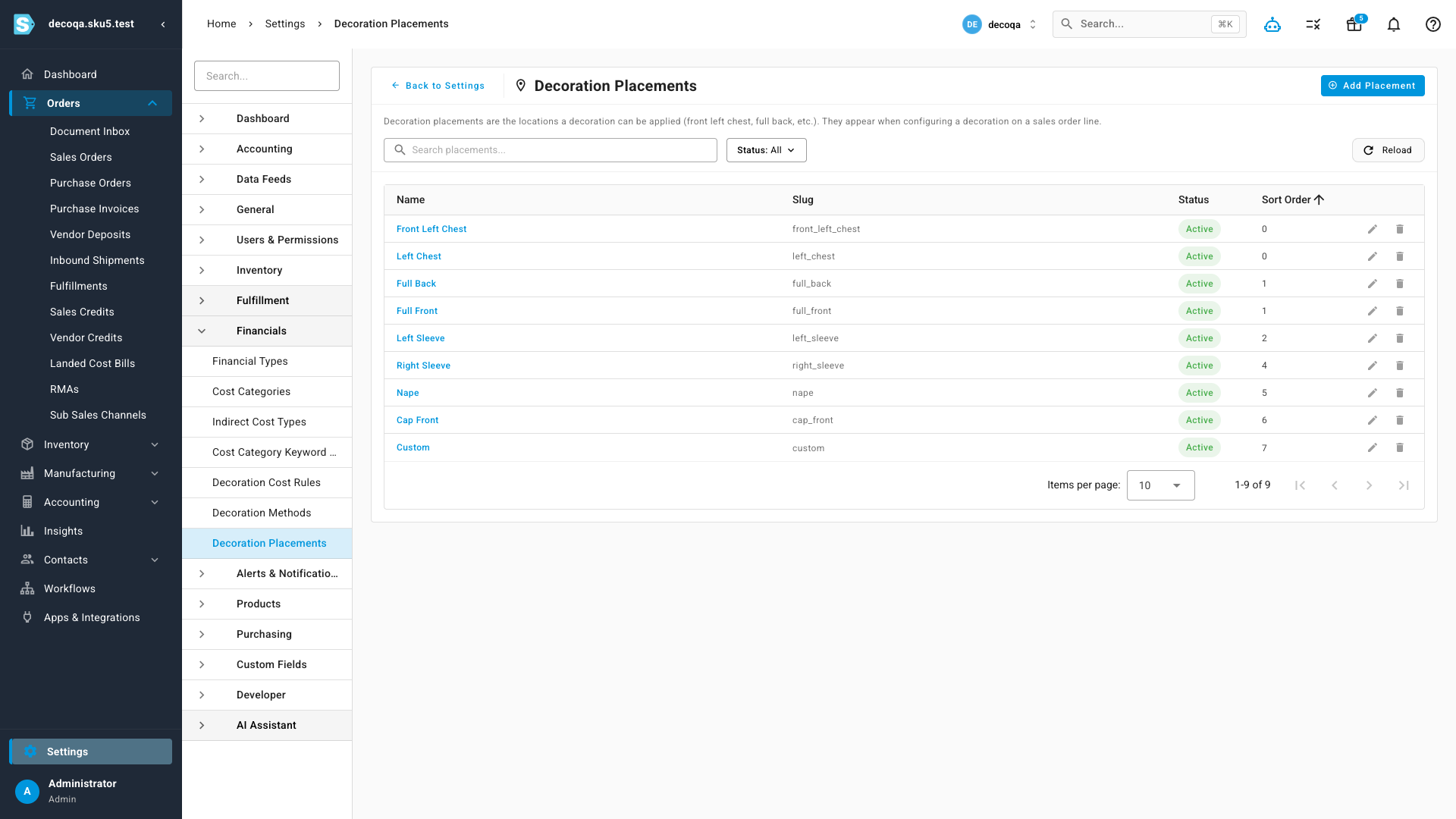
- Your own registries of decoration methods and placements, maintained under Settings — no fixed list, no engineering ticket to add one.
- Link each decoration to an artwork and see its digitization state inline, so "has this logo been digitized yet?" is a two-second lookup instead of a spreadsheet hunt.
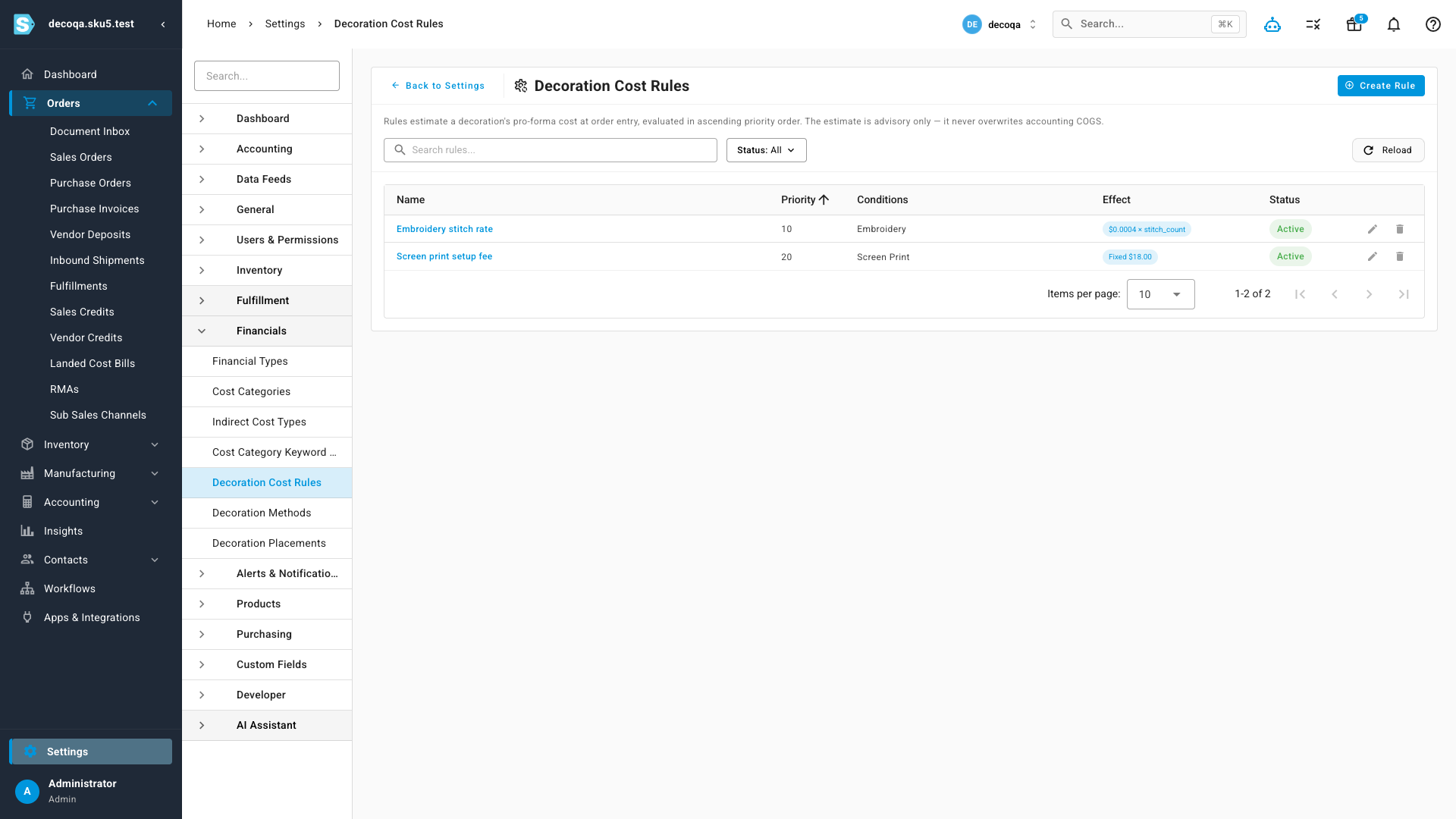
- A pro-forma cost-rule engine that estimates each decoration's cost at order entry — advisory only, so it flags thin-margin jobs without ever touching your accounting COGS.
Add a decoration to any order line
On a sales-order line for a decorable product, click Add decoration to open the decoration editor. Pick the method (embroidery, screen print, DTG, DTF, heat transfer, and more) and the placement (front left chest, full back, left sleeve…), search your artwork registry, and capture the metrics that matter for that technique — stitch count for embroidery, thread or ink colors, and whether it's a new setup or a repeat. Validation runs as you type, so an embroidery decoration can't be saved without a stitch count. A single line can carry several decorations — a front logo, a back name, a sleeve number — each tracked in its own right.
Methods and placements, on your terms
Every decoration technique and every placement location is a record you own, maintained under Settings → Financials. Reorder them, deactivate the ones you don't offer, or add your own — and they immediately populate the dropdowns in the decoration editor. You're never boxed in by a hard-coded list.
See the margin before you say yes
Some decorations are quietly unprofitable — micro-embroidery, high-stitch jobs, one-off setups — and you usually only find out at month-end. The Decoration Cost Rules engine changes that. Define rules that match on a decoration's method, placement, stitch count or setup type and apply an effect — a fixed fee, a per-unit charge, or a rate times a metric like stitch_count. When a decoration is added to a line, the matching rules run in priority order to produce a pro-forma cost estimate. It's advisory only — it never overwrites the true accounting COGS recorded at fulfillment — so you get an honest read on margin before you accept the order, without disturbing your books.
Where to find it
Made-to-Order Decoration is enabled per account — if you don't see it yet, reach out and we'll switch it on. Once it's active, open any sales order and, on a decorable product line, click Add decoration to build the spec. The registries and rules live under Settings → Financials → Decoration Methods, Decoration Placements, and Decoration Cost Rules.