TikTok Shop — sell on TikTok, manage it all in SKU
If you sell on TikTok Shop, you already know the tax it charges on your time: every order re-keyed into SKU by hand, stock levels that drift out of sync until a listing oversells, tracking numbers copied back into Seller Center one by one, and returns that stay invisible until someone reconciles them weeks later. TikTok's on-time-shipping metrics don't forgive any of it. TikTok Shop is now a first-class sales channel in SKU — connect your seller account once and orders import automatically, available inventory pushes out on a schedule, tracking submits back the moment you fulfill, and returns and refunds land where you can see them. It lives right alongside Shopify, Amazon, and the rest, using the exact same screens you already know.
✨ What this means for you:
- Orders import automatically — every TikTok Shop order becomes a SKU sales order on a schedule and in real time, so inventory deducts the moment a sale happens instead of when you get around to typing it in.
- Inventory pushes back to TikTok — available stock syncs out per warehouse, so your listings stop overselling and you stop eating cancellations and seller-score penalties.
- Tracking writes itself back — fulfill an order in SKU and the tracking number is submitted to TikTok for you, keeping your on-time shipping metrics healthy without the copy-paste.
- Self-serve product mapping — link TikTok listings to your SKU products with per-row mapping, a bulk modal, CSV import/export, Smart Match suggestions, and one-click product creation for anything new.
- Returns and refunds stay reconciled — customer returns and refunds sync in automatically, so your inventory and accounting reflect them without a manual pass.
- One UI for every channel — TikTok Shop uses the same navigation, tables, filters, and detail pages as your other integrations, so there's nothing new to learn.
A dashboard for your TikTok Shop at a glance
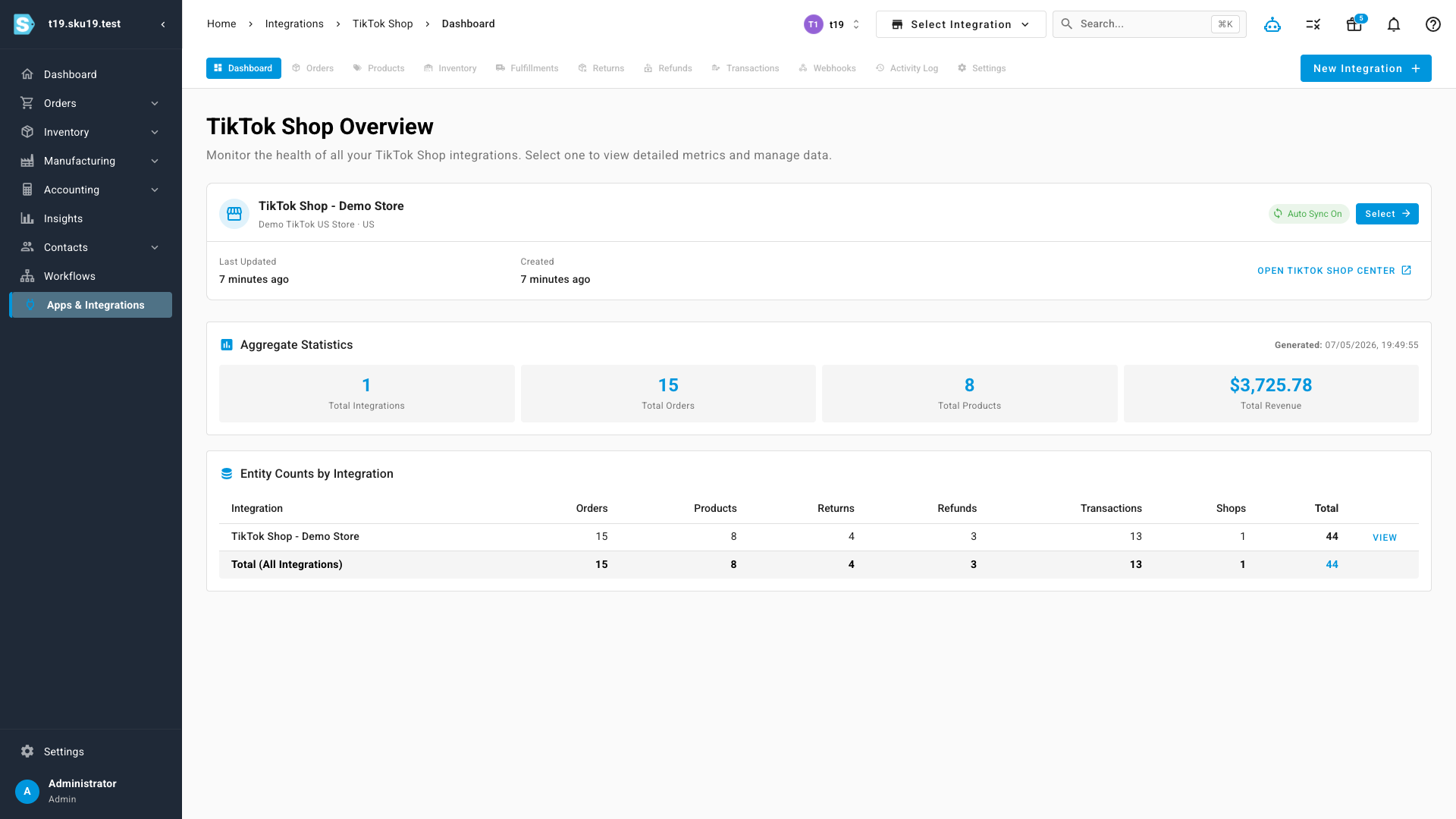
Connect your TikTok Shop seller account and you get a dedicated workspace with its own dashboard — order counts, product counts, and recent-sales totals up top, with quick links into every part of the channel. Sync runs on a schedule you control, and a countdown tells you exactly when the next automatic sync will fire.
Orders flow in automatically
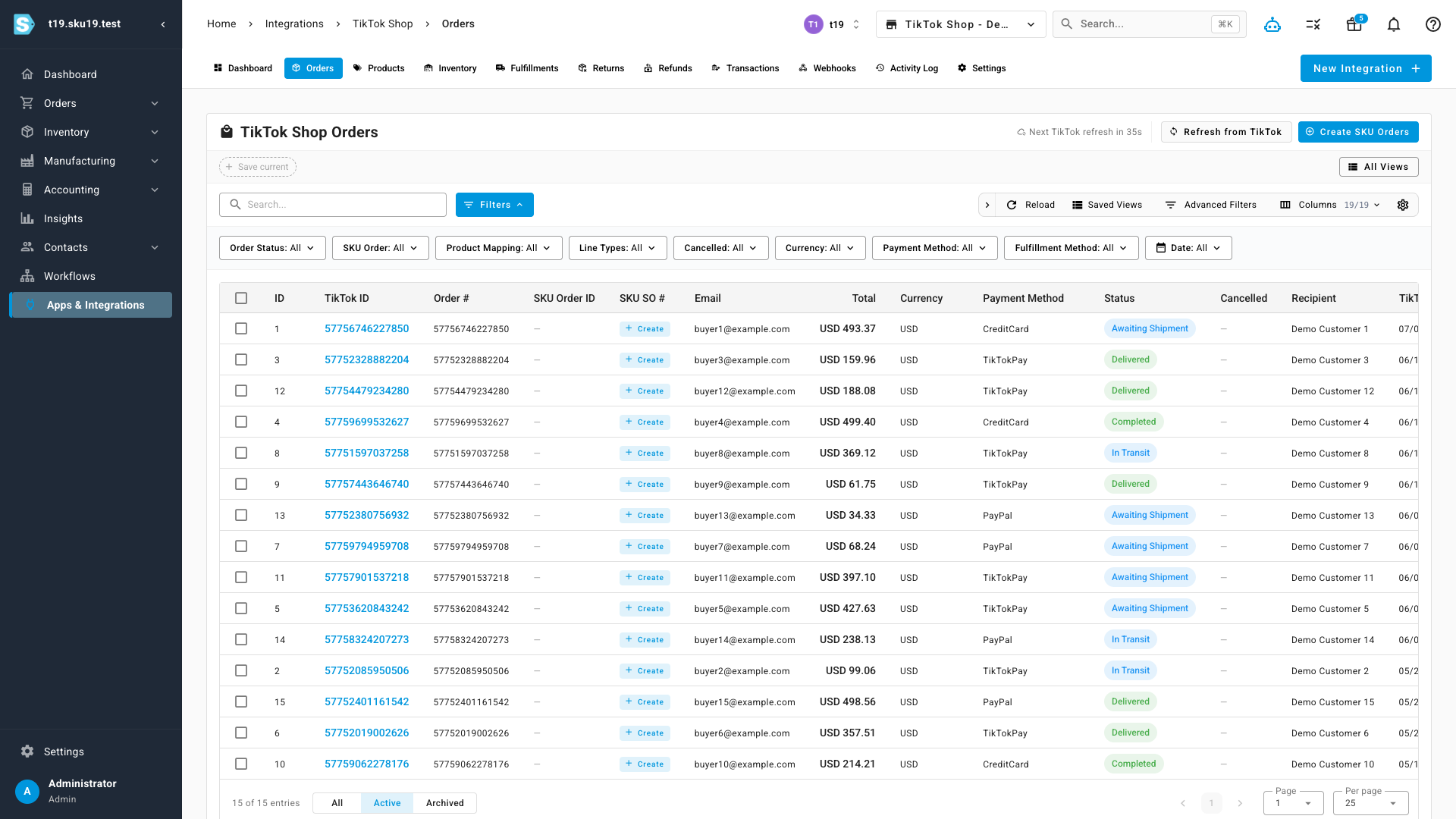
Every TikTok Shop order imports as a SKU sales order, complete with buyer details, line items, and its current TikTok status — awaiting shipment, in transit, delivered, completed. The orders list is the same sortable, filterable table with the same checkbox column and bulk actions you use on every other channel, so you can triage and fulfill TikTok orders exactly the way you already work.
Map your listings your way
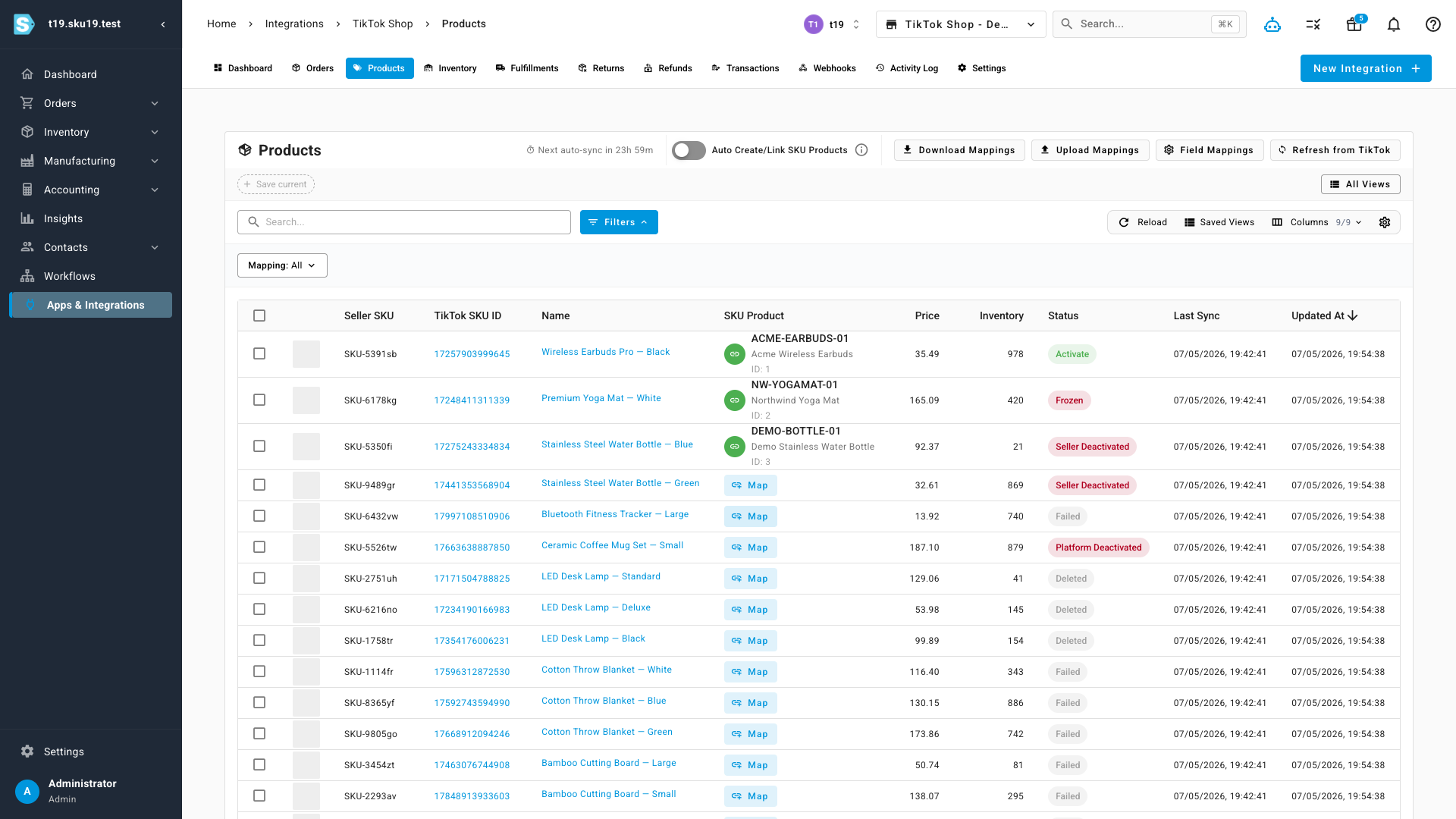
Before inventory can sync and orders can deduct the right stock, TikTok listings need to be linked to your SKU products — and mapping is fully self-serve. Each listing shows whether it's mapped, and unmapped ones are one click away from being linked. When you have a lot to do, the bulk mapping modal and a CSV download-and-upload roundtrip let you handle them all at once.
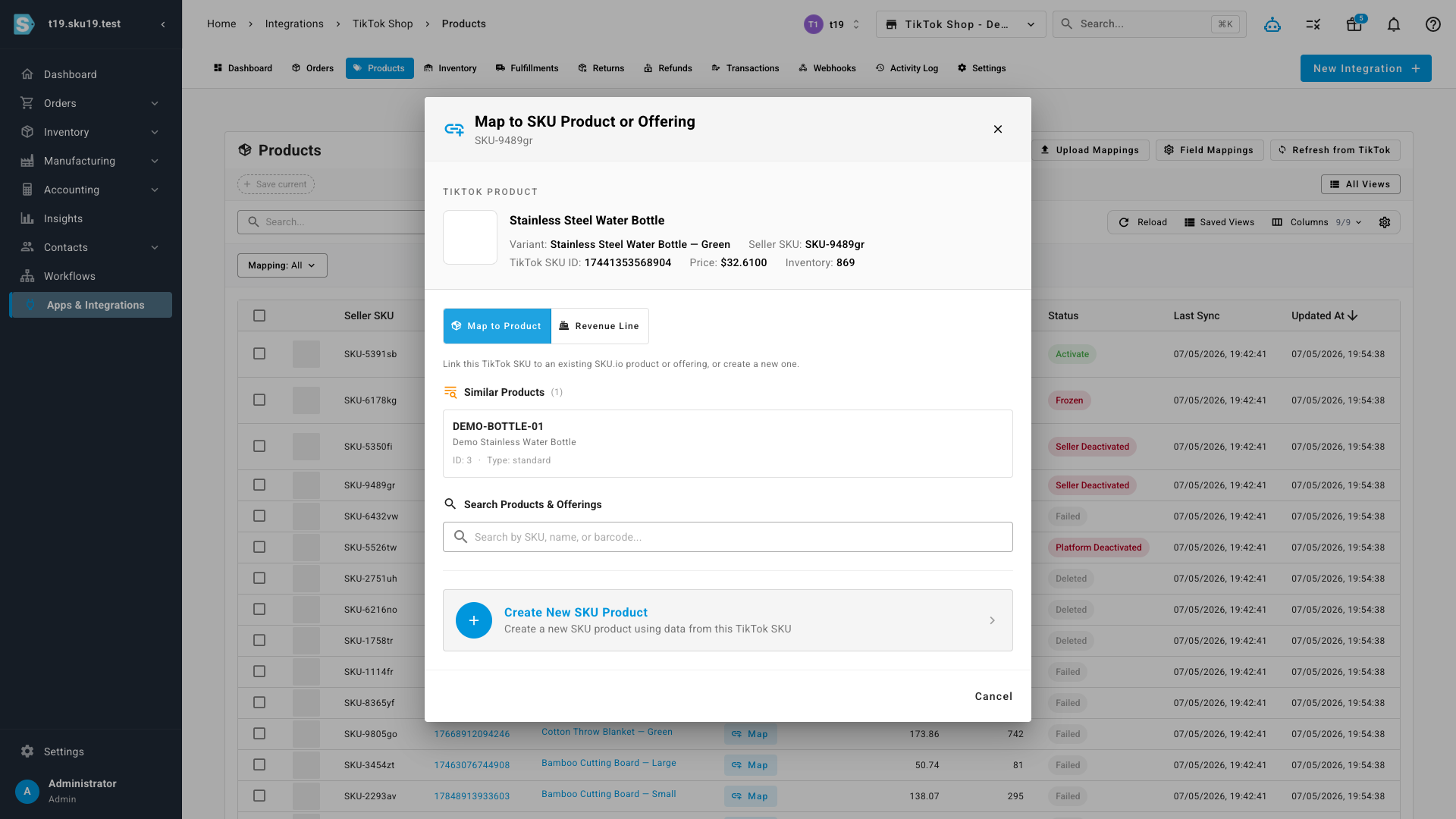
The mapping modal does the heavy lifting for you. Smart Match suggests the most likely SKU product for each listing, so most mappings are a single confirmation. If a listing has no equivalent in SKU yet, create a new product from it right there. And for non-inventory line items — fees, gift wrapping, warranties — you can map to a revenue line instead of a product, so they post to accounting correctly instead of distorting your stock.
Where to find it
Open Integrations and add TikTok Shop, then authorize your seller account. Once connected, your TikTok Shop lives under Integrations → TikTok Shop, with tabs for Dashboard, Orders, Products, Returns, Refunds, Transactions, Webhooks, and Settings — the same layout as every other sales channel in SKU.